
Form DOH-4359 at a glance
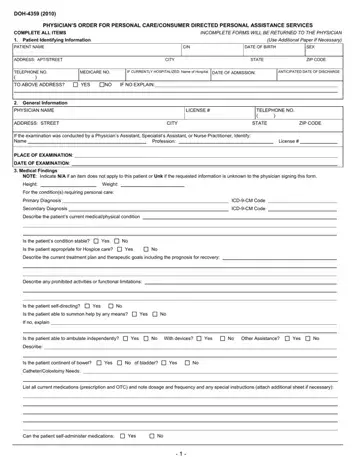
What it is: Form DOH-4359 is the Physician's Order for Personal Care/Consumer Directed Personal Assistance Services.
Who signs: Physician's Signature/Date of completion: the signature of the ordering physician as identified in Item 2.
On page 3, the instructions say to complete all items (attach additional sheets, if necessary).
Incomplete forms will be returned to the physician.
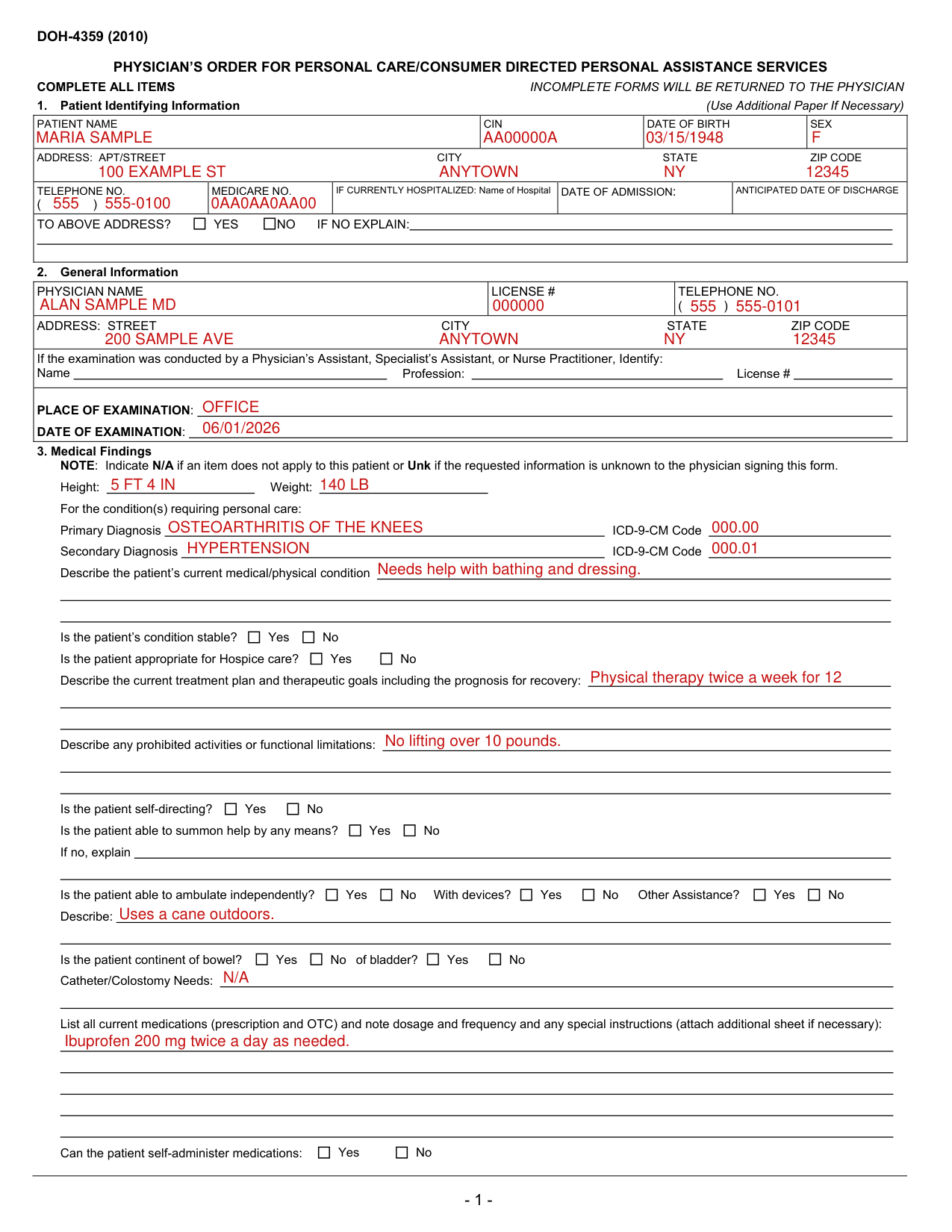
A filled-in Form DOH-4359 example: a physician orders home care for a patient
How to fill out Form DOH-4359, box by box
1. Patient Identifying Information
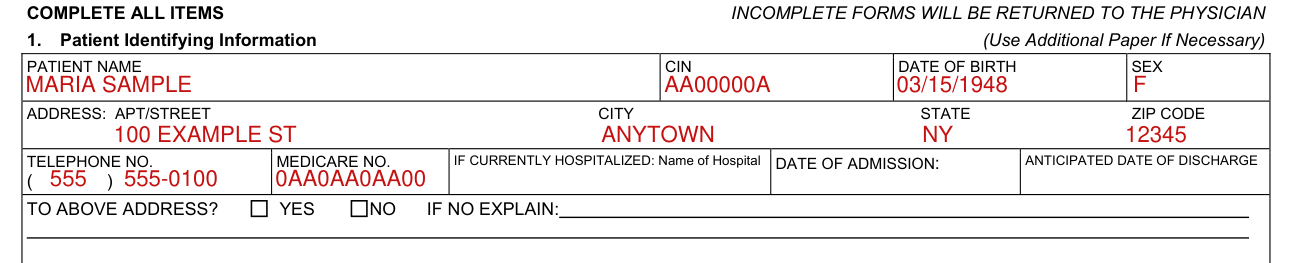
Patient Name: enter the patient's name.
CIN is found on the patient's Medical Assistance ID card.
Date of Birth: enter the patient's date of birth.
Sex: enter the patient's gender.
Enter the patient's address and telephone number.
Enter the patient's Medicare number if available.
If the patient is hospitalized at the time of completion of the physician's order, indicate the name of the hospital, date of admission, and anticipated date of discharge.
If the patient is to be discharged to an address other than the address listed in Patient Identifying Information, please explain.
2. General Information

Physician's Name, License #, Address, Telephone: enter information for the physician signing the order.
Enter either the physician's license number as issued by the New York State Department of Education or the provider billing number issued by the New York State Department of Health Medicaid Management Information System.
If patient was examined, and the order form completed by a physician's assistant, specialist's assistant, or nurse practitioner, complete the required information.
Place of Examination: indicate the location (office, clinic, home, etc) of the examination of the patient.
Date of Examination: enter the date the patient was examined. This must be within 30 days of the date the physician signed the form.
3. Medical Findings: the patient's condition
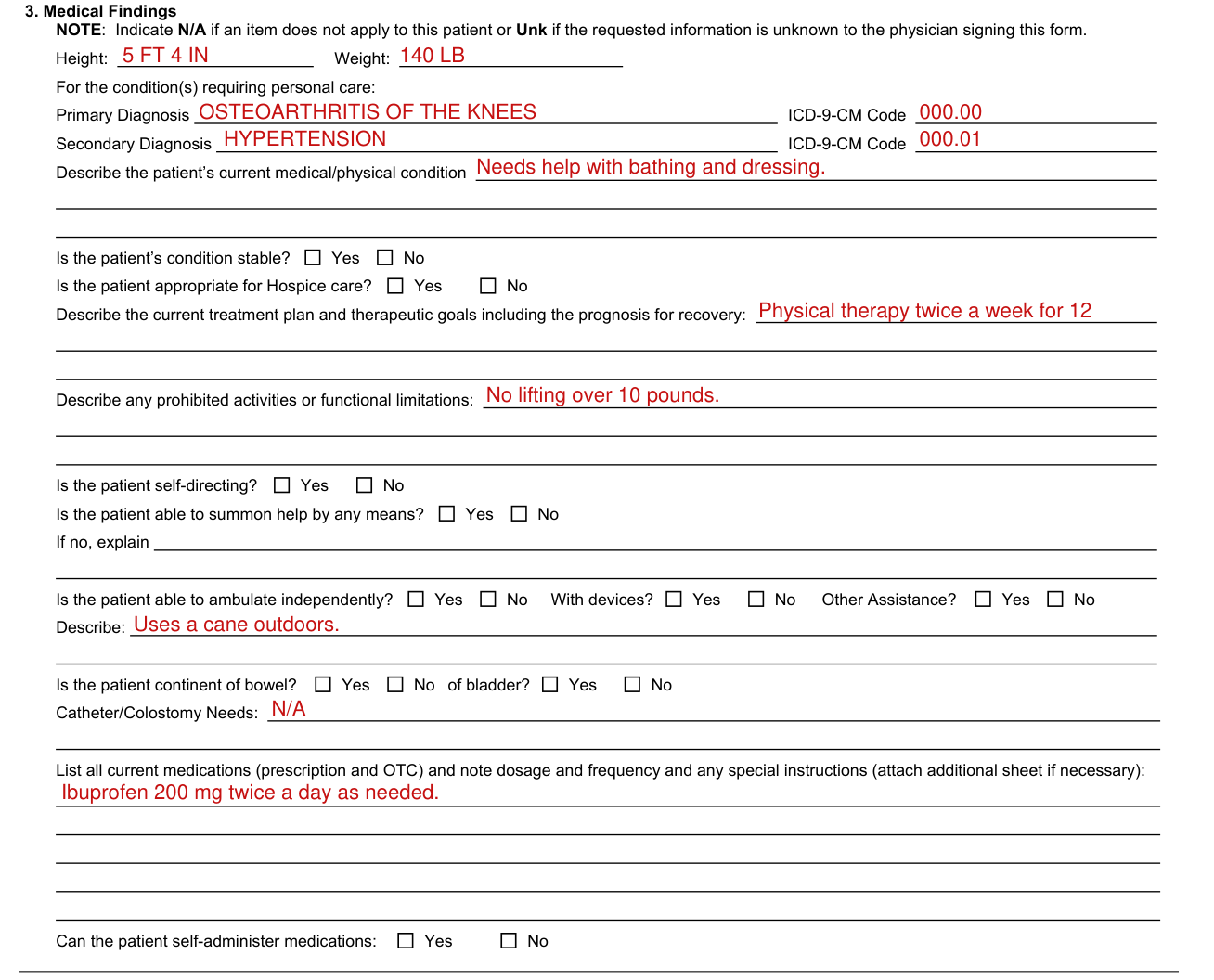
Indicate N/A if an item does not apply to this patient or Unk if the requested information is unknown to the physician signing this form.
Height, Weight: enter the patient's height and weight.
Primary and Secondary Diagnosis: enter the primary and secondary diagnosis with ICD-9-CM codes for the primary and secondary conditions which result in the patient being evaluated for home care services.
Describe the patient's current medical/physical condition, including any relevant history.
Stability: check Yes if the patient's condition is not expected to show marked deterioration or improvement.
Hospice: if the patient's condition is terminal, indicate if the patient is appropriate for Hospice services.
Describe the current treatment plan. Include therapeutic goals and prognosis for recovery and anticipated duration of the current treatment plan.
Limitations: indicate any functional limitations or prohibited activities.
Self-Directing: indicate if the patient is self-directing. Self-directing means that the patient is capable of making choices about activities of daily living, understanding the impact of the choices, and assuming responsibility for the results of the choices. A No response to this item should be reflected in the description of the patient's condition as documented in the applicable section.
Able to Summon Help: check Yes if the patient is able to summon assistance in an emergency situation by any means. If the patient is not able to summon assistance, check No and explain.
Ambulation: indicate the patient's ability to ambulate independently, or with the need for assistance or devices. Specify assistance/devices used or needed.
Bowel/Bladder: indicate if the patient is continent. Describe any catheter or colostomy needs.
Medications Required: list all prescription and over-the-counter medications the patient is taking and note dosage, frequency and any special instructions.
Medication Administration: indicate the patient's ability to self-administer medications.
Dietary Needs, Tasks, Skilled Tasks and Contributing Factors
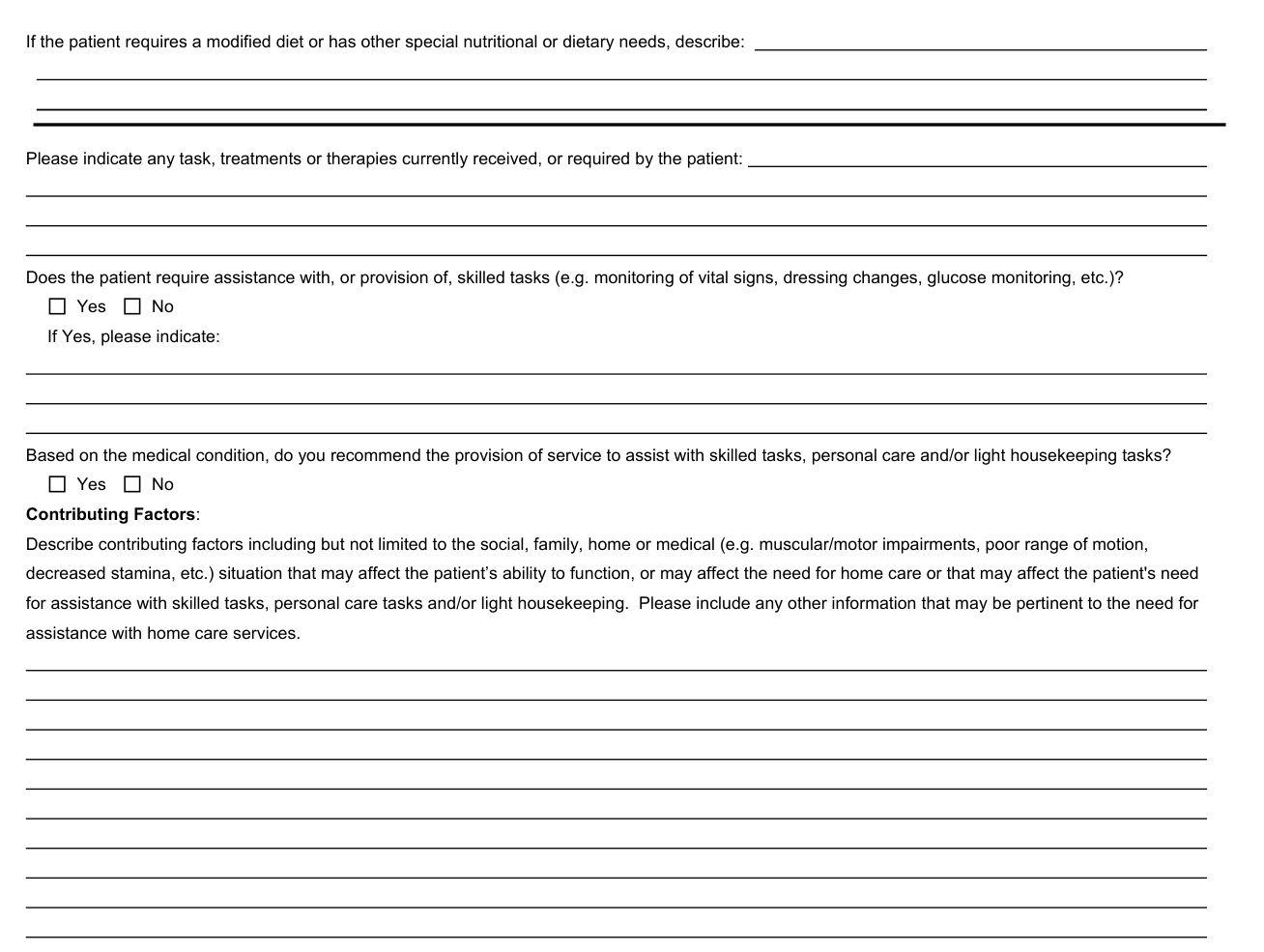
Dietary Needs: indicate if the patient has special nutritional or dietary needs, i.e. low salt or high potassium.
Tasks/Treatments/Therapies: indicate any tasks, treatments or therapies which the patient receives or requires in the home and describe.
Need for completion/assistance with skilled tasks: if the patient requires assistance with skilled tasks including, but not limited to, glucose monitoring, wound care, vital signs, describe the need for such assistance.
Recommendation to provide assistance: check Yes if, in your opinion, the patient can be maintained in his or her home with provision of home care services.
Contributing factors to need for assistance: please indicate the functional deficits that support the need for the provision of home care services.
Contributing Factors: describe contributing factors including but not limited to the social, family, home or medical (e.g. muscular/motor impairments, poor range of motion, decreased stamina, etc.) situation that may affect the patient's ability to function, or may affect the need for home care or that may affect the patient's need for assistance with skilled tasks, personal care tasks and/or light housekeeping. Please include any other information that may be pertinent to the need for assistance with home care services.
4. Physician's Signature/Date of completion
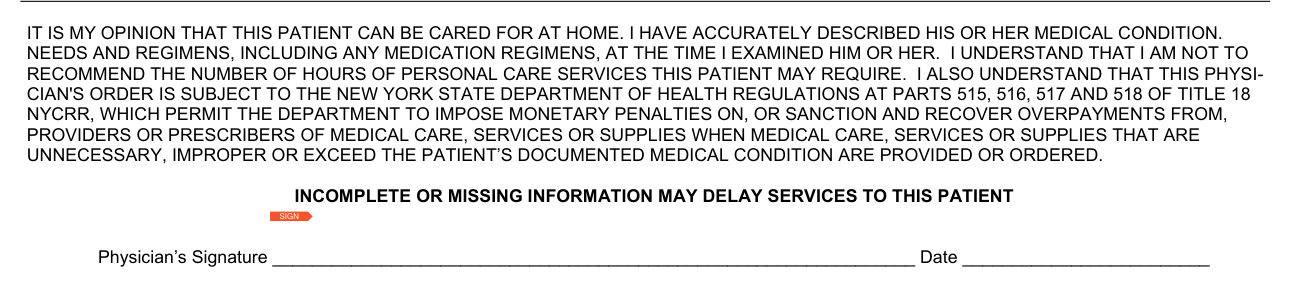
Note that by signing this document, the physician certifies that the patient's condition and needs are accurately described.
Forms lacking a signature and/or date are not acceptable.
The signature states: "It is my opinion that this patient can be cared for at home. I have accurately described his or her medical condition, needs and regimens, including any medication regimens, at the time I examined him or her."
The signature also states: "I understand that I am not to recommend the number of hours of personal care services this patient may require."
The signature also states that the physician's order is subject to the New York State Department of Health regulations at Parts 515, 516, 517 and 518 of Title 18 NYCRR.
These regulations permit the Department to impose monetary penalties on, or sanction and recover overpayments from, providers or prescribers of medical care, services or supplies when medical care, services or supplies that are unnecessary, improper or exceed the patient's documented medical condition are provided or ordered.
5. Return Form To
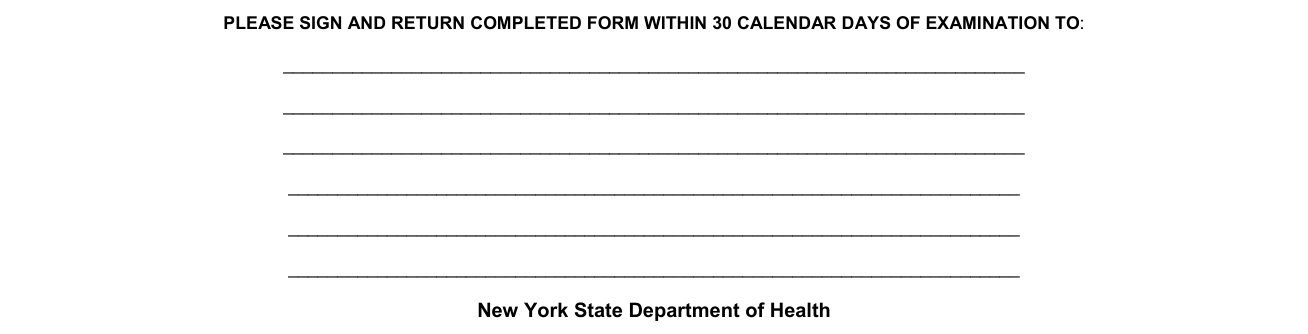
Return Form To: the local district or other case management entity to whom the form is to be returned.
Sign and return the completed form within 30 calendar days of examination.
Common questions about Form DOH-4359
What is form doh 4359?
Form DOH-4359 is the Physician's Order for Personal Care/Consumer Directed Personal Assistance Services. Incomplete or missing information may delay services to this patient.
Who signs it?
Physician's Signature/Date of completion: the signature of the ordering physician as identified in Item 2.
Sources
[1] Form DOH-4359 (2010), Physician's Order for Personal Care/Consumer Directed Personal Assistance Services, New York State Department of Health (the Official source link on this page).
