
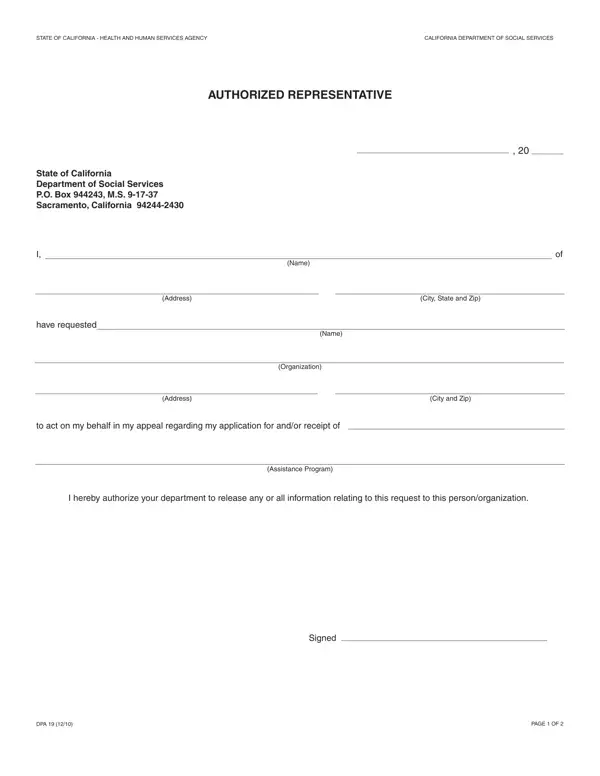
When navigating the complexities of receiving assistance in California, individuals may find themselves in situations where they need to appeal decisions made regarding their applications. This is where the DPA 19 form comes into play. Issued by the State of California's Department of Social Services, this crucial document serves as an authorization for an individual to appoint a representative to act on their behalf during the appeals process. Whether it's due to an application for or receipt of assistance from various programs, the form facilitates communication and information sharing between the person appealing and the Department of Social Services. By completing this document, individuals ensure that their chosen representatives can fully participate in the appeal process, including attending hearings and obtaining necessary information to support the case. Additionally, the DPA 19 form outlines the importance of either attending the hearing in person or making sure the appointed representative does so. It emphasizes that failing to appear can lead to the dismissal of the appeal. Furthermore, the form acknowledges the significance of bringing any evidence or witnesses that could bolster the case. With clear instructions on how to use this form and its role in the hearing process, understanding the DPA 19 form is essential for anyone looking to navigate the appeals process effectively and ensure their rights are adequately represented.
| Question | Answer |
|---|---|
| Form Name | DP 19 Form |
| Form Length | 2 pages |
| Fillable? | No |
| Fillable fields | 0 |
| Avg. time to fill out | 30 sec |
| Other names | Administrative, DPA, continuance, dpa 19 |
DP 19 Form isn’t the one you’re looking for?