
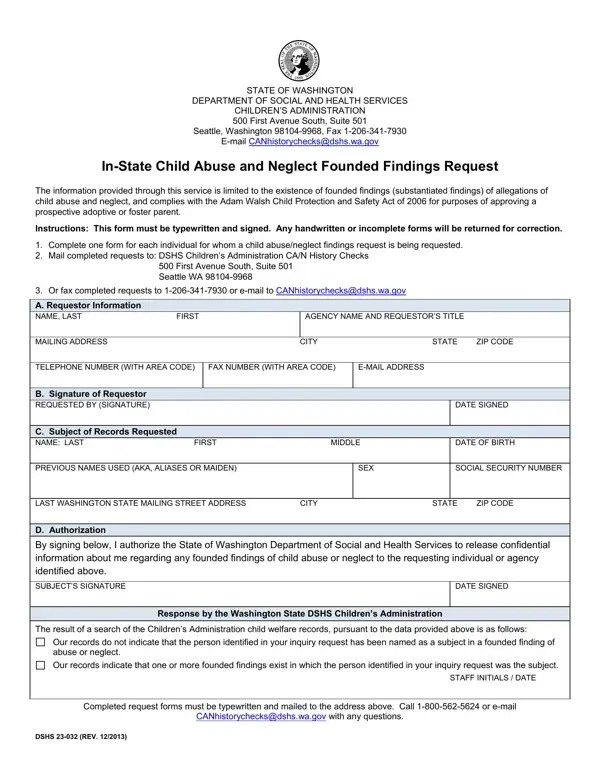

DCYF 23-032 at a glance
What it is: In-State Child Abuse and Neglect Founded Findings Request: the information provided through this service is limited to the existence of founded findings (substantiated findings) of allegations of child abuse and neglect.
Who signs: Requested By (Signature): The person requesting the information must sign the document. The “Authorization” signature is the signature of the person whose records will be reviewed for child abuse and neglect history. Signature: The individual self-requesting or whose records you are requesting must sign the document, unless you are otherwise authorized under law to receive this confidential information. Date Signed: The individual self- requesting or whose records you are requesting must include the date that he/she signed the document.
You must use this form if you are (1) a public child welfare agency, (2) a private agency with the authority to place children or agencies required to check any child abuse and neglect registry maintained by Washington state, or by individuals hired by employers or agencies required to obtain this information, (3) an individual making a self-request, or (4) an individual approved by the court under Washington chapter 26.33 RCW to complete an adoption pre-placement or post-placement report, to obtain information from DCYF about the history of founded allegations of Child Abuse and Neglect for placement purposes.
A filled-in DCYF 23-032 example: an agency checks one applicant
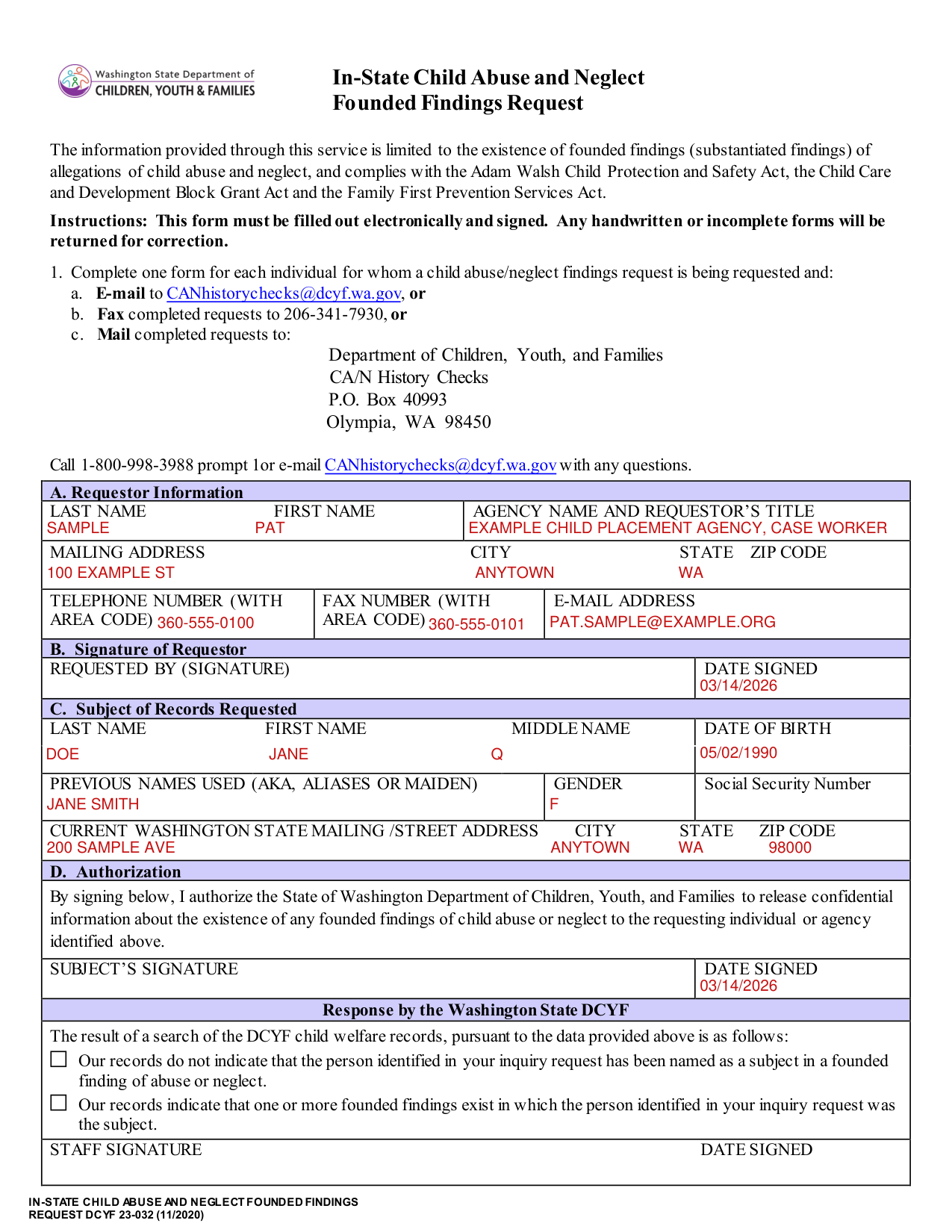
How to fill out DCYF 23-032, box by box
A. Requestor Information
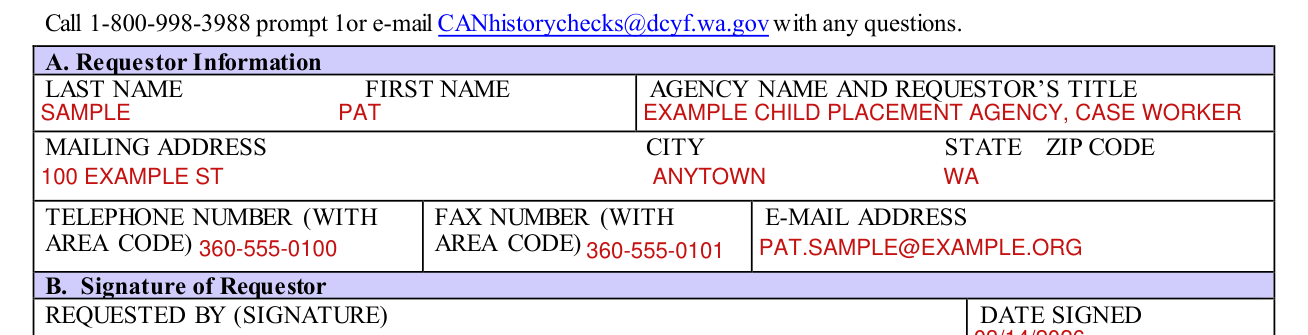
“Requestor” refers to the person or agency who is requesting the record. Name: Provide the full name of the person requesting the information.
This should be an employee of a private or public child welfare agency, a person who is authorized to complete an adoption pre-placement or post-placement report under chapter 26.33 RCW, an employer or agency required by law to check any child abuse and neglect registry maintained by Washington state, or the individual submitting a self-request.
Agency's Name and Requestor's Title: Provide the name of the agency and title of the employee of the private or public child welfare agency requesting the information. If you are an individual approved to complete adoption pre-placement and post-placement reports, state “adoption home study investigator.” For self-requests required in order to have unsupervised access to children, provide the position you are seeking and the agency or business requiring this information.
Mailing Address: Provide the mailing address of the agency or business requesting the information or your information if you wish results sent back to you. Telephone Number: Provide the telephone number for the agency or business requesting the information, include the area code or your number if self-requesting. Fax Number: Provide the fax number for the agency or business requesting the information, include the area code.
E-Mail Address: Provide the agency e-mail address for the person requesting the information or your e-mail address if self-requesting and you wish results sent to you.
B. Signature of Requestor

Requested By (Signature): The person requesting the information must sign the document.
Date Signed: The person requesting the information must include the date that the document was signed.
C. Subject of Records Requested
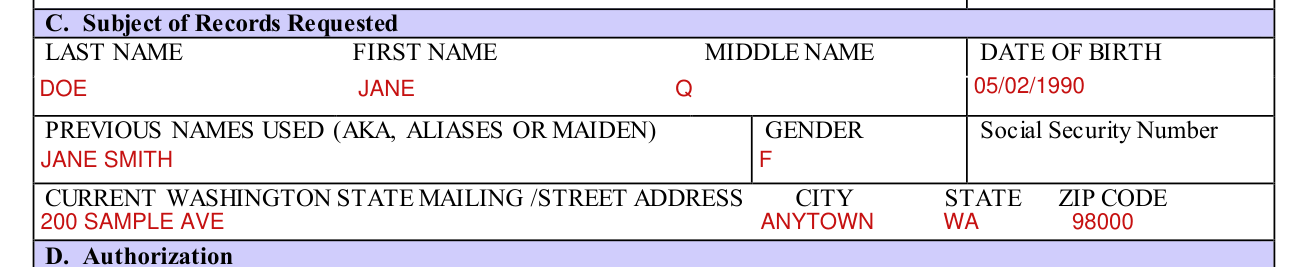
Name: Provide the full name of the individual whose records you are requesting to be checked. If you are self-requesting, provide your name as instructed.
Date of Birth: Provide your date of birth or of the individual whose records you are requesting to be checked. Previous Names Used (AKA, Aliases or Maiden): Provide any other names you have used or known to be used by the individual whose records you are requesting to be checked.
Social Security Number: Provide the social security number of the individual whose records you are requesting to be checked. The social security number of the individual whose records you are requesting is optional and assists in the proper identification of an individual's records.
Last Washington State Mailing Street Address: If the individual no longer lives in Washington, please provide the last Washington State mailing address of the individual whose records are requested to be checked. If the individual is still a resident of Washington State, provide his or her current Washington State mailing address.
D. Authorization

By signing, I authorize the State of Washington Department of Children, Youth, and Families to release confidential information about the existence of any founded findings of child abuse or neglect to the requesting individual or agency.
If you believe that you have independent legal authority to receive this confidential information without a signed authorization of the individual whose information you are requesting you must attach a copy of the court order, other documentation and/or explanation of the legal basis for your authority to obtain this confidential information will make an independent determination based on the information you provide and the applicable state and federal laws whether you are legally authorized to obtain this information.
More rules for DCYF 23-032
Complete one form for each individual for whom a child abuse/neglect findings request is being requested. A separate form must be completed for each person whose records are requested.
This form must be filled out electronically and signed. Any handwritten or incomplete forms will be returned for correction. You must type information on this form and the signatures must be handwritten. A scanned copy of the final document is acceptable.
“Inconclusive” or “unfounded” findings, or other information contained in the individual's record, will not be provided through this process.
Specific records requests must be made through the DCYF Public Disclosure at 1-844-506-8375 or dcyfpublicdisclosure@dcyf.wa.gov.
Call 1-800-998-3988 prompt 1or e-mail CANhistorychecks@dcyf.wa.gov with any questions.
Common questions about DCYF 23-032
Where do I file it?
E-mail to CANhistorychecks@dcyf.wa.gov, or fax completed requests to 206-341-7930, or mail completed requests to: Department of Children, Youth, and Families CA/N History Checks P.O. Box 40993 Olympia, WA 98450
Sources
[1] DCYF 23-032 (11/2020), In-State Child Abuse and Neglect Founded Findings Request, Washington State Department of Children, Youth, and Families (the Official source link on this page).