
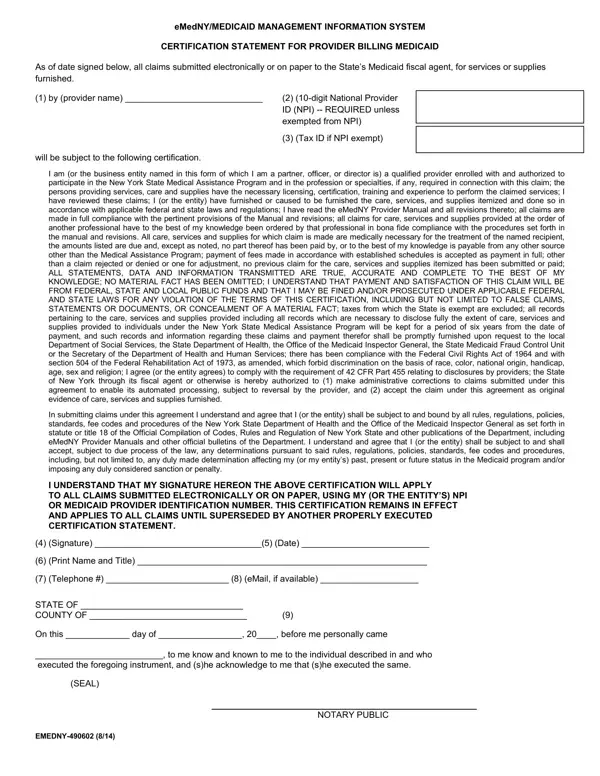
After your enrollment in the NY Medicaid Program is approved you will receive written notification of your assigned Electronic Transmitter Identification Number (ETIN).
Notarized: the fiscal agent cannot accept Certification Statements that are not notarized.
Notary: NYSDOH requires a notary seal or stamp in addition to the notary signature; the notary's commission expiration date/year must be entered and legible.
In effect: a Certification Statement remains in effect and applies to all claims until superseded by another properly executed Certification Statement.
Different ETIN: for a different existing ETIN, submit a new signed and notarized Certification Statement after you are notified of your approved enrollment.
| Question | Answer |
|---|---|
| Form Name | EMEDNY-490602 |
| Form Length | 2 pages |
| Fillable? | Yes |
| Fillable fields | 13 |
| Avg. time to fill out | 3 min |
| Edition | Rev 10/20 |
| Submit with | The enrollment application |
| Matches the agency's file | Yes, checked October 3, 2026 |
| Other names | EMEDNY-490602, 490602, ETIN certification statement, eMedNY certification statement, Certification Statement for Provider Billing Medicaid |
| Official source | EMEDNY-490602 (Rev 10/20), eMedNY Medicaid Management Information System |
E Tin Certificate Form isn’t the one you’re looking for?