
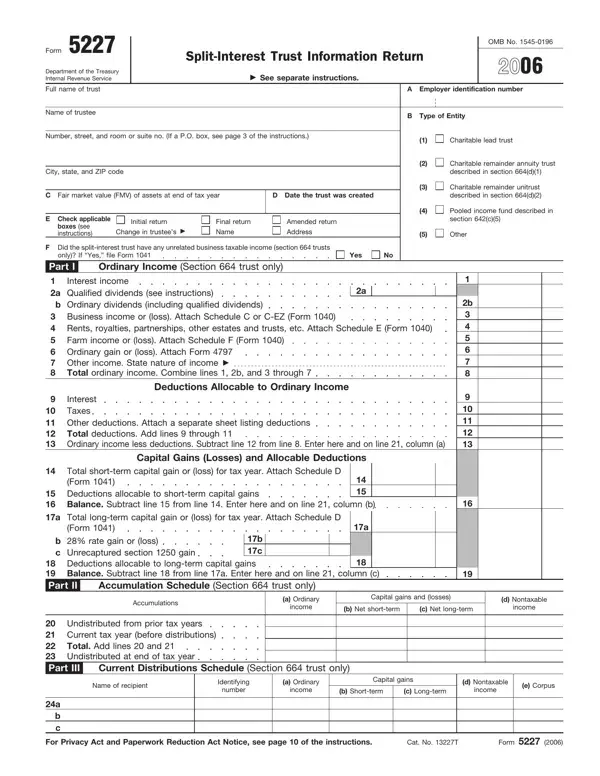
Form 5227 at a glance
What it is: Form 5227 is the Split-Interest Trust Information Return to report the financial activities of a split-interest trust.[2]
Tax deadline: For calendar year 2025, file Form 5227 by April 15, 2026.[2]
All CRTs described in section 664 must file Form 5227.[2]
All pooled income funds described in section 642(c)(5) and all other trusts such as charitable lead trusts that meet the definition of a split-interest trust under section 4947 must file Form 5227 unless the Exception next applies.[2]
Exception. A split-interest trust isn't required to file Form 5227 if the split-interest trust was created before May 27, 1969, and all transfers of corpus to the trust occurred before May 27, 1969, or as to each and every transfer of corpus to the trust made after May 26, 1969, no deduction was allowed under any of the sections listed in section 4947(a)(2).[2]
If a split-interest trust created before May 27, 1969, receives a contribution to corpus after May 26, 1969, for which a deduction is allowed under any of the sections listed in section 4947(a)(2), the trust will cease to qualify for the exception.[2]
In that case, the split-interest trust must file Form 5227 for the year when the transfer to corpus occurs and each subsequent year, the same as any split-interest trust created after May 26, 1969.[2]
A filled-in Form 5227 example: a trustee files for a charitable lead trust
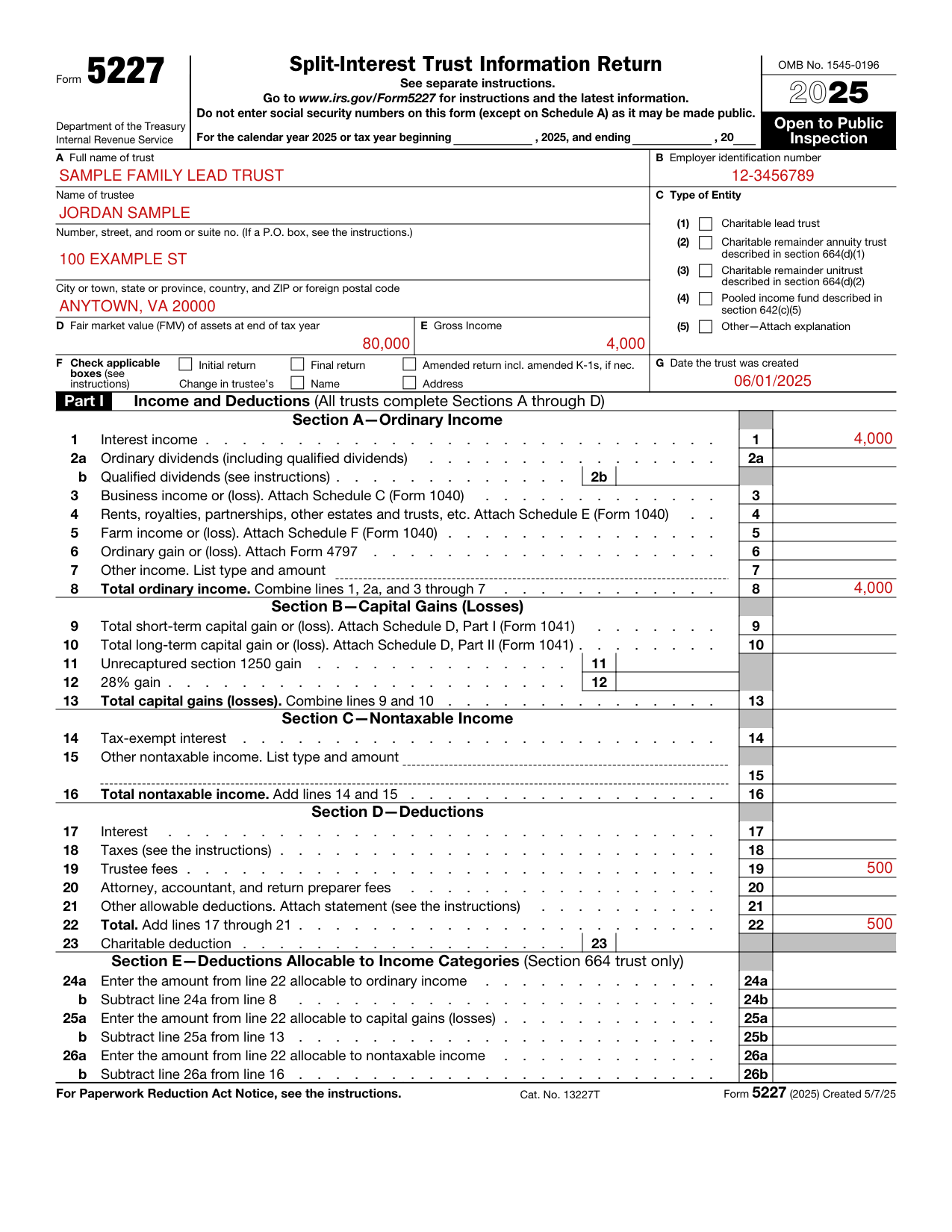
How to fill out Form 5227, box by box
Name of trust, trustee and address
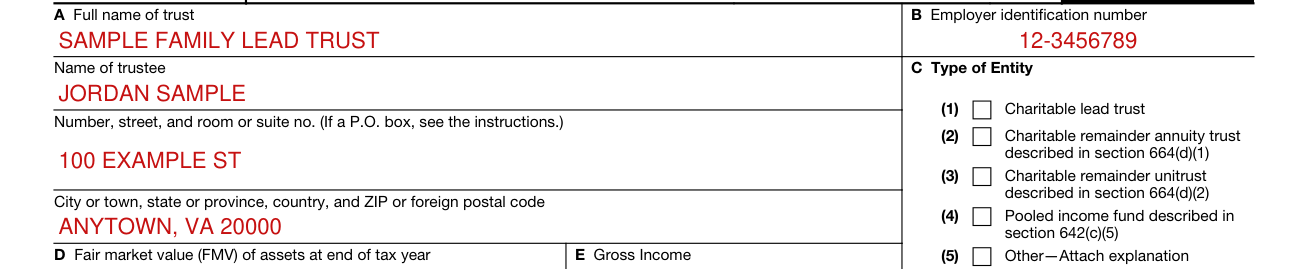
Complete the name of the trust exactly as it appears on Form SS-4, Application for Employer Identification Number.
Enter the name of the person or institution currently serving as trustee.
Include the suite, room, or other unit number after the street address.
If the post office does not deliver mail to the street address and the trustee has a P.O. box, show the box number instead.[2]
Employer identification number

Every trust that completes this return must have an EIN.
Do not enter social security numbers on this form (except on Schedule A) as it may be made public.[2]
Type of Entity

Check the appropriate box to indicate the type of trust.[2]
Fair market value (FMV) of assets and Gross Income

Enter the FMV of trust assets at the end of the tax year.
Enter the trust's gross income for the tax year.[2]
Check applicable boxes

Check applicable boxes.
Check this box if this is the initial return for the split-interest trust.
Check this box if this is a final return because the trust has terminated.
If you are filing an amended 2025 Form 5227, check the “Amended return” box.
If there has been a change in the trustee's name or address from the one used on the prior year's return (including a change to an “in care of” name and address), check the appropriate box(es).[2]
Date the trust was created

Enter the date the trust was created.
This is generally the date the trustee first received property to administer under the terms of the trust document.[2]
Section A-Ordinary Income
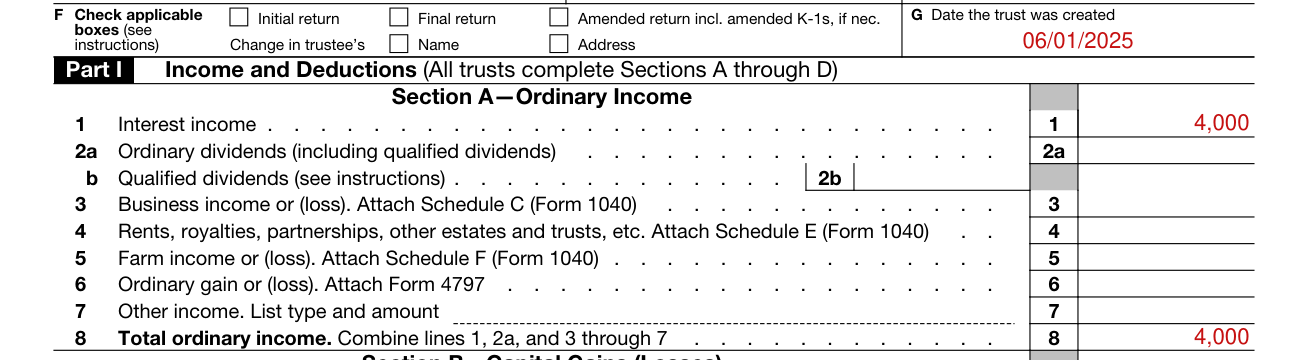
Report the trust's ordinary income on lines 1 through 7.
Report all taxable interest income that was received by the trust.
Enter on line 2a the total of all ordinary dividends, including the qualified dividends reported on line 2b.
If the trust operated a business, report the income and expenses on Schedule C (Form 1040), Profit or Loss From Business.
If the trust operated a farm, use Schedule F (Form 1040), Profit or Loss From Farming, to report farm income and expenses.
Enter from Form 4797, Sales of Business Property, the gain or loss from the sale or exchange of property (other than capital assets) and also from involuntary conversions (other than casualty or theft).
List any other item and its amount that is includible in gross income but not included on lines 1 through 6 (or Section B), on the dashed line to the left of the entry space.
Total ordinary income. Combine lines 1, 2a, and 3 through 7.[2]
Capital Gains (Losses)

Box 7, Section B-Capital Gains (Losses): Use ScheduleD (Form 1041), Capital Gains and Losses. You may also need to complete Form 8949, Sales and Other Dispositions of Capital Assets.
Enter the amount from line 7 of the ScheduleD (Form 1041) on line 9.
Enter the amount from line 16 of ScheduleD (Form 1041) on line 10.[2]
Nontaxable Income

Box 7, Section C-Nontaxable Income: In this section, include other income that isn't included in Section A orB. This section includes income excluded under subtitle A, chapter 1, subchapter B, part III, of the Internal Revenue Code, such as interest on state and municipal bonds.[2]
Deductions

Total. Add lines 17 through 21.
More rules for Form 5227
Form 5227 is open to public inspection.[2]
Schedule A of Form 5227 isn't open to public inspection.[2]
You may round off cents to whole dollars on your return and attached statements.[2]
If you do round dollars, you must round all amounts.[2]
If you need more space, attach separate sheets showing the same information in the same order as on the printed form.[2]
Use Form 8868 to request an automatic extension of time to file.[2]
Part VIII Statements Regarding Activities for Which Form 4720 May Be Required, Form 5227 for 2025, page 5: File Form 4720 if any item is checked in the “Yes” column (to the right), unless an exception applies.
Common questions about Form 5227
Who signs it?
Form 5227 must be signed by the trustee or by an authorized representative. If you, as trustee (or an employee or officer of the trust), fill in Form 5227, the Paid Preparer Use Only space should remain blank.[2]
Is there a deadline?
In the case of a final short-year period, the return is due by the 15th day of the 4th month following the date of the trust's termination. The request for an automatic extension must be filed by the due date of the return.[2]
Where do I file it?
If you use the U.S. Postal Service, and are located in the United States, file Form 5227 at Department of the Treasury Internal Revenue Service Center Ogden, UT 84201-0027. If you use a designated private delivery service (or are located outside the United States in a foreign country or a U.S. territory), file Form 5227 at Internal Revenue Service Center 1973 Rulon White Blvd. M/S 6054 Ogden, UT 84201. A filer required to file at least 10 returns of any type during the calendar year ending with or within the tax year must file their returns electronically.[2]
Is there a penalty?
The failure-to-file penalty under section 6652(c)(2)(C) is imposed on a split-interest trust unless the failure is due to reasonable cause. The penalty is $25 for each day the failure continues with a maximum of $13,000 for any one return. (checked November 8, 2026) However, if the trust has gross income greater than $327,000, the penalty is $130 for each day the failure continues with a maximum of $65,000 for any one return. (checked November 8, 2026)[2]
What am I certifying when I sign?
Under penalties of perjury, the return is true, correct, and complete, including accompanying schedules and statements, to the best of the knowledge and belief.
Sources
[1] Form 5227 (2025), Split-Interest Trust Information Return, Internal Revenue Service (the Official source link on this page).
[2] 2025 Instructions for Form 5227, Split-Interest Trust Information Return, Internal Revenue Service.