
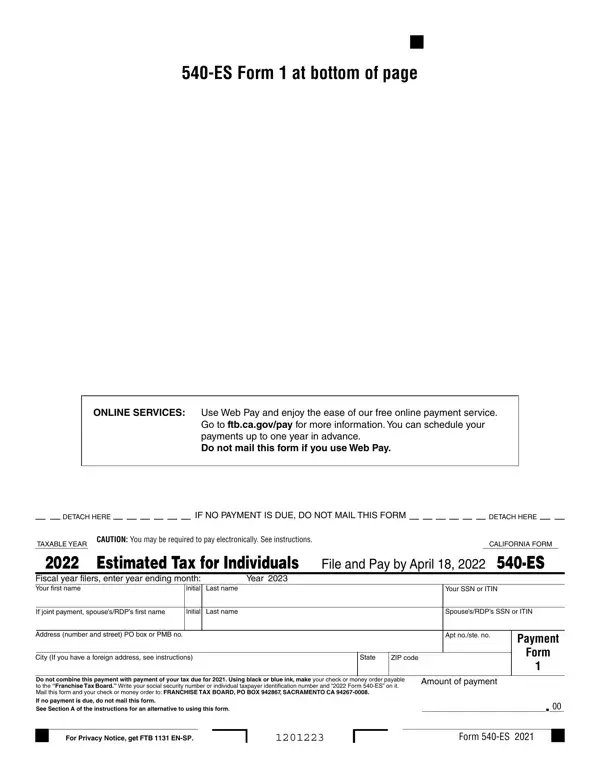

Form 540-ES at a glance
What it is: Form 540-ES, Estimated Tax for Individuals, and the 2026 California Estimated Tax Worksheet determine if you owe estimated tax for 2026 and figure the required amounts.[2]
Where and when to file: Mail this form and your check or money order to: FRANCHISE TAX BOARD, PO BOX 942867, SACRAMENTO CA 94267-0008.
Generally, you must make estimated tax payments if you expect to owe at least $500 ($250 if married/RDP filing separately) in tax for 2026 (after subtracting withholding and credits) (checked November 1, 2026). You must also expect your withholding and credits to be less than the smaller of: 90% of the tax shown on your 2026 tax return; or 100% of the tax shown on your 2025 tax return including Alternative Minimum Tax (AMT).[2]
A filled-in Form 540-ES example: a first estimated payment by check
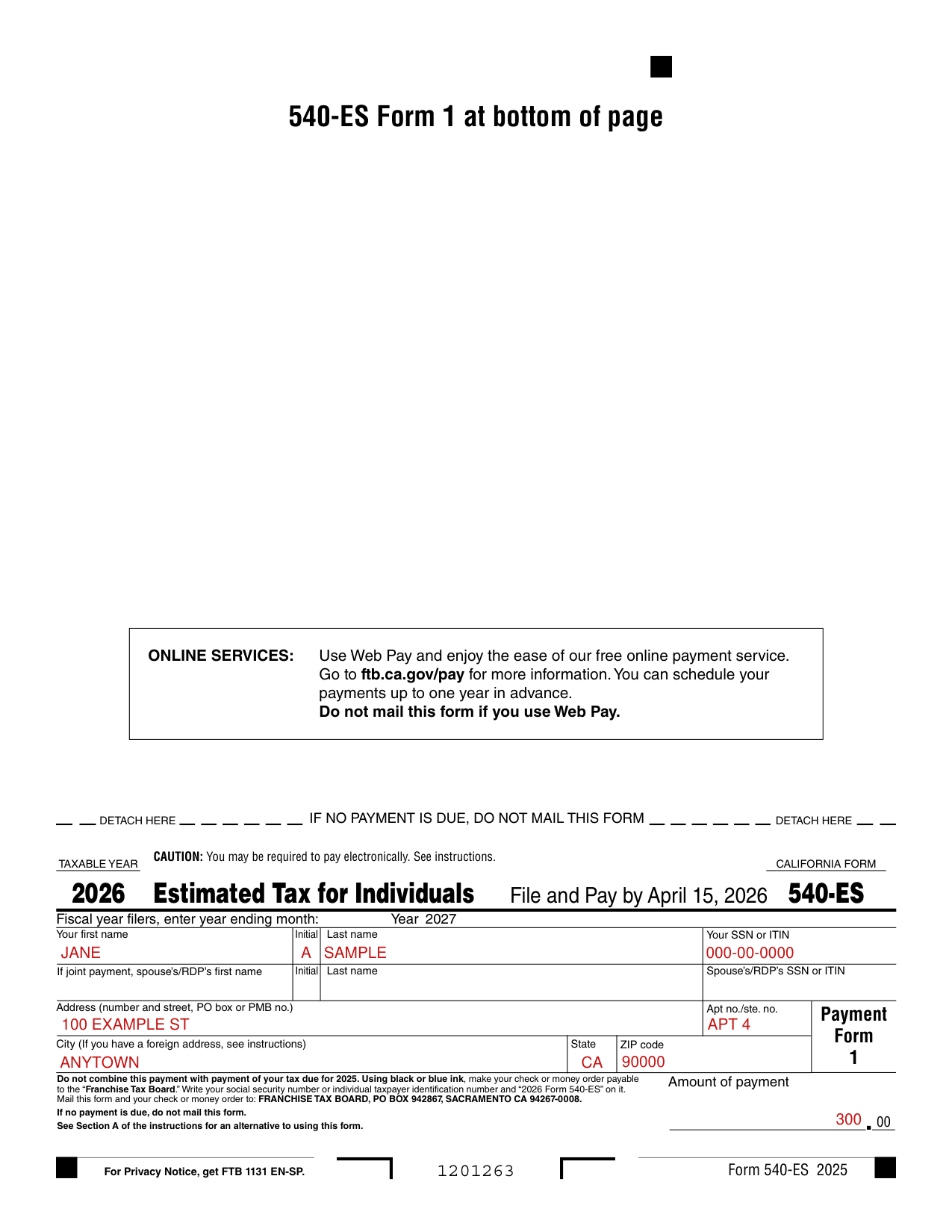
How to fill out Form 540-ES, box by box
Fiscal year filers

Box 2, Fiscal year filers: Enter the month of your fiscal year end.[2]
Your first name, Last name, Initial, and Your SSN or ITIN

Your first name, Last name, Initial, and Your SSN or ITIN: print your name, address, and social security number (SSN) or individual taxpayer identification number (ITIN) in the space provided on Form 540-ES.[2]
If joint payment, spouse's/RDP's first name, Last name, Initial and SSN or ITIN

If joint payment, enter the spouse's/RDP's first name, last name, initial and SSN or ITIN.
Address (number and street, PO box or PMB no.), Apt no./ste. no., City, State ZIP code

Enter your Address (number and street, PO box or PMB no.) and Apt no./ste. no., then City (If you have a foreign address, see instructions), State and ZIP code. If you have a foreign address, enter the information in this order: City, Country, Province/Region, and Postal Code. Follow the country's practice for entering the postal code. Do not abbreviate the country name.[2]
Amount of payment

Complete the amount of payment line of the form by entering the amount of the payment that you are sending.
How to Use Form 540-ES Payment Form: Use the California Estimated Tax Worksheet and your 2025 California income tax return as a guide for figuring your 2026 estimated tax.
Installment Payments in the 2026 Instructions for Form 540-ES (Form 540-ES Instructions 2025, page 1): installments due shall be 30% of the required annual payment for the 1st required installment, 40% of the required annual payment for the 2nd required installment, no installment is due for the 3rd required installment, and 30% of the required annual payment for the 4th required installment.
Line 21, Balance: subtract line 20 from line 19d (or line 19f if no amount on line 19d). If less than $500 (or less than $250, if married/RDP filing separately), you do not have to make a payment at this time (checked November 1, 2026).
Line 22, Installment amount: multiply the amount on line 21 by 30%. Enter the results on the 1st and 4th installments of your Forms 540-ES.
Multiply the amount on line 21 by 40%. Enter the result on the 2nd installment of your Form 540-ES. There is not a required 3rd installment payment.[2]
Check or money order
Box 2, Check or money order: there is a separate payment form for each due date. Be sure you use the form with the correct due date shown in the top margin of the form.
Complete Form 540-ES using black or blue ink: Complete the Record of Estimated Tax Payments on the next page for your files.
Common mistake: Do not combine this payment with payment of your tax due for 2025.
Using black or blue ink, make your check or money order payable to the “Franchise Tax Board.” Write your social security number or individual taxpayer identification number (SS Nor ITIN) and “2026 Form 540-ES” on it.
Make all checks and money orders payable in U.S. dollars and drawn against a U.S. financial institution.[2]
Web Pay, Electronic Funds Withdrawal (EFW) and Credit card
Box 2, Web Pay: make a payment online or schedule a future payment (up to one year in advance). Go to ftb.ca.gov/pay for more information. Do not mail this form if you use Web Pay.
Box 2, Electronic Funds Withdrawal (EFW): individuals can make an extension or estimated tax payment using tax preparation software. Check with your software provider to determine if they support EFW for extension or estimated tax payments.
Box 2, Credit card: use your Discover, MasterCard, Visa, or American Express Card to pay your tax. ACI Payments, Inc. (formerly Official Payments) charges a fee for this service. Do not mail Forms 540-ES if you pay by credit card.[2]
When to Make Your Estimated Tax Payments
When to Make Your Estimated Tax Payments: pay your estimated payments by the dates shown: 1st payment April 15, 2026; 2nd payment June 15, 2026; 3rd payment September 15, 2026; 4th payment January 15, 2027. Filing an Early Tax Return In Place of the 4th Installment: if you file your 2026 tax return by January 31, 2027, and pay the entire balance due, you do not have to make your last estimated tax payment. In addition, you will not owe a penalty for the fourth installment.[2]
More rules for Form 540-ES
If you need to make a payment for your 2025 tax liability or make a separate payment for any balance due on your 2025 tax return, use form FTB 3519, Payment for Automatic Extension for Individuals.[2]
If your situation is different
You may be required to pay electronically
CAUTION: You may be required to pay electronically. See instructions. You are required to remit all your payments electronically once you make an estimate or extension payment exceeding $20,000 or you file an original tax return with a total tax liability over $80,000 (checked November 1, 2026). Once you meet the threshold, all subsequent payments regardless of amount, tax type, or taxable year must be remitted electronically. The first payment that would trigger the mandatory e-pay requirement does not have to be made electronically. Individuals who do not send the payment electronically will be subject to a 1% noncompliance penalty.
Electronic payments can be made using Web Pay on the Franchise Tax Board's (FTB's) website, electronic funds withdrawal (EFW) using tax preparation software, or your credit card. For more information, go to ftb.ca.gov/e-pay.[2]
You are a farmer or fisherman
Farmers and Fishermen: if at least two-thirds of your 2025 or 2026 gross income is from farming or fishing, you may pay all of your estimated tax by January 15, 2027; or file your tax return for 2026 on or before March 1, 2027, and pay the total tax due. In this case, you do not need to make estimated tax payments for 2026.[2]
You do not make the required estimated payments
Box 2, Where to Mail Estimated Tax Payments: FRANCHISE TAX BOARD PO BOX 942867 SACRAMENTO CA 94267-0008. Failure to Make Estimated Tax Payments: If you do not make the required estimated payments, if you pay an installment after the date it is due, or if you underpay any installment, a penalty may be assessed on the portion of estimated tax that was underpaid from the due date of the installment to the date of payment or the due date of your tax return, whichever is earlier.[2]
You are a nonresident or new resident of California
You do not have to make estimated tax payments if you are a nonresident or new resident of California in 2026 and did not have a California tax liability in 2025.[2]
You and your spouse/RDP paid joint estimated tax payments, but are now filing separate income tax returns
If you and your spouse/RDP paid joint estimated tax payments, but are now filing separate income tax returns, either of you may claim all of the amount paid, or you may each claim part of the joint estimated payments. If you want the estimated tax payments to be divided, notify the FTB before you file the income tax returns so that the payments can be applied to the proper account. The FTB will accept in writing, any divorce agreement (or court ordered settlement) or a statement showing the allocation of the payments along with a notarized signature of both taxpayers.[2]
Common questions about Form 540-ES
What is a 540-ES tax form?
Form 540-ES, Estimated Tax for Individuals, and the 2026 California Estimated Tax Worksheet determine if you owe estimated tax for 2026 and figure the required amounts. Estimated tax is the tax you expect to owe in 2026 after subtracting the credits you plan to take and tax you expect to have withheld.[2]
Where do I file it?
Mail this form and your check or money order to: FRANCHISE TAX BOARD, PO BOX 942867, SACRAMENTO CA 94267-0008.
When is this form not the right one?
If no payment is due, do not mail this form.
Sources
[1] Form 540-ES, Estimated Tax for Individuals, taxable year 2026, Franchise Tax Board (the Official source link on this page).
[2] Instructions for Form 540-ES (2026), Franchise Tax Board.