FEDERAL COMMUNICATIONS COMMISSION
Information and Instructions
FCC Wireless Telecommunications Bureau
New Tower (“NT”) Submission Packet
Approved by OMB 3060 -1039
Est. Avg. Burden
Per Response:
.5 to 10 Hrs
NOTICE TO INDIVIDUALS REQUIRED BY THE PRIVACY ACT OF 1974 AND
THE PAPERWORK REDUCTION ACT OF 1995
We have estimated that each response to this collection of information will take on average 5 hours. Our estimate includes the time to read the instructions, look through existing records, gather and maintain required data, and actually complete and review the form or response. If you have any comments on this estimate, or on how we can improve the collection and reduce the burden it causes you, please write the Federal Communications Commission, AMD-PERM, Washington, DC 20554, Paperwork Reduction Project (3060-1039). We will also accept your comments via the Internet if you send them to PRA@fcc.gov. Please do not send completed application forms to this address.
You are not required to respond to a collection of information sponsored by the Federal government, and the government may not conduct or sponsor this collection unless it displays a currently valid OMB control number with this notice. This collection has been assigned OMB control number 3060-1039.
The FCC is authorized under the Communications Act of 1934, as amended, to collect the personal information we request in this form. We will use the information you provide to determine whether approving this application is in the public interest. If we believe there may be a violation or potential violation of a statute, FCC regulation, rule or order, your application may be referred to the Federal, state, or local agency responsible for investigating, prosecuting, enforcing or implementing the statute, rule, regulation or order. In certain cases, the information in your application may be disclosed to the Department of Justice or a court or adjudicative body when (a) the FCC; or (b) any employee of the FCC; or (c) the United States Government, is a party to a proceeding before the body or has an interest in the proceeding.
All parties and entities doing business with the Commission must obtain a unique identifying number called the FCC Registration Number (FRN) and supply it when doing business with the Commission. Failure to provide the FRN may delay the processing of the application. This requirement is to facilitate compliance with the Debt Collection Improvement Act of 1996 (DCIA). The FRN can be obtained electronically from the FCC’s website at http://www.fcc.gov or by manually submitting FCC Form 160. FCC Form 160 is available from the FCC’s web site at http://www.fcc.gov/formpage.html, by calling the FCC’s Forms Distribution Center at (800) 418-FORM (3676), or from the FCC’s Fax Information System by dialing (202) 418-0177.
This notice is required by the Privacy Act of 1974, Public Law 93-579, December 31, 1974, 5 U.S.C. Section 552a (e)(3), and the Paperwork Reduction Act of 1995, Public Law 104-13, October 1, 1995, 44 U.S.C. 3507.
FCC Form 620 – Instructions
October 2011 - Page 1
General Instructions
Purpose of Form
FCC Form 620 is the NT Submission Packet to be completed by or on behalf of Applicants to construct new antenna support structures by or for the use of applicants, tower owners, and licensees of the Federal Communications Commission (“FCC”). The Packet (including Form 620 and attachments) is to be submitted to the State Historic Preservation Office (“SHPO”) or to the Tribal Historic Preservation Office (“THPO”), as appropriate, before any construction or other installation activities on the site begin. Failure to provide the Submission Packet and complete the review process under Section 106 of the National Historic Preservation Act (“NHPA”) 1prior to beginning construction may violate Section 110(k) of the NHPA and the Commission’s rules. The instructions below should be read in conjunction with, and not as a substitute for, the “Nationwide Programmatic Agreement for Review of Effects on Historic Properties for Certain Undertakings Approved by the Federal Communications Commission,” dated September 2004, (“Nationwide Agreement”) and the relevant rules of the FCC (47 C.F.R. §§ 1.1301-1.1319) and the Advisory Council on Historic Preservation (“ACHP”) (36 C.F.R. Part 800).1
Exclusions and Scope of Use
The NT Submission Packet should not be submitted for undertakings that are excluded from Section 106 Review. The categories of new tower construction that are excluded from historic preservation review under Section 106 of the NHPA are described in Section III of the Nationwide Programmatic Agreement. Where an undertaking is to be completed but no submission will be made to a SHPO or THPO due to the applicability of one or more exclusions, the Applicant should retain in its files documentation of the basis for each exclusion should a question arise as to the Applicant’s compliance with Section 106.
The NT Submission Packet is to be used only for the construction of new antenna support structures. Antenna collocations that are subject to Section 106 review should be submitted using the Collocation (“CO”) Submission Packet (FCC Form 621).
Electronic Filers
Information about online filing of Form 620 is available from the Wireless Telecommunications Bureau website at http://wireless.fcc.gov/outreach/index.htm?job=tower_notification.
Applicants filing electronically should follow procedures contained in online help files. For technical assistance with filing electronically, contact the FCC at (877) 480-3201.
In instances where the Applicant files electronically and needs to include an exhibit(s) with the application and cannot transmit that exhibit(s) to the FCC electronically, the Applicant may mail exhibits to the following address:
Federal Communications Commission
Application Exhibit
1270 Fairfield Road
Gettysburg, PA 17325-7245
Hand-deliveries and messenger-deliveries should be delivered to Federal Communications Commission, 1280 Fairfield Road, Gettysburg, PA 17325.
Each exhibit should be clearly labeled with the Applicant’s name, the 10-digit file number assigned to the application at the time of submission, and the type of exhibit (e.g., resumes/vitae, maps, photographs, etc.).
Filing Locations
Paper applications should be submitted to the State Historic Preservation Office (“SHPO”) or to the Tribal Historic Preservation Office (“THPO”), as appropriate, before any construction or other installation activities on the site begin. Failure to provide the Submission Packet and complete the review process under Section 106 of the National Historic Preservation Act (“NHPA”) (16 U.S.C. § 470{f}) prior to beginning construction may violate Section 110(k) of the NHPA and the Commission’s rules.
Exhibits
Each document required to be filed as an exhibit should be current as of the date of filing. Each page of every exhibit must be identified with the number or letter of the exhibit, the number of the page of the exhibit, and the total number of pages of the exhibit. If material is to be incorporated by reference, see the instruction on incorporation by reference.
Note: Some Commission rules require Applicants to attach one or more exhibits to an application in addition to the information requested in the application form.
Incorporation by Reference
You may incorporate by reference documents, exhibits, or other lengthy showings already on file with the FCC, SHPO or THPO only if the information previously filed is more than one 8 1/2” by 11” page in length, all information therein is current and accurate in all significant respects, and the reference states specifically where the previously filed information can be found including exhibit and page references. Items that call for numbers or that can be answered “Y” or “N” or with other short answers must be answered directly without reference to a previous filing.
Assistance with Completing this Form
For assistance with this form, you may visit the FCC’s webpage at http://esupport.fcc.gov or call (877) 480-3201 (TTY (717) 338-2824). To provide quality service and ensure security, all telephone calls are recorded.
1 Section II.A.9. of the Nationwide Programmatic Agreement defines a “historic property” as: “Any prehistoric or historic district, site, building, structure, or object included in, or eligible for inclusion in, the National Register maintained by the Secretary of the Interior. This term includes artifacts, records, and remains that are related to and located within such properties. The term includes properties of traditional religious and cultural importance to an Indian tribe or Native Hawaiian Organization that meet the National Register criteria.”
FCC Form 620 – Instructions
October 2011 - Page 2
Instructions for FCC Form 620
General Information
Item 1 Indicate the purpose for which the application is being filed by inserting the appropriate two-letter abbreviation from the following list. Only one purpose may be specified.
Item 2 If the application is a request for an Update or Withdrawal of a previously-filed currently pending application, provide the file number of the original application. This information can be obtained by contacting the FCC (877) 480-3201 (TTY 717-338-2824).
Applicant/Contact Information
Applicant/Contact Information
Item 3 Enter the ten-digit FRN assigned by the Commission Registration System (CORES). The FRN is a unique entity identifier for everyone doing business with the Commission. The FRN can be obtained electronically through the FCC webpage at http://wireless.fcc.gov/uls (Select FCC Registration Number (FRN) Commission Registration System (CORES)) or by manually submitting FCC Form 160. FCC Form 160 is available for downloading from http://www.fcc.gov/formpage.html, by calling the FCC's Forms Distribution Center at (800) 418-3676, or from the FCC’s Fax Information System by dialing (202) 418-0177.
Items 4-17 Enter the name of applicant in Item 4. Enter the individual to contact in Items 5 through 8 as well as the title in Item 9. You may enter a post office box number in Item 10 or a street address in Item 11, or enter information for both items. Enter the city, state, and zip code in Items 12, 13, and 14. Refer to Appendix I, for a list of valid state, jurisdiction, and area abbreviations. Enter a telephone number, including area code, in Item 15. Enter the fax number (including area code) and e-mail address, if desired and available, in items 16 and 17.
Consultant Information
Consultant/Principal Investigator/Principal Investigator Contact Information
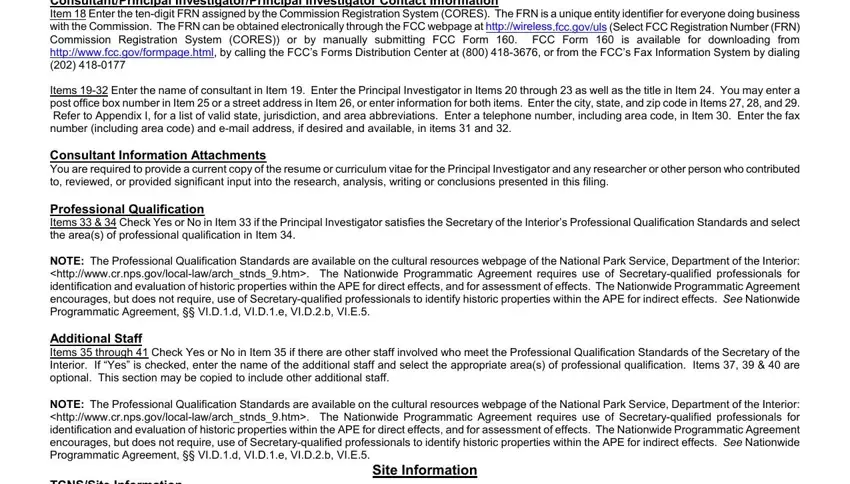
Item 18 Enter the ten-digit FRN assigned by the Commission Registration System (CORES). The FRN is a unique entity identifier for everyone doing business with the Commission. The FRN can be obtained electronically through the FCC webpage at http://wireless.fcc.gov/uls (Select FCC Registration Number (FRN) Commission Registration System (CORES)) or by manually submitting FCC Form 160. FCC Form 160 is available for downloading from http://www.fcc.gov/formpage.html, by calling the FCC’s Forms Distribution Center at (800) 418-3676, or from the FCC’s Fax Information System by dialing (202) 418-0177
Items 19-32 Enter the name of consultant in Item 19. Enter the Principal Investigator in Items 20 through 23 as well as the title in Item 24. You may enter a post office box number in Item 25 or a street address in Item 26, or enter information for both items. Enter the city, state, and zip code in Items 27, 28, and 29. Refer to Appendix I, for a list of valid state, jurisdiction, and area abbreviations. Enter a telephone number, including area code, in Item 30. Enter the fax number (including area code) and e-mail address, if desired and available, in items 31 and 32.
Consultant Information Attachments
You are required to provide a current copy of the resume or curriculum vitae for the Principal Investigator and any researcher or other person who contributed to, reviewed, or provided significant input into the research, analysis, writing or conclusions presented in this filing.
Professional Qualification
Items 33 & 34 Check Yes or No in Item 33 if the Principal Investigator satisfies the Secretary of the Interior’s Professional Qualification Standards and select the area(s) of professional qualification in Item 34.
NOTE: The Professional Qualification Standards are available on the cultural resources webpage of the National Park Service, Department of the Interior: <http://www.cr.nps.gov/local-law/arch_stnds_9.htm>. The Nationwide Programmatic Agreement requires use of Secretary-qualified professionals for identification and evaluation of historic properties within the APE for direct effects, and for assessment of effects. The Nationwide Programmatic Agreement encourages, but does not require, use of Secretary-qualified professionals to identify historic properties within the APE for indirect effects. See Nationwide Programmatic Agreement, §§ VI.D.1.d, VI.D.1.e, VI.D.2.b, VI.E.5.
Additional Staff
Items 35 through 41 Check Yes or No in Item 35 if there are other staff involved who meet the Professional Qualification Standards of the Secretary of the Interior. If “Yes” is checked, enter the name of the additional staff and select the appropriate area(s) of professional qualification. Items 37, 39 & 40 are optional. This section may be copied to include other additional staff.
NOTE: The Professional Qualification Standards are available on the cultural resources webpage of the National Park Service, Department of the Interior: <http://www.cr.nps.gov/local-law/arch_stnds_9.htm>. The Nationwide Programmatic Agreement requires use of Secretary-qualified professionals for identification and evaluation of historic properties within the APE for direct effects, and for assessment of effects. The Nationwide Programmatic Agreement encourages, but does not require, use of Secretary-qualified professionals to identify historic properties within the APE for indirect effects. See Nationwide Programmatic Agreement, §§ VI.D.1.d, VI.D.1.e, VI.D.2.b, VI.E.5.
Site Information
TCNS/Site Information
Items 1 through 7 Enter the TCNS notification number in Item 1 (optional). Enter the site name, address, nearest city, state, zip code and county/borough/parish in Items 2 through 7 respectively. Item 7 must be completed with the County/Borough/Parish or equivalent entity in which the tower is located unless any of the following pertain to the Fixed Location:
a)The City entered in Item 4 is an Independent City that is not affiliated with a County/Borough/Parish (e.g., Baltimore, MD)
b)The State code entered in Item 5 does not have Counties/Boroughs/Parishes, enter the equivalent entity (e.g., Puerto Rico, Virgin Islands)
c)The State code entered in Item 5 is GM, Gulf of Mexico
NOTE: If the nearest City, County/Borough/Parish or equivalent entity and State are located in a bordering County/Borough/Parish or equivalent
FCC Form 620 – Instructions
October 2011 - Page 3
entity and/or State, enter a complete description of the location in Item 3 as shown in the example. Complete Item 4 if a City, Town or Village within the tower’s County/Borough/Parish or equivalent entity is nearby, and complete Items 5, 6 and 7 with the State, Zip Code and County/Borough/Parish or equivalent entity in which the coordinates are actually located.
Example: |
3) (Site Address) Summit Mtn near Palo Verde, Imperial County, CA |
|
4) |
(City) Palo Verde |
|
5) |
(State) AZ |
7)(County/Borough/Parish) La Paz
Item 8 Enter the nearest crossroads to the tower site.
Item 9 Enter the latitude using the format DD-MM-SS.S, where the degrees (DD) term can have a value in the range of 0 to 72, minutes (MM) can range from 0 to 59, and seconds (SS.S) can range from 0 to 59.9. The seconds should be rounded to the nearest tenth of a second (in which case, use the format DD-MM- SS.S). Specify the direction as either N for North or S for South.
Item 10 Enter the longitude using the format DDD-MM-SS, where the degrees (DDD) term can have a value in the range of 64 to 180, minutes (MM) can range from 0 to 59, and seconds (SS.S) can range from 0 to 59.9. The seconds should be rounded to the nearest tenth of a second (in which case, use the format DDD-MM-SS.S). Specify the direction as either E for East or W for West.
NOTE: All coordinates must be referenced to the North American Datum of 1983 (NAD83). This information can be determined in many ways, including using a GPS receiver, or a 7.5-minute topographical quadrangle map of the area, or you may consult the city or county/borough/parish surveyor in your area. Topographical maps may be purchased from the U.S. Geological Survey, Washington, DC 20242 or from its office in Denver, Colorado 80225.
Site Information Attachments
You are required to provide photographs and maps as part of this filing. Additional site information can be provided in an optional attachment.
Photograph Requirements:
Except in cases where no Historic Properties were identified within the Areas of Potential Effects, submit photographs as described below. Photographs should be in color, marked so as to identify the project, keyed to the relevant map or text, and dated; the focal length of the lens and the height of the camera should be noted. The source of any photograph included but not taken by the Applicant or its consultant (including copies of historic images) should be identified on the photograph.
a.Photographs taken from the tower site should show views from the proposed location in all directions. The direction (e.g., north, south, etc.) should be indicated on each photograph, and, as a group, the photographs should present a complete (360 degree) view of the area around the communications tower or non-tower structure.
b.Photographs of all listed and eligible properties within the Areas of Potential Effects.
c.If any listed or eligible properties are visible from the proposed tower site, photographs looking at the site from each historic property. The approximate distance in feet (meters) between the site and the historic property should be included. If any listed or eligible properties are within the APE, photos looking at each historic property should be included.
Include aerial photos of the APE for visual effects, if available. There are a variety of publicly available websites that provide aerial photographs.
Map Requirements:
Include one or more 7.5-minute quad USGS topographical maps that:
a.Identify the Areas of Potential Effects for both Direct and Visual Effects. If a map is copied from the original, include a key with name of quad and date.
b.Show the location of the proposed tower site and any new access roads or other easements including excavations.
c.Show the locations of each property listed.
d.Include keys for any symbols, colors, or other identifiers.
e.Submit color maps whenever possible.
Additional Site Information Recommendations:
Describe any additional structures, access roads, utility lines, fences, easements, or other construction planned for the site in conjunction with the proposed tower and related facilities. Use this attachment to provide additional details needed to provide a full and accurate description of any structural alterations, additions, or other construction activities that will take place to complete the tower.
Tower Information
Item 11 Enter the tower height above ground (including top-mounted attachments such as lightning rods). Indicate whether you provided the height in feet or meters.
Item 12 Select the type of tower (only select one choice). If selecting “Other”, describe the structure.
Project Status
Current Project Status
Item 13 Select the appropriate category of the status of the project. When selecting “Construction has commenced, but is not completed”, enter the date the construction commenced. When selecting “Construction has been completed”, enter the date the construction commenced and the date the construction was completed.
NOTE: Failure to submit this form and complete the review process under Section 106 of the NHPA prior to beginning construction may violate Section 110(k) of the NHPA and the Commission’s rules. See Section X of the Nationwide Agreement.
FCC Form 620 – Instructions
October 2011 - Page 4
Determination of Effect
Direct Effects
Item 14 Select the appropriate direct effect. Choose only one option.
NOTE: Pursuant to Section VI.D.2.a. of the Nationwide Programmatic Agreement, Applicants shall make a reasonable and good faith effort to identify above ground and archeological historic properties, including buildings, structures, sites, objects and historic districts, that lie within the APE for direct effects. Such reasonable and good faith efforts may include a field survey where appropriate.
ADDITIONAL NOTE: Under Section VI.D.2.d. of the Nationwide Programmatic Agreement, an archeological field survey is required if an Indian tribe or NHO provides evidence that supports a high probability of the presence of intact archeological Historic Properties within the APE for direct effects.
Visual Effects
Item 15 Select the appropriate visual effect. Choose only one option.
NOTE: Section VI.D.1.a. of the Nationwide Programmatic Agreement requires the Applicant to review publicly available records to identify historic properties
within the APE for visual effects: i) properties listed on the National Register; ii) properties formally determined eligible for listing by the Keeper of the National Register; iii) properties that the SHPO/THPO certifies are in the process of being nominated to the National Register; iv) properties previously determined eligible as part of a consensus determination of eligibility between the SHPO/THPO and a Federal Agency or local government representing the Department of Housing and Urban Development (HUD); and, v) properties listed in the SHPO/THPO Inventory that the SHPO/THPO has previously evaluated and found to meet the National Register criteria, and that are identified accordingly in the SHPO/THPO Inventory. Section VI.D.1.a also requires the Applicant to identify historic properties that have religious or cultural significance to Tribes and Native Hawaiian Organizations.
Determination of Effect Attachments
You are required to provide two attachments regarding the Determination of Effect: Areas of Potential Effect and Mitigation of Effect (if applicable).
Areas of Potential Effect Guidelines:
a.Describe the APE for direct effects and explain how this APE was determined.
b.Describe the APE for visual effects and explain how this APE was determined.
Mitigation of Effect Guidelines:
In the case where an Adverse Visual Effect or Adverse Direct Effect has been determined you must provide the following:
a.Copies of any correspondence and summaries of any oral communications with the SHPO/THPO and any consulting parties.
Describe any alternatives that have been considered that might avoid, minimize, or mitigate any adverse effects. Explain the Applicant’s conclusion regarding the feasibility of each alternative.
Tribal/NHO Involvement
(NOTE: This page may be copied for additional Tribes/NHOs contacted)
Item 1 Check Yes or No if Indian Tribes or Native Hawaiian Organizations (NHOs) have been identified that may attach religious and cultural significance to historic properties which may be affected by the undertaking within the APEs for direct and visual effects.
Items 2a & 2b Enter the TCNS Notification Number and the number of Tribes/NHOs contacted electronically or through an alternate system.
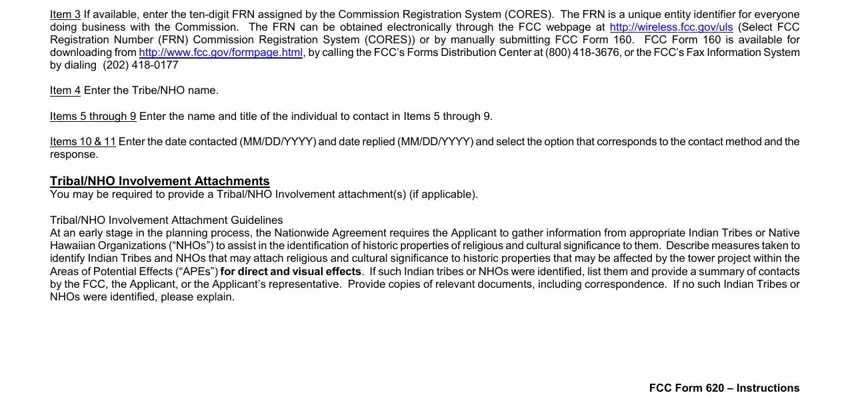
Item 3 If available, enter the ten-digit FRN assigned by the Commission Registration System (CORES). The FRN is a unique entity identifier for everyone doing business with the Commission. The FRN can be obtained electronically through the FCC webpage at http://wireless.fcc.gov/uls (Select FCC Registration Number (FRN) Commission Registration System (CORES)) or by manually submitting FCC Form 160. FCC Form 160 is available for downloading from http://www.fcc.gov/formpage.html, by calling the FCC’s Forms Distribution Center at (800) 418-3676, or the FCC’s Fax Information System by dialing (202) 418-0177
Item 4 Enter the Tribe/NHO name.
Items 5 through 9 Enter the name and title of the individual to contact in Items 5 through 9.
Items 10 & 11 Enter the date contacted (MM/DD/YYYY) and date replied (MM/DD/YYYY) and select the option that corresponds to the contact method and the response.
Tribal/NHO Involvement Attachments
You may be required to provide a Tribal/NHO Involvement attachment(s) (if applicable).
Tribal/NHO Involvement Attachment Guidelines
At an early stage in the planning process, the Nationwide Agreement requires the Applicant to gather information from appropriate Indian Tribes or Native Hawaiian Organizations (“NHOs”) to assist in the identification of historic properties of religious and cultural significance to them. Describe measures taken to identify Indian Tribes and NHOs that may attach religious and cultural significance to historic properties that may be affected by the tower project within the Areas of Potential Effects (“APEs”) for direct and visual effects. If such Indian tribes or NHOs were identified, list them and provide a summary of contacts by the FCC, the Applicant, or the Applicant’s representative. Provide copies of relevant documents, including correspondence. If no such Indian Tribes or NHOs were identified, please explain.
FCC Form 620 – Instructions
October 2011 - Page 5