
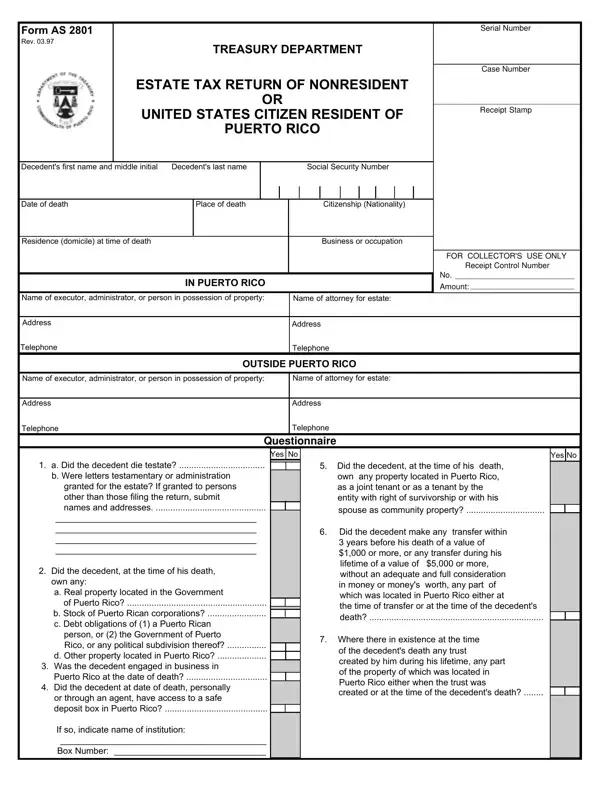

Form AS 2801 at a glance
What it is: Form AS 2801 is the Treasury Department's Estate Tax Return of Nonresident or United States Citizen Resident of Puerto Rico.
Who signs: Signature of executive or administrator: sign and enter the Date.
An estate tax return must be filed for the estate of a nonresident not a citizen of the United States or United States citizen resident of Puerto Rico if part of his gross estate (regardless of its value) is located in the Commonwealth of Puerto Rico at the date of his death.
A decedent who was a citizen of the United States under Subtitle B, Chapter 11 of the United States Internal Revenue Code and a resident of Puerto Rico at the time of his death shall be considered as nonresident of Puerto Rico for the purpose of taxation under the Code.
If there is no executor or administrator appointed, qualified, and acting in Puerto Rico, every person in actual or constructive possession of any property of the decedent is liable for the filing of the return.
What to bring and attach to Form AS 2801
Attach the Federal Estate of Nonresident or United States Citizen Resident of Puerto Rico.
Attach the Certification of property tax payments (CRIM).
On ESTATE TAX RETURN Page 5 Rev. 03.97, if the decedent died testate, a certified copy of the will must be filed.
An English translation should be submitted with all foreign supplemental documents.
A filled-in Form AS 2801 example: an executor fills the first page
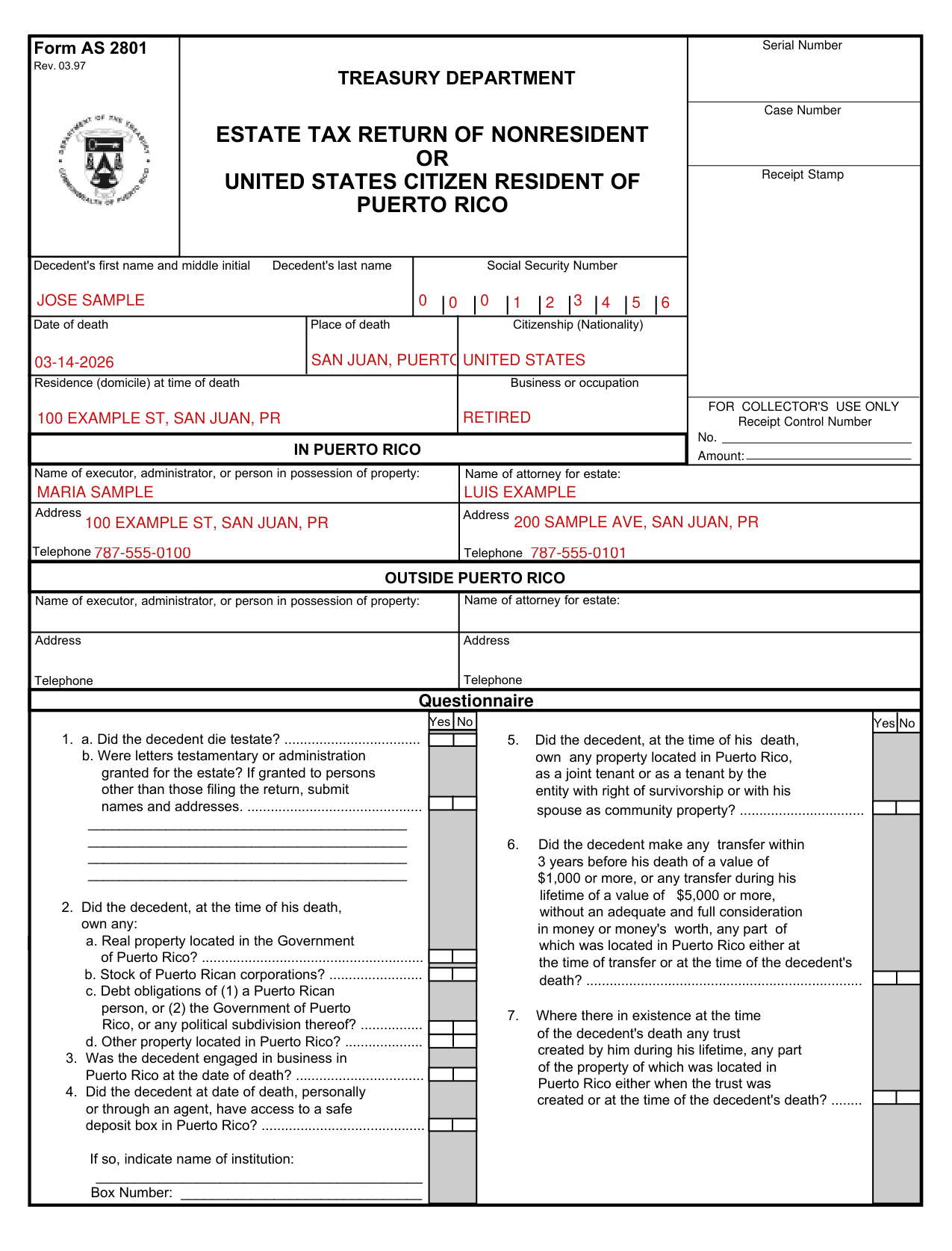
How to fill out Form AS 2801, box by box
Decedent's name, Date of death and Residence
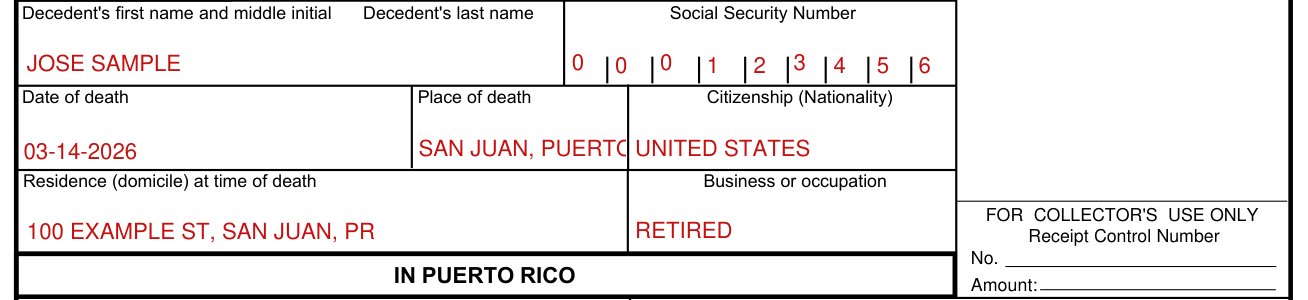
Write the Decedent's first name and middle initial, the Decedent's last name and the Social Security Number.
Enter the Date of death, the Place of death and the Citizenship (Nationality).
Enter the Residence (domicile) at time of death and the Business or occupation.
In Puerto Rico or Outside Puerto Rico
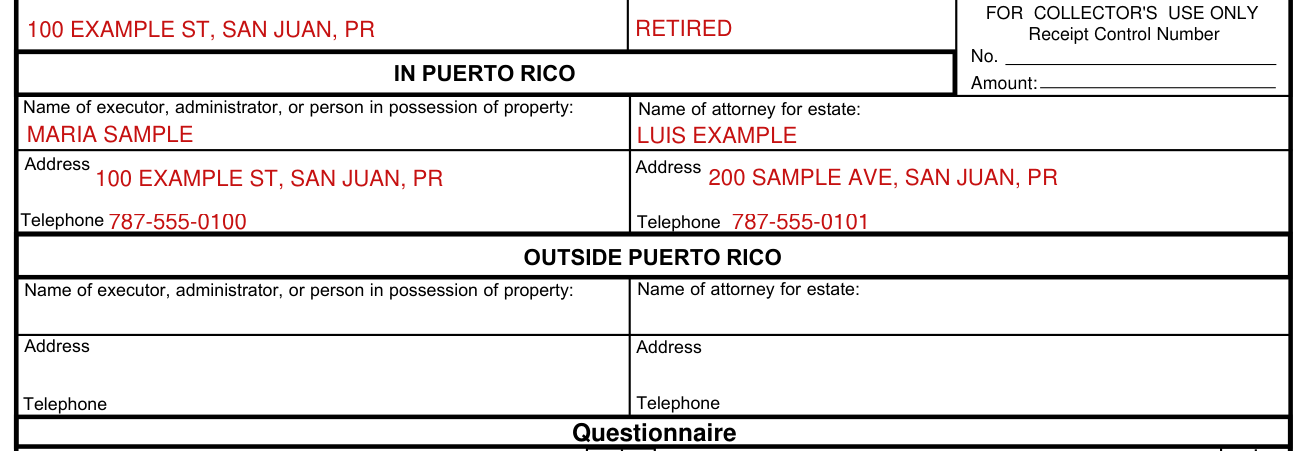
Under IN PUERTO RICO or OUTSIDE PUERTO RICO, write the Name of executor, administrator, or person in possession of property, the Name of attorney for estate, and the Address and Telephone for each.
Questionnaire
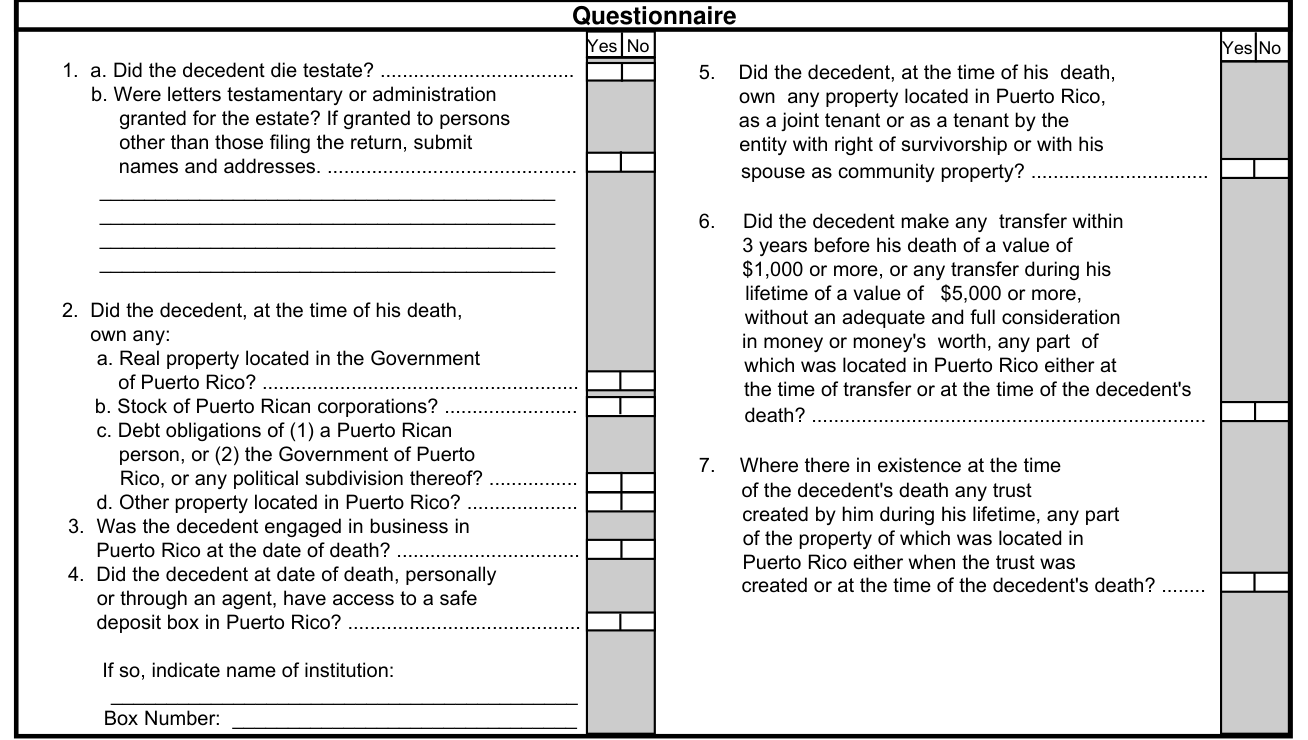
Questionnaire: mark Yes or No for 1. a. Did the decedent die testate? and b. Were letters testamentary or administration granted for the estate? If granted to persons other than those filing the return, submit names and addresses.
Mark Yes or No for 2. Did the decedent, at the time of his death, own any: a. Real property located in the Government of Puerto Rico? b. Stock of Puerto Rican corporations? c. Debt obligations of (1) a Puerto Rican person, or (2) the Government of Puerto Rico, or any political subdivision thereof? d. Other property located in Puerto Rico? 3. Was the decedent engaged in business in Puerto Rico at the date of death? 4. Did the decedent at date of death, personally or through an agent, have access to a safe deposit box in Puerto Rico?
If so, indicate name of institution and the Box Number.
Mark Yes or No for 5. Did the decedent, at the time of his death, own any property located in Puerto Rico, as a joint tenant or as a tenant by the entity with right of survivorship or with his spouse as community property?
Mark Yes or No for 6. Did the decedent make any transfer within 3 years before his death of a value of $1,000 or more, or any transfer during his lifetime of a value of $5,000 or more, without an adequate and full consideration in money or money's worth, any part of which was located in Puerto Rico either at the time of transfer or at the time of the decedent's death? (checked October 22, 2026)
Mark Yes or No for 7. Were there in existence at the time of the decedent's death any trust created by him during his lifetime, any part of the property of which was located in Puerto Rico either when the trust was created or at the time of the decedent's death?
More rules for Form AS 2801
On ESTATE TAX RETURN Page 4, list the part of the gross estate located within the Commonwealth of Puerto Rico in Schedule A.
Under SCHEDULE A - GROSS ESTATE, give a complete description of real property. Indicate land area according to title, location, property, code number and the Section of the Registry of the Property, page and book number where it is registered. Also give complete description of other properties such as stock, bond, bank accounts, etc.
For each Item Number, enter the Community or Separate (C or S) and the Value at date of Death in United States Dollars.
Under the instructions for filing the estate tax return of nonresidents (United States citizens residents of Puerto Rico who were not born in Puerto Rico are treated as nonresidents), real property should be described according to its title, or as recorded in the corresponding Registry of Real Property, including volume and page number, and the number therein assigned to the property.
All property must be valued at the fair market value as of the date of death.
The Code does not provide for alternate valuation.
Schedule B, line 1: Gross estate in the Government of Puerto Rico (Total, Schedule A). Line 2: Gross estate outside the Government of Puerto Rico. Line 3: Total gross estate wherever located.
Estates of residents of Puerto Rico who are considered citizens of the United States, under Subtitle B, Chapter II of the United States Internal Revenue Code, are allowed an exemption which is the greater of (i) $30,000.00 or (ii) that proportion of $60,000 which the value of that part of the decedent's gross estate located in Puerto Rico bears to the value of his entire gross estate wherever located. (checked October 22, 2026)
This increased exemption will be disallowed unless the value of the entire gross estate wherever located is entered at line 3 of Schedule B and supported by adequate proof.
The tax is due 270 days after the date of the decedent's death and must be paid within such period unless an extension of time for payment thereof has been granted by the Secretary of the Treasury.
If you paid a specialist to prepare your return, the specialist must sign and write his (her) registration number in the space provided. Check if self employed (Check here), Date, Registration no.
Common questions about Form AS 2801
Is there a deadline?
The Estate Tax Return must be filed within 270 days following the decedent's death. Extension of time for filing the return may be granted under special situations, but in no case for more than 6 months.
Where do I file it?
The return can be mailed to the Treasury Department, Tax Assistance and Legislation Bureau, PO BOX 9022503, SAN JUAN, PR, 00902 2503. You can also deliver your return to the Taxpayer's Service Offices at Intendente Alejandro Ramírez Building in San Juan; Avenida Hostos #26, Eurobank Building, Ponce and Office 102, Centro Gubernamental, Avenida Nenadich in Mayagüez.
Are there fees?
Attach the Receipt of Payment Voucher for the amount of $25 or money order or certified check payable to the Secretary of the Treasury. (checked October 22, 2026)
Is there a penalty?
Severe penalties are provided by the Code for willful failure to make and file a return on time and for willful attempt to evade or defeat payment of tax.
What am I certifying when I sign?
Under penalties of perjury, I declare that this return, including the additional schedules attached, if any, has been examined by me, and to the best of my knowledge and belief, is a true, corrrect, and complete return. It is understood that a complete return requires the listing herein of all the property constituting the part of the decedent's gross estate (as defined by the statute) located in the United States.
Sources
[1] Form AS 2801 (Rev. 03.97), Estate Tax Return of Nonresident or United States Citizen Resident of Puerto Rico, Treasury Department (the Official source link on this page).