
Form Boe 261 G PDF Details

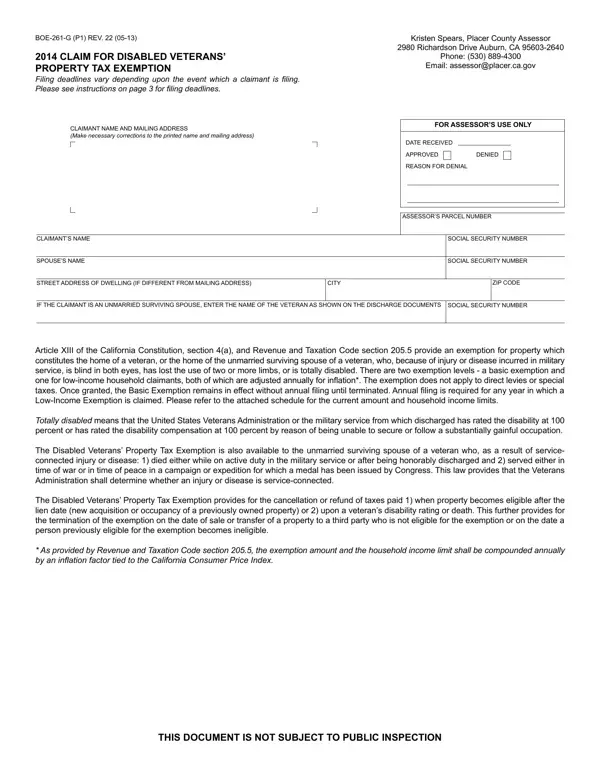
Understanding the BOE-261-G form is essential for disabled veterans and their unmarried surviving spouses seeking property tax exemptions in the state of California. This legal document serves as a claim for property tax exemption, delineating the eligibility and the process for applicants to obtain a reduction or complete exemption from property tax based on their disability status as it relates to their military service. Whether the disability arose from service-connected injuries, leading to blindness, loss of use of limbs, or total disability, this form provides a pathway for financial relief. It not merely outlines who qualifies but also guides on how to substantiate the claim with proper documentation, including proof of disability and, in applicable cases, proof of the veteran's demise being connected to their military service. Additionally, it specifies two levels of exemption: a basic exemption and a low-income exemption, for which the form also requires applicants to provide detailed household income information to determine eligibility. The form, while somewhat complex, is a crucial tool for disabled veterans and their survivors in managing their property tax liabilities, highlighting the intersection of military service, disability law, and tax relief measures designed to honor and assist those who've served. With deadlines and the need for accurate completion, it's vital for claimants to approach this document with care, ensuring they meet the necessary criteria and provide the required information to secure their benefits.

QuestionAnswer
Form NameForm Boe 261 G
Form Length5 pages
Fillable?No
Fillable fields0
Avg. time to fill out1 min 15 sec
Other namesBOE-261-G, claimant, AFDC, sonoma county form boe 266

How to Edit Form Boe 261 G Online for Free

Working with PDF files online is a piece of cake with this PDF editor. You can fill in XIII here effortlessly. To have our editor on the forefront of practicality, we aim to put into operation user-oriented capabilities and enhancements regularly. We are always looking for suggestions - join us in revolutionizing PDF editing. Starting is simple! All you need to do is take these basic steps directly below:

Step 1: Click the orange "Get Form" button above. It's going to open up our editor so you can start filling in your form.

Step 2: As soon as you access the PDF editor, you will find the document ready to be completed. Apart from filling in different blank fields, you might also do other sorts of actions with the PDF, such as putting on custom text, editing the original text, inserting illustrations or photos, placing your signature to the form, and much more.

To be able to fill out this document, make certain you enter the required details in every field:

1. The XIII necessitates specific details to be inserted. Be sure the following fields are finalized:

How you can prepare 2013 stage 1

2. When the previous section is complete, you have to insert the essential specifics in and proceed directly to item, monthdayyear, If yes see Question d below, monthdayyear, Yes, Yes, No What is the address of that, b Date, The basis for this claim is, Blind in both eyes, Disabled because of loss of use of, Totally disabled as a result of a, and injury or so you're able to go to the third step.

Yes, The basis for this claim is, and Blind in both eyes of 2013

3. Throughout this step, review Totally disabled as a result of a, monthdayyear, Unmarried surviving spouse of a, To be completed only by claimants, monthdayyear, My yearly household income see the, and CERTIFICATION. These must be filled out with utmost precision.

A way to prepare 2013 portion 3

4. This specific section arrives with these particular blanks to consider: SIGNATURE OF PERSON MAKING CLAIM w, and DATE.

2013 completion process described (portion 4)

It is easy to make an error while completing your DATE, consequently be sure you go through it again prior to deciding to finalize the form.

Step 3: As soon as you have reviewed the details you given, click "Done" to finalize your FormsPal process. Join FormsPal now and instantly access XIII, ready for downloading. All modifications made by you are saved , which enables you to change the document at a later point anytime. FormsPal guarantees your information confidentiality by using a secure method that in no way records or distributes any private data provided. You can relax knowing your documents are kept confidential every time you use our tools!