
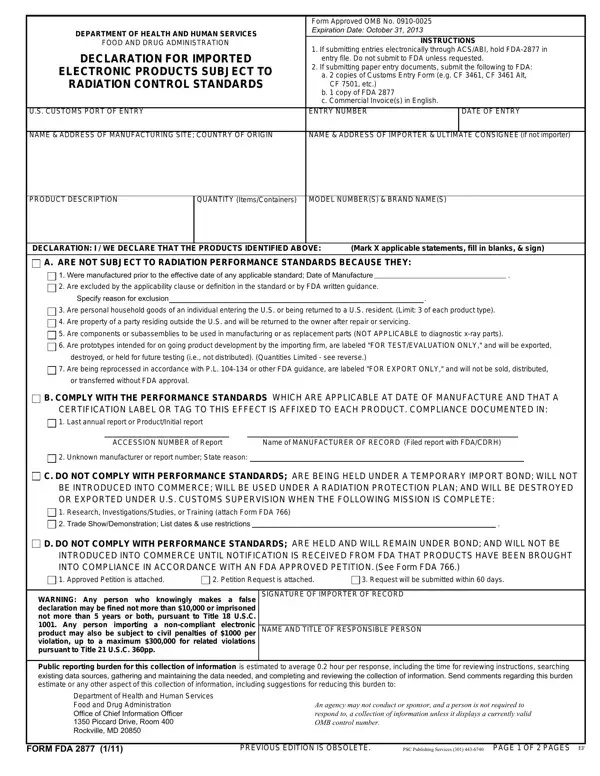
Navigating the complexities of importing electronic products into the United States requires adherence to specific regulatory standards, notably those pertaining to radiation control standards set forth by the Food and Drug Administration (FDA). The Form FDA 2877, titled "Declaration for Imported Electronic Products Subject to Radiation Control Standards," plays a crucial role in this process. As a mandatory document, it assists the FDA in determining whether imported electronic goods comply with established radiation performance standards necessary for legal entry into U.S. commerce. Importers or brokers must complete and submit this form, alongside other necessary documents, to facilitate the review and clearance process by the FDA. The form guides importers through various declarations that categorize products based on their compliance with the FDA's radiation standards, including whether products are not subject to standards, comply with standards, do not comply but are intended for specific use, or will not be introduced into commerce until compliance is achieved. Additionally, it warns of legal consequences for false declarations. Understanding the purpose and accurate execution of Form FDA 2877 is fundamental for stakeholders looking to import electronic products subject to radiation control standards, ensuring smooth customs clearance and compliance with federal regulations.
| Question | Answer |
|---|---|
| Form Name | Form Fda 2877 |
| Form Length | 2 pages |
| Fillable? | No |
| Fillable fields | 0 |
| Avg. time to fill out | 30 sec |
| Other names | us 2877, fda form 2877, fda 2877 form, fda 2877 form 2018 |
Form Fda 2877 isn’t the one you’re looking for?