

Form H1836-B at a glance
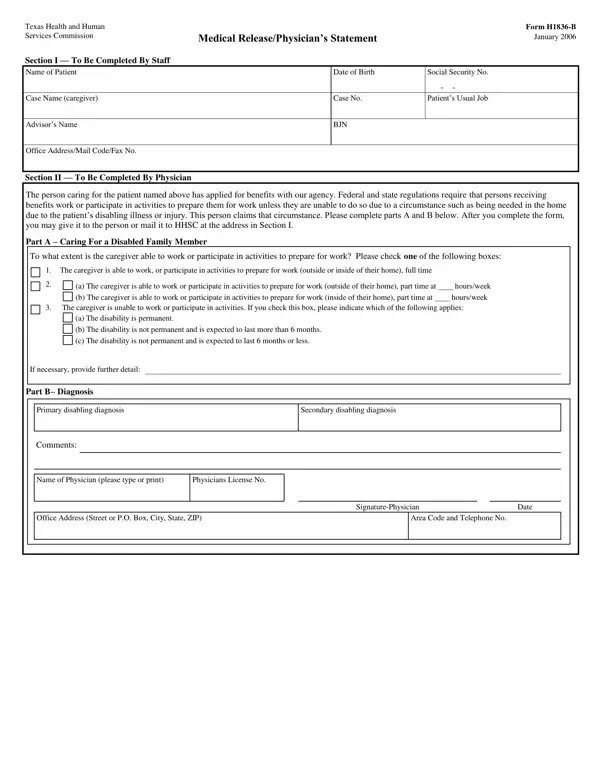
What it is: Form H1836-B, Medical Release or Physician's Statement: to what extent can the caregiver work or participate in activities to prepare for work?
Who signs: In Section 2, the physician enters the Typed or Printed Name of Physician, Signature of Physician, Date and License No. under SIGN. The patient or personal representative signs and dates; a personal representative describes their authority to act for the patient.
A filled-in Form H1836-B example: a physician completes the statement
How to fill out Form H1836-B, box by box
Section 1 - To Be Completed By Staff
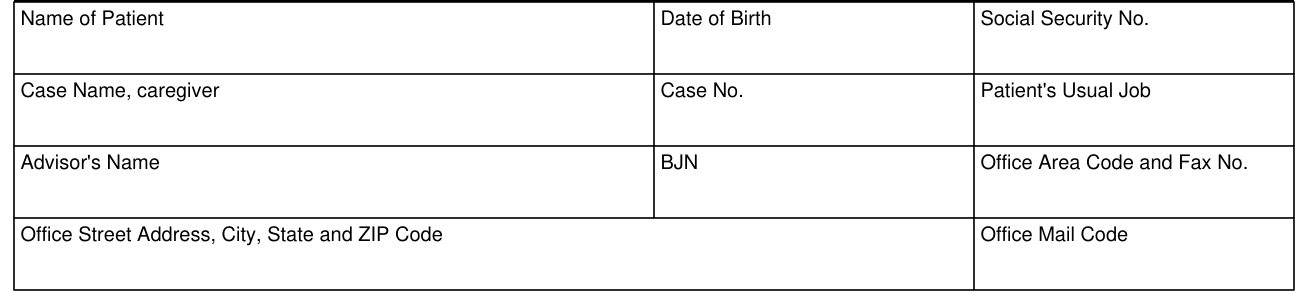
In Section 1, staff enter the Name of Patient, Date of Birth, Social Security No., Case Name, caregiver, Case No., Patient's Usual Job, Advisor's Name, BJN, Office Area Code and Fax No., Office Street Address, City, State and ZIP Code and Office Mail Code.
Part A - Caring For a Disabled Family Member
Section 2 - The Physician Completes this Section. Federal and state regulations require that people receiving benefits work or participate in activities to prepare them for work, unless they cannot due to a circumstance such as being needed in the home for the patient's disabling illness or injury. Complete parts A and B. After you complete the form, you may give it to the person or mail it to HHSC at the address in Section 1.
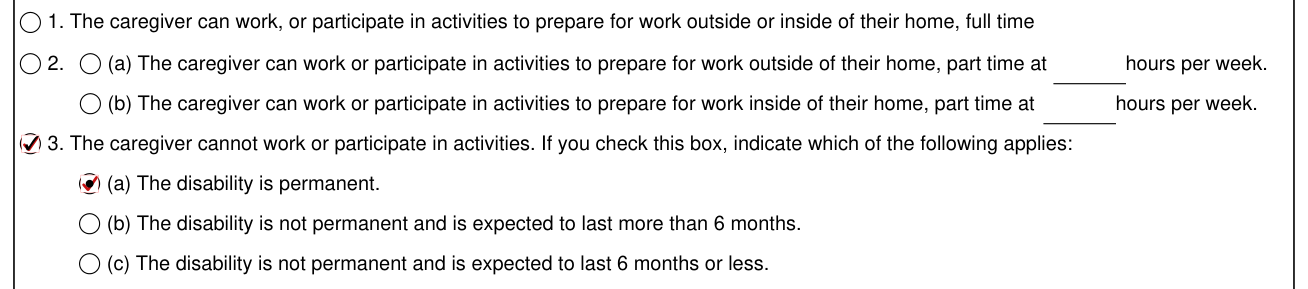
Mark one of the following. 1. The caregiver can work, or participate in activities to prepare for work outside or inside of their home, full time.
2. (a) The caregiver can work or participate in activities to prepare for work outside of their home, part time at hours per week. (b) The caregiver can work or participate in activities to prepare for work inside of their home, part time at hours per week.
3. The caregiver cannot work or participate in activities. If you check this box, indicate which of the following applies: (a) The disability is permanent. (b) The disability is not permanent and is expected to last more than 6 months. (c) The disability is not permanent and is expected to last 6 months or less.
Provide more detail, if necessary.
Part B - Diagnosis
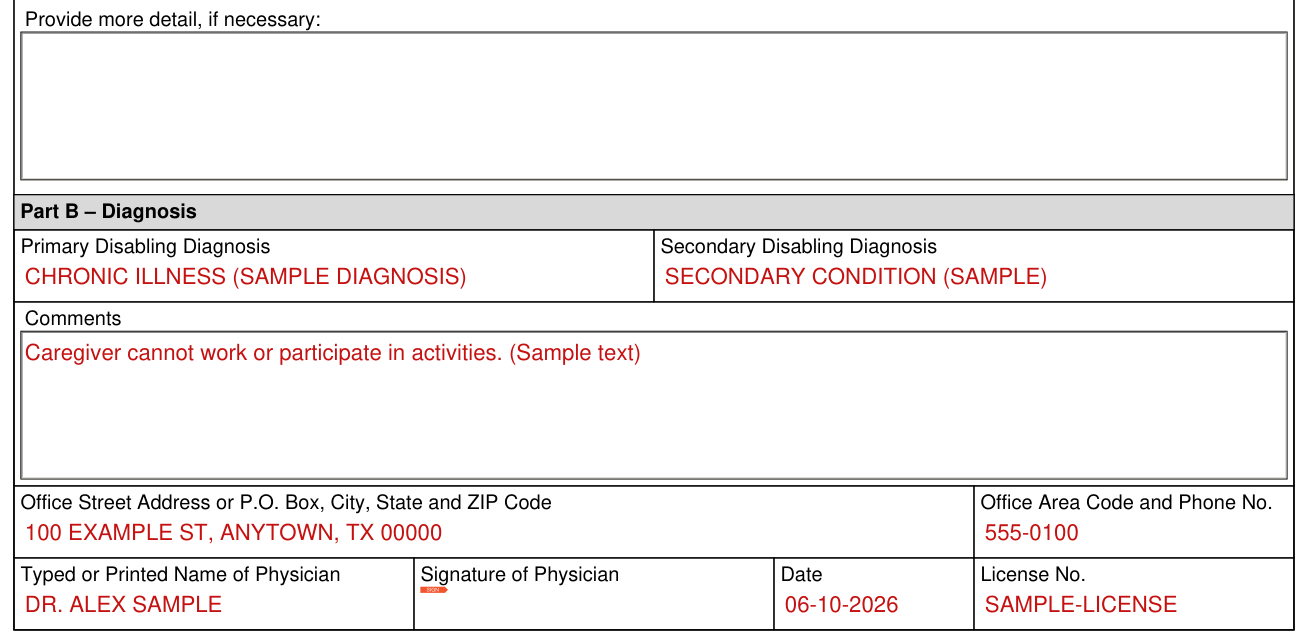
In Part B - Diagnosis, enter the Primary Disabling Diagnosis and the Secondary Disabling Diagnosis, and add any Comments.
SIGN

SIGN: enter the Office Street Address or P.O. Box, City, State and ZIP Code and the Office Area Code and Phone No., then the Typed or Printed Name of Physician, Signature of Physician, Date and License No.
More rules for Form H1836-B
Staff complete Section 1; the physician completes Section 2.
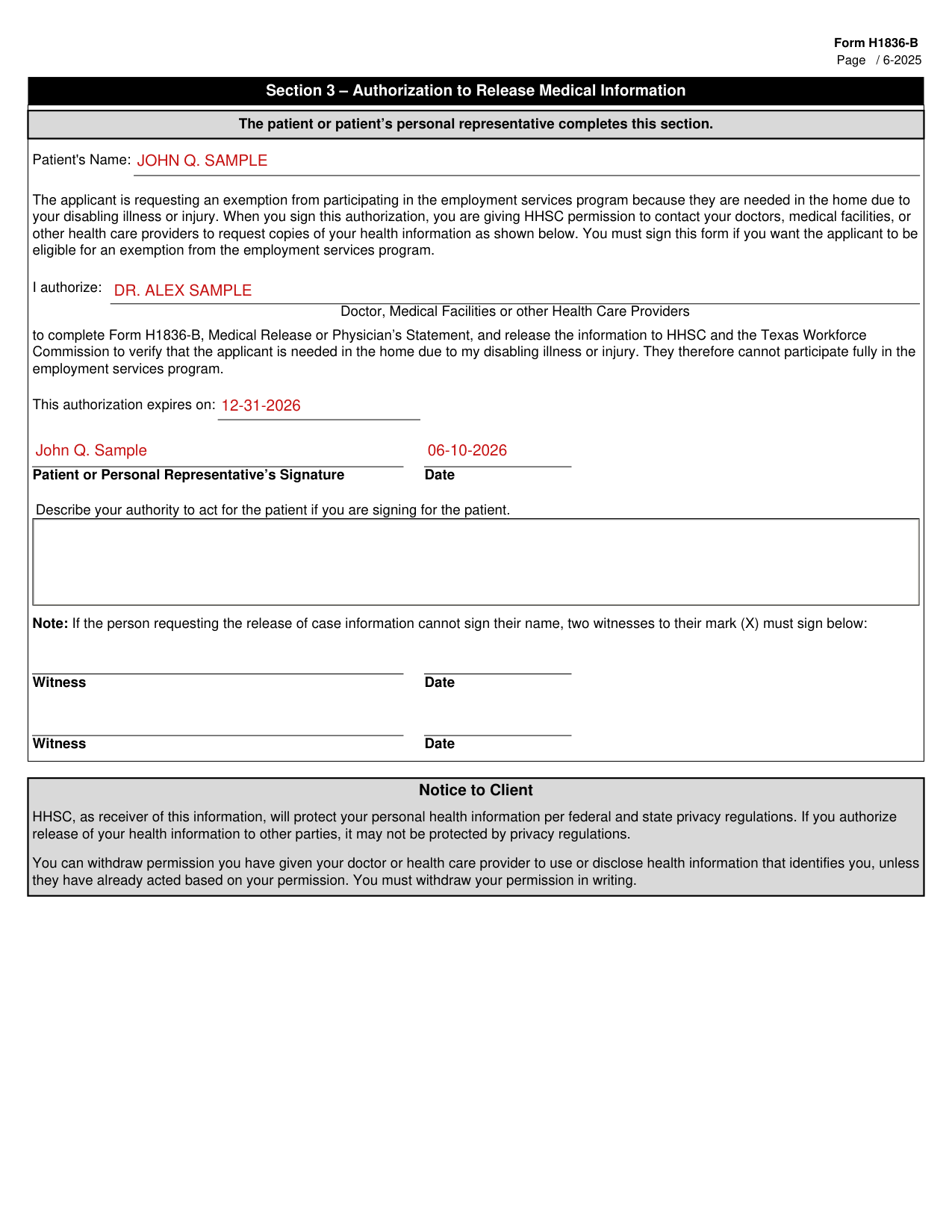
The patient or patient's personal representative completes Section 3 - Authorization to Release Medical Information, and enters the Patient's Name.
When you sign this authorization, you are giving HHSC permission to contact your doctors, medical facilities, or other health care providers to request copies of your health information. You must sign this form if you want the applicant to be eligible for an exemption from the employment services program.
After I authorize:, enter the Doctor, Medical Facilities or other Health Care Providers to complete Form H1836-B, Medical Release or Physician's Statement, and release the information to HHSC and the Texas Workforce Commission to verify that the applicant is needed in the home due to my disabling illness or injury. Fill in This authorization expires on.
If the person requesting the release of case information cannot sign their name, two witnesses to their mark (X) must sign and enter the Date.
You can withdraw permission you have given your doctor or health care provider to use or disclose health information that identifies you, unless they have already acted based on your permission. You must withdraw your permission in writing.
Sources
[1] Form H1836-B (June 2025), Medical Release or Physician's Statement, Texas Health and Human Services Commission (the Official source link on this page).