
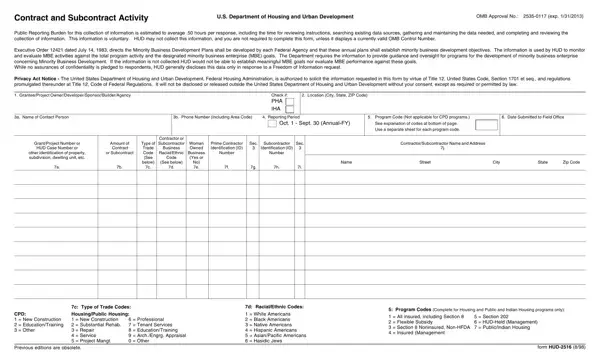
The HUD-2516 form, known officially as Contract and Subcontract Activity, plays a crucial role within the framework of the U.S. Department of Housing and Urban Development's (HUD) oversight and regulatory mechanisms. With the primary intention of monitoring and evaluating the activities of Minority Business Enterprises (MBEs) in relation to HUD's total program activities and objectives, this form gathers pivotal data that informs the federal agency's strategies and oversight concerning minority business development. The implicit goal behind this structured approach is to ensure that MBEs receive fair opportunities in obtaining contracts and subcontracts across various HUD-funded initiatives, including but not limited to Community Development Block Grants, Urban Development Action Grants, Housing Development Grants, and activities under Public and Indian Housing Authorities. In essence, the form captures detailed information about contracts and subcontracts amounting to $10,000 or more, mandating the inclusion of data concerning the contractor or subcontractor's trade type, racial/ethnic background, and their status as woman-owned businesses, among other important facets. It is notable that the collection of this data is not just for bureaucratic record-keeping; it directly aligns with HUD's commitments under Executive Order 12421 to foster minority business enterprise development. By requiring the submission of such information, HUD attempts to balance the scales of economic opportunity, making strides toward a more inclusive economic landscape in housing and urban development projects across the nation.
| Question | Answer |
|---|---|
| Form Name | Form Hud 2516 |
| Form Length | 2 pages |
| Fillable? | No |
| Fillable fields | 0 |
| Avg. time to fill out | 30 sec |
| Other names | OMB, hud 2516, numeric, mortgagor |
Form Hud 2516 isn’t the one you’re looking for?