
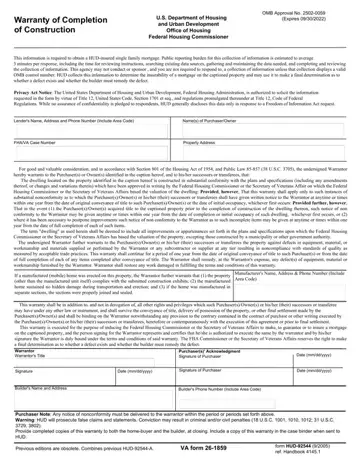
Form HUD-92544 at a glance
What it is: Warranty of Completion of Construction, U.S. Department of Housing
Who signs: The person signing for the Warrantor represents and certifies that he/she is authorized to execute the same by the warrantor.
Where and when to file: Provide completed copies of this warranty to both the homebuyer and the builder, at closing.
The undersigned Warrantor hereby warrants to the Purchaser(s) or Owner(s) identified in the caption hereof, and to his/her successors or transferees.
A filled-in Form HUD-92544 example: a builder and two buyers sign the warranty
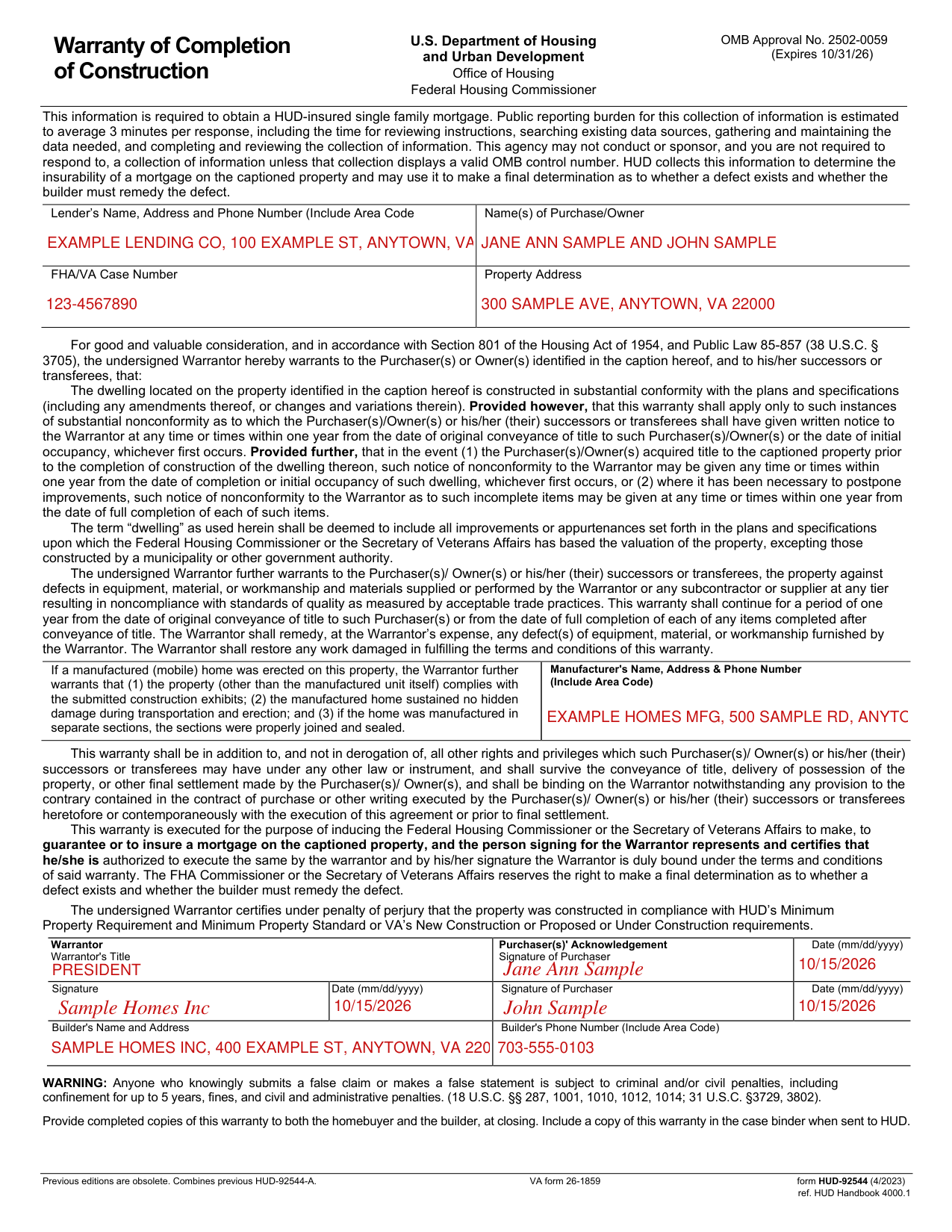
How to fill out Form HUD-92544, box by box
Lender's Name, Address and Phone Number, Name(s) of Purchase/Owner, FHA/VA Case Number and Property Address

Enter the Lender's Name, Address and Phone Number (Include Area Code).
Enter the Name(s) of Purchase/Owner and the FHA/VA Case Number.
Enter the Property Address.
Manufacturer's Name, Address & Phone Number

Enter the Manufacturer's Name, Address & Phone Number (Include Area Code).
If a manufactured (mobile) home was erected on this property, the Warrantor further warrants that (1) the property (other than the manufactured unit itself) complies with the submitted construction exhibits; (2) the manufactured home sustained no hidden damage during transportation and erection; and (3) if the home was manufactured in separate sections, the sections were properly joined and sealed.
Warrantor Warrantor's Title

Enter the Warrantor and the Warrantor's Title.
The undersigned Warrantor certifies under penalty of perjury that the property was constructed in compliance with HUD's Minimum Property Requirement and Minimum Property Standard or VA's New Construction or Proposed or Under Construction requirements.
Purchaser(s)' Acknowledgement Signature of Purchaser Date (mm/dd/yyyy)

Enter the Purchaser(s)' Acknowledgement Signature of Purchaser and the Date (mm/dd/yyyy).
Signature Date (mm/dd/yyyy) Signature of Purchaser Date (mm/dd/yyyy)

Enter the Warrantor's Signature and the Date (mm/dd/yyyy), then the Signature of Purchaser and the Date (mm/dd/yyyy).
Builder's Name and Address Builder's Phone Number (Include Area Code)

Enter the Builder's Name and Address and the Builder's Phone Number (Include Area Code).
More rules for Form HUD-92544
Include a copy of this warranty in the case binder when sent to HUD.
Common questions about Form HUD-92544
What is a hud 92544 form?
Warranty of Completion of Construction, U.S. Department of Housing This warranty is executed for the purpose of inducing the Federal Housing Commissioner or the Secretary of Veterans Affairs to make, to guarantee or to insure a mortgage on the captioned property.
Is there a deadline?
This warranty shall apply only to such instances of substantial nonconformity as to which the Purchaser(s)/Owner(s) or his/her (their) successors or transferees shall have given written notice to the Warrantor at any time or times within one year from the date of original conveyance of title to such Purchaser(s)/Owner(s) or the date of initial occupancy, whichever first occurs. In the event (1) the Purchaser(s)/Owner(s) acquired title to the captioned property prior to the completion of construction of the dwelling thereon, such notice of nonconformity to the Warrantor may be given any time or times within one year from the date of completion or initial occupancy of such dwelling, whichever first occurs. Where it has been necessary to postpone improvements, such notice of nonconformity to the Warrantor as to such incomplete items may be given at any time or times within one year from the date of full completion of each of such items. This warranty shall continue for a period of one year from the date of original conveyance of title to such Purchaser(s) or from the date of full completion of each of any items completed after conveyance of title.
Is there a penalty?
Anyone who knowingly submits a false claim or makes a false statement is subject to criminal and/or civil penalties, including confinement for up to 5 years, fines, and civil and administrative penalties.
Sources
[1] Form HUD-92544 (4/2023), Warranty of Completion of Construction, U.S. Department of Housing and Urban Development (the Official source link on this page).
