Please rate Form Lmhc

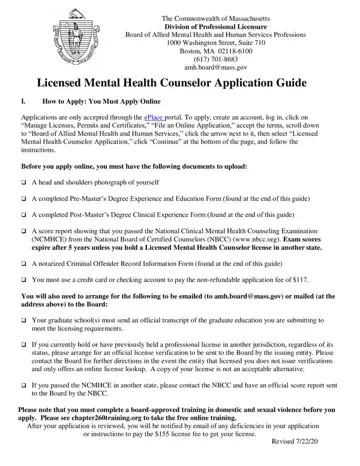
The journey to becoming a Licensed Mental Health Counselor (LMHC) in Massachusetts is a rigorous one, demanding a meticulous submission to the Commonwealth of Massachusetts Division of Professional Licensure Board of Allied Mental Health and Human Services Professions. At the heart of this process is the LMHC Application Guide, a comprehensive booklet that outlines every step, requirement, and document necessary for prospective counselors to achieve licensure. From starting the application process online via the ePlace portal to gathering essential documents such as a photograph, educational and clinical experience forms, and passing scores from the National Clinical Mental Health Counseling Examination, applicants are guided through a detailed pathway. Notably, the application also emphasizes the need for a notarized Criminal Offender Record Information Form and various verifications, including official transcripts and licensure from other jurisdictions if applicable. Additionally, applicants are required to complete a board-approved training in domestic and sexual violence, further ensuring that licensed counselors are well-prepared to provide competent, ethical, and comprehensive care. For those already licensed in another state, the guide provides information on reciprocal recognition, simplifying the process while maintaining strict standards to ensure quality mental health care provision. Spanning from necessary pre-master’s degree experience and education requirements to the definition of an approved supervisor, the guide is an invaluable resource for navigating the complexities of becoming a licensed mental health counselor in Massachusetts.
| Question | Answer |
|---|---|
| Form Name | Form Lmhc |
| Form Length | 11 pages |
| Fillable? | No |
| Fillable fields | 0 |
| Avg. time to fill out | 2 min 45 sec |
| Other names | ma education form lmhc, education form lmhc mamhca, massachusetts form lmhc, lmhc mass gove form |
Form Lmhc isn’t the one you’re looking for?
Please rate Form Lmhc
