
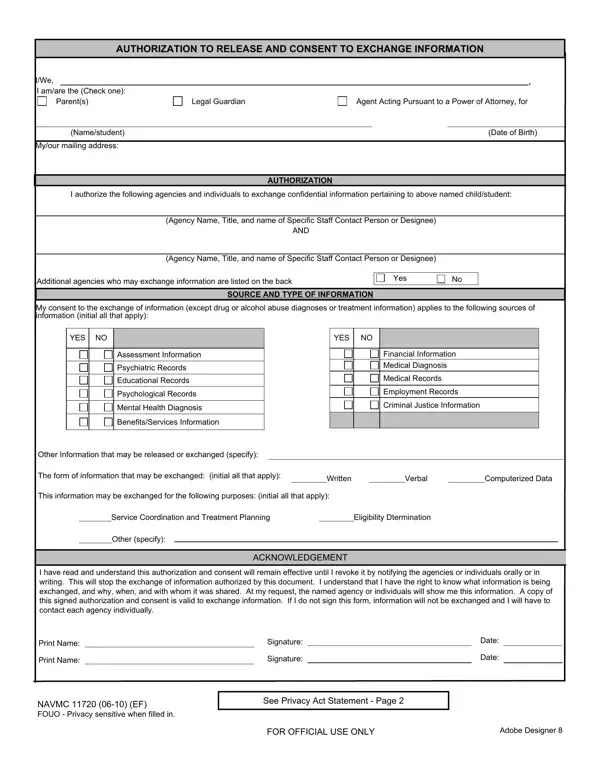

NAVMC 11720 at a glance
What it is: NAVMC 11720 is the Marine Corps Family Care Programs Consent to Release Information.
Who signs: The adult EFM, parent/legal guardian or custodian, or Agent acting pursuant to a power of attorney must print his/her name, sign and date the form.
The NAVMC 11720 is completed by the Adult Exceptional Family Member (EFM); parent/legal guardian or custodian; or Agent acting pursuant to a power of attorney of the EFM or Child and Youth, (CYP) participant.
The form grants permission for EFMP and/or CYP to exchange information for specific agencies and/or individuals concerning the EFM and/or CYP participant.
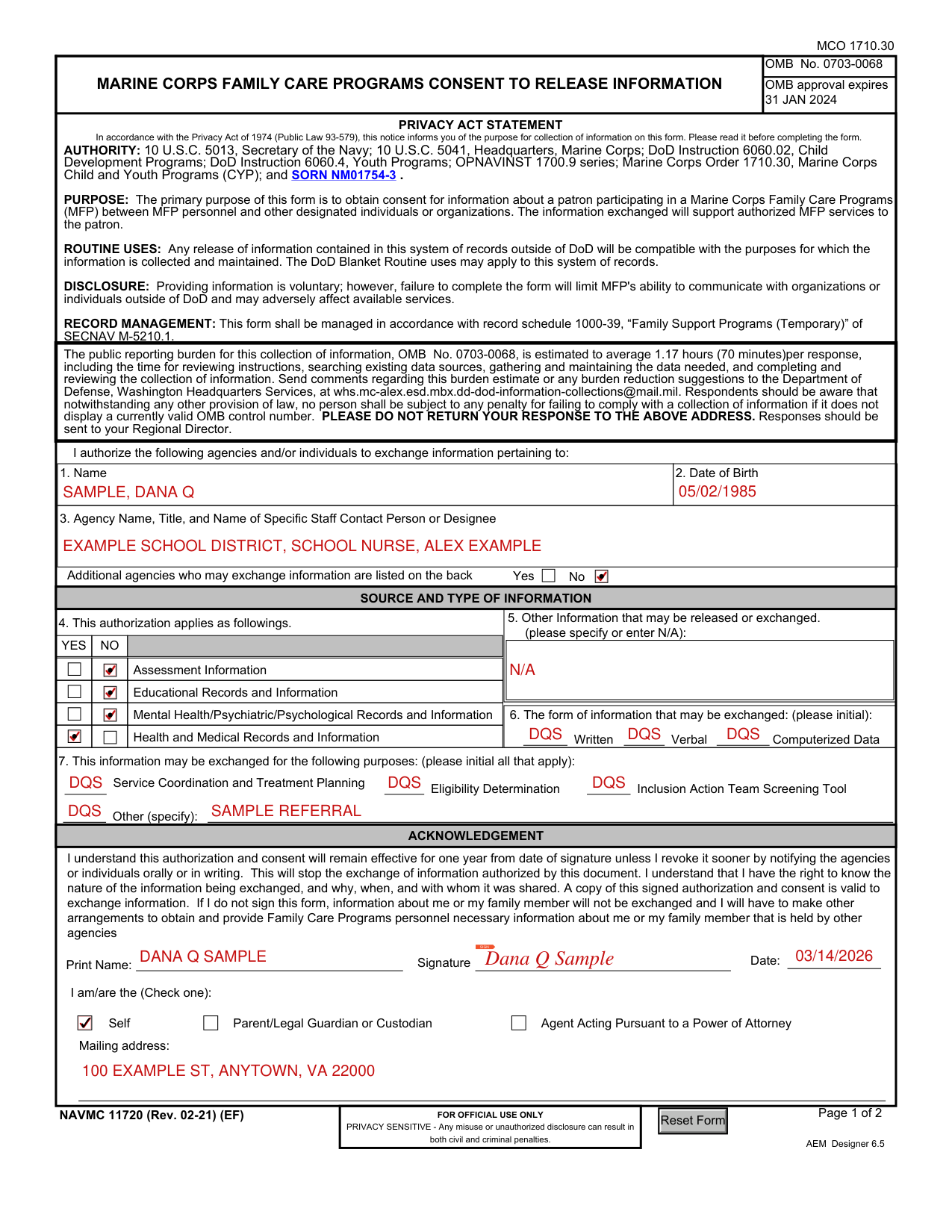
A filled-in NAVMC 11720 example: an adult EFM consents to release health records
How to fill out NAVMC 11720, box by box
1. Name and 2. Date of Birth

Enter the name of the CYP participant or EFM in Item 1.
Enter the birth date of the CYP participant or EFM in Item 2.
3. Agency Name, Title, and Name of Specific Staff Contact Person or Designee

In Item 3, enter the name and title of agencies and/or individuals that CYP and EFMP can exchange information pertaining to the CYP participant or EFM.
Answer Yes if permission is being granted to exchange information to additional agencies or individuals and list them on the back of the form.
4. This authorization applies as followings

In Item 4, answer Yes for all that apply of Assessment Information, Educational Records and Information, Mental Health/Psychiatric/Psychological Records and Information, and Health and Medical Records and Information; otherwise, answer No.
5. Other Information that may be released or exchanged

In Item 5, specify the other information that may be released or exchanged, or enter N/A.
6. The form of information that may be exchanged

In Item 6, initial all that apply of Written, Verbal and Computerized Data.
7. This information may be exchanged for the following purposes

In Item 7, initial all that apply of Service Coordination and Treatment Planning, Eligibility Determination, Inclusion Action Team Screening Tool and Other (specify).
I am/are the (Check one)

Check one: Self, Parent/Legal Guardian or Custodian, or Agent Acting Pursuant to a Power of Attorney.
Print Name, Signature, Date and Mailing address
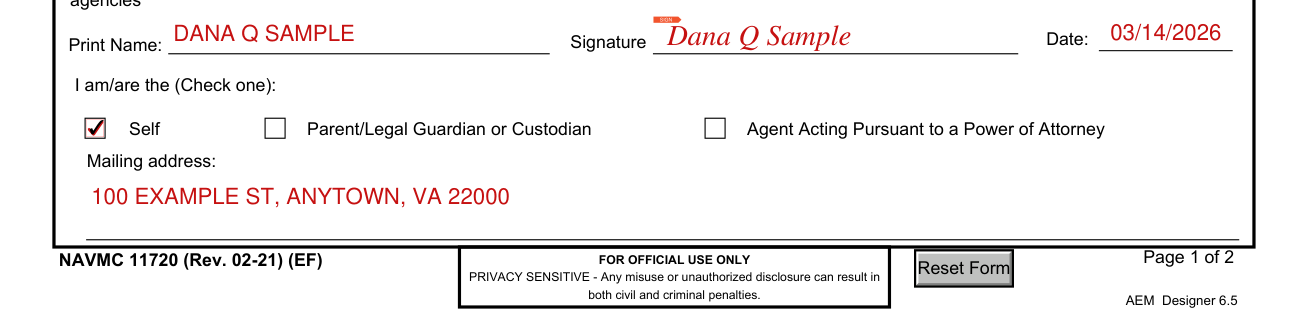
Under Print Name, Signature and Date, the signer must print the name, sign and date the form, identify his/her relationship to the EFM and/or CYP participant and provide a mailing address.
More rules for NAVMC 11720
In the acknowledgement, the signer understands this authorization and consent will remain effective for one year from date of signature unless the signer revokes it sooner by notifying the agencies or individuals orally or in writing.
If the signer does not sign this form, information about the signer or the signer's family member will not be exchanged.
Providing information is voluntary; however, failure to complete the form will limit MFP's ability to communicate with organizations or individuals outside of DoD and may adversely affect available services.
Responses should be sent to your Regional Director.
Common questions about NAVMC 11720
Is there a penalty?
The form is marked FOR OFFICIAL USE ONLY PRIVACY SENSITIVE: any misuse or unauthorized disclosure can result in both civil and criminal penalties.
Sources
[1] NAVMC 11720 (JAN 2024), Marine Corps Family Care Programs Consent to Release Information, U.S. Marine Corps (the Official source link on this page).