

Form T2042 at a glance
What it is: Form T2042, Statement of Farming Activities, calculates your self-employment farming income; see Guide T4002 for how to fill it in.
Where and when to file: Fill in this form and send it with your income tax and benefit return; for more information on how to fill in Form T2042, see Guide T4002.
For each farming business, fill in a separate Form T2042; see Guide T4002.
A filled-in Form T2042 example: a farmer fills in page 1 for one farm
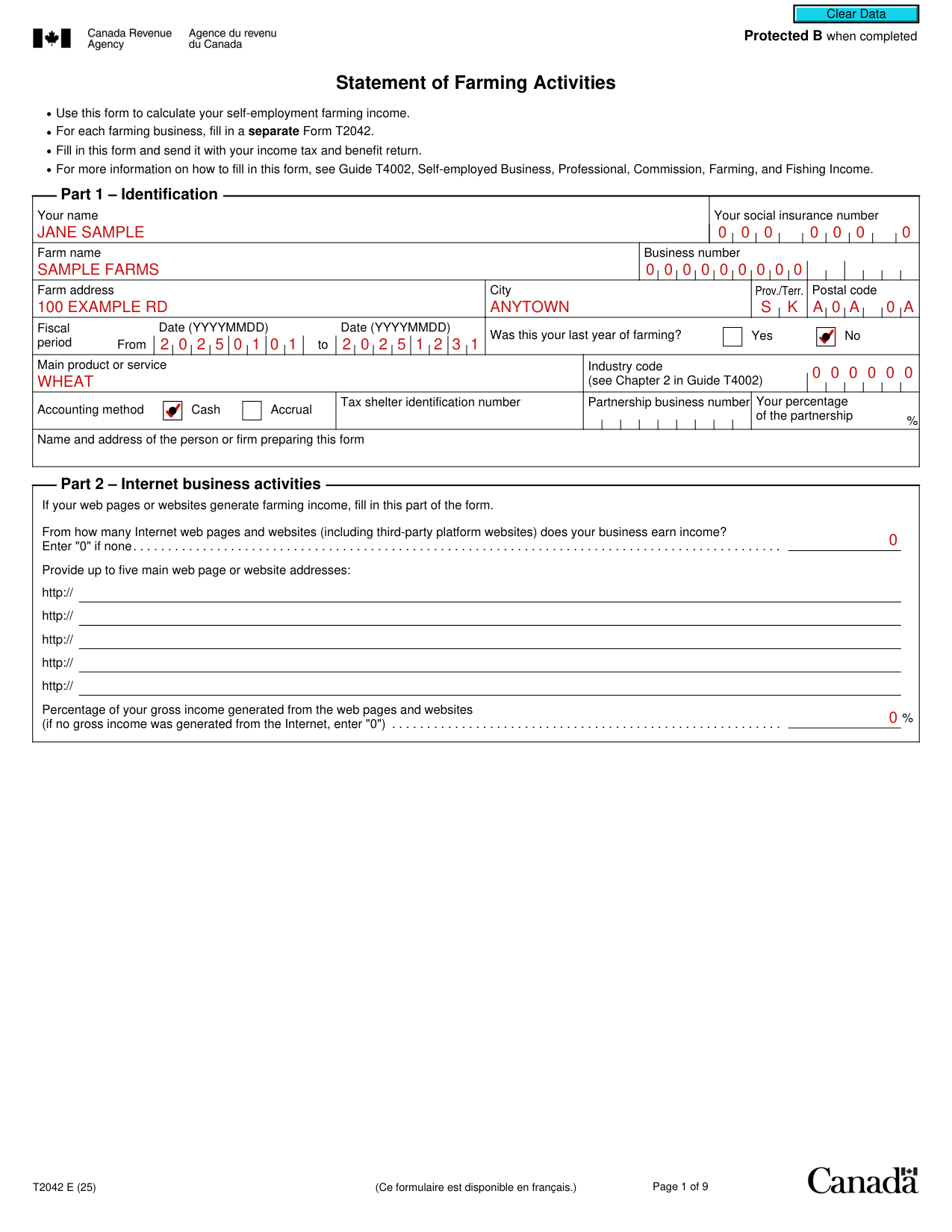
How to fill out Form T2042, box by box
Your name and social insurance number

Enter your name and your social insurance number.
Farm name and business number

Enter the farm name and the business number.
Farm address, city, Prov./Terr., and postal code

Enter the farm address, city, Prov./Terr., and postal code.
Fiscal period and last year of farming

Enter the fiscal period From date and the to date as YYYYMMDD.
Mark Yes or No for Was this your last year of farming?
Main product or service and industry code

Enter the main product or service and the industry code (see Chapter 2 in Guide T4002).
Accounting method

Mark Cash or Accrual as the accounting method.
Tax shelter identification number and partnership business number

Enter the tax shelter identification number.
For a partnership, enter the partnership business number and your percentage of the partnership.
Name and address of the person or firm preparing this form

Enter the name and address of the person or firm preparing this form.
Part 2 - Internet business activities
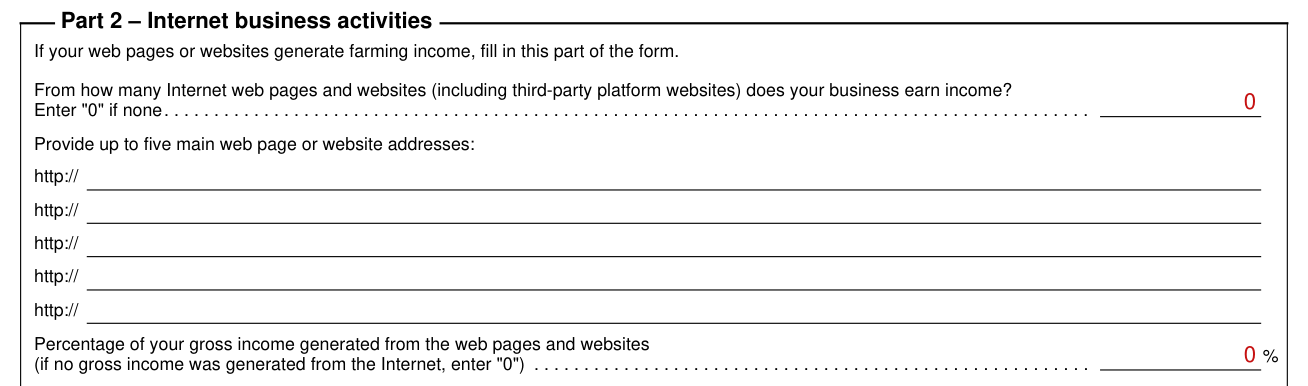
If your web pages or websites generate farming income, fill in this part of the form.
Enter the number of Internet web pages and websites (including third-party platform websites) from which your business earns income; enter "0" if none.
Provide up to five main web page or website addresses.
Enter the percentage of your gross income generated from the web pages and websites; if no gross income was generated from the Internet, enter "0".
Part 3 - Income

Line 9659, gross income, is the total of the income lines; enter this amount on line 14099 of your income tax and benefit return.
Part 4 - Net income (loss) before adjustments
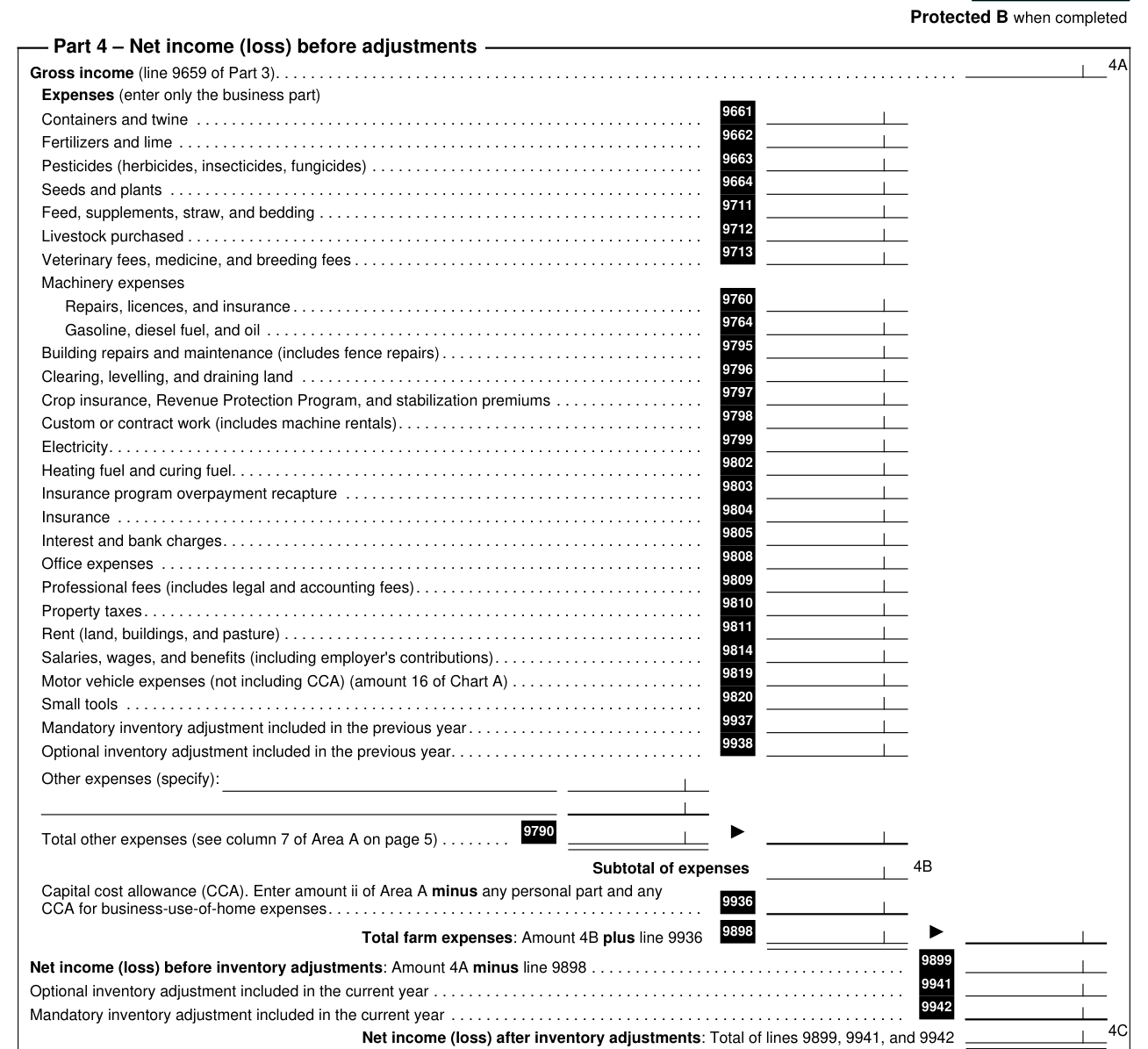
4A, gross income, is line 9659 of Part 3.
Under Expenses, enter only the business part.
Line 9898, total farm expenses, is amount 4B plus line 9936.
Line 9899, net income (loss) before inventory adjustments, is amount 4A minus line 9898.
4C, net income (loss) after inventory adjustments, is the total of lines 9899, 9941, and 9942.
Part 5 - Your net income (loss)
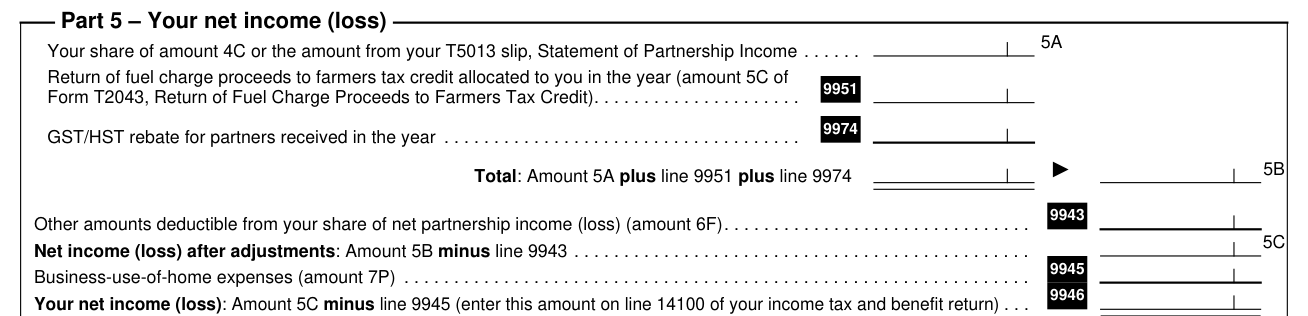
Amount 5A is your share of amount 4C or the amount from your T5013 slip, Statement of Partnership Income.
Amount 5B, the total, is amount 5A plus line 9951 plus line 9974.
Amount 5C, net income (loss) after adjustments, is amount 5B minus line 9943.
Line 9946, your net income (loss), is amount 5C minus line 9945; enter this amount on line 14100 of your income tax and benefit return.
More rules for Form T2042
In Chart A - Motor vehicle expenses, for 16 Allowable motor vehicle expenses, add amounts 13 to 15 and enter this total on line 9819 of Part 4.
Note: you can claim capital cost allowance on motor vehicles in Area A.
You cannot claim capital cost allowance on land.
In Part 8 - Details of other partners, do not fill in this chart if you must file a partnership information return.
Line 7P, the allowable claim in Part 7, is amount 7M or 7N, whichever is less; enter your share of this amount on line 9945 of Part 5.
Common questions about Form T2042
Where do I file it?
Send Form T2042 with your income tax and benefit return; see Guide T4002.
Sources
[1] Form T2042 E (25), Statement of Farming Activities, Canada Revenue Agency (the Official source link on this page).