Hud 9834 Form PDF Details

The HUD 9834 form, known officially as the Management Review for Multifamily Housing Projects, serves as a comprehensive tool used by the U.S. Department of Housing and Urban Development (HUD) to ensure proper management and oversight of multifamily housing projects. With an expiration date noted as 04/30/2018 and sanctioned by the Office of Housing – Federal Housing Commissioner, this form aligns with the OMB Approval No. 2502-0178, signifying its importance and mandatory status for certain HUD interactions. This document, which must be filled out by HUD staff, Performance Based Contract Administrators (PBCA), Traditional Contract Administrators (CAs), and Mortgagees of Coinsured Projects, is split into distinct segments: the Desk Review, the On-site Review with Addenda, and the Summary Report, effectively covering all relevant aspects of multifamily housing project management review process. Its purpose, firmly rooted in assessing the management capabilities and oversight effectiveness of such housing projects, requires detailed input across several areas, including but not limited to, fair housing/civil rights review requirements, financial management, maintenance standards, and tenant relations - each contributing to a holistic view of project operations. With supplementary guidance available in HUD Handbooks, this form not only ensures compliance with statutory, regulatory, or administrative requirements but also seeks to pinpoint and correct deficiencies through a structured review and follow-up process. Consequently, its comprehensive utility in reinforcing the integrity of multifamily housing management practices cannot be overstated.

QuestionAnswer
Form NameHud 9834 Form
Form Length47 pages
Fillable?No
Fillable fields0
Avg. time to fill out11 min 45 sec
Other nameshud 9834 instructions, hud on site, hud addendum b, hud form 9834 addendum d

Form Preview Example

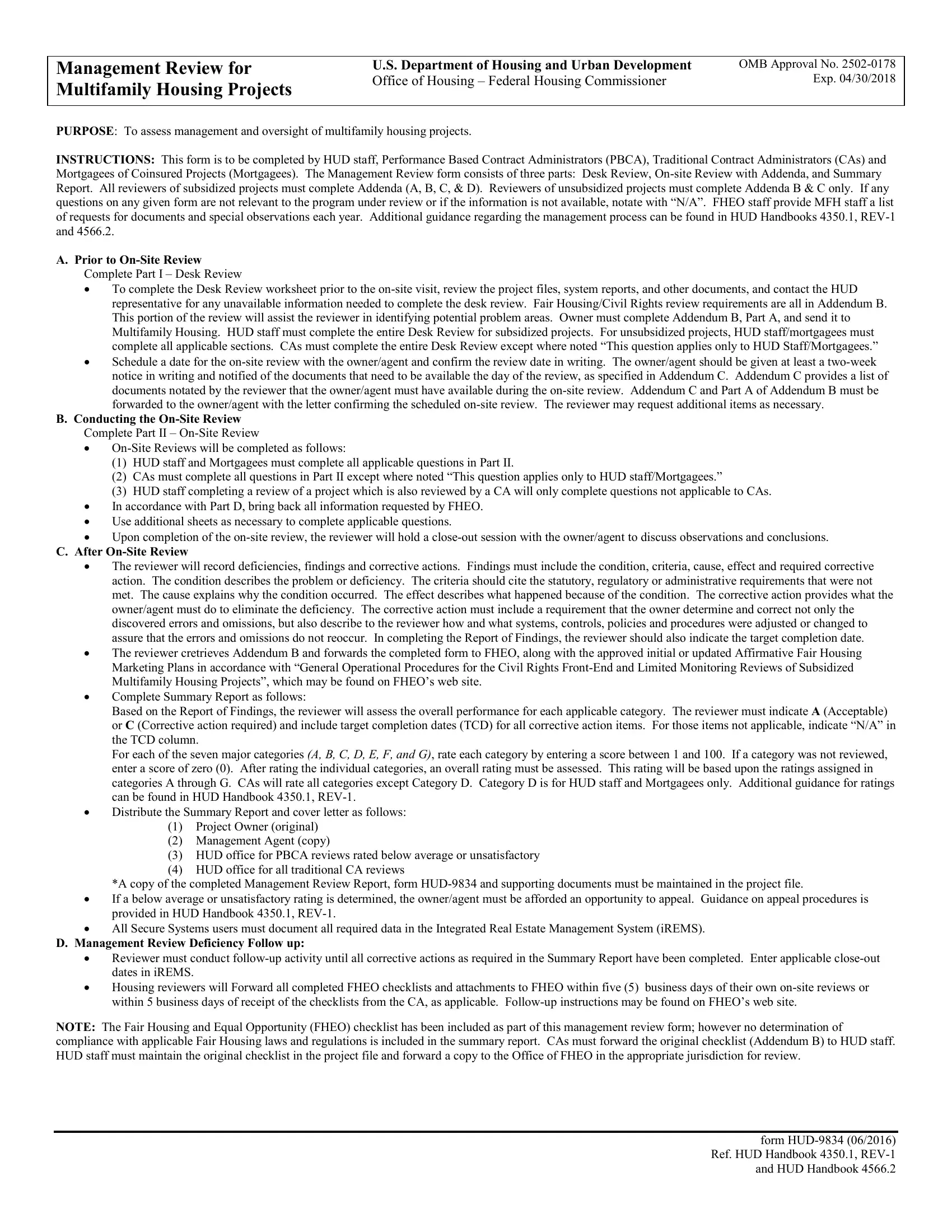
Management Review for Multifamily Housing Projects

U.S. Department of Housing and Urban Development

OMB Approval No. 2502-0178

Office of Housing – Federal Housing Commissioner

Exp. 04/30/2018

PURPOSE: To assess management and oversight of multifamily housing projects.

INSTRUCTIONS: This form is to be completed by HUD staff, Performance Based Contract Administrators (PBCA), Traditional Contract Administrators (CAs) and

Mortgagees of Coinsured Projects (Mortgagees). The Management Review form consists of three parts: Desk Review, On-site Review with Addenda, and Summary Report. All reviewers of subsidized projects must complete Addenda (A, B, C, & D). Reviewers of unsubsidized projects must complete Addenda B & C only. If any questions on any given form are not relevant to the program under review or if the information is not available, notate with “N/A”. FHEO staff provide MFH staff a list of requests for documents and special observations each year. Additional guidance regarding the management process can be found in HUD Handbooks 4350.1, REV-1 and 4566.2.

A.Prior to On-Site Review Complete Part I – Desk Review

To complete the Desk Review worksheet prior to the on-site visit, review the project files, system reports, and other documents, and contact the HUD representative for any unavailable information needed to complete the desk review. Fair Housing/Civil Rights review requirements are all in Addendum B. This portion of the review will assist the reviewer in identifying potential problem areas. Owner must complete Addendum B, Part A, and send it to Multifamily Housing. HUD staff must complete the entire Desk Review for subsidized projects. For unsubsidized projects, HUD staff/mortgagees must complete all applicable sections. CAs must complete the entire Desk Review except where noted “This question applies only to HUD Staff/Mortgagees.”

Schedule a date for the on-site review with the owner/agent and confirm the review date in writing. The owner/agent should be given at least a two-week notice in writing and notified of the documents that need to be available the day of the review, as specified in Addendum C. Addendum C provides a list of documents notated by the reviewer that the owner/agent must have available during the on-site review. Addendum C and Part A of Addendum B must be forwarded to the owner/agent with the letter confirming the scheduled on-site review. The reviewer may request additional items as necessary.

B.Conducting the On-Site Review

Complete Part II – On-Site Review

On-Site Reviews will be completed as follows:

(1)HUD staff and Mortgagees must complete all applicable questions in Part II.

(2)CAs must complete all questions in Part II except where noted “This question applies only to HUD staff/Mortgagees.”

(3)HUD staff completing a review of a project which is also reviewed by a CA will only complete questions not applicable to CAs.

In accordance with Part D, bring back all information requested by FHEO.

Use additional sheets as necessary to complete applicable questions.

Upon completion of the on-site review, the reviewer will hold a close-out session with the owner/agent to discuss observations and conclusions.

C. After On-Site Review

The reviewer will record deficiencies, findings and corrective actions. Findings must include the condition, criteria, cause, effect and required corrective action. The condition describes the problem or deficiency. The criteria should cite the statutory, regulatory or administrative requirements that were not met. The cause explains why the condition occurred. The effect describes what happened because of the condition. The corrective action provides what the owner/agent must do to eliminate the deficiency. The corrective action must include a requirement that the owner determine and correct not only the discovered errors and omissions, but also describe to the reviewer how and what systems, controls, policies and procedures were adjusted or changed to assure that the errors and omissions do not reoccur. In completing the Report of Findings, the reviewer should also indicate the target completion date.

The reviewer cretrieves Addendum B and forwards the completed form to FHEO, along with the approved initial or updated Affirmative Fair Housing Marketing Plans in accordance with “General Operational Procedures for the Civil Rights Front-End and Limited Monitoring Reviews of Subsidized Multifamily Housing Projects”, which may be found on FHEO’s web site.

Complete Summary Report as follows:

Based on the Report of Findings, the reviewer will assess the overall performance for each applicable category. The reviewer must indicate A (Acceptable) or C (Corrective action required) and include target completion dates (TCD) for all corrective action items. For those items not applicable, indicate “N/A” in the TCD column.

For each of the seven major categories (A, B, C, D, E, F, AND G), rate each category by entering a score between 1 and 100. If a category was not reviewed, enter a score of zero (0). After rating the individual categories, an overall rating must be assessed. This rating will be based upon the ratings assigned in categories A through G. CAs will rate all categories except Category D. Category D is for HUD staff and Mortgagees only. Additional guidance for ratings can be found in HUD Handbook 4350.1, REV-1.

Distribute the Summary Report and cover letter as follows:

(1)Project Owner (original)

(2)Management Agent (copy)

(3)HUD office for PBCA reviews rated below average or unsatisfactory

(4)HUD office for all traditional CA reviews

*A copy of the completed Management Review Report, form HUD-9834 and supporting documents must be maintained in the project file.

If a below average or unsatisfactory rating is determined, the owner/agent must be afforded an opportunity to appeal. Guidance on appeal procedures is provided in HUD Handbook 4350.1, REV-1.

All Secure Systems users must document all required data in the Integrated Real Estate Management System (iREMS).

D.Management Review Deficiency Follow up:

Reviewer must conduct follow-up activity until all corrective actions as required in the Summary Report have been completed. Enter applicable close-out dates in iREMS.

Housing reviewers will Forward all completed FHEO checklists and attachments to FHEO within five (5) business days of their own on-site reviews or within 5 business days of receipt of the checklists from the CA, as applicable. Follow-up instructions may be found on FHEO’s web site.

NOTE: The Fair Housing and Equal Opportunity (FHEO) checklist has been included as part of this management review form; however no determination of compliance with applicable Fair Housing laws and regulations is included in the summary report. CAs must forward the original checklist (Addendum B) to HUD staff. HUD staff must maintain the original checklist in the project file and forward a copy to the Office of FHEO in the appropriate jurisdiction for review.

form HUD-9834 (06/2016) Ref. HUD Handbook 4350.1, REV-1 and HUD Handbook 4566.2



Management Review for

U.S. Department of Housing and Urban Development

OMB Approval No. 2502-0178


Exp. 04/30/2018


Multifamily Housing Projects

Office of Housing – Federal Housing Commissioner


Summary


Date of On-Site Review:

Date of Report:

Project Number:


Contract Number:


Section of the Act:

Name of Owner:

Project Name:


Project Address:


Loan Status:

Contract Administrator:

Type of Subsidy:


Type of Housing:


Insured


HUD

Section 8

Rent Supplement

Family


HUD-Held


CA

PAC

RAP

Disabled


Non-Insured


PBCA

Section 236

PRAC

Elderly


Co-Insured


Section 221(d)(3) BMIR

Unsubsidized

Elderly/Disabled


Other (please specify)


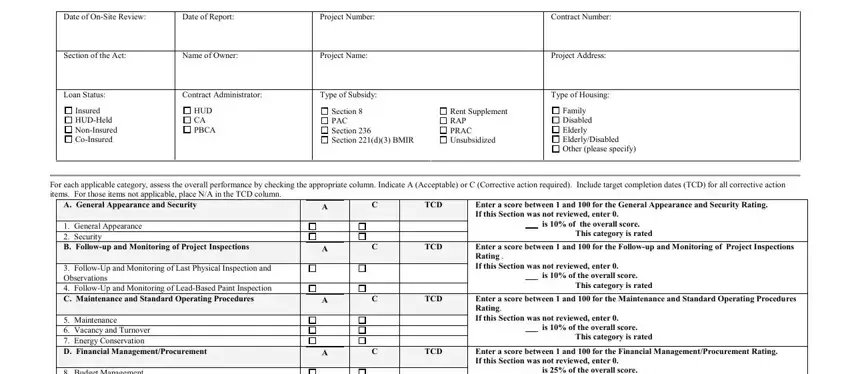
For each applicable category, assess the overall performance by checking the appropriate column. Indicate A (Acceptable) or C (Corrective action required). Include target completion dates (TCD) for all corrective action items. For those items not applicable, place N/A in the TCD column.

A. General Appearance and Security

A

C

TCD

Enter a score between 1 and 100 for the General Appearance and Security Rating.


If this Section was not reviewed, enter 0.

1.

General Appearance


is 10% of the overall score.


This category is rated

2.

Security


B. Follow-up and Monitoring of Project Inspections


A


C


TCD


Enter a score between 1 and 100 for the Follow-up and Monitoring of Project Inspections


Rating .


3. Follow-Up and Monitoring of Last Physical Inspection and


If this Section was not reviewed, enter 0.


Observations


is 10% of the overall score.


This category is rated


4. Follow-Up and Monitoring of Lead-Based Paint Inspection


C. Maintenance and Standard Operating Procedures


A


C


TCD


Enter a score between 1 and 100 for the Maintenance and Standard Operating Procedures


Rating.

5.

Maintenance


If this Section was not reviewed, enter 0.


6.

Vacancy and Turnover


is 10% of the overall score.


This category is rated

7.

Energy Conservation


D. Financial Management/Procurement


A


C


TCD


Enter a score between 1 and 100 for the Financial Management/Procurement Rating.


If this Section was not reviewed, enter 0.


8. Budget Management


is 25% of the overall score.


This category is rated

9.

Cash Controls


10.

Cost Controls


11.

Procurement Controls


12.

Accounts Receivable/Payable


13.

Accounting and Bookkeeping


E. Leasing and Occupancy


A


C


TCD


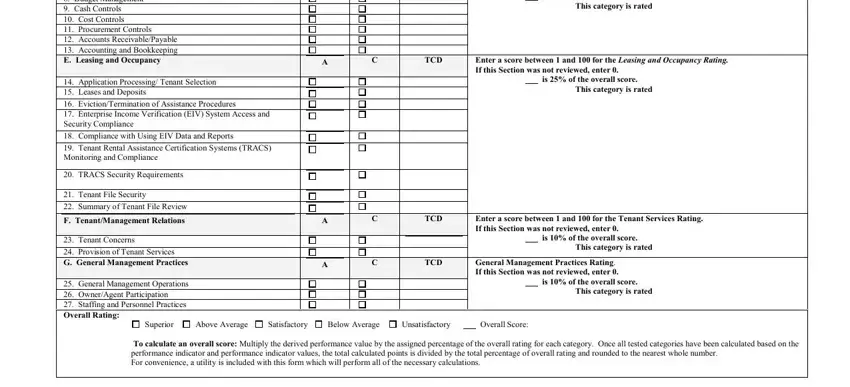
Enter a score between 1 and 100 for the Leasing and Occupancy Rating.


If this Section was not reviewed, enter 0.


14.

Application Processing/ Tenant Selection


is 25% of the overall score.


This category is rated


15.

Leases and Deposits


16.

Eviction/Termination of Assistance Procedures


17.

Enterprise Income Verification (EIV) System Access and


Security Compliance


18.

Compliance with Using EIV Data and Reports


19.

Tenant Rental Assistance Certification Systems (TRACS)


Monitoring and Compliance


20.

TRACS Security Requirements


21.

Tenant File Security


22.

Summary of Tenant File Review


F. Tenant/Management Relations


A


C


TCD


Enter a score between 1 and 100 for the Tenant Services Rating.


If this Section was not reviewed, enter 0.


23.

Tenant Concerns


is 10% of the overall score.


This category is rated


24.

Provision of Tenant Services


G. General Management Practices


A


C


TCD


General Management Practices Rating.


If this Section was not reviewed, enter 0.


25.

General Management Operations


is 10% of the overall score.


This category is rated


26.

Owner/Agent Participation


27.

Staffing and Personnel Practices


Overall Rating:


Superior

Above Average

Satisfactory

Below Average

Unsatisfactory


Overall Score:

To calculate an overall score: Multiply the derived performance value by the assigned percentage of the overall rating for each category. Once all tested categories have been calculated based on the performance indicator and performance indicator values, the total calculated points is divided by the total percentage of overall rating and rounded to the nearest whole number.

For convenience, a utility is included with this form which will perform all of the necessary calculations.

Name and Title of Person Preparing this Report: (Please type or print):

Name and Title of Person Approving this Report: (Please type or print):

Signature: _____________________________________________________________

Signature:______________________________________________________________

Date:

Date:

NOTE: If this review is conducted by a CA or PBCA as indicated above, the overall rating reflects a review as it relates to compliance with the Housing Assistance Payment Contract (HAP) only.

form HUD-9834 (06/2016) Ref. HUD Handbook 4350.1, REV-1 and HUD Handbook 4566.2
 

Management Review for

U.S. Department of Housing and Urban Development

OMB Approval No. 2502-0178


Exp. 04/30/2018


Multifamily Housing Projects

Office of Housing – Federal Housing Commissioner


Summary


SUMMARY REPORT – FINDINGS

For each “C” item checked on the summary report, reference the appropriate citing, and target completion date. Findings must include the condition, criteria, cause, effect and required corrective action:

OThe condition describes the problem or deficiency

OThe criteria cites the statutory, regulatory or administrative requirements that were not met

OThe cause explains why the condition occurred

OThe effect describes what happened because of the condition

Corrective actions are required for all findings.

Item Number

Finding

Target Completion Date

form HUD-9834 (06/2016) Ref. HUD Handbook 4350.1, REV-1 and HUD Handbook 4566.2

Management Review for Multifamily Housing Projects

U.S. Department of Housing and Urban Development

OMB Approval No. 2502-0178

Office of Housing – Federal Housing Commissioner

Exp. 04/30/2018

Part I Desk Review

PART I. DESK REVIEW The reviewer must complete this section prior to the on-site review using all relevant information in project files and HUD database systems. Questions on the desk review, which include category references, are linked to the on-site review. Category references on the desk review that relate to the on-site review must be considered when determining the category rating. Category references are marked following the applicable question (i.e. B3, E14).

If any questions on any given form are not relevant to the program under review or if the information is not available notate with “N/A”.

1. What is the most recent Physical Assessment Subsystem (PASS) score? B3

Enter PASS Score


Date of REAC inspection

If required, has the project filed a certification that all items listed on the previous REAC inspection have been completed?

Yes

If more than one inspection is of record, does the reviewer note repetitive defects?

No

Yes

Comments:

No

2. Were Exigent Health and Safety (EH&S) conditions cited in the report? B3

Yes

Comments:

No

N/A

3.Have all latent defects been corrected? This question applies only to newly constructed projects within the last 24 months.

This question applies only to HUD Staff and Mortgagees.

Yes

If not, list depository and amount of any construction escrows remaining.

No

N/A

Comments:

Questions 4 through 6 only apply to subsidized family properties or elderly properties housing children under the age of six that were constructed prior to 1978. If the lead based paint inspection has been conducted and the information was documented on a previous management review, proceed to question 7.

4. Document the year of construction for Lead-Based Paint compliance.

Obtain this information from the Physical Condition/PASS screen in iREMS Open the REAC Inspection Report, then open the PASS Physical Inspection Report. The year of construction can be found under Buildings/Units.

Date of Construction


If construction occurred after 1977, proceed to question 7.

5. Has a lead-based paint inspection been conducted? 4B

Yes

Comments:

No

Information Not Available

6.

What were the results of the Lead-Based Paint Inspection/Evaluation:

4B


Was lead found?

Yes

No

N/A


If yes, is there a HUD approved lead hazard control plan?

Yes

No

N/A

Comments


7.

Is an Annual Financial Statement required? (If no, proceed to question 10).

Yes

No


This question applies only to HUD Staff.


Comments:

8. What was the most recent Financial Assessment Subsystem (FASS) score? Score

This question applies only to HUD Staff

If financial reporting is not required, determine why; and record the reason in reviewer comments below.

Comments:

form HUD-9834 (06/2016) Ref. HUD Handbook 4350.1, REV-1 and HUD Handbook 4566.2
Page 1 of 6

Management Review for Multifamily U.S. Department of Housing and Urban Development

OMB Approval No. 2502-0178

Exp. 04/30/2018

Housing Projects

Office of Housing – Federal Housing Commissioner


Desk Review (Continued)

9.Have the following reports been consistently submitted on a timely basis? (Look at multiple periods) Check the appropriate box for reports received, and indicate whether or not the report was received timely.

This question applies only to HUD Staffand Mortgagees

Annual Audited Financial Statement

Yes

Date last report was due:


Date last report received:


Monthly Accounting Report

Yes

Excess Income Report (HUD-93479, 80, 81)

Yes

Quarterly performance report for projects on flexible subsidy, modification, workout, etc.

Yes

Annual operating budget (cooperatives)

Yes

No N/A

No N/A

No N/A

No N/A

No N/A

If the reports have been submitted, were they received in acceptable form?

Yes

No

Comments:

10. Has the owner corrected all findings on HUD financial and or Inspector General audits?

Yes

This question applies only to HUD Staff and Mortgagees.

No

N/A

List findings outstanding and determine whether remedial action is required to assure correction within established goals:

Comments:

11. Do project operating expenses appear reasonable compared with similar projects?

Yes

No

This question applies only to HUD Staff.

D10


Indicate latest OPIIS rating and check problem areas flagged by OPIIS.


Administrative

Maintenance

Utility

Taxes and Insurance

Financial

Also, use OPIIS to conduct an expense comparison with other similar projects.

Comments:

12. Does annual financial analysis or FASS printouts indicate that project is free of actual or potential financial problems?

This question applies only to HUD Staff.

Yes

For each of last 3 years, enter Profit (Loss) before depreciation (from the Statement of Profit & Loss).

Year

$

$

$

No

Comments:

13. If the owner/agent has taken unauthorized distributions, reimbursements, or supervision fees, have these been repaid?

This question applies only to HUD Staff and Mortgagees.

Yes

No

If no, indicate amount due to the project. $

14. If applicable, have all deposits due to the residual receipts fund been made?

Yes

This question applies only to HUD Staff.

Comments:

No

15. Based on the last FASS submission, are accounts payable reasonably current?

Yes

This question applies only to HUD Staff and Mortgagees.

D12


No

Indicate the amount of accounts payable more than 60 days old $

Comments:

form HUD-9834 (06/2016) Ref. HUD Handbook 4350.1, REV-1 and HUD Handbook 4566.2
Page 2 of 6

How to Edit Hud 9834 Form Online for Free

Whenever you would like to fill out hud 9834 addendum a, there's no need to download and install any programs - simply give a try to our online PDF editor. Our professional team is ceaselessly working to expand the tool and make it much better for clients with its many functions. Discover an constantly progressive experience now - check out and uncover new opportunities along the way! All it takes is a couple of basic steps:

Step 1: Just click on the "Get Form Button" in the top section of this site to get into our pdf form editor. This way, you'll find everything that is required to work with your document.

Step 2: With our advanced PDF file editor, you can actually accomplish more than simply complete blanks. Express yourself and make your documents look perfect with custom text added in, or modify the file's original input to excellence - all comes with the capability to add stunning photos and sign the document off.

It is actually simple to fill out the pdf using out helpful tutorial! Here is what you want to do:

1. Whenever completing the hud 9834 addendum a, be sure to incorporate all important blank fields within the relevant part. This will help to speed up the work, which allows your details to be processed promptly and accurately.

Stage number 1 in filling in what form addendum bed bug

2. Your next stage is usually to submit these particular blanks: Budget Management Cash Controls, Application Processing Tenant, EvictionTermination of Assistance, Compliance with Using EIV Data, Tenant Rental Assistance, TRACS Security Requirements, Tenant File Security, Summary of Tenant File Review, F TenantManagement Relations, Tenant Concerns, Provision of Tenant Services G, General Management Operations, is of the overall score, This category is rated, and TCD.

what form addendum bed bug writing process outlined (stage 2)

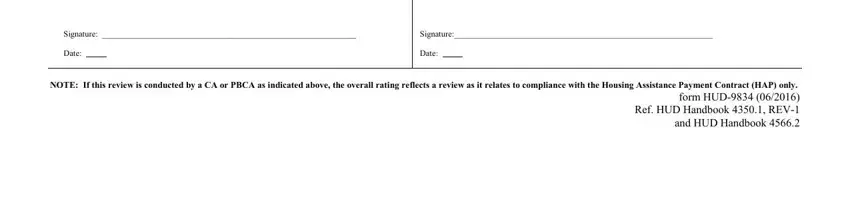
3. The following step is about Signature, Signature, Date, Date, and NOTE If this review is conducted - complete each of these empty form fields.

Guidelines on how to fill out what form addendum bed bug stage 3

It's very easy to get it wrong when filling in the Date, so be sure you take a second look before you submit it.

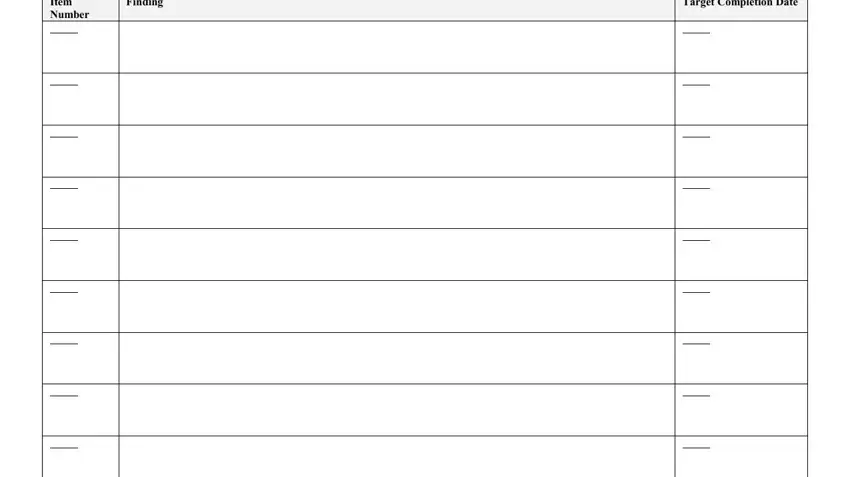
4. This next section requires some additional information. Ensure you complete all the necessary fields - Item Number, Finding, and Target Completion Date - to proceed further in your process!

Target Completion Date, Finding, and Item Number inside what form addendum bed bug

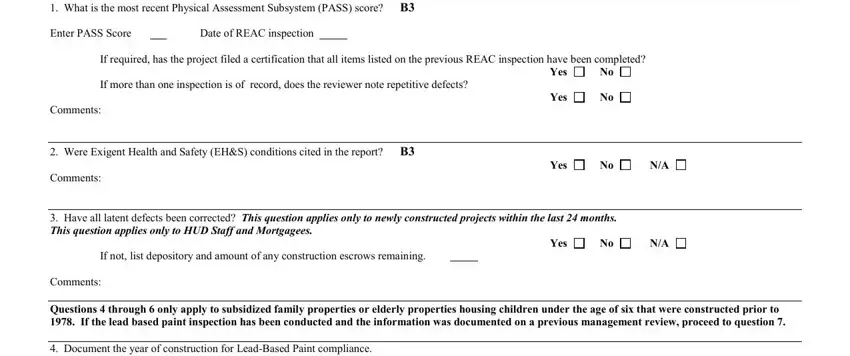
5. This pdf must be finished with this particular section. Below one can find a comprehensive listing of blank fields that require accurate details for your document submission to be complete: What is the most recent Physical, Enter PASS Score, Date of REAC inspection, If required has the project filed, If more than one inspection is of, Comments, Yes, Yes, Were Exigent Health and Safety, Comments, Yes, Have all latent defects been, If not list depository and amount, Yes, and Comments.

Filling in part 5 of what form addendum bed bug

Step 3: Proofread the details you have inserted in the blanks and click the "Done" button. Right after creating afree trial account with us, you will be able to download hud 9834 addendum a or send it through email immediately. The file will also be easily accessible from your personal account page with your every modification. When using FormsPal, you can certainly fill out documents without having to be concerned about database breaches or entries being shared. Our secure platform helps to ensure that your personal data is stored safe.