
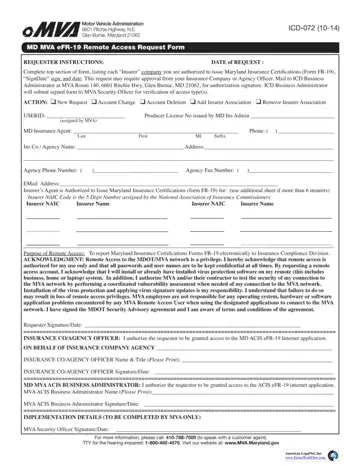
In today’s digital age, processes and forms that facilitate seamless operations within governmental departments are essential for maintaining efficiency and compliance. The ICD-072 form, managed by the Motor Vehicle Administration (MVA) located at 6601 Ritchie Highway in Glen Burnie, Maryland, represents a pivotal component within this bureaucratic ecosystem, particularly for those in the insurance industry. Introduced to streamline the process by which insurance agents and companies request remote access to issue Maryland Insurance Certifications (Form FR-19), this document outlines a comprehensive procedure starting from the initial request to granting the necessary permissions for electronic reporting to the Insurance Compliance Division. Establishing a meticulous framework, the form delineates requirements for the requester such as completing the top section, obtaining necessary approvals, and acknowledging the responsibility that accompanies remote access privileges, including maintaining confidentiality and ensuring virus protection measures are in place. Furthermore, the form serves as a gateway, requiring signatories from the insurance company or agency officers and the MVA ACIS Business Administrator, thereby ensuring a multi-tiered scrutiny and approval process. It underscores the importance of such protocols in safeguarding sensitive data and maintaining the integrity of the Maryland Department of Transportation’s operational standards, as well as adhering to broader state and federal regulatory requirements.
| Question | Answer |
|---|---|
| Form Name | Icd 072 Form |
| Form Length | 2 pages |
| Fillable? | No |
| Fillable fields | 0 |
| Avg. time to fill out | 30 sec |
| Other names | fr 19 form pdf maryland, fr19, fr 19 form, fr 19 form maryland |
