

Form 10A104 at a glance
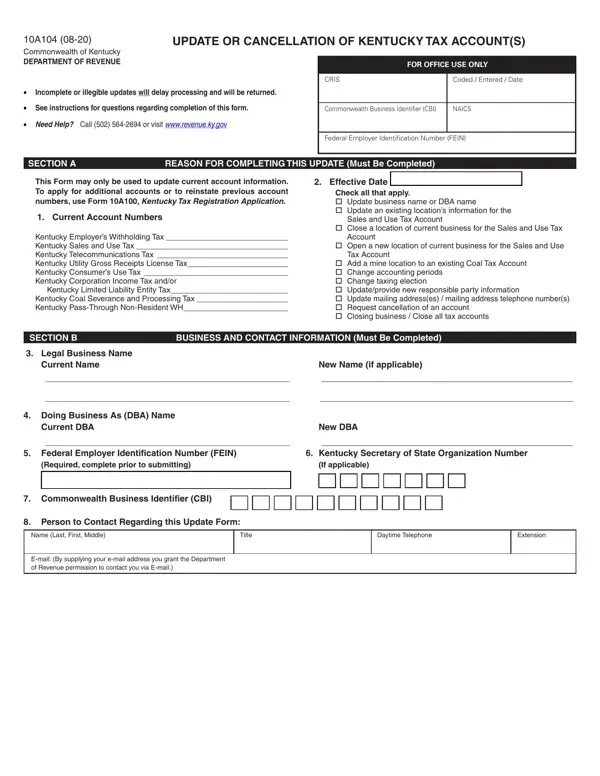
What it is: Form 10A104 (04-25) is the Update or Cancellation of Kentucky Tax Account(s) of the Commonwealth of Kentucky Department of Revenue.
Who signs: This update form must be signed. The undersigned must be duly authorized to sign the Form.
Where and when to file: Mail completed form to: Kentucky Department of Revenue, 501 High Street, Station 20A, Frankfort, Kentucky 40601. Fax: 502-564-0796. Email: DOR.WEBResponseDataIntegrity@ky.gov.
This Form (10A104-I (04-25)) is used to update business information or request cancellation of an Employer's Withholding Tax Account, Sales and Use Tax Account, Transient Room Tax Account, Motor Vehicle Tire Fee Account, Telecommunications Tax Account, Utility Gross Receipts License Tax Account, Commercial Mobile Radio Service (CMRS) Prepaid Service Charge Account, Consumer's Use Tax Account, Corporation Income Tax Account, Limited Liability Entity Tax Account, Coal Severance and Processing Tax Account, Coal Seller/Purchaser Certificate ID Number and/or Pass-Through Non-Resident Withholding Tax Account.
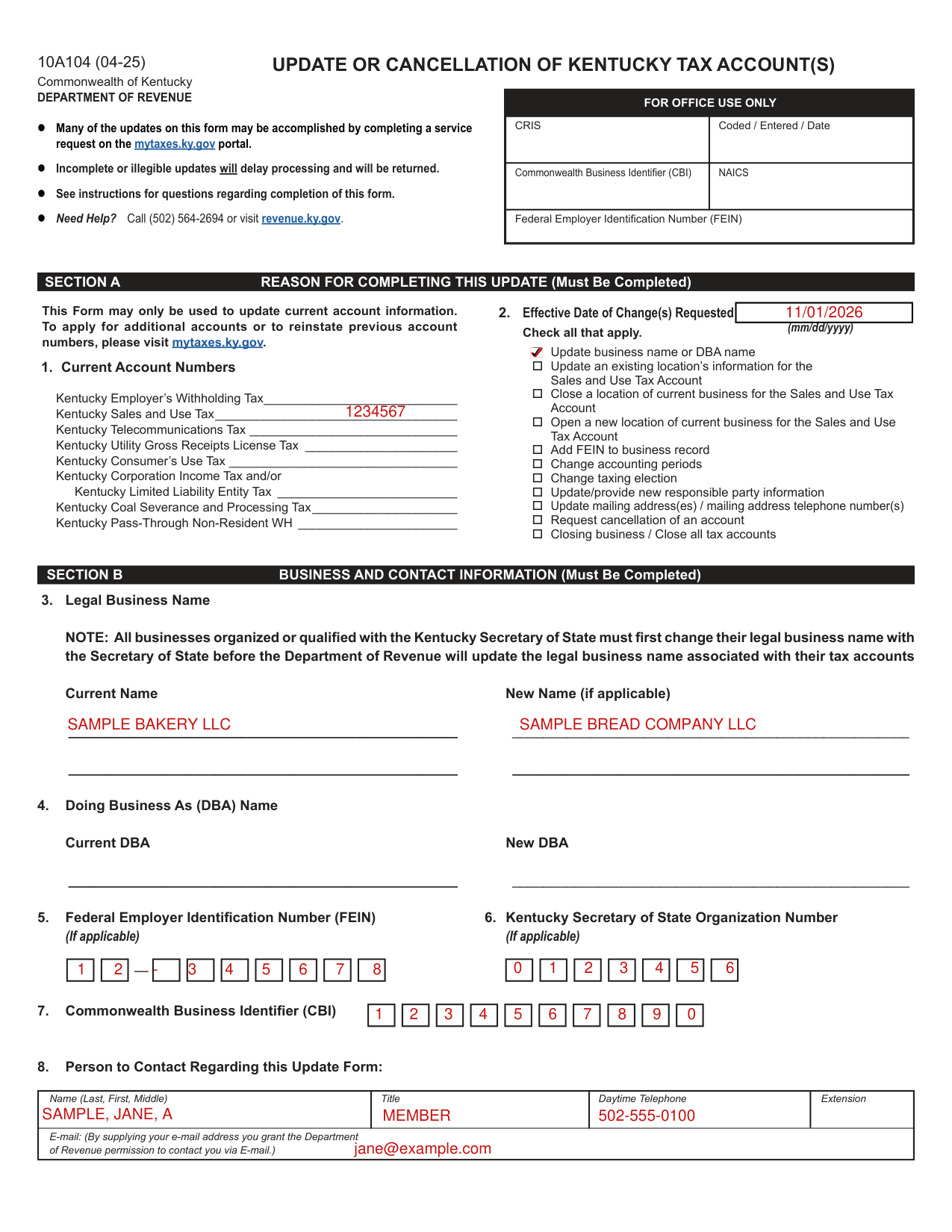
A filled-in Form 10A104 example: a bakery changes its legal name
How to fill out Form 10A104, box by box
Section A Reason for Completing This Update
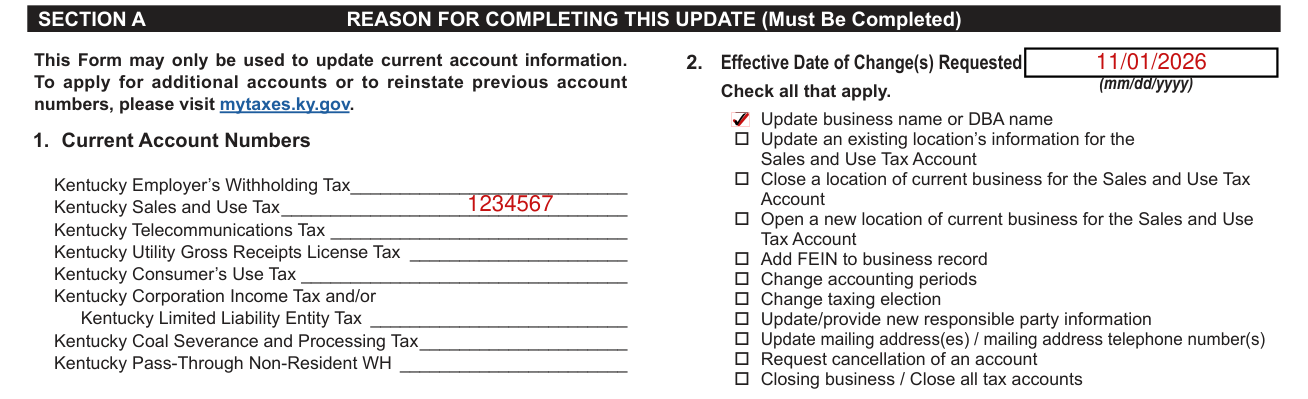
Section A, Reason for Completing This Update, must be completed. Check all that apply.
Current Account Numbers: List the tax account(s) assigned to your business or organization.
Effective Date: Enter the effective date of the changes (mm/dd/yyyy).
Update Business Name or DBA Name: Complete Sections A and B.
Update an Existing Business Location's Information for the Sales and Use Tax Account: Complete Sections A, B, and C.
Close a Location of Current Business for the Sales and Use Tax Account: Complete Sections A, B, and C.
Open a New Location of Current Business for the Sales and Use Tax Account: Complete Sections A, B, and C.
Add FEIN to business record: Enter the FEIN in Section B.
Change Accounting Periods: Complete Sections A, B, and D.
Change Taxing Election: Complete Sections A, B, and D.
Update/Provide New Responsible Party Information: Complete Sections A, B, and D.
Update Mailing Address(es)/Mailing Address Phone Numbers: Complete Sections A, B, and E.
Request Cancellation of an Account: If you need to cancel an account, complete Sections A, B, and F.
Closing Business / Close All Tax Accounts: If the business is closing or all tax accounts need to be closed, complete Sections A, B, and F.
Section B Legal Business Name and Doing Business As (DBA) Name
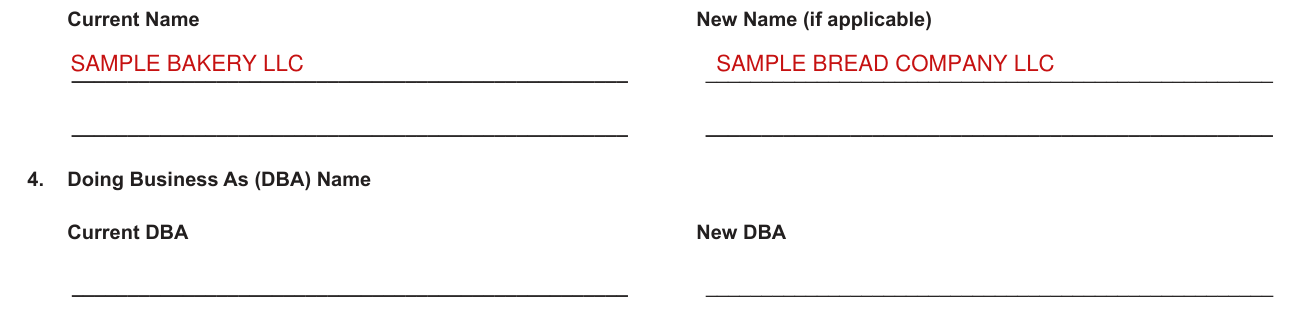
Enter the complete legal business name for your business or organization. If you have changed the name, enter the new name.
Common mistake: NOTE: All businesses organized or qualified with the Kentucky Secretary of State must have first changed their legal business name with the Secretary of State before the Department of Revenue will update the name on their tax accounts.
Doing Business As (DBA) Name: If your business or organization has a "doing business as" name, enter the name. If you have changed the DBA name, enter the new name.
FEIN, Secretary of State Organization Number and CBI

Enter the FEIN assigned to your business or organization by the Internal Revenue Service (IRS). If your FEIN has changed, an update cannot be made and you must apply for new accounts by visiting mytaxes.ky.gov.
Enter the Organization Number assigned to your entity by the Kentucky Secretary of State's Office. Sole Proprietorships and General Partnerships are not required to register with the Secretary of State. If your Kentucky Organization Number has changed, an update cannot be made and you must apply for new account(s) by visiting mytaxes.ky.gov.
Commonwealth Business Identifier (CBI): Enter the 10-digit CBI Number that has been assigned to your business, if applicable.
Person to Contact Regarding this Update Form

Enter the name, title, daytime telephone number, extension and e-mail address for the person to contact with questions about this update form.
Section C Sales and Use Tax Location Information
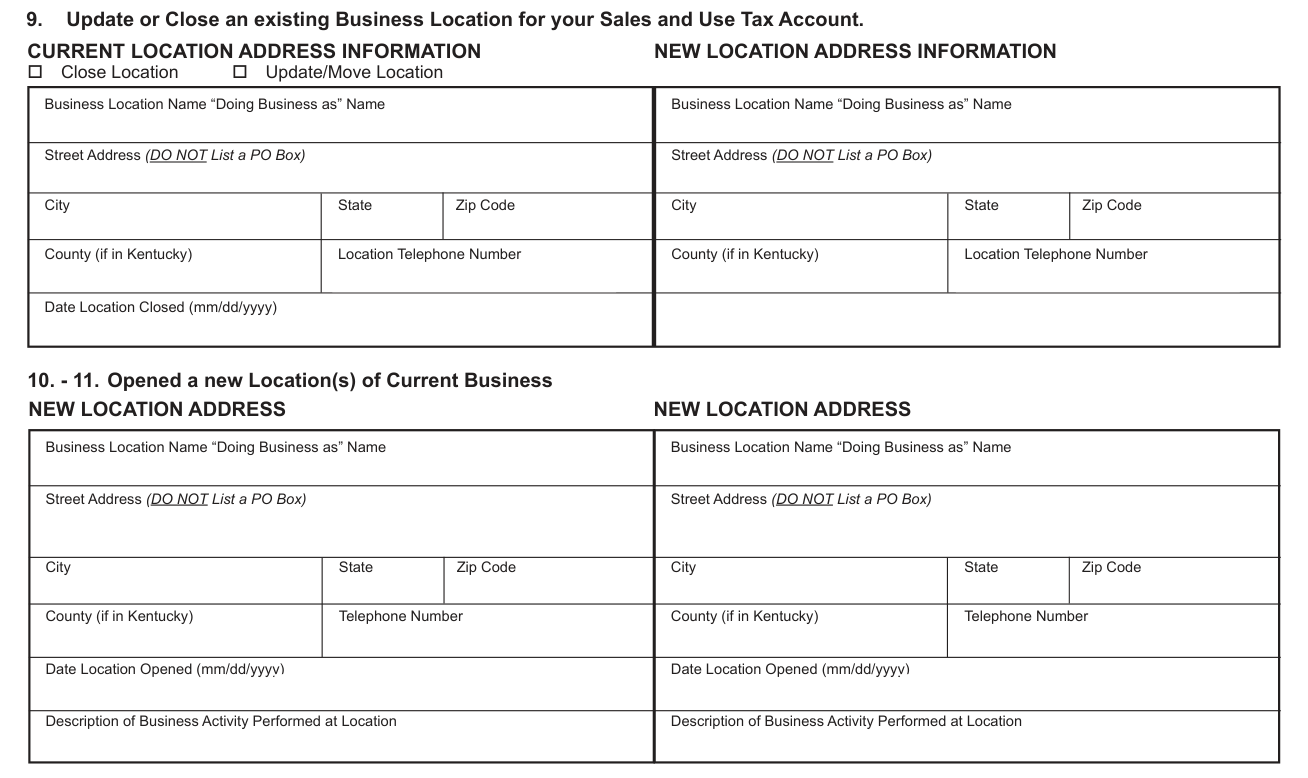
Update or Close an Existing Business Location for your Sales and Use Tax Account. Select the box to indicate Close Location or Update/Move Location.
To update an existing Business Location for your Sales and Use Tax Account, list the old and new addresses for the location. (If you have multiple locations to update, attach a separate listing of the information in Question 9).
Open a New Location of Current Business: List the new address, telephone number, description of the activities performed at the new location and the date the location will open. (If you have more than two locations to add, attach a separate listing of the information in Questions 10-11).
Common mistake: The location address must be the physical address of the business location and not a P.O. Box address.
Section D Accounting Period Change with the IRS

Accounting Period Change with the IRS: Indicate the new information if you have changed your Accounting Period with the Internal Revenue Service (IRS).
Taxing Election Change with the IRS
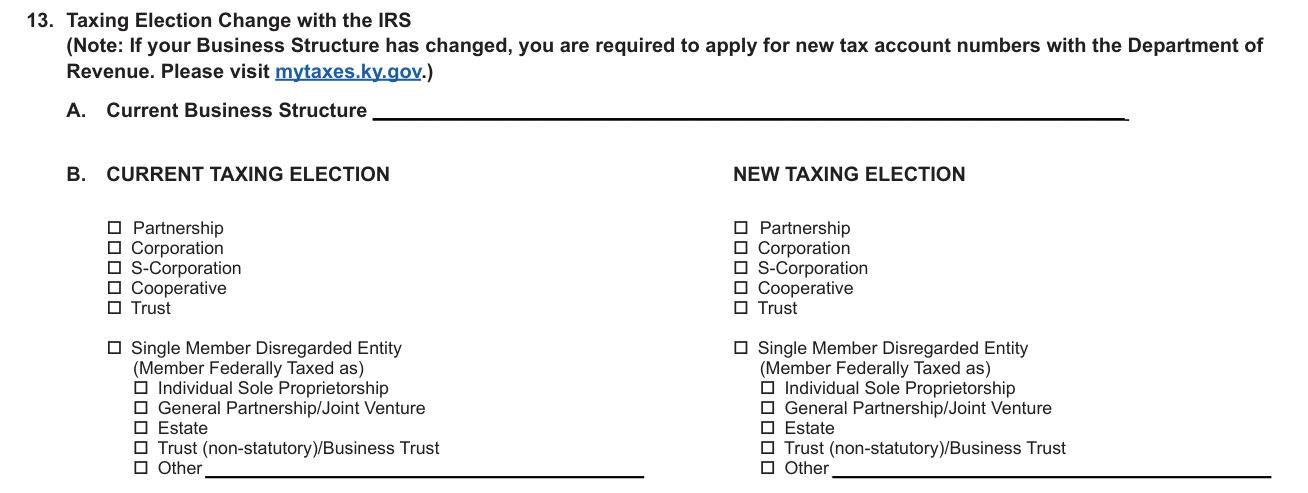
Taxing Election Change with the IRS: A. Enter your current Business Structure. B. Indicate the old and new taxing elections.
Note: If your Business Structure has changed, you are required to apply for new tax account numbers with the Department of Revenue. Please visit mytaxes.ky.gov.
Ownership Disclosure-Responsible Party Update
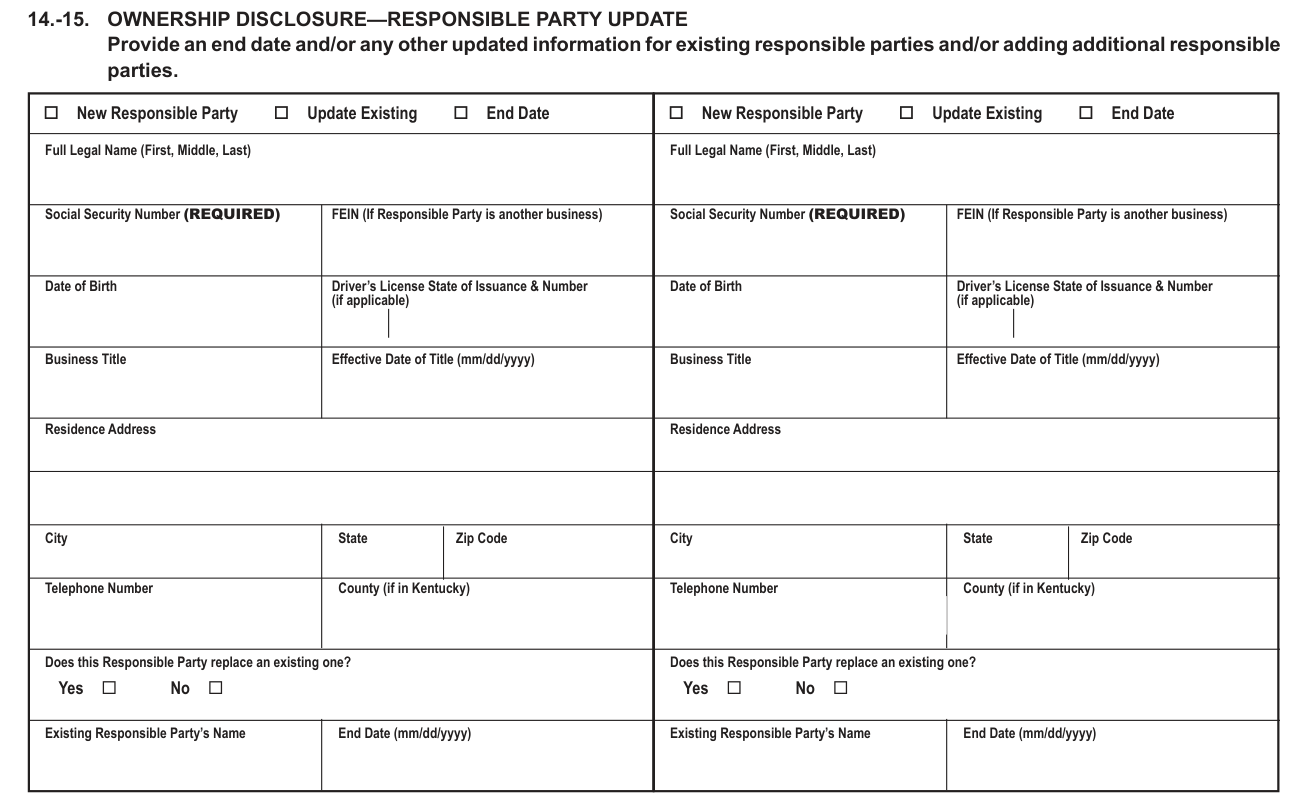
Provide an end date and/or any other updated information for existing responsible parties and/or adding additional responsible parties.
Enter the full legal name, Social Security Number or FEIN, Date of Birth, Driver's License State of Issuance and Number, Business Title, Effective Date of Title, residence street address, city, state, zip code, telephone number, and county (if Kentucky).
Social Security Number (REQUIRED). FEIN (If Responsible Party is another business).
If this responsible party will replace an existing responsible party listed on your tax accounts, check the box and list the previous responsible party's name and the date they ceased being in their listed title.
For a Sole Proprietorship or an LLC (for Federal Purposes Taxed as an Individual): Enter the original owner's updated information. If there is a new owner, updates cannot be made and you must apply for new accounts by visiting mytaxes.ky.gov.
For an LLC (for Federal Purposes Taxed as a Single Member Disregarded Entity): Enter the single member's updated company information in Question 16.
For a Joint Venture, General Partnership, Limited Partnership, LLP, LLLP, or LLC (for Federal Purposes Taxed as a Partnership, Corporation, S Corporation, or Non-profit): Enter the updated information for the partners'/members' information. If there are more than two partners/members to update, attach a separate sheet.
For a Corporation, S Corporation, Government, Association, REIT, RIC, REMIC, Trust or Non-profit: Enter the updated officers' information. If there are more than two officers to update, attach a separate sheet.
Section E Update Mailing Address and Phone Numbers for Tax Accounts
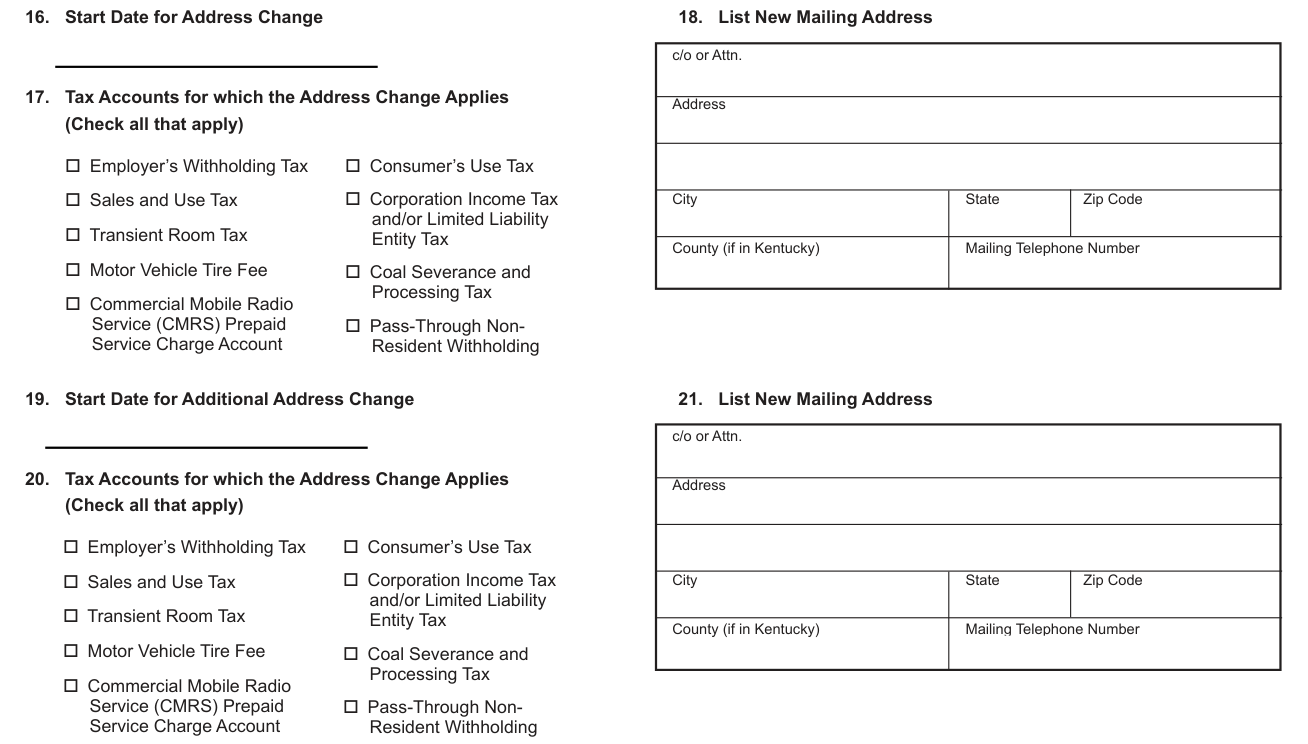
Start Date for Address Change: Enter the start date for the mailing address change.
Check the box(es) for all tax accounts for which the address and/or phone number change applies.
List New Mailing Address: Complete the mailing address, city, state, zip code, county if mailing address is in Kentucky, and the telephone number. You may include a PO Box here.
Check the box(es) for all tax accounts for which the second address and/or phone number change applies.
Complete the mailing address, city, state, zip code, county if mailing address is in Kentucky, and the telephone number for the second address in this section. You may include a PO Box here.
Section F Request Cancellation of Account(s)
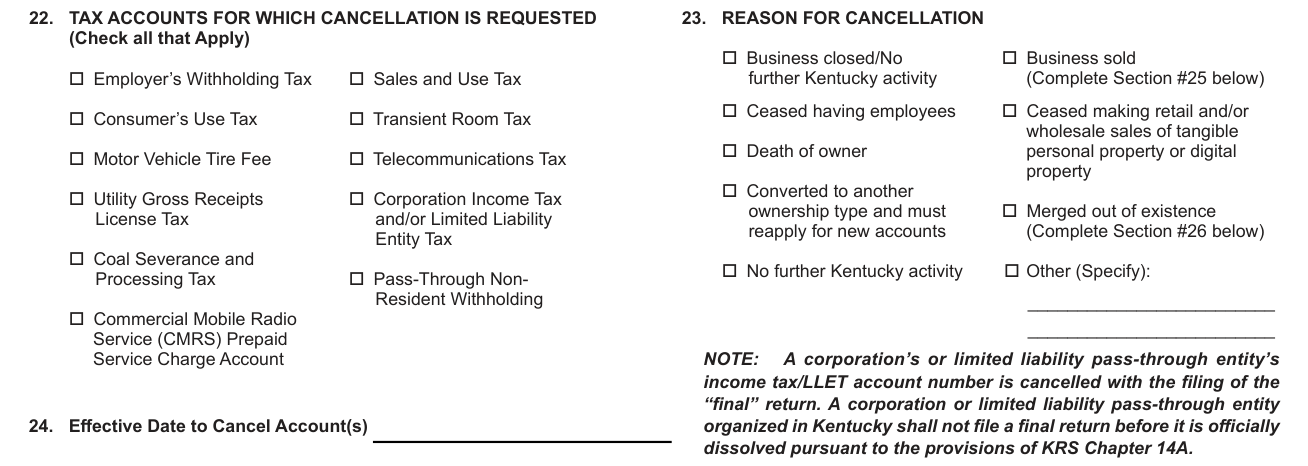
Check the box(es) for the account(s) you wish to have cancelled.
Reason for Cancellation: Check the box that corresponds to the reason the account should be cancelled. If "Other" selected, enter reason.
Effective Date to Cancel Account(s): Enter the last date of operations or activity for the account type you are requesting cancellation.
NOTE: A corporation's or limited liability pass-through entity's income tax/LLET account number is cancelled with the filing of the "final" return. A corporation or limited liability pass-through entity organized in Kentucky shall not file a final return before it is officially dissolved pursuant to the provisions of KRS Chapter 14A.
If Business Sold or Merged out of Existence
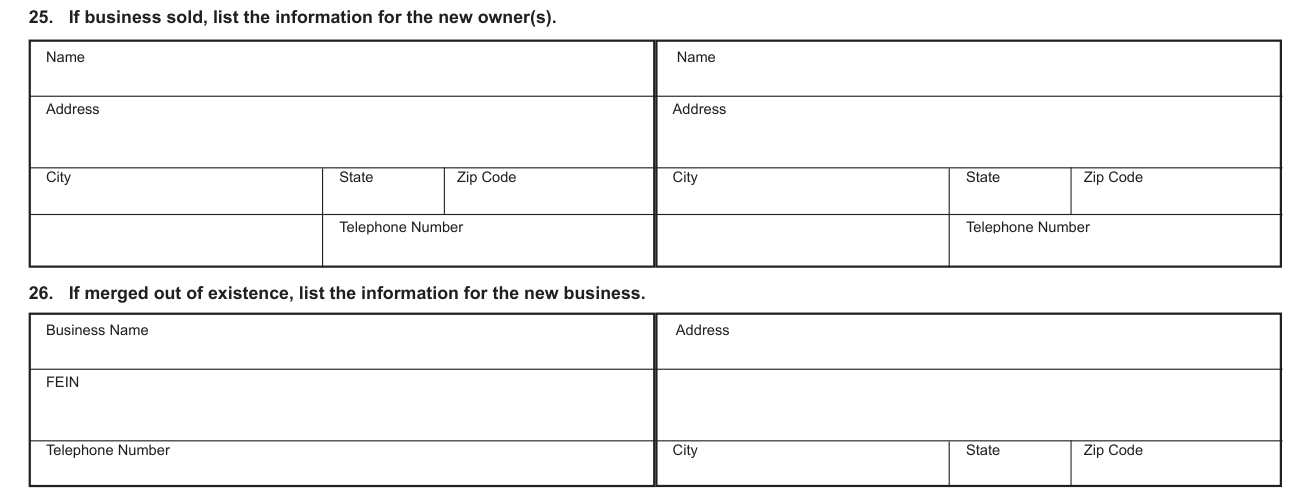
If business sold, list the name, address and telephone number for the new owners.
If merged out of existence, list the name, FEIN, address and telephone number of the surviving business.
Signature

This update form must be signed. The undersigned must be duly authorized to sign the Form.
Before you go
Many of the updates on this form may be accomplished by completing a service request on the mytaxes.ky.gov portal.
Incomplete or illegible updates will delay processing and will be returned.
Common questions about Form 10A104
Where do I file it?
Mail completed form to: Kentucky Department of Revenue, 501 High Street, Station 20A, Frankfort, Kentucky 40601. Fax: 502-564-0796. Email: DOR.WEBResponseDataIntegrity@ky.gov.
When is this form not the right one?
This Form may only be used to update current account information. To apply for additional accounts or to reinstate previous account numbers, please visit mytaxes.ky.gov.
Where to get help with Form 10A104
For assistance in completing the Update Form, please call the Data Quality Branch at (502) 564-2694, or you may use the Telecommunications Device for the Deaf.
Sources
[1] Form 10A104 (04-25), Update or Cancellation of Kentucky Tax Account(s), Kentucky Department of Revenue (the Official source link on this page).