Please rate Lic 621 Form

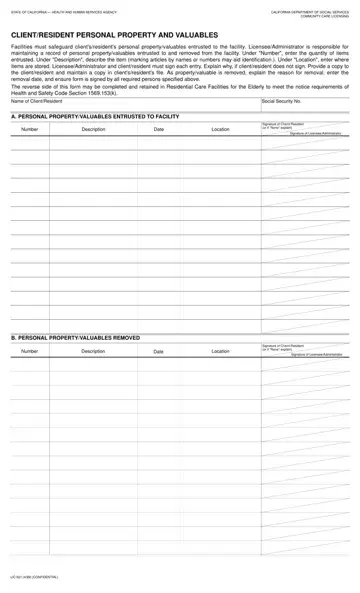
In the realm of healthcare and housing for the elderly and disabled, safeguarding personal belongings is paramount. The State of California takes this issue seriously with its implementation of the LIC 621 form, a document designed to meticulously track the personal property and valuables of clients or residents under the care of community care facilities. This form serves a dual purpose: it ensures that the facilities are held accountable for the possessions entrusted to them and provides a clear record that can be referenced if an item is lost or presumed stolen. The process requires detailed entries including the item's description, its location within the facility, and signatures from both the licensee or administrator and the client or resident. This accountability extends to when an item is removed from the facility, demanding an explanation and recording of the removal date, further ensuring that each piece of property is accounted for during a resident's stay. The LIC 621 form is a crucial component of a larger legal framework—supported by sections of the Health and Safety Code—that mandates residential care facilities for the elderly (RCFEs) to make reasonable efforts to protect resident properties. This legislation outlines the establishment of a theft and loss prevention program, the maintenance of an up-to-date inventory of resident property, and ensures the replacement or reimbursement for lost or stolen items, emphasizing the facility's responsibility in safeguarding the personal effects of its residents.
| Question | Answer |
|---|---|
| Form Name | Lic 621 Form |
| Form Length | 2 pages |
| Fillable? | No |
| Fillable fields | 0 |
| Avg. time to fill out | 30 sec |
| Other names | LIC, deletion, semiannually, Ombudsman |
Lic 621 Form isn’t the one you’re looking for?
Please rate Lic 621 Form
