Please rate Maryland Credentialing Application

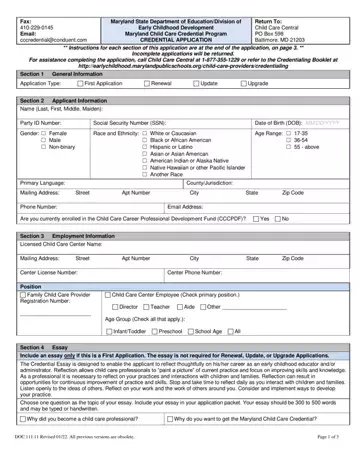
The Maryland Credentialing Application form, facilitated by the Maryland State Department of Education/Division of Early Childhood Development, represents a critical mechanism for enhancing the quality of child care delivered throughout the state. It provides a structured pathway for child care providers to demonstrate their qualifications and commitment to high standards of practice. This comprehensive application process requires applicants to provide general information about themselves, including details regarding their current employment within a licensed child care center or as a family child care provider. Those applying for the first time are asked to submit an essay reflecting on their career and aspirations within the field of early childhood education, encouraging introspection and professional growth. Additionally, the form mandates the inclusion of various documents, such as education and training certificates, to verify the applicant’s qualifications. Precise instructions detailed on the form guide applicants through each section, ensuring clarity in requirements for initial applications, as well as for those seeking renewal, update, or upgrade of their credentials. The process stresses the importance of accurate and truthful information, warning of penalties for false statements, and underlines the necessity for a signed and dated application to be considered complete. Overall, the Maryland Credentialing Application form stands as a testament to the state’s commitment to fostering a well-qualified, reflective, and dedicated early childhood workforce, ultimately aiming to elevate the care and education provided to children in Maryland.
| Question | Answer |
|---|---|
| Form Name | Maryland Credentialing Application |
| Form Length | 3 pages |
| Fillable? | No |
| Fillable fields | 0 |
| Avg. time to fill out | 45 sec |
| Other names | md credentialing application, maryland credential upgrade forms, msde credentialing application, credentialing of f maryland |
Maryland Credentialing Application isn’t the one you’re looking for?
Please rate Maryland Credentialing Application
