
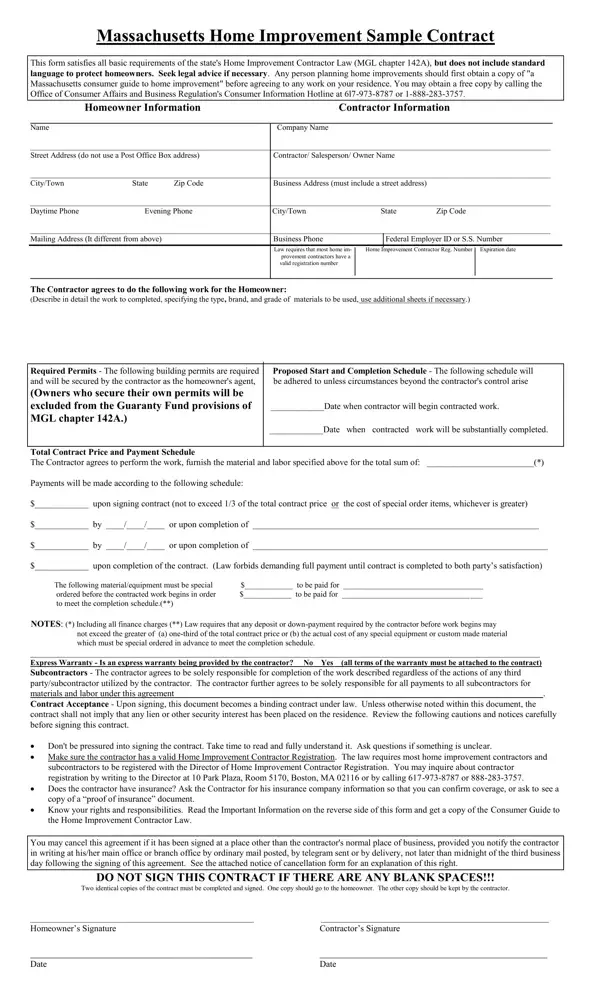
The Massachusetts Home Improvement Sample Contract is a pivotal document designed to align with the requisites of the state's Home Improvement Contractor Law, encapsulated in MGL chapter 142A. It provides a foundational structure for agreements between homeowners and contractors, yet it emphatically suggests the necessity for legal counsel to ensure homeowner protections not inherently embedded in the form. Essential sections prompt the detailed definition of work scope, including materials and grades, identification of required permits, and a clearly stated work schedule, along with a comprehensive breakdown of the total contract price and its associated payment plan. Highlighting legal mandates, the form restricts payment demands ahead of work completion, ensuring a financial safeguard for homeowners. Further, it prompts documentation of any express warranties and delineates contractor obligations toward subcontractors, ensuring clarity and accountability. The contract underscores the importance of mutual consent before its execution, advising parties to fully understand all terms and advising homeowners on their rights to verify contractor credentials and understanding cancellation rights. With additional provisions for dispute arbitration, it serves not only as a contract template but also as a guide to navigating the regulatory landscape of home improvement in Massachusetts, urging consumers to leverage resources offered by the Office of Consumer Affairs and Business Regulation for informed decision-making.
| Question | Answer |
|---|---|
| Form Name | Massachusetts Sample Form |
| Form Length | 3 pages |
| Fillable? | No |
| Fillable fields | 0 |
| Avg. time to fill out | 45 sec |
| Other names | massachusetts sample contract, ma sample massachusetts, massachusetts home improvement sample contract, sample contract state |
Massachusetts Sample Form isn’t the one you’re looking for?