
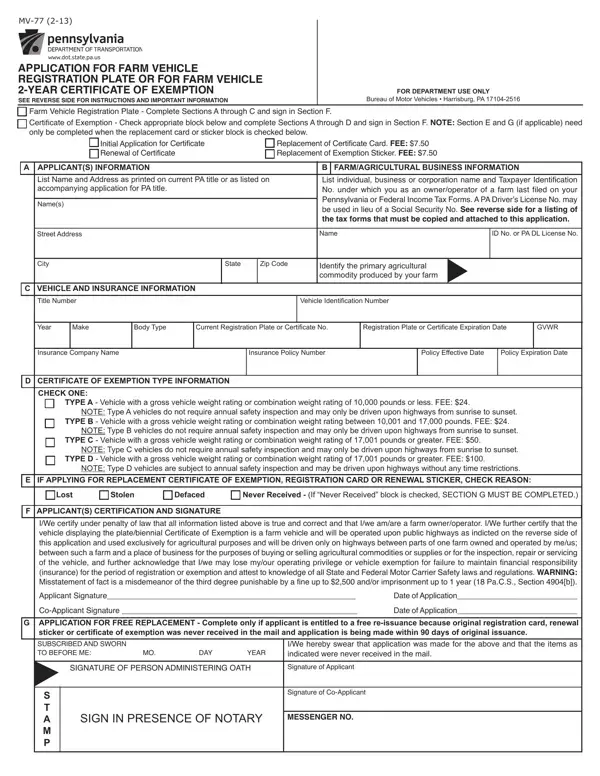
Making use of the online PDF tool by FormsPal, it is possible to fill out or change mv 77 pa here and now. To maintain our tool on the leading edge of practicality, we aim to integrate user-oriented capabilities and enhancements on a regular basis. We're always thankful for any suggestions - help us with reshaping how we work with PDF files. Starting is simple! Everything you should do is stick to the following easy steps directly below:
Step 1: Simply click on the "Get Form Button" at the top of this webpage to get into our pdf editing tool. This way, you'll find all that is needed to fill out your document.
Step 2: With the help of our state-of-the-art PDF file editor, you're able to do more than merely complete blank fields. Try each of the functions and make your documents appear faultless with custom textual content incorporated, or modify the file's original input to excellence - all comes with an ability to add stunning graphics and sign it off.
It is straightforward to finish the pdf with this detailed tutorial! This is what you need to do:
1. The mv 77 pa usually requires particular information to be typed in. Be sure the following blanks are completed:
2. When the previous array of blank fields is completed, go on to type in the suitable information in all these: CHECK ONE, TYPE A Vehicle with a gross, NOTE Type A vehicles do not, TYPE B Vehicle with a gross, NOTE Type B vehicles do not, TYPE C Vehicle with a gross, NOTE Type C vehicles do not, TYPE D Vehicle with a gross, NOTE Type D vehicles are subject, E IF APPLYING FOR REPLACEMENT, Lost, Stolen, Defaced, Never Received If Never Received, and F APPLICANTS CERTIFICATION AND.
It's easy to get it wrong while completing the NOTE Type B vehicles do not, so make sure that you go through it again prior to when you send it in.
Step 3: Right after looking through the fields and details, hit "Done" and you are done and dusted! Find your mv 77 pa as soon as you register at FormsPal for a 7-day free trial. Readily view the form within your personal account, along with any modifications and adjustments being all kept! Here at FormsPal, we aim to make sure that your details are kept secure.
