
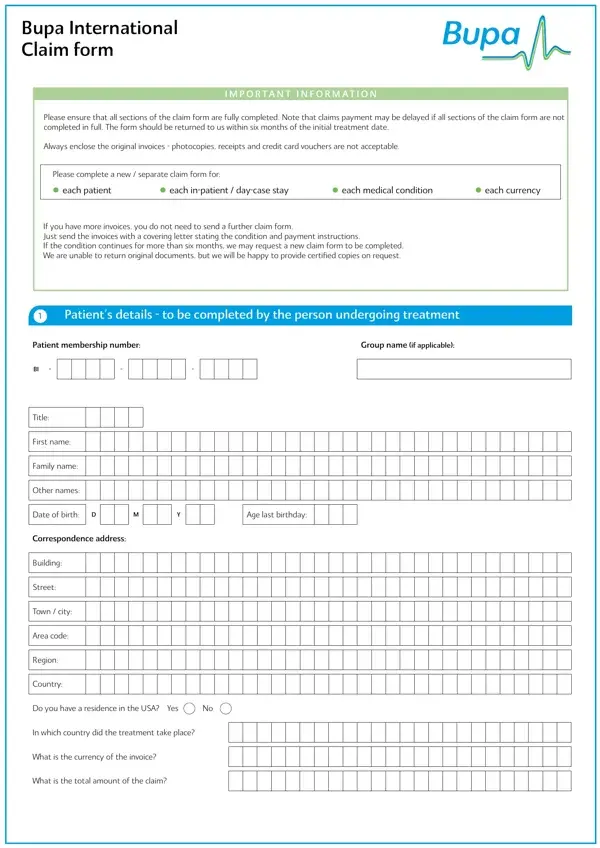
The Bupa International Claim Form is a 4-page document for requesting reimbursement or direct payment for medical treatment. Complete every section carefully to avoid delays in claims processing.
Claimant and patient details. Enter your full name and Bupa membership number. If the patient is a different person, add their name, date of birth, and relationship to the policyholder.
Medical condition and treatment details. Describe the diagnosis and all treatment received. List the treatment dates and the names of all treating doctors. Submit a separate Bupa Claim Form for each medical condition.
Invoice and payment details. Attach all original invoices to the completed form. Choose your preferred payment method. Bupa settles claims in over 80 currencies and accepts both direct bank transfers and cheque payments.
Consent and declaration section. Sign the consent section to authorize Bupa to request medical reports from your healthcare providers if needed. Read the full declaration before signing to confirm that all submitted information is accurate.
Keep copies of all documents you send to Bupa. The processing time varies by claim type. Contact Bupa International customer service if you do not receive a response within 30 days of submission.
| Question | Answer |
|---|---|
| Form Name | Bupa Claim Form |
| Form Length | 4 pages |
| Fillable? | No |
| Fillable fields | 0 |
| Avg. time to fill out | 1 min |
| Other names | bupa claim form pdf, bupa claim form 2020, bupa international claim form pdf, bupa international form |
Bupa Claim Form isn’t the one you’re looking for?