
 Scan & Sign
FormsPal Scanner
Paper in. PDF out.
The free document scanner app for iPhone and iPad, on the App Store as FormsPal Scanner: Scan & Sign. Point the camera at a page and it finds the edges, cleans up the light, and saves a searchable PDF.

 On a computer? Point your iPhone camera at the code.
Free, nothing to buy No account No ads or trackers
How it works
How to scan a document to PDF on iPhone or iPad
-
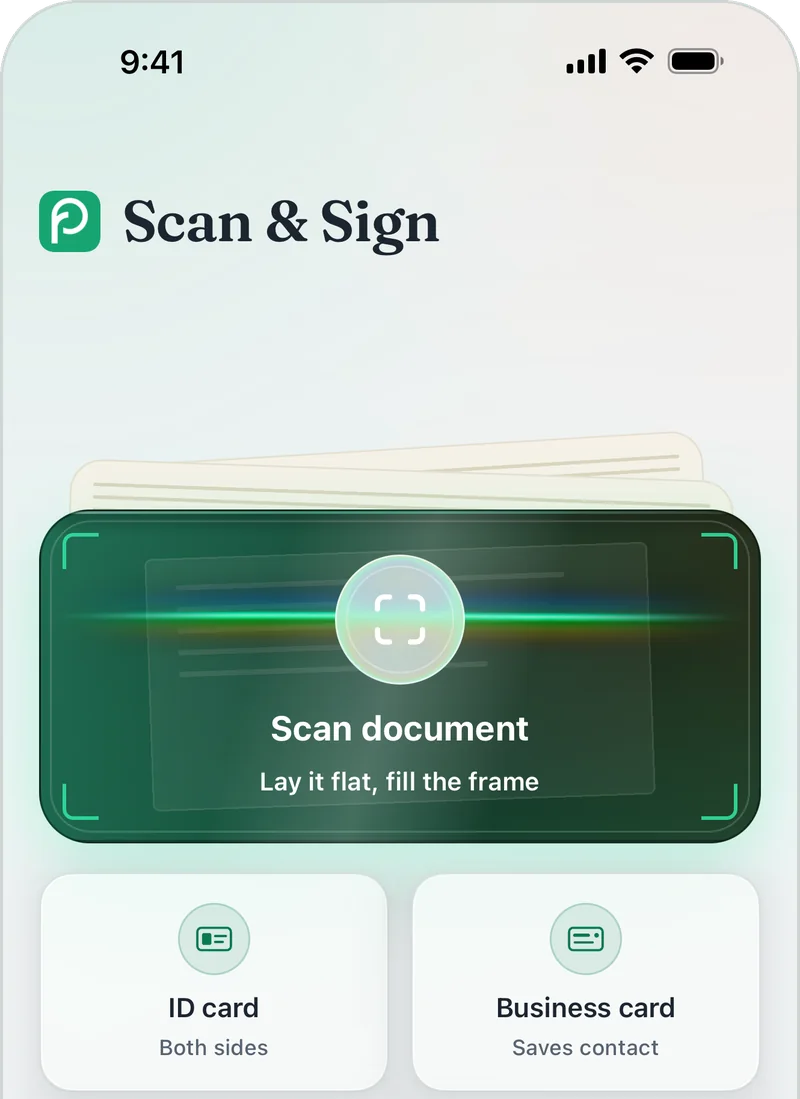
Tap Scan document
It is the large tile on the Scan tab, where the app opens.
-
Hold your phone over the page
Lay the page flat and fill the frame. The app takes the photo once the page is steady, or you can tap the shutter yourself. Keep going to add more pages, then tap Done.
-
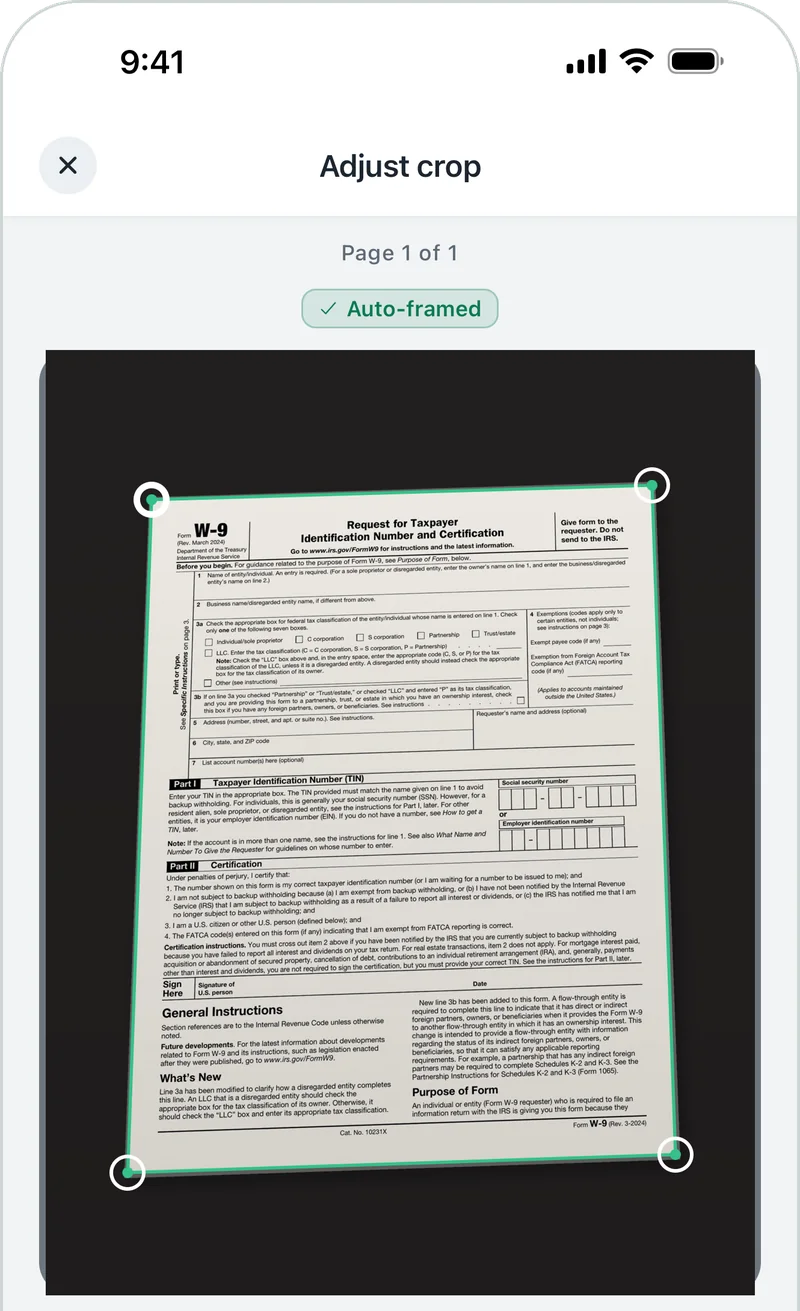
Check the crop
The corners are placed on the edges of the page for you. Drag any corner if one is off.
-
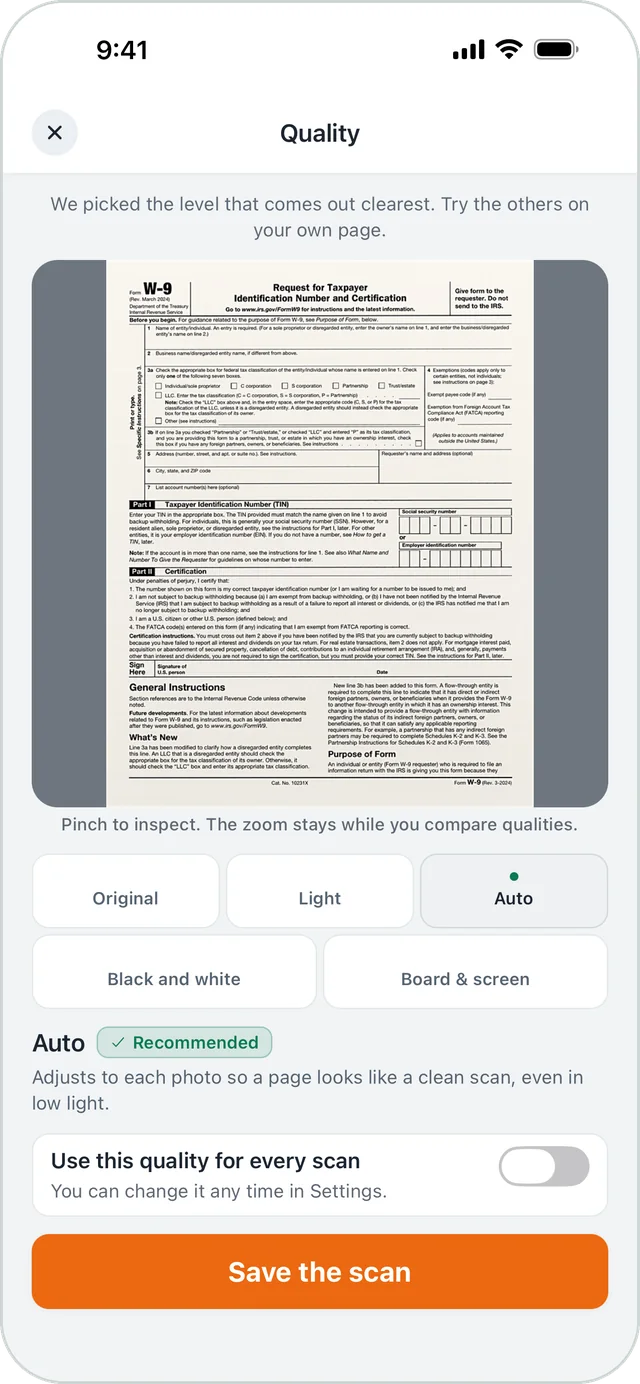
Pick the look
Auto cleans up shadows and uneven light. You can also keep the page exactly as shot, or switch to black and white.
-
Save it as a PDF
Tap Save the scan. The PDF lands in My scans, and the app reads its text on your device so you can search for it later.
Read and share
Searchable PDFs, with text recognition on your device
Pages are read on your iPhone or iPad, so you can search your scans by the words in them.
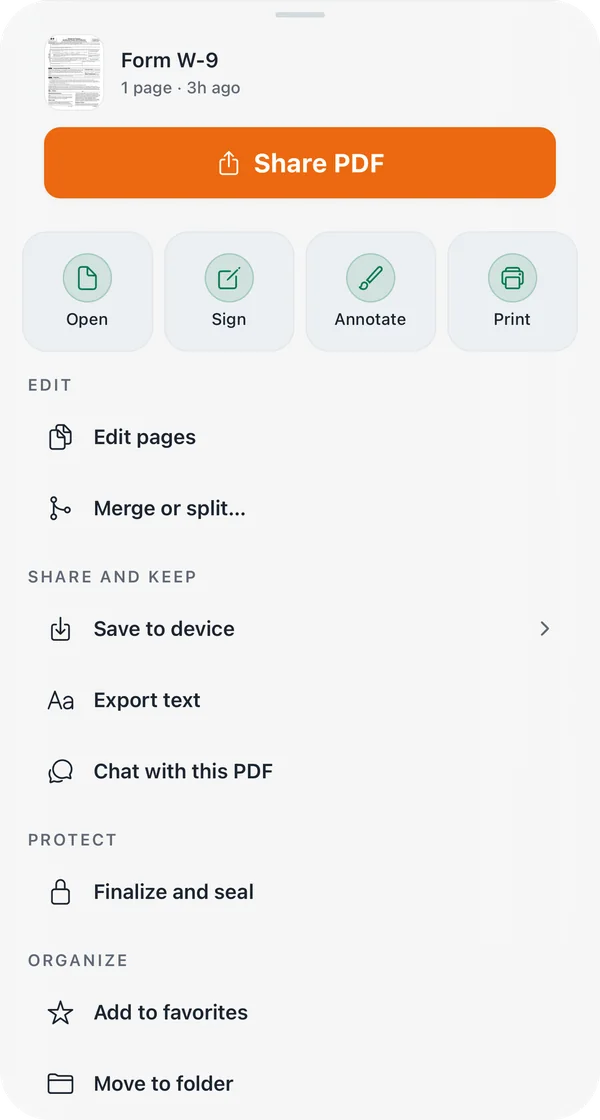
Copy the text, export it as a plain text file, or send the PDF from the share sheet. For a long document, open it in FormsPal’s free PDF Chat and ask your question.
Have a file on your computer instead? FormsPal’s free online text recognition (OCR) pulls the text out of an image or a PDF.
Sign
Sign a scanned document on your iPhone or iPad
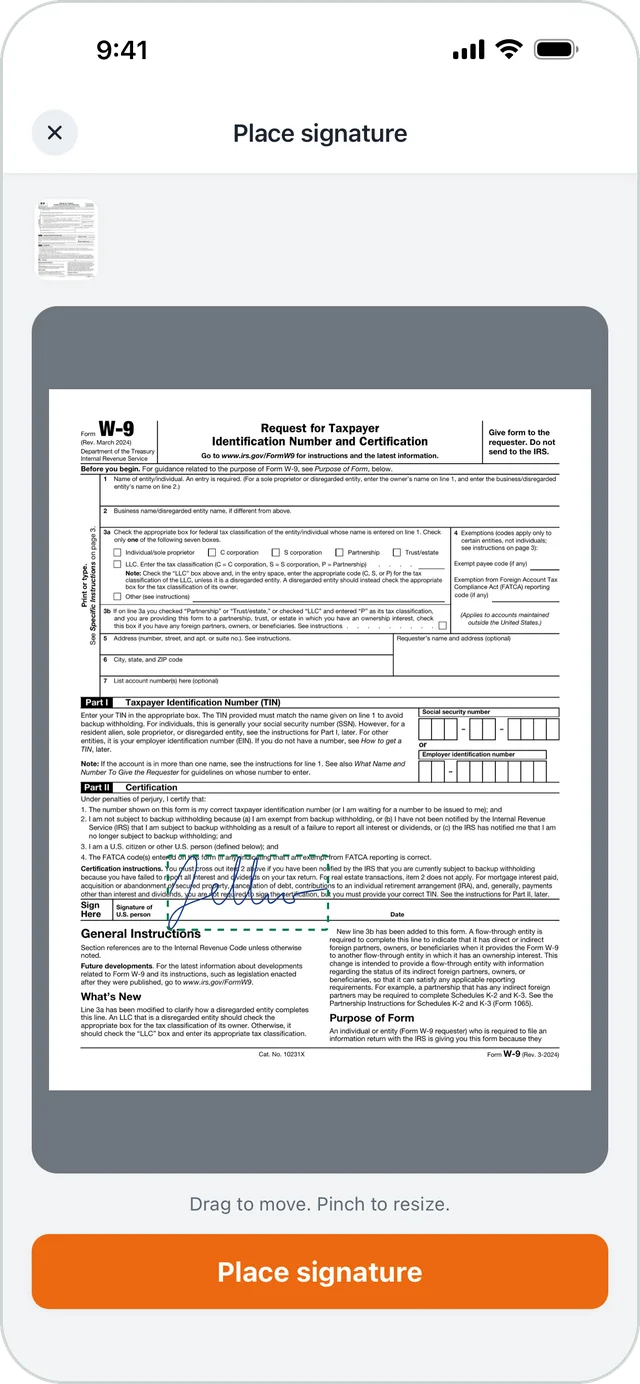
From a scan’s actions, tap Sign and draw your signature with one finger. Drag it onto the signature line, pinch to resize it, and place it.
The app adds a signature record page to the PDF that notes when it was signed.
When the document is final, choose Finalize and seal. The seal shows whether the document has changed since.
Keep
Your scans, organized: folders, favorites, and search
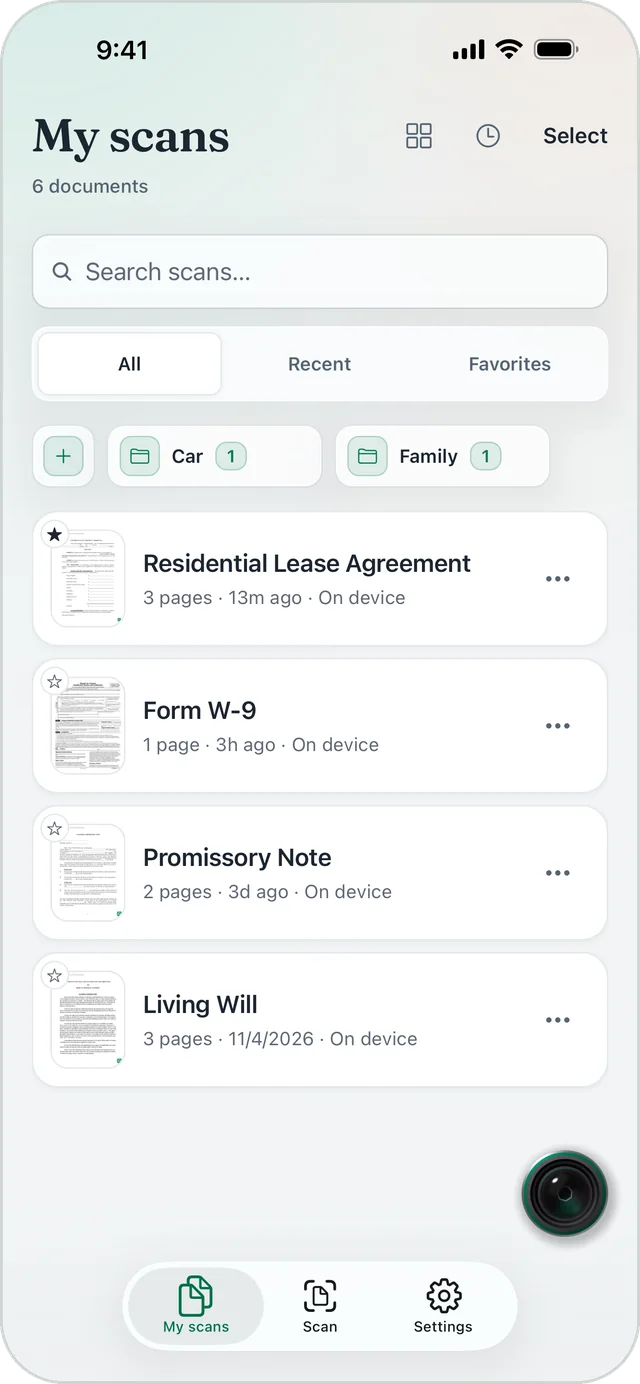
Every scan lands in My scans. Sort them into folders, mark the ones you need often as favorites, and search across all of them.
Your scans stay on your device.
- Text recognition runs on your iPhone or iPad.
- A document leaves the device only when you send it: to PDF Chat, or through the share sheet.
- No ads. No third-party trackers or analytics.
The details are in the privacy policy.
More than paper
Scan ID cards, business cards, and QR codes
- ID cards, both sides
- Scan the front and the back, and both land on one PDF page.
- Business cards to Contacts
- Scan a card and add the person to your Contacts.
- QR codes and barcodes
- Point the camera at a code to read it. Links never open by themselves.
Also in the app: annotate a page, reorder pages, merge or split scans, and print.
FormsPal Scanner: questions and answers
What is FormsPal Scanner?
FormsPal Scanner is a free document scanner app for iPhone and iPad, listed on the App Store as FormsPal Scanner: Scan & Sign. It turns paper into searchable PDFs and keeps them on your device.
Is the scanner free?
Yes. Everything in the app is free: scanning, text recognition, searchable PDF export, signing, and sealing. There is nothing to buy.
Do I need an account?
No. The app works without an account. Open it and start scanning.
How do I scan a document to PDF with my iPhone?
Open the app, tap Scan document, and hold your iPhone over the page. The app takes the photo once the page is steady. Check the crop, pick a look, and tap Save the scan. The PDF is in My scans.
Can I search the text in my scans?
Yes. Text recognition runs on your iPhone or iPad, so you can search your scans by the words in them. You can also copy the text or export it as a plain text file.
Can I sign a scanned document?
Yes. From the scan’s actions, tap Sign, draw your signature with one finger, and place it on the page.
Where are my scans stored?
On your device. A document leaves it only when you send it, to PDF Chat or through the share sheet.
Which devices does it run on?
iPhone and iPad with iOS or iPadOS 16.4 or later.
Get the FormsPal Scanner app, free.
No account, and your scans stay on your device.
For iPhone and iPad, iOS or iPadOS 16.4 or later.
Apple, the Apple logo, iPhone, and iPad are trademarks of Apple Inc., registered in the U.S. and other countries and regions. App Store is a service mark of Apple Inc.