Please rate Notary Public Bond Form Nebraska

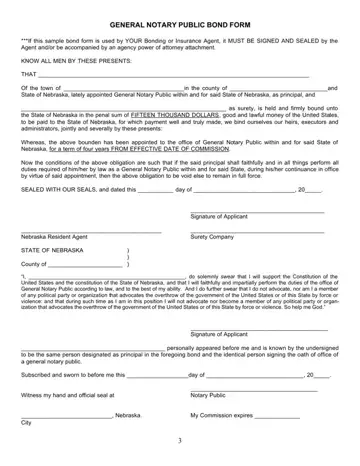
In the state of Nebraska, the Notary Public Bond plays a crucial role in the establishment and maintenance of the integrity and trustworthiness of those appointed as Notary Publics. This bond acts as an assurance to the state and its citizens that notaries will conduct their duties faithfully and in accordance with the law. The form itself, which must be completed with a bonding or insurance agent's signature and seal, or be accompanied by an agency power of attorney attachment, outlines the terms of this financial and ethical commitment. The bond binds the notary and their surety to the state for a penal sum of fifteen thousand dollars, promising payment for any failure to fulfill their legal obligations during their four-year term. The requirement of this bond underscores the importance of the notary's role in upholding both the Constitution of the United States and that of Nebraska, ensuring that they perform their duties impartially and without influence from organizations that advocate the overthrow of the government. The document also includes an oath of office, further emphasizing the gravity of the notary’s responsibilities and their commitment to serving with integrity. This comprehensive approach ensures that notaries are not just qualified, but also prepared to uphold the legal and moral standards set forth by the state, thereby protecting the interests of all parties involved.
| Question | Answer |
|---|---|
| Form Name | Notary Public Bond Form Nebraska |
| Form Length | 1 pages |
| Fillable? | No |
| Fillable fields | 0 |
| Avg. time to fill out | 15 sec |
| Other names | severally, executors, bounden, surety |
Notary Public Bond Form Nebraska isn’t the one you’re looking for?
Please rate Notary Public Bond Form Nebraska
