
Form OS-32 at a glance
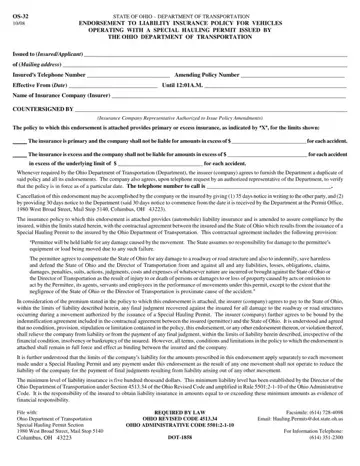
What it is: Form OS-32 is the State of Ohio Department of Transportation endorsement to a liability insurance policy for vehicles operating with a special hauling permit issued by the Ohio Department of Transportation.
Who signs: The Insurance Company Representative Authorized to Issue Policy Amendments signs the form under COUNTERSIGNED BY.
Where and when to file: File with: Ohio Department of Transportation Special Hauling Permit Section 1980 West Broad Street, Mail Stop 5140 Columbus, OH 43223.
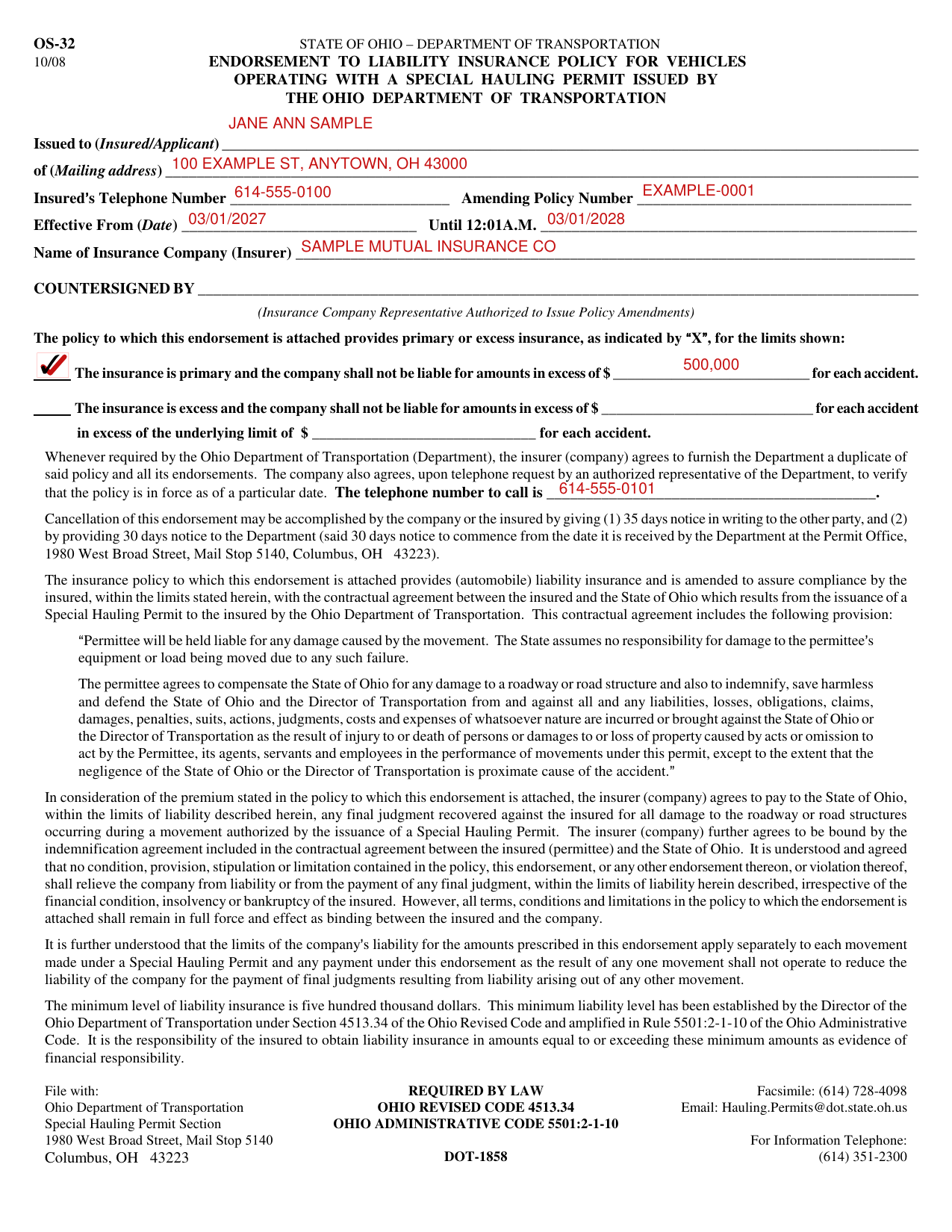
A filled-in Form OS-32 example: a primary policy for a hauling permit
How to fill out Form OS-32, box by box
Issued to, Mailing address, Telephone Number and Amending Policy Number

Write the insured or applicant after Issued to (Insured/Applicant) and the Mailing address.
Write the Insureds Telephone Number and the Amending Policy Number.
Effective From, Until and Name of Insurance Company

Write the Effective From (Date) and the date after Until 12:01A.M.
Write the Name of Insurance Company (Insurer).
Primary or excess insurance

The policy to which this endorsement is attached provides primary or excess insurance, as indicated by X, for the limits shown.
If the insurance is primary, mark the primary box and write the amount in excess of which the company shall not be liable for each accident.
If the insurance is excess, mark the excess box and write the amount in excess of which the company shall not be liable for each accident, and the underlying limit for each accident.
The minimum level of liability insurance is five hundred thousand dollars (checked October 21, 2026).
It is the responsibility of the insured to obtain liability insurance in amounts equal to or exceeding the minimum amounts as evidence of financial responsibility.
The telephone number to call

The company agrees, upon telephone request by an authorized representative of the Department, to verify that the policy is in force as of a particular date. Enter the telephone number to call.
More rules for Form OS-32
Cancellation of this endorsement may be accomplished by the company or the insured by giving (1) 35 days notice in writing to the other party, and (2) by providing 30 days notice to the Department, said 30 days notice to commence from the date it is received by the Department at the Permit Office, 1980 West Broad Street, Mail Stop 5140, Columbus, OH 43223.
Whenever required by the Ohio Department of Transportation (Department), the insurer (company) agrees to furnish the Department a duplicate of said policy and all its endorsements.
The Director of the Ohio Department of Transportation established the minimum liability level under Section 4513.34 of the Ohio Revised Code and amplified in Rule 5501:2-1-10 of the Ohio Administrative Code.
Facsimile: (614) 728-4098 For Information Telephone: (614) 351-2300.
Common questions about Form OS-32
Who signs it?
The Insurance Company Representative Authorized to Issue Policy Amendments signs the form under COUNTERSIGNED BY.
Where do I file it?
File with: Ohio Department of Transportation Special Hauling Permit Section 1980 West Broad Street, Mail Stop 5140 Columbus, OH 43223.
Sources
[1] Form OS-32 (10/08), Endorsement to Liability Insurance Policy for Vehicles Operating with a Special Hauling Permit, Ohio Department of Transportation (the Official source link on this page).
