How to Fill Out Payment Requisition

Payment Requisition at a glance

What it is: Payment Requisition: 1. Request, vendor and invoice, 2. Items and 3. Approvals.

Who signs: For Requested by, Department approval and Finance or budget approval, enter the Printed name, Signature and Date.

A filled-in Payment Requisition example: a clerk requests payment of an invoice
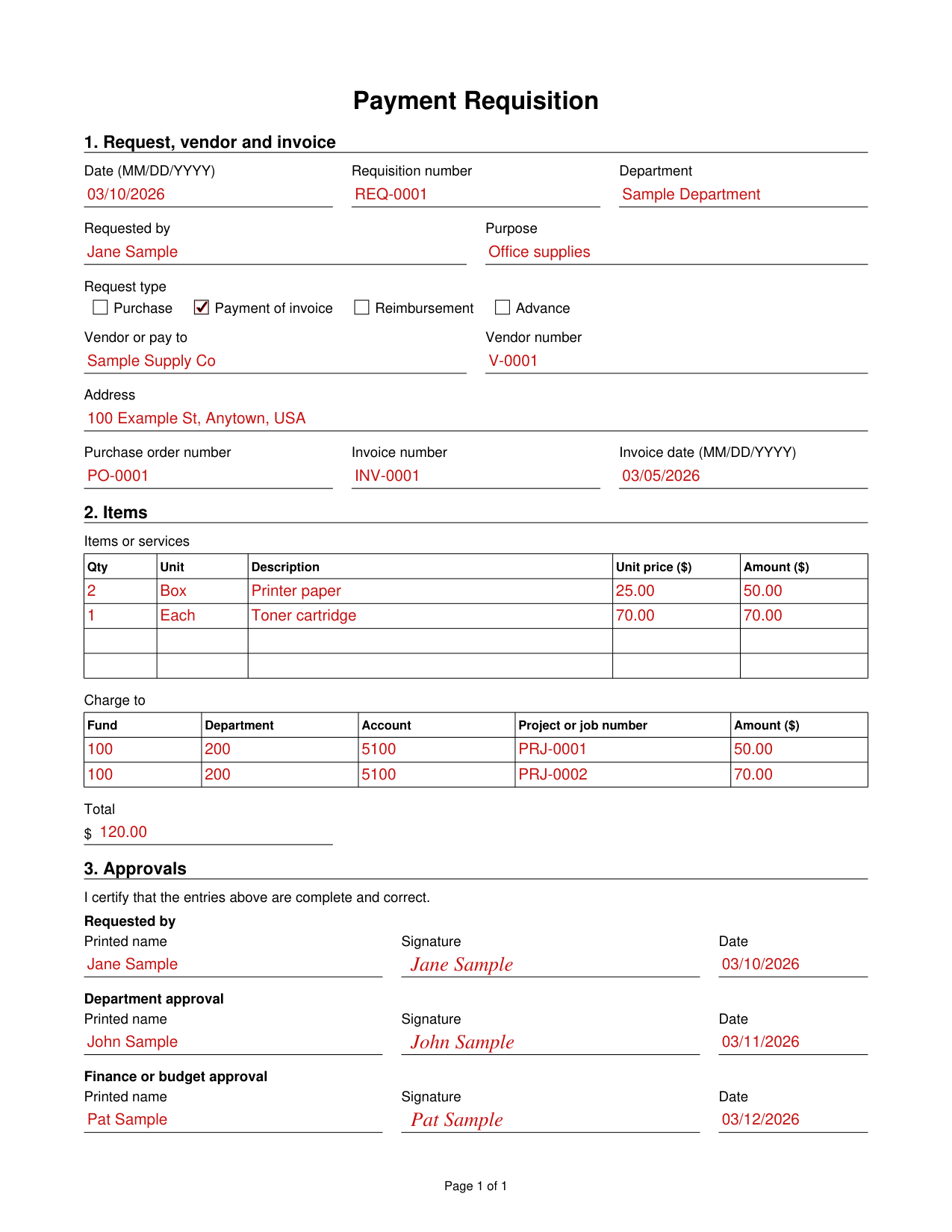
Payment Requisition example filled out, example: a clerk requests payment of an invoice
A department clerk fills out the Payment Requisition form for an invoice. The department approver and the finance approver sign after her. She requests payment of one invoice from a vendor, with two items charged to two project numbers. The picture shows the whole page, and its names and figures are sample values. Only two items are ordered, so the last two rows under Items stay empty. Payment of invoice is marked, so Purchase, Reimbursement and Advance under Request type stay empty.

How to fill out Payment Requisition, box by box

Request, vendor and invoice
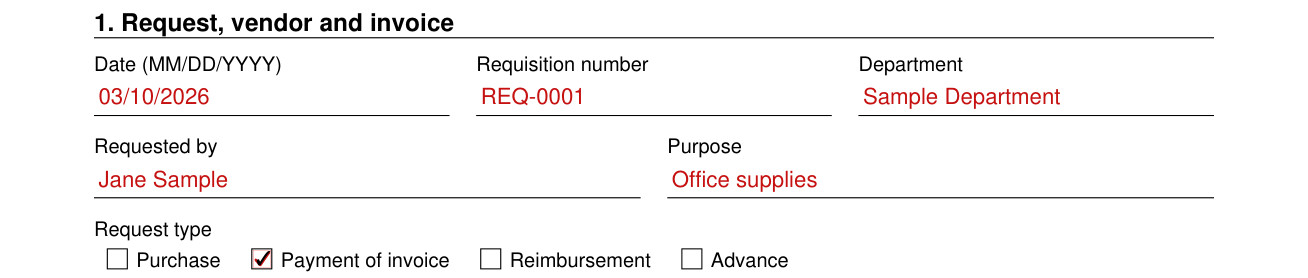
Payment Requisition example filled out, request, vendor and invoice

In 1. Request, vendor and invoice, enter the Date (MM/DD/YYYY), Requisition number and Department.

Enter Requested by and Purpose.

Request type

Payment Requisition example filled out, request type

Under Request type, mark Purchase, Payment of invoice, Reimbursement or Advance.

Vendor or pay to
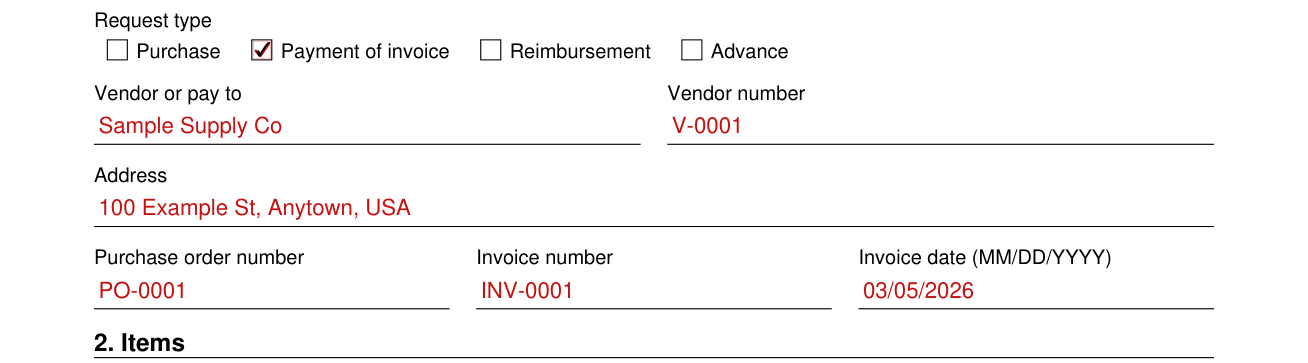
Payment Requisition example filled out, vendor or pay to

Enter the Vendor or pay to, the Vendor number and the Address.

Enter the Purchase order number, Invoice number and Invoice date (MM/DD/YYYY).

Items
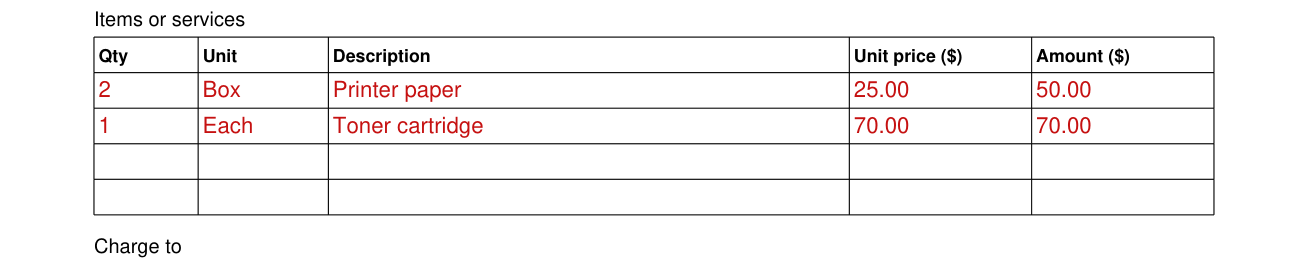
Payment Requisition example filled out, items

Under Items or services, enter Qty, Unit, Description, Unit price ($) and Amount ($).

Charge to and Total
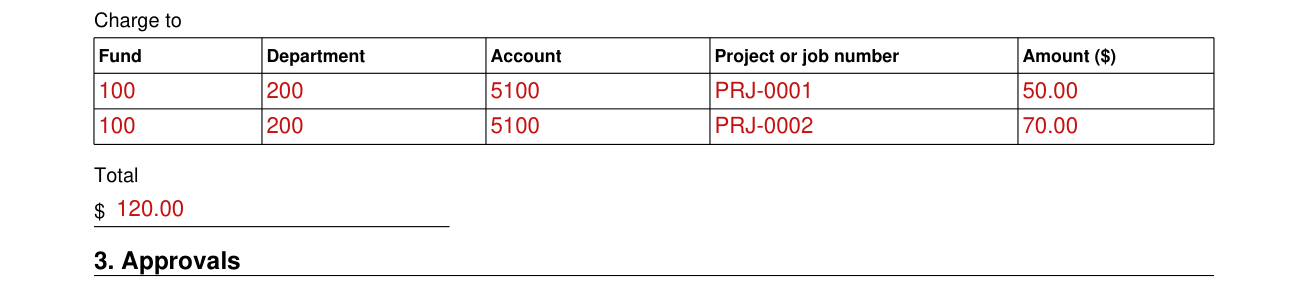
Payment Requisition example filled out, charge to and Total

Under Charge to, enter Fund, Department, Account, Project or job number and Amount ($).

Enter the Total.

Approvals
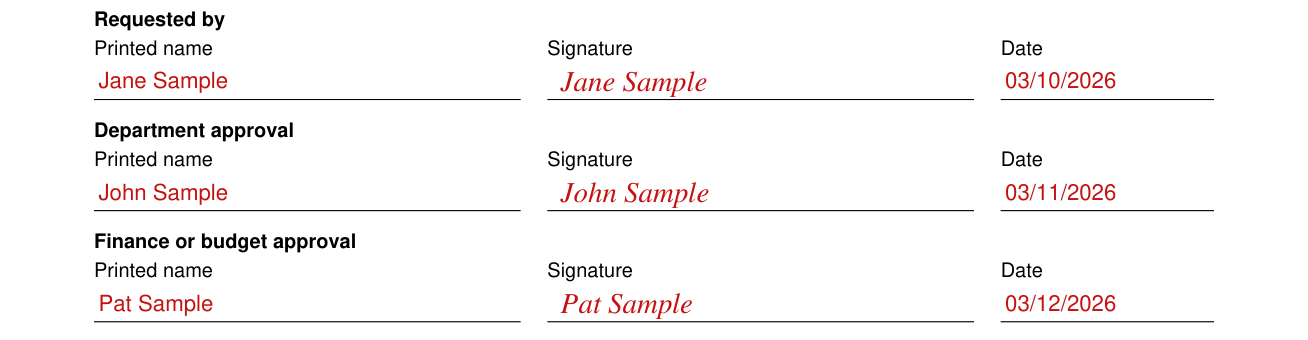
Payment Requisition example filled out, approvals

By signing, you certify that the entries are complete and correct.

For Requested by, Department approval and Finance or budget approval, enter the Printed name, Signature and Date.

Sources

[1] Payment Requisition form, a generic form with no issuing agency (the Official source link on this page).

Payment Requisition Form PDF Details

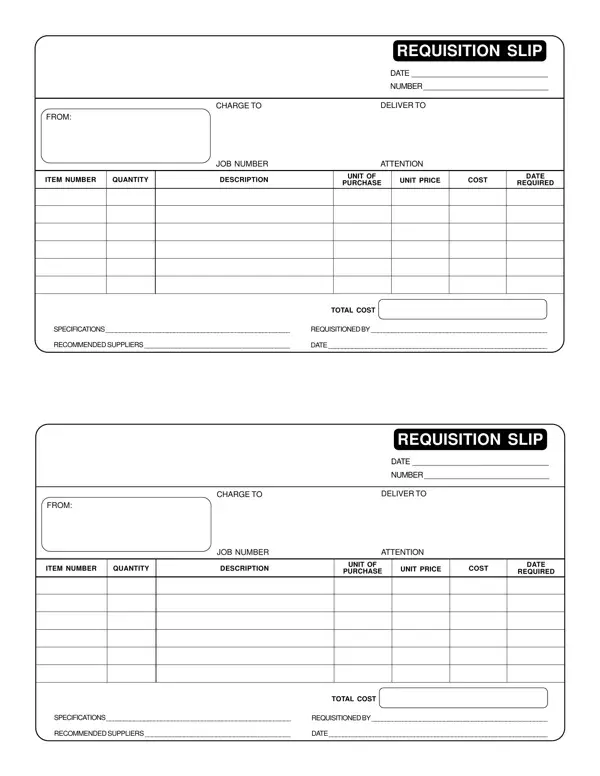
Navigating the intricacies of financial documentation in any organization requires a thorough understanding of various forms, among which the Payment Requisition form plays a vital role. This essential document serves multiple purposes: it meticulously records requests for payments related to specific services or purchases, ensuring that the financial flow within an organization is both transparent and accountable. The layout of the form includes critical sections such as the date of requisition, a unique number for tracking, detailed information on billing and delivery, and a comprehensive itemization that includes quantity, description, unit of purchase, and total cost. Additional sections specify the job number for internal reference, the individual initiating the request, and recommendations for suppliers, thereby streamlining the procurement process. The careful structuration of this form not only facilitates efficient budget management but also embeds a layer of checks and balances within the system. Understanding this form is crucial for ensuring that payment requisitions are executed precisely, reflecting a commitment to fiscal responsibility and organizational integrity.

QuestionAnswer
Form NamePayment Requisition Form
Form Length1 page
Fillable?Yes
Fillable fields55
Avg. time to fill out15 sec
Other namesQUANTITY, REQUISITION, payment requisition form, SUPPLIERS