
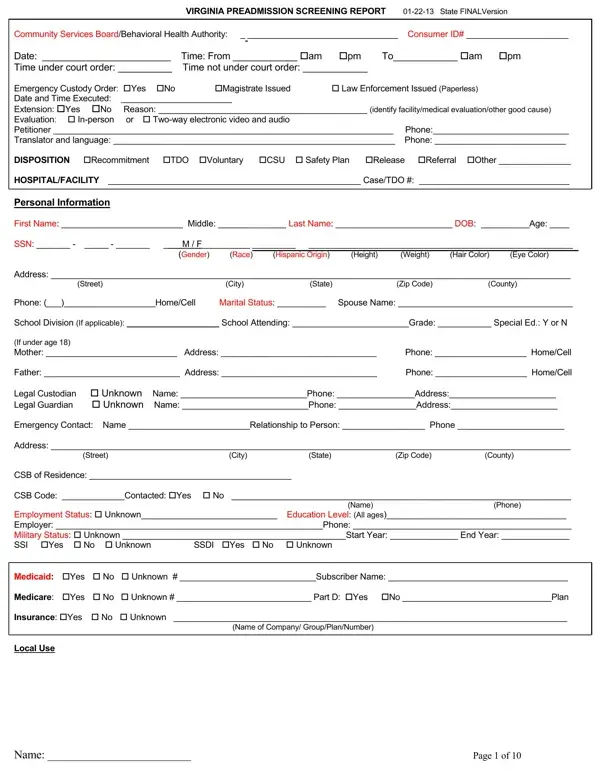
The Virginia Preadmission Screening Report, updated on January 22, 2013, serves as a comprehensive document instrumental in the behavioral health assessment and subsequent decision-making process regarding the care and management of individuals encountering the mental health system in Virginia. Designed for detailed completion by Community Services Boards or Behavioral Health Authorities, it meticulously collects extensive information, ranging from personal identification, legal status, medical and psychiatric history, current health status, to more nuanced data such as substance use history, mental status examinations, and the presence of any legal constraints. By covering the assessment phase's broad spectrum—starting from the initial emergency custody status to the final disposition options such as recommitment, temporary detention orders (TDO), voluntary admission, or alternative community service referrals—the form plays a pivotal role in streamlining processes that determine the most appropriate care pathway for the individual in crisis. In essence, it segments out significant details about the individual's background, presenting crisis situation, current behavioral health treatments or services being received, and a thorough assessment including substance abuse assessments and mental status exams, thereby setting the stage for informed decisions regarding the requisite level of care and support services. The structuring of the form also denotes an attempt to address both immediate and longer-term needs by ensuring that the assessment captures a holistic view of the individual's condition and circumstances to guide the trajectory of their treatment and rehabilitation.
| Question | Answer |
|---|---|
| Form Name | Preadmission Screening Report Form |
| Form Length | 10 pages |
| Fillable? | No |
| Fillable fields | 0 |
| Avg. time to fill out | 2 min 30 sec |
| Other names | ve, VIRGINIA, NGRI, Code19 |