Please rate Prequalification Mortgage Paper

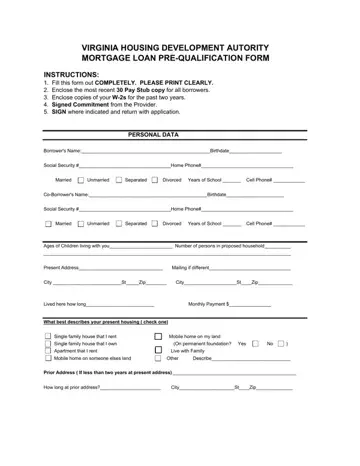
The journey to home ownership often begins with the step of pre-qualification, a process detailed in the Prequalification Mortgage Paper form provided by the Virginia Housing Development Authority. This detailed document is designed as a comprehensive tool for prospective borrowers to demonstrate their financial readiness and to give lenders an initial overview of their creditworthiness. Applicants are instructed to fill out the form completely, ensuring clarity in their printing, and to include supporting financial documents such as recent pay stubs, W-2s from the last two years, and a signed commitment from their provider. The form requests a multitude of personal data including the borrower's name, contact information, marital status, educational background, and details about their current living situation. It delves further into employment history, both current and previous, for both the borrower and, if applicable, a co-borrower, capturing information about earnings, positions held, and duration of employment. Additionally, it seeks disclosure of any other household income, whether from alimony, child support, or other sources. The document also queries about the applicant's veteran status, any outstanding judgments or bankruptcies, property ownership history, and whether they run a business from their home. A comprehensive inventory of assets alongside current debts and monthly payments rounds off the application, painting a full picture of the applicant's financial health. Despite its thoroughness, it's important to note that completion of this form doesn't constitute an actual loan application but is preliminary to determining eligibility under VHDA's program guidelines, with credit and property eligibility to be assessed upon full application. With sections for borrower and lender signatures, this form serves as an authorization for the lender to verify the provided information, crucial for moving forward in the loan application process.
| Question | Answer |
|---|---|
| Form Name | Prequalification Mortgage Paper |
| Form Length | 4 pages |
| Fillable? | No |
| Fillable fields | 0 |
| Avg. time to fill out | 1 min |
| Other names | AUTORITY, borrowers, acounts, 1978 |
Prequalification Mortgage Paper isn’t the one you’re looking for?
Please rate Prequalification Mortgage Paper
