
Retirement Form Disability PDF Details

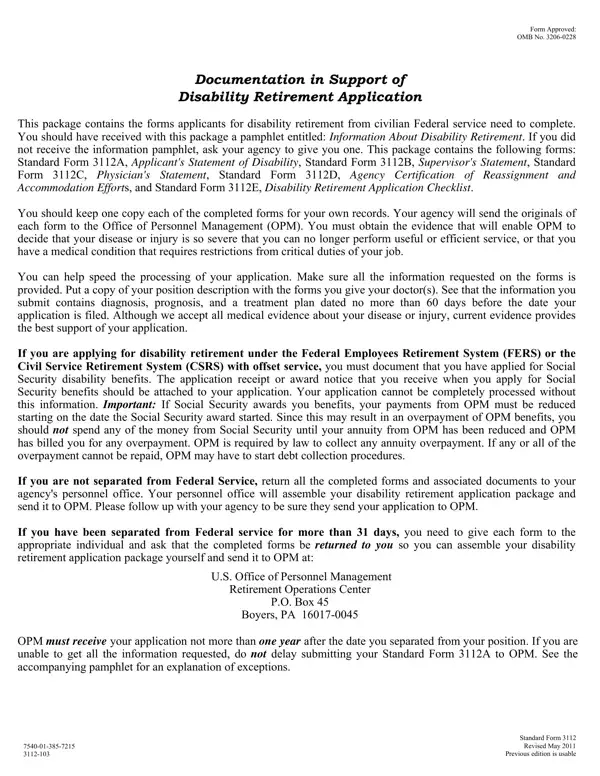
Embarking on the journey toward disability retirement within the civilian federal service reveals a process that is both meticulous and structured, requiring a comprehensive understanding to navigate successfully. Prospective applicants are introduced to a treasure trove of necessary documentation through the Retirement Disability form package, a critical starting point that encapsulates the procedural core for submitting a disability retirement application. Aiming to eliminate confusion and streamline the application's voyage, the package includes Standard Forms 3112A through 3112E—each an integral puzzle piece ranging from personal disability statements to essential checklists for the application process. The importance of each form cannot be overstated, as they collectively pave the pathway towards a decision by the Office of Personnel Management (OPM) on whether the severity of an individual's disease or injury justifies a transition from active federal service to disability retirement. Moreover, intricacies such as the mandate for Social Security disability benefits application, and the consequential adjustments to OPM payments upon Social Security's approval, underscore the need for attentive detail and proactive action from applicants. Accompanied by a guiding pamphlet, the hope is that applicants find a beacon leading to clarity and assurance, ensuring that all submitted documentation, from treatment plans to the positions’ descriptions provided to physicians, is current and thorough. This caution and preparation not only facilitate a smoother OPM processing but also secure a well-deserved retirement sanctity for those whose service is cut short by physical or mental adversity.

QuestionAnswer
Form NameRetirement Form Disability
Form Length10 pages
Fillable?No
Fillable fields0
Avg. time to fill out2 min 30 sec
Other namesfillable retirement form, 3112 sf application, federal disability application form, disability statement federal

How to Edit Retirement Form Disability Online for Free

Whenever you wish to fill out retirement opm mm online, there's no need to download any sort of software - simply give a try to our online PDF editor. To retain our tool on the cutting edge of practicality, we work to implement user-driven features and improvements on a regular basis. We are always looking for feedback - play a vital role in reshaping PDF editing. Getting underway is easy! What you need to do is follow these simple steps directly below:

Step 1: First, open the pdf editor by clicking the "Get Form Button" in the top section of this page.

Step 2: With our handy PDF editing tool, you are able to accomplish more than just fill out blanks. Edit away and make your documents appear perfect with custom text put in, or tweak the original content to excellence - all backed up by an ability to add your own graphics and sign the document off.

Filling out this PDF will require thoroughness. Make certain each blank field is filled out correctly.

1. The retirement opm mm online requires certain information to be inserted. Make certain the subsequent fields are filled out:

Completing part 1 in disability statement federal

2. Once your current task is complete, take the next step – fill out all of these fields - a What accommodations have you, b Has your agency been able to, Yes, c What is your current status with, In pay status and working without, In leave without pay status, If you are currently in a leave, Give the approximate date you, position mmyyyy, Have you been, hospitalized for your disease or, Yes, Give date of most recent, To mmyyyy, and Notice for FERS and CSRS Offset with their corresponding information. Make sure to double check that everything has been entered correctly before continuing!

Writing segment 2 of disability statement federal

3. Through this part, look at Name, Address, Date of Treatments, Applicants Consent and, WARNING Any intentionally false, fine of not more, I certify that all statements made, Signature Do not print, Date mmddyyyy, and Daytime telephone number. These are required to be filled in with greatest accuracy.

Step number 3 for completing disability statement federal

4. Completing Email address, Privacy Act Statement, Solicitation of this information, Public Burden Statement, and We estimate this form takes an is crucial in the fourth form section - ensure that you spend some time and take a close look at each and every field!

Completing part 4 of disability statement federal

When it comes to Email address and Privacy Act Statement, ensure that you don't make any errors in this section. The two of these could be the most significant ones in this form.

5. To conclude your document, the particular subsection has several extra fields. Completing Name last first middle, Date of birth mmddyyyy, Social security number, Title of position of record, Date of entry into position, mmddyyyy, Section B Information About, See instructions above, Is performance less than fully, Yes complete items of this, No go to Section C, Show the approximate date mmyyyy, After the date in item has the, inability to do the job began, and Period the increase or award will finalize everything and you'll surely be done very quickly!

Show the approximate date mmyyyy, See instructions above, and No go to Section C inside disability statement federal

Step 3: Revise the details you have typed into the blank fields and then click on the "Done" button. Acquire the retirement opm mm online after you join for a 7-day free trial. Quickly get access to the pdf document from your FormsPal account page, along with any edits and adjustments automatically kept! FormsPal is invested in the personal privacy of our users; we make sure all personal information put into our editor continues to be secure.