
Fidelity One-Time Withdrawal Form at a glance
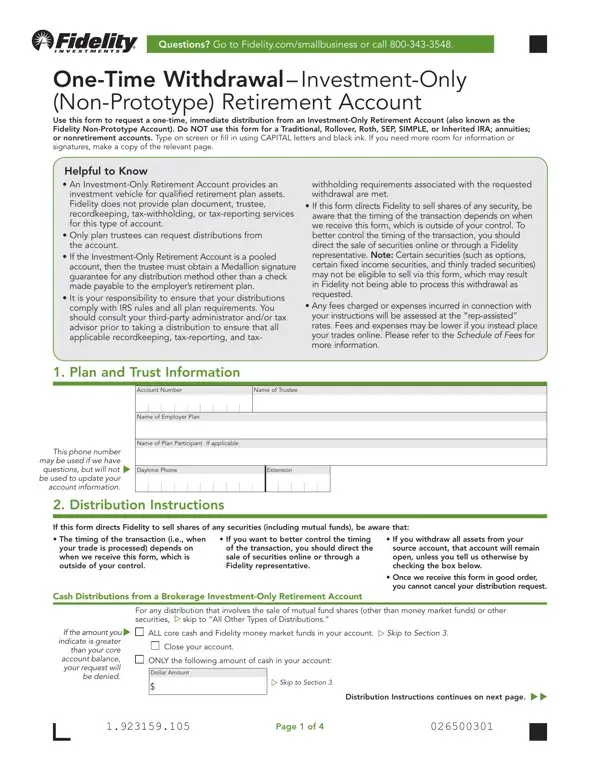
What it is: One-Time Withdrawal - Investment-Only (Non-Prototype) Retirement Account: use this form to request a one-time, immediate distribution from an Investment-Only Retirement Account (also known as the Fidelity Non-Prototype Account).
Where and when to file: If you are unable to utilize the digital uploading process and require mailing instructions, please visit Fidelity.com /customer-service/mailing-address.
Only plan trustees can request distributions from the account.
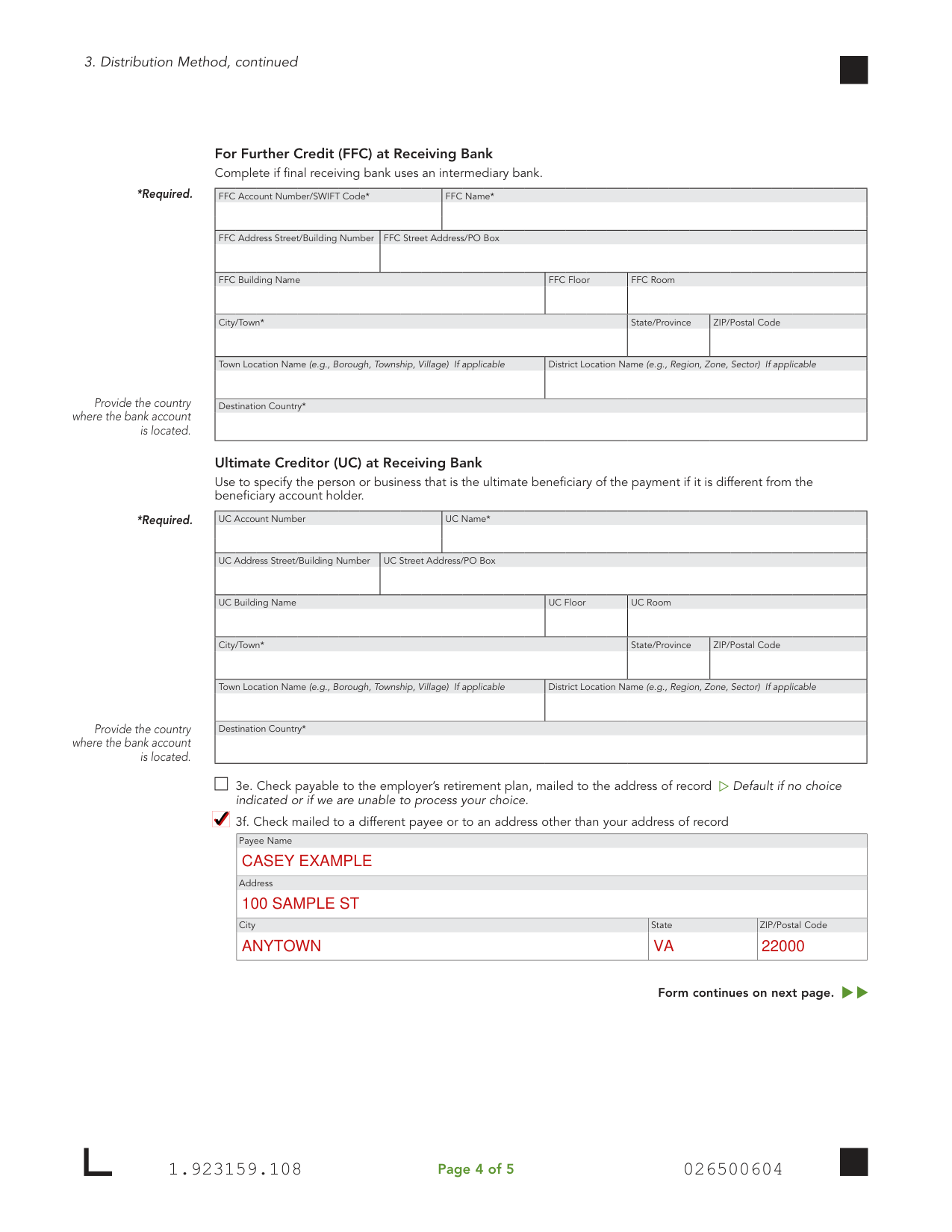
A filled-in Fidelity One-Time Withdrawal Form example: a trustee asks for a check mailed to a different payee
How to fill out Fidelity One-Time Withdrawal Form, box by box
Plan and Trust Information
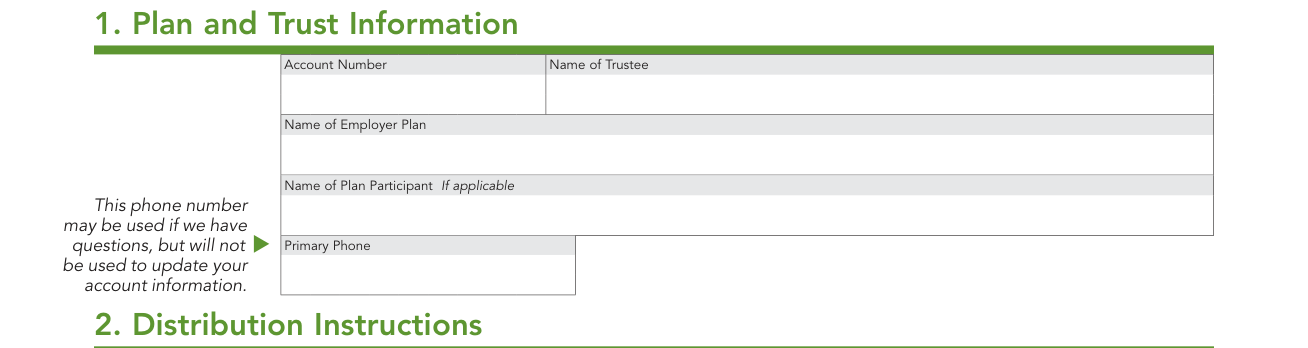
In 1. Plan and Trust Information, enter the Account Number, Name of Trustee, Name of Employer Plan, Name of Plan Participant (If applicable) and Primary Phone.
Distribution Instructions
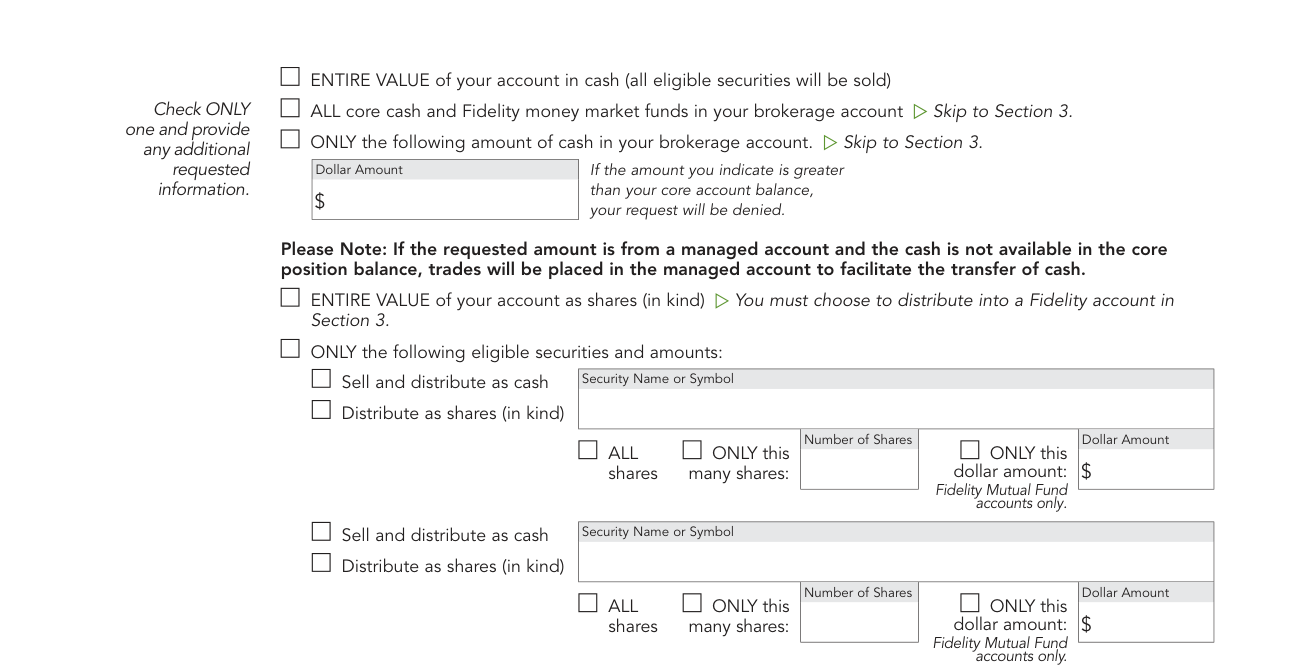
Check ONLY one and provide any additional requested information: ENTIRE VALUE of your account in cash (all eligible securities will be sold).
ALL core cash and Fidelity money market funds in your brokerage account. Skip to Section 3.
ONLY the following amount of cash in your brokerage account: enter the Dollar Amount. If the amount you indicate is greater than your core account balance, your request will be denied. Skip to Section 3.
ENTIRE VALUE of your account as shares (in kind). You must choose to distribute into a Fidelity account in Section 3.
ONLY the following eligible securities and amounts: enter the Security Name or Symbol, then Sell and distribute as cash or Distribute as shares (in kind); check ALL shares, ONLY this many shares (Number of Shares) or ONLY this dollar amount (Dollar Amount), Fidelity Mutual Fund accounts only.
If you withdraw all assets from your source account, that account will be closed.
Trades may take up to five business days to process once determined to be in good order.
Distribution Method: Fidelity accounts
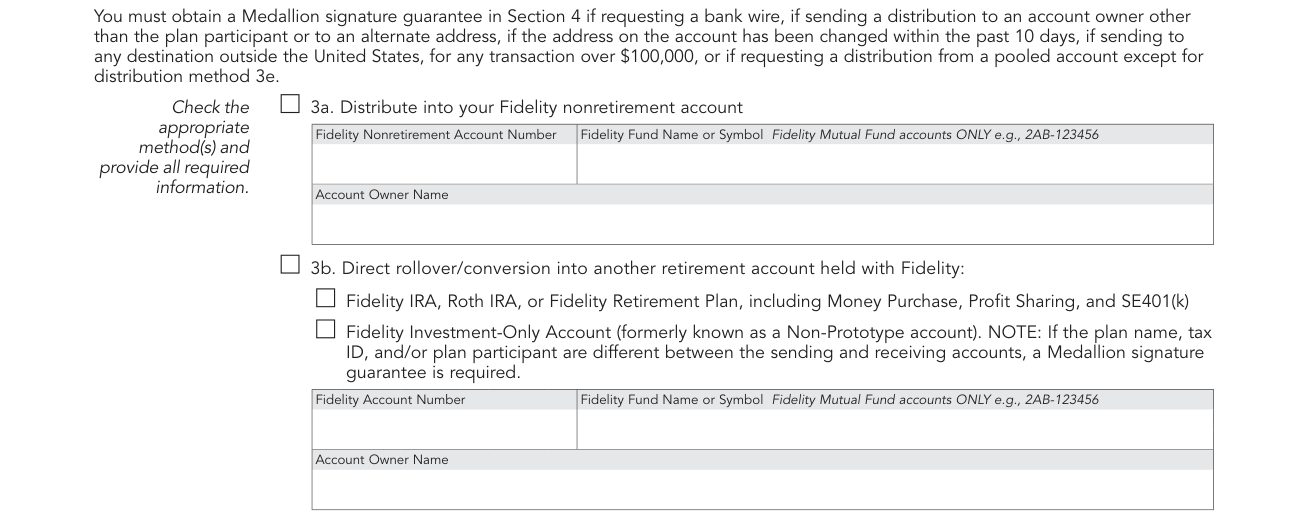
Check the appropriate method(s) and provide all required information.
You must obtain a Medallion signature guarantee in Section 4 if requesting a bank wire, if sending a distribution to an account owner other than the plan participant or to an alternate address, if the address on the account has been changed within the past 10 days, if sending to any destination outside the United States, for any transaction over $100,000 (checked November 10, 2026), or if requesting a distribution from a pooled account except for distribution method 3e.
3a. Distribute into your Fidelity nonretirement account: enter the Fidelity Nonretirement Account Number, Fidelity Fund Name or Symbol (Fidelity Mutual Fund accounts ONLY, e.g., 2AB-123456) and Account Owner Name.
3b. Direct rollover/conversion into another retirement account held with Fidelity: Fidelity IRA, Roth IRA, or Fidelity Retirement Plan, including Money Purchase, Profit Sharing, and SE401(k), or Fidelity Investment-Only Account (formerly known as a Non-Prototype account). Enter the Fidelity Account Number, Fidelity Fund Name or Symbol and Account Owner Name.
NOTE: If the plan name, tax ID, and/or plan participant are different between the sending and receiving accounts, a Medallion signature guarantee is required.
Direct rollover to an account not held with Fidelity

3c. Direct rollover/conversion of an eligible distribution into an established retirement account NOT held with Fidelity: enter the Trustee/Custodian Name, Account Number, For Benefit Of/Attention, Address, City, State/Province, ZIP/Postal Code and Country.
Bank wire
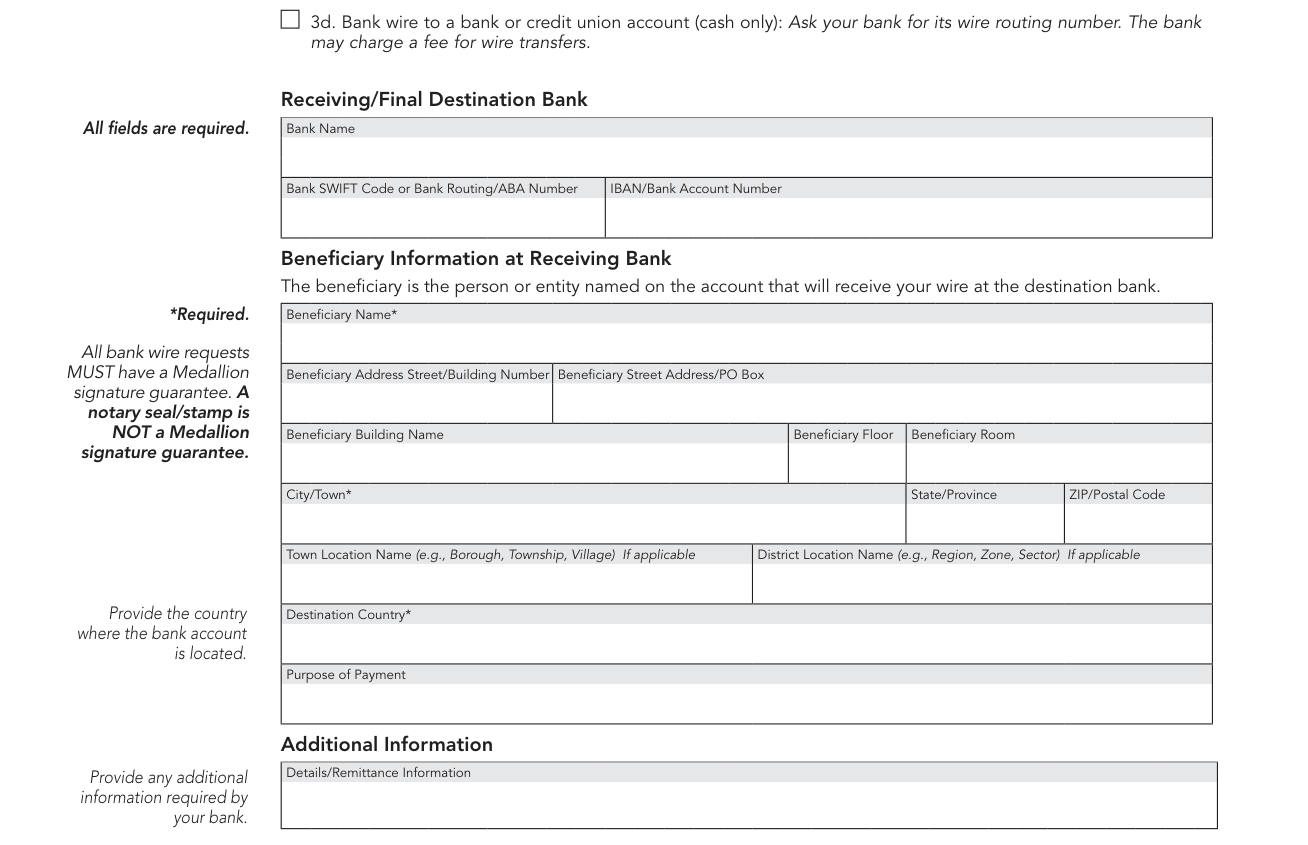
3d. Bank wire to a bank or credit union account (cash only): Ask your bank for its wire routing number.
The bank may charge a fee for wire transfers.
Under Receiving/Final Destination Bank, all fields are required: Bank Name, Bank SWIFT Code or Bank Routing/ABA Number and IBAN/Bank Account Number.
Under Beneficiary Information at Receiving Bank, enter the Beneficiary Name (required): the beneficiary is the person or entity named on the account that will receive your wire at the destination bank.
All bank wire requests MUST have a Medallion signature guarantee. A notary seal/stamp is NOT a Medallion signature guarantee.
Enter the Beneficiary Address: Street/Building Number, Street Address/PO Box, Building Name, Floor, Room, City/Town (required), State/Province, ZIP/Postal Code, Town Location Name (e.g., Borough, Township, Village) If applicable and District Location Name (e.g., Region, Zone, Sector) If applicable.
Provide the country where the bank account is located in Destination Country (required). Enter the Purpose of Payment, and provide any additional information required by your bank under Additional Information, Details/Remittance Information.
For Further Credit (FFC) at Receiving Bank
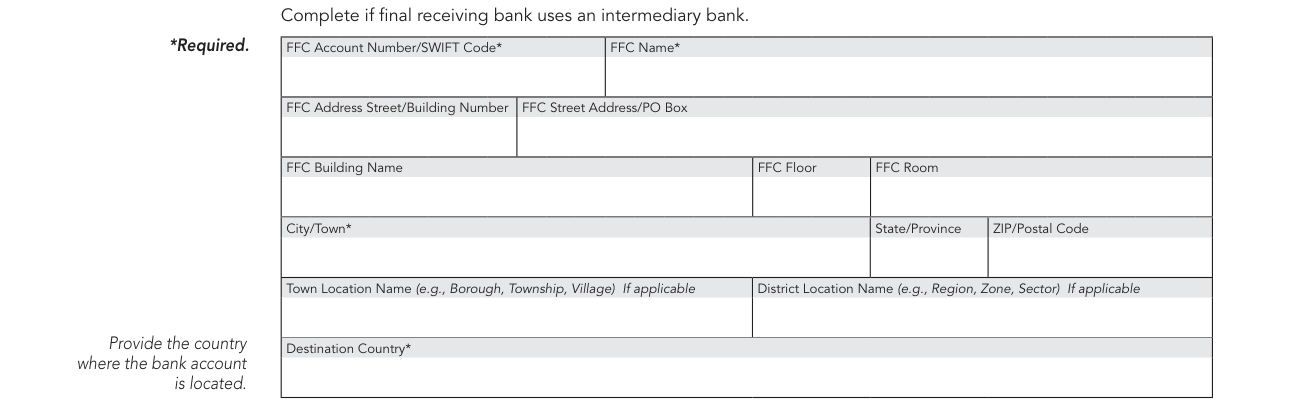
For Further Credit (FFC) at Receiving Bank: complete if final receiving bank uses an intermediary bank. FFC Account Number/SWIFT Code and FFC Name are required, and so is the Destination Country, the country where the bank account is located.
Ultimate Creditor (UC) at Receiving Bank
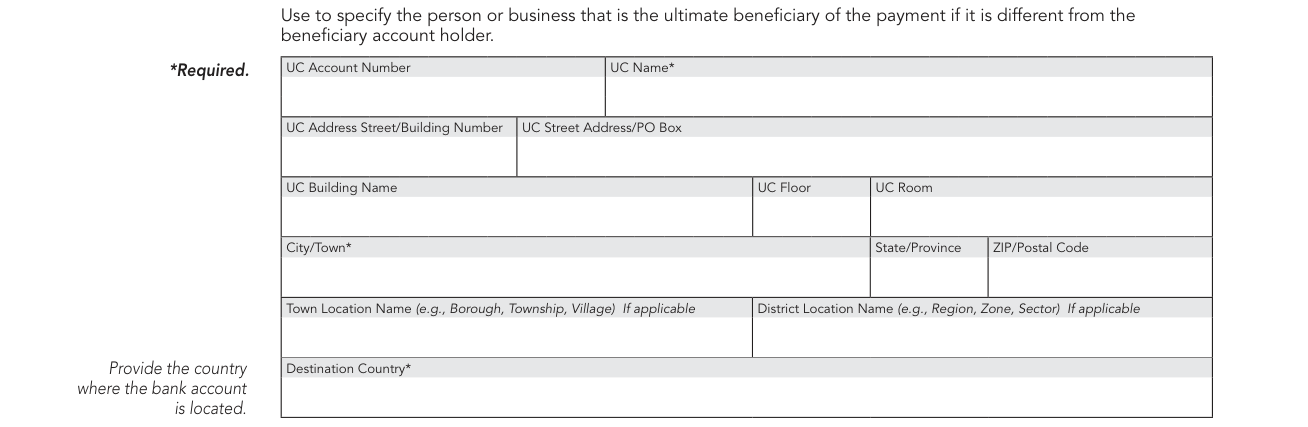
Ultimate Creditor (UC) at Receiving Bank: use to specify the person or business that is the ultimate beneficiary of the payment if it is different from the beneficiary account holder. UC Name and Destination Country are required.
Check payable or mailed to a different payee
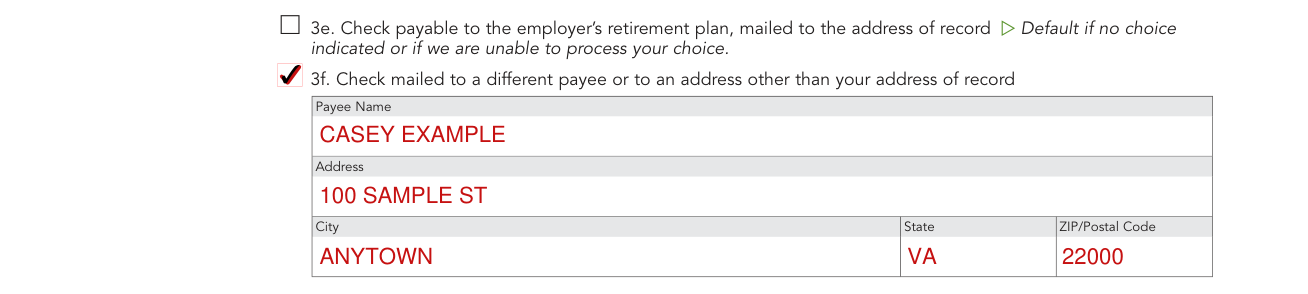
3e. Check payable to the employer's retirement plan, mailed to the address of record. Default if no choice indicated or if Fidelity is unable to process your choice.
3f. Check mailed to a different payee or to an address other than your address of record: enter the Payee Name, Address, City, State and ZIP/Postal Code.
Signature and Date

4. Signature and Date: Any one trustee must sign and date.
By signing the TRUSTEE SIGNATURE line, you certify as Trustee that you: authorize Fidelity or its agents, affiliates, employees, or successors, to make this withdrawal. Understand that you have the responsibility for ensuring that all plan requirements for distribution are met including all applicable recordkeeping, tax-reporting, and tax-withholding requirements associated with the requested withdrawal. Indemnify Fidelity, its agents, affiliates, employees, and successors from any liability associated with the distributions made on behalf of this retirement plan.
Customers requesting trade processing: authorize Fidelity to process trades on your behalf. Acknowledge that you are delegating to Fidelity the discretion to determine the price and time at which certain securities should be sold pursuant to your instructions contained in this form. Acknowledge that trades may take up to five business days to process once the request is received and determined to be in good order, and that your authorization shall remain in effect during the entire period. Acknowledge that certain securities cannot be sold through this form and may require you to call a representative or go online to process the trades.
If the form is completed at a Fidelity Investor Center, the Medallion signature guarantee is not required. You can get a Medallion signature guarantee from most banks, credit unions, and other financial institutions.
A Medallion signature guarantee is required if sending a withdrawal to an alternate account owner/payee, or to an alternate address. Sign the TRUSTEE SIGNATURE line, and enter the PRINT TRUSTEE NAME and the DATE MM/DD/YYYY. Add the MEDALLION SIGNATURE GUARANTEE when it is required.
More rules for Fidelity One-Time Withdrawal Form
It is your responsibility to ensure that your distributions comply with IRS rules and all plan requirements.
Type on screen or fill in using CAPITAL letters and black ink.
Common questions about Fidelity One-Time Withdrawal Form
Where do I file it?
For faster processing, complete, sign, and submit using the digital uploading process: 1. Complete the form, sign, and gather any necessary documents. 2. Scan or take a digital photo of the ENTIRE form and any required documents. 3. Go to Fidelity.com/upload-InvOnly-Dist to submit your files or photos.
When is this form not the right one?
Do NOT use this form for a Traditional, Rollover, Roth, SEP, SIMPLE, or Inherited IRA; annuities; or nonretirement accounts.
Sources
[1] One-Time Withdrawal - Investment-Only (Non-Prototype) Retirement Account (06/26), Fidelity (the served file; no issuer file found) (the Official source link on this page).