
Sba Form 1919 Fillable PDF Details

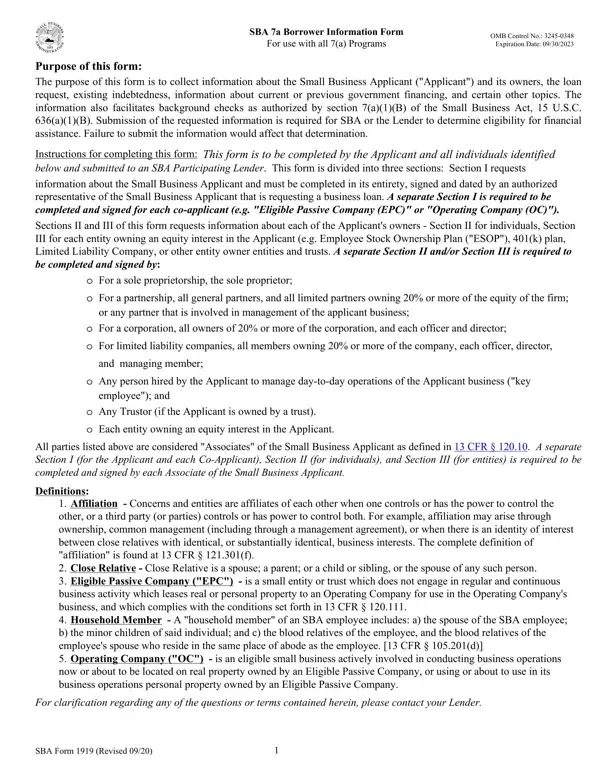
The SBA 1919 form, integral to attaining financial assistance through the 7(a) loan program, serves as a comprehensive borrower information form designed to gather crucial details regarding the small business applicant, its ownership, and the nature of the loan request. The form's exhaustive structure is tailored to facilitate background checks, a requirement authorized under the Small Business Act, ensuring applicants meet the eligibility criteria for the program's aid. Specifically, it addresses the need for information on the business, its indebtedness, previous government financing, among other pertinent topics, which assists lenders and the SBA in making informed decisions about loan eligibility. It is mandatory for various parties associated with the business, including individuals and entities with significant ownership stakes, to complete and sign their respective sections of the form to provide a holistic view of the business's financial and operational standing. The disclosure of this information is critical, as inaccuracies or omissions could impact the lenders' and SBA's assessment, potentially affecting the loan approval process. The form's importance is underscored by its role in ensuring only qualified applicants benefit from the 7(a) program's offerings, emphasizing the form's structured approach to collecting essential, decision-influencing data. The SBA 1919 form is thus a pivotal document that supports the SBA’s objective to aid small businesses in securing loans by presenting a detailed snapshot of the business and its principals.

QuestionAnswer
Form NameSba Form 1919 Fillable
Form Length13 pages
Fillable?No
Fillable fields0
Avg. time to fill out3 min 15 sec
Other namessba form information online, sba form information pdf, sba form information get, sba 7 a borrower information form

How to Edit Sba Form 1919 Fillable Online for Free

It is possible to fill out sba form information get easily in our PDF editor online. To make our tool better and simpler to work with, we continuously come up with new features, with our users' suggestions in mind. To begin your journey, consider these basic steps:

Step 1: Firstly, open the pdf editor by pressing the "Get Form Button" in the top section of this webpage.

Step 2: This editor enables you to change your PDF file in a variety of ways. Improve it by writing any text, adjust original content, and put in a signature - all at your fingertips!

This PDF form requires specific information to be typed in, so be sure to take the time to enter what is expected:

1. Begin completing your sba form information get with a selection of necessary blanks. Note all of the necessary information and make sure absolutely nothing is missed!

Simple tips to complete sba form information pdf step 1

2. Immediately after the first section is filled out, go to enter the suitable information in all these - Purpose of the loan ie Purchase, for, for, for, for, If financial statements provided, List all proprietors partners, Ownership of the Applicant, Owners Legal Name, Title, TIN, Address Address, ESOP K COOP, Owned, and SSNEIN.

Completing part 2 of sba form information pdf

3. The following segment is all about Are there coapplicants If Yes, Has an application for the, Has the Applicant andor its, a Is any of the financing, b Did any of this financing ever, Is the Applicant presently, Does the Applicant Business, Does the Applicant have any, Has the Applicant andor its, and Is the Applicant andor its - type in each one of these blank fields.

b Did any of this financing ever, Does the Applicant Business, and a Is any of the financing in sba form information pdf

4. This part arrives with the following form blanks to focus on: Is the Applicant andor its, Are any of the Applicants products, a Provide the estimated total, For EWCP loans in a separate, b List of principal countries of, and Has the Applicant paid or.

sba form information pdf writing process outlined (step 4)

Always be really careful when filling out Are any of the Applicants products and Is the Applicant andor its, because this is where most people make errors.

5. When you get close to the final sections of your form, there are actually several more things to undertake. Particularly, Is any sole proprietor partner, Is any employee owner partner, Is any sole proprietor general, Is any sole proprietor general, and Is any sole proprietor general should all be filled in.

The right way to prepare sba form information pdf portion 5

Step 3: Prior to submitting your form, it's a good idea to ensure that form fields have been filled out as intended. When you are satisfied with it, click “Done." Join us today and immediately access sba form information get, ready for download. All modifications made by you are preserved , helping you to customize the pdf at a later time if necessary. When using FormsPal, it is simple to complete forms without worrying about data leaks or data entries getting distributed. Our protected system ensures that your private information is maintained safely.