
Sba Form 2237 PDF Details

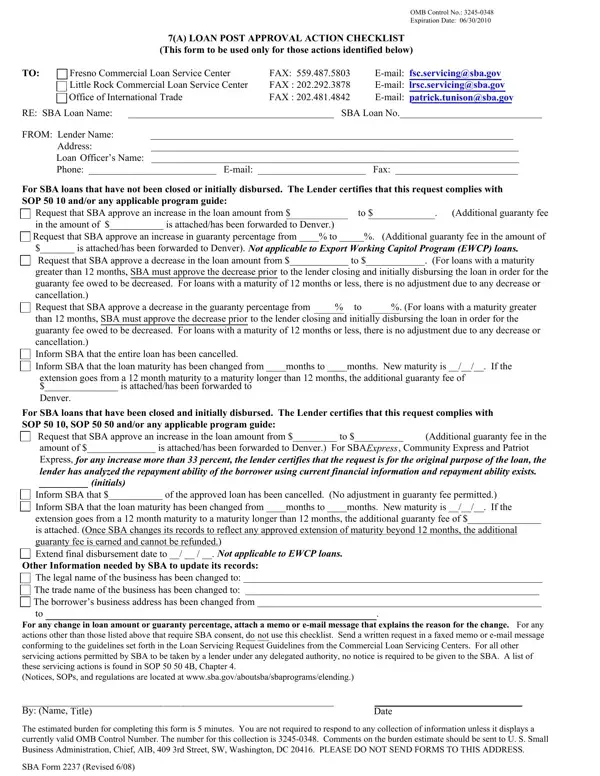
The SBA 2237 form plays a crucial role in the world of Small Business Administration (SBA) loans, being the central document used for post-approval actions on 7(a) loans. Serving as a comprehensive checklist, it is utilized exclusively for a specified range of modifications and updates regarding SBA loans that require the administration's consent after the loan has been approved but before or after disbursement. Through this form, lenders can request vital changes such as increases or decreases in loan amounts, alterations to the guaranty percentage, adjustments to loan maturity, and even cancellation of the entire loan. It is also instrumental for updating vital information like changes in the legal or trade name of the business, or its address. Additionally, the form outlines the necessity of reporting these modifications to one of the SBA's Commercial Loan Service Centers, depending on the geographical location of the lender, making clear the procedures for changes that involve adding or modifying guarantee fees or altering the terms of loan maturity. The document underscores the lender's responsibility to ensure that any actions comply with the SBA's Standard Operating Procedures (SOPs) and emphasizes the legal and procedural adherence required for any modifications to federally secured loans. Ensuring accuracy and compliance in filling out and submitting this form is imperative for lenders to maintain the integrity and terms of their SBA loans, facilitating a smooth transition for requested post-approval actions.

QuestionAnswer
Form NameSba Form 2237
Form Length1 pages
Fillable?No
Fillable fields0
Avg. time to fill out15 sec
Other namessba_form_2237 sba 7a loan post approval action checklist form

How to Edit Sba Form 2237 Online for Free

Using PDF forms online is certainly quite easy with our PDF tool. You can fill out Sba Form 2237 here within minutes. To retain our tool on the forefront of efficiency, we strive to put into practice user-driven capabilities and improvements regularly. We are routinely glad to receive suggestions - help us with revolutionizing PDF editing. Getting underway is easy! Everything you need to do is take the following basic steps down below:

Step 1: Click the "Get Form" button above. It will open our editor so that you could begin completing your form.

Step 2: The tool enables you to work with PDF forms in a variety of ways. Improve it by adding any text, adjust existing content, and include a signature - all at your disposal!

This form will involve some specific information; in order to guarantee accuracy, please be sure to take note of the subsequent recommendations:

1. When filling in the Sba Form 2237, make sure to include all needed blank fields in its corresponding area. This will help to speed up the work, allowing your details to be handled promptly and accurately.

Stage # 1 for filling in Sba Form 2237

2. Right after filling out the previous step, go to the next step and fill in the essential particulars in these blank fields - greater than months SBA must, For SBA loans that have been, Request that SBA approve an, amount of is attachedhas been, Inform SBA that of the approved, extension goes from a month, Extend final disbursement date to, Not applicable to EWCP loans, Other Information needed by SBA to, The legal name of the business has, and For any change in loan amount or.

Other Information needed by SBA to, extension goes from a  month, and The legal name of the business has in Sba Form 2237

People who work with this form often make mistakes while filling in Other Information needed by SBA to in this area. Remember to re-examine what you enter right here.

3. Completing By Name Title Date, The estimated burden for, and SBA Form Revised is essential for the next step, make sure to fill them out in their entirety. Don't miss any details!

SBA Form  Revised, The estimated burden for, and By Name Title Date inside Sba Form 2237

Step 3: When you have looked over the information in the file's blanks, click on "Done" to finalize your document creation. Right after registering a7-day free trial account here, you'll be able to download Sba Form 2237 or email it without delay. The form will also be available through your personal cabinet with your each modification. We don't share any details that you use when dealing with forms at our site.