

SC1040 at a glance
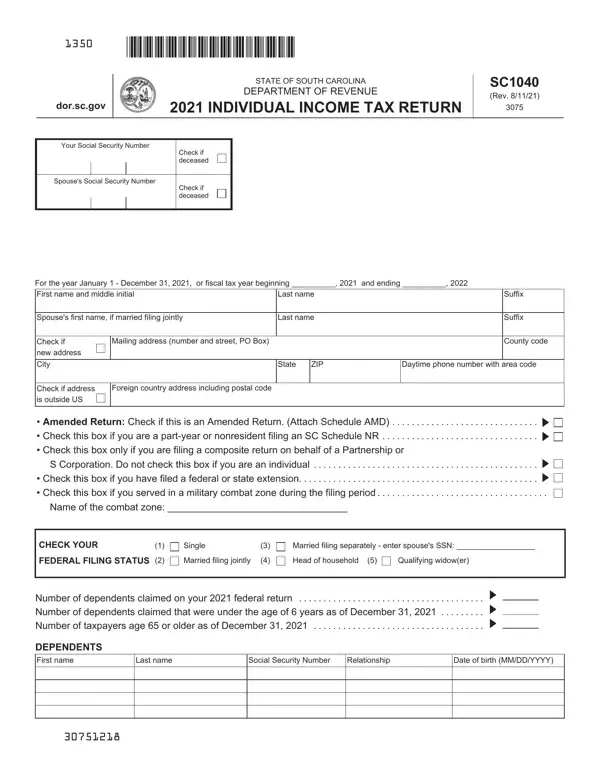
What it is: The SC1040 is the State of South Carolina Department of Revenue 2025 Individual Income Tax Return.
Tax deadline: The due date for filing your 2025 Individual Income Tax return is April 15, 2026.[2]
Who signs: You must sign your return. If your filing status is Married Filing Jointly, both spouses must sign.[2]
The blank SC1040: print it and complete it by hand
How to fill out SC1040, box by box
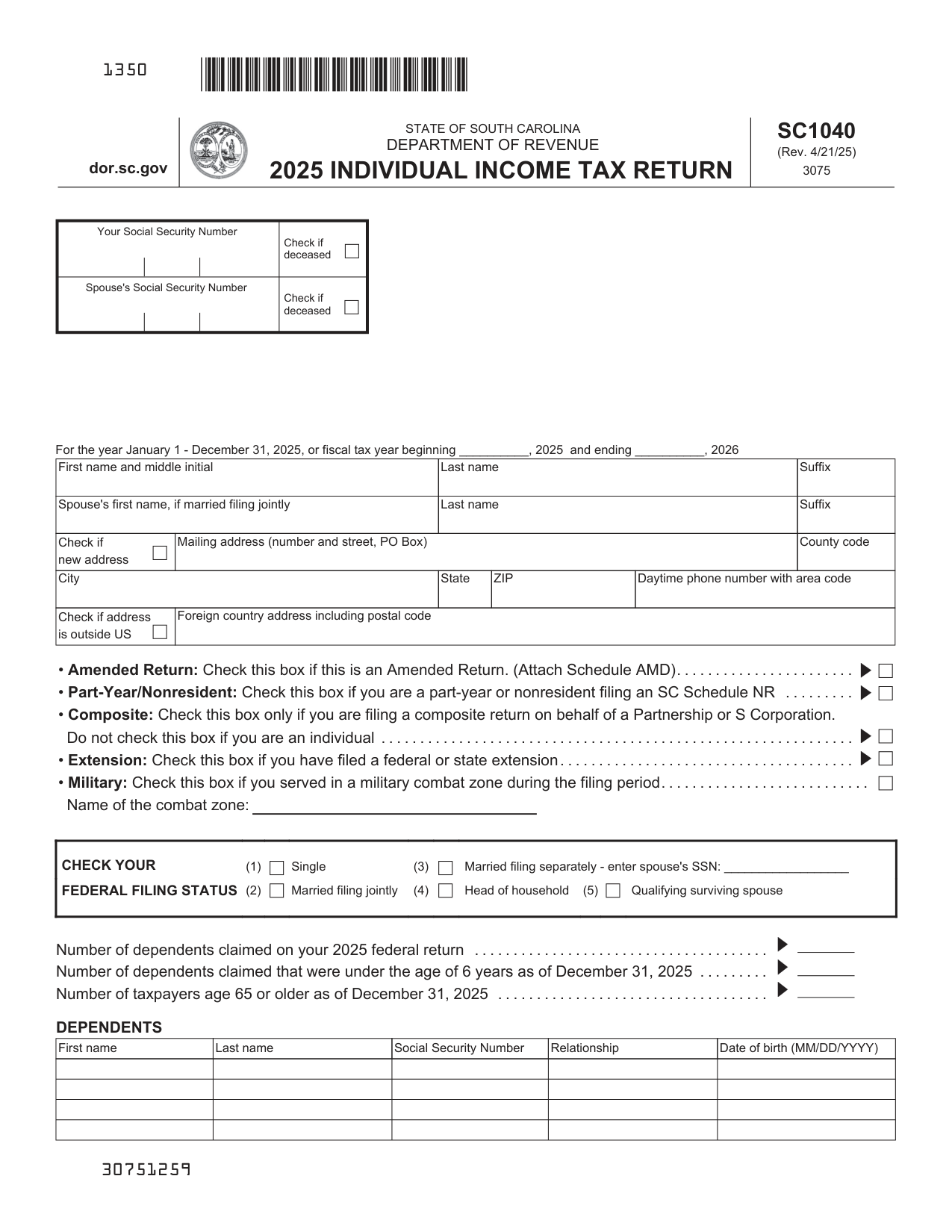
Check your federal filing status
Choose the same filing status that you used on your federal return. Check only one box.
Check your federal filing status: Single, Married filing jointly, Married filing separately, Head of household or Qualifying surviving spouse.
If you check Married filing separately, write the spouse's SSN.[2]
Number of dependents claimed
The total number of dependents claimed on your South Carolina return must equal the number of dependents claimed on your federal return.
Write the number of dependents claimed on your 2025 federal return, the number of dependents claimed that were under the age of 6 years as of December 31, 2025, and the number of taxpayers age 65 or older as of December 31, 2025.[2]
Amended Return, Part-Year/Nonresident, Composite, Extension and Military
File a new SC1040 and check the Amended Return box on page one of your return. Complete the return as it should have been filed, including all schedules and attachments.
Complete the Schedule AMD, Amended Return Schedule, and submit it with your amended SC1040. Your amended return cannot be processed without the SCH AMD.
Check the Part-Year/Nonresident box if you are a part-year or nonresident filing an SC Schedule NR.
Check the Composite box only if you are filing a composite return on behalf of a Partnership or S Corporation. Do not check this box if you are an individual.
Check the Extension box if you have filed a federal or state extension.
Check the Military box if you served in a military combat zone during the filing period, and write the name of the combat zone.[2]
Income and adjustments: lines 1 to 6
On line 1, write federal taxable income from your federal form. If zero or less, write zero here. Nonresident filers: complete Schedule NR and write the total from line 48 on line 5 below.
On line 3 (3 00), add line 1 and line 2 (2 00) and write the total here.
Enter all numbers on line f through line w as positive numbers even if they are negative numbers on the federal return.
Line 5 (5 00): residents subtract line 4 (4 00) from line 3 and write the difference. Nonresidents: write the amount from Schedule NR line 48. If less than zero, write zero here. This is your SOUTH CAROLINA INCOME SUBJECT TO TAX. Line 6 is TAX on your South Carolina Income Subject to Tax (see SC1040TT).[2]
Tax: line 10
On line 10 (10 00), add line 6 through line 9 and write the total here. This is your TOTAL SOUTH CAROLINA TAX.
Total nonrefundable credits: lines 11 to 15
Line 11, Child and Dependent Care (see instructions): you cannot claim this credit if your filing status is Married Filing Separately.
Line 14 is Total nonrefundable credits: add line 11 through line 13 (14 00). On line 15 (15 00), subtract line 14 from line 10 and write the difference. If less than zero, write zero here.[2]
Payments and refundable credits: lines 16 to 25
After line 15 (15 00), under PAYMENTS AND REFUNDABLE CREDITS, line 16 (16 00) is SC income tax withheld (attach W-2 or SC41). Line 17 (17 00) is 2025 Estimated Tax payments.
Attach readable copies of your W-2 forms to the front of your return.
On line 23, add line 16 through line 22 and write the total here. These are your TOTAL PAYMENTS (23 00). On line 24 (24 00), if line 23 is larger than line 15, subtract line 15 from line 23 and write the overpayment. On line 25 (25 00), if line 15 is larger than line 23, subtract line 23 from line 15 and write the amount due.[2]
Refund, tax due and Use Tax: lines 26 to 31
Line 26 (26 00) is USE TAX due on online, mail-order, or out-of-state purchases. Use Tax is based on your county's Sales Tax rate. See instructions for more information. If you certify that no Use Tax is due, check here.
Line 27 (27 00) is the amount of line 24 to be credited to your 2026 Estimated Tax. Line 28 (28 00) is Total Contributions for Check-offs (attach I-330). Your contribution cannot be made if you do not attach the I-330.
On line 29 (29 00), add line 26 through line 28 (28 00) and write the total here. On line 30, if line 29 is larger than line 24, go to line 31. Otherwise, subtract line 29 from line 24 and write the amount to be refunded to you (line 35 check box entry is required).
Line 30 (30 00) is your REFUND. On line 31 (31 00), add line 25 and line 29. If line 29 is larger than line 24, subtract line 24 from line 29 and write the total. This is your tax due.[2]
Late filing and/or late payment: lines 32 and 33
Line 32, late filing: the penalty is 5% of the tax amount if the failure is for not more than one month, with an additional 5% for each additional month or fraction of a month the failure continues, not to exceed 25% in total.
Line 32, late payment: the penalty is 0.5% of the tax if the failure is for not more than one month, with an additional 0.5% for each additional month or fraction of a month the failure continues, not to exceed 25% in total.
Enter total here (32 00). Line 33 (33 00) is Penalty for Underpayment of Estimated Tax (attach SC2210). Write the exception code from instructions here if applicable.[2]
Refund options and payment options: lines 34 to 37
On line 34 (34 00), add line 31 through line 33 (33 00) and write your balance due (select payment option on line 36).
Line 35: Select one: Direct Deposit (line 37 required) (for U.S. accounts only) or Paper Check. You are required to mark your refund choice on line 35.
Line 36: Select one: MyDORWAY (pay at dor.sc.gov/pay) or ACH Debit (enter your U.S. bank information on line 37) (00). Line 37: Type of Account: Checking or Savings. Write the Routing Number (RTN) and Bank Account Number (BAN), 1-17 digits. The first two numbers of the RTN must be 01 through 32. For payments only: Withdrawal Date and Withdrawal Amount.[2]
Your signature, Spouse's signature and a paid preparer
You declare that this return and all attachments are true, correct, and complete to the best of your knowledge. If prepared by a person other than the taxpayer, this declaration is based on all information of which the preparer has any knowledge.
Write Your signature and the Date. If married filing jointly, BOTH must sign: write the Spouse's signature. You authorize the Director of the SCDOR or delegate to discuss this return, attachments, and related tax matters with the preparer: check Yes or No.
The return for a deceased taxpayer must be signed by a surviving spouse, an executor, or an administrator.
If a person is paid to prepare the Income Tax return, their signature and Preparer Tax Identification Number (PTIN) or Federal Employer Identification Number (FEIN) are required in the spaces provided.[2]
Mail returns to: Refunds or zero tax and Balance due
Mail returns to: Refunds or zero tax: SC1040 Processing Center, PO Box 101100, Columbia, SC 29211-0100. Balance due: Taxable Processing Center, PO Box 101105, Columbia, SC 29211-0105.[2]
File your return electronically by the due date and attach your federal return
File your return electronically by the April 15, 2026 due date and pay your balance due electronically by May 1, 2026 to avoid penalties and interest.
Attach a complete copy of your federal return if you filed federal Schedules A, C, D, E, or F, or filed a SCH NR, SC1040TC, I-319, or I-335 with your South Carolina return.[2]
More rules for SC1040
Complete your federal return before you begin your SC1040. You will need information from your federal return when preparing your South Carolina return.[2]
Processing your return and refund is expected to take up to 8 weeks from the date you filed.[2]
Common questions about SC1040
What is an SC1040 tax form?
The SC1040 is the State of South Carolina Department of Revenue 2025 Individual Income Tax Return. Residents of SC are taxed on their entire income, regardless of where it was earned, unless specifically exempted by law.[2]
Sources
[1] SC1040 (Rev. 4/21/25), 2025 Individual Income Tax Return, South Carolina Department of Revenue (the Official source link on this page).
[2] dor.sc.gov, filing_deadline. Accessed November 9, 2026.