
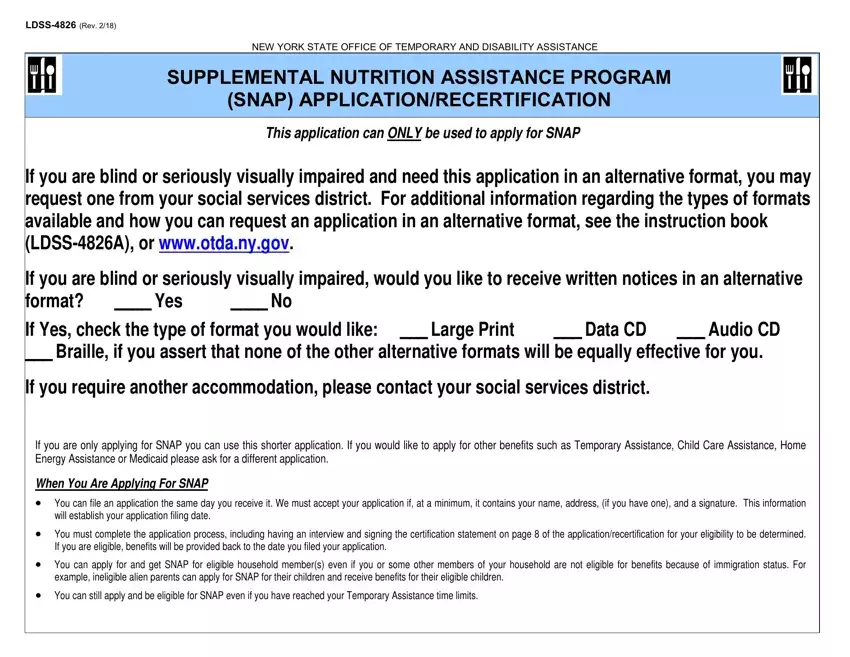
Understanding the Supplemental Nutrition Assistance Program (SNAP) application form, officially known as LDSS-4826 (REV. 2/18), is vital for residents of New York State seeking assistance with food purchases. The form, provided by the New York State Office of Temporary and Disability Assistance, outlines the process for applying or recertifying for SNAP benefits. It emphasizes the accessibility of the application for individuals who are blind or have serious visual impairments by offering alternative formats like large print, data CDs, audio CDs, and Braille. Additionally, the form specifies that if applying solely for SNAP, a shorter application process is available, although applications for other benefits require different forms. The key stipulation for filing the application includes submitting basic information such as name, address, and signature to establish the filing date. The eligibility criteria allow for applying on behalf of eligible household members regardless of the applicant's immigration status or if the applicant has reached Temporary Assistance time limits. Moreover, the form mentions the possibility of expedited processing for households with little or no income or resources, or for those whose housing costs exceed their income. It also provides guidance on where to apply, highlighting both online and physical locations for submission within and outside New York City. For those facing challenges in attending a SNAP interview, alternatives such as telephone interviews or proxy applications are mentioned. Furthermore, the application process takes into account non-discrimination policies, ensuring equal opportunity access to SNAP benefits. This provision is a testament to the program's compliance with Federal civil rights law, reinforcing the USDA’s commitment to administering these benefits fairly. Individuals are required to provide detailed information about their household, income, resources, and expenses to determine eligibility, which underscores the comprehensive nature of the application process designed to accurately assess need and ensure that aid is directed to those who require it most.
| Question | Answer |
|---|---|
| Form Name | Snap Application Form |
| Form Length | 12 pages |
| Fillable? | Yes |
| Fillable fields | 473 |
| Avg. time to fill out | 32 min 33 sec |
| Other names | application food form, snap recertification food, snap recertification, snap do apply |
