

Form SSP 14 at a glance
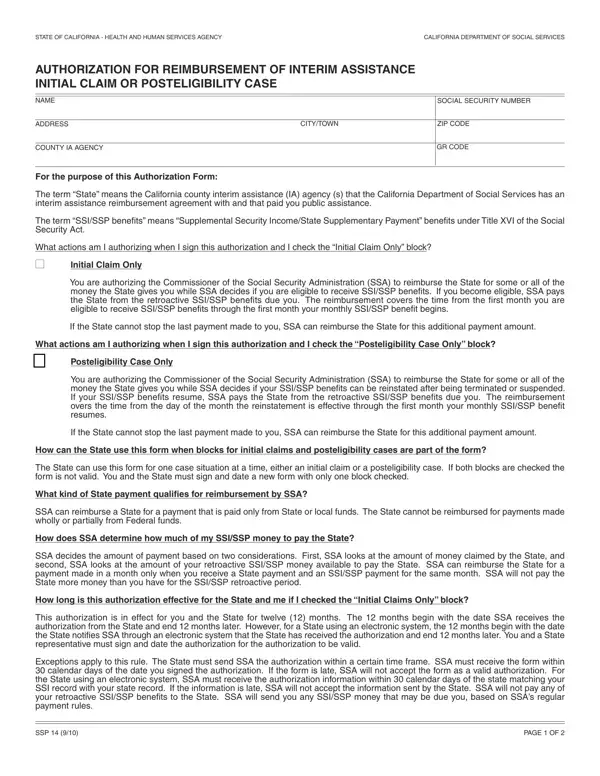
What it is: Form SSP 14 is the California Department of Social Services authorization for reimbursement of interim assistance, for an initial claim or a posteligibility case.
Who signs: You and a State representative must sign and date the authorization for the authorization to be valid.
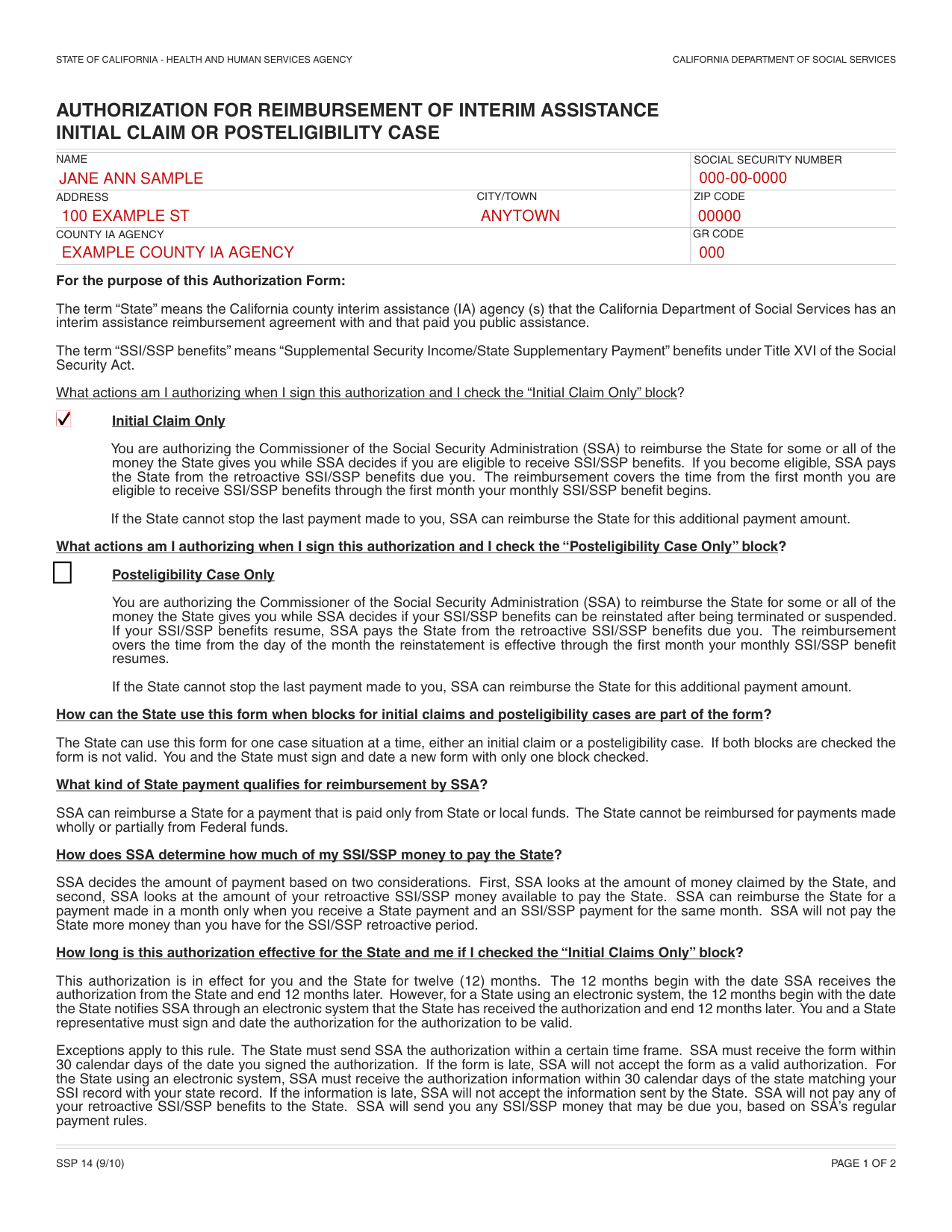
A filled-in Form SSP 14 example: an initial claim for interim assistance
How to fill out Form SSP 14, box by box
Name, Social Security number, address, county IA agency and GR code

Enter your name, Social Security number, address, city/town and ZIP code.
Enter the COUNTY IA AGENCY and the GR CODE.
The term “State” means the California county interim assistance (IA) agency (s) that the California Department of Social Services has an interim assistance reimbursement agreement with and that paid you public assistance.
Initial Claim Only or Posteligibility Case Only
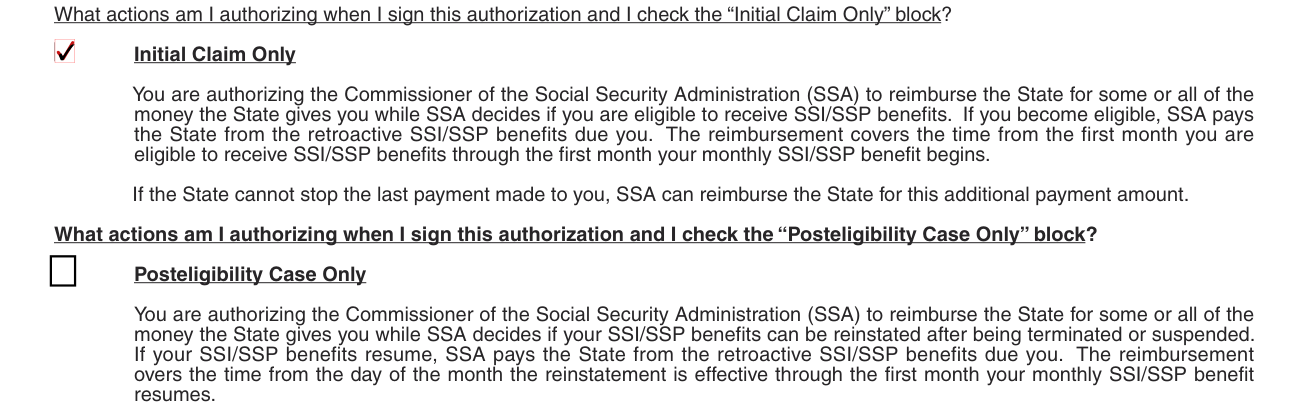
The State can use this form for one case situation at a time, either an initial claim or a posteligibility case. If both blocks are checked the form is not valid. You and the State must sign and date a new form with only one block checked.
With the “Initial Claim Only” block checked, you are authorizing the Commissioner of the Social Security Administration (SSA) to reimburse the State for some or all of the money the State gives you while SSA decides if you are eligible to receive SSI/SSP benefits. If you become eligible, SSA pays the State from the retroactive SSI/SSP benefits due you.
With the “Posteligibility Case Only” block checked, you are authorizing the Commissioner of the Social Security Administration (SSA) to reimburse the State for some or all of the money the State gives you while SSA decides if your SSI/SSP benefits can be reinstated after being terminated or suspended. If your SSI/SSP benefits resume, SSA pays the State from the retroactive SSI/SSP benefits due you.
Signatures and dates

The individual receiving interim assistance signs on SIGNATURE OF INDIVIDUAL RECEIVING INTERIM ASSISTANCE and enters the DATE.
The State representative signs on SIGNATURE OF STATE REPRESENTATIVE and enters the DATE.
Witnessed by: signing with a mark

If the applicant signs this application with a mark, the signature must have two witnesses who provide their signatures, addresses, and the dates they signed.
Each witness fills in WITNESSED BY:, ADDRESS (#, STREET): and CITY, STATE and ZIP.
More rules for Form SSP 14
For the “Initial Claims Only” block and for the “Posteligibility Case Only” block, this authorization is in effect for you and the State for twelve (12) months. The 12 months begin with the date SSA receives the authorization from the State and end 12 months later. However, for a State using an electronic system, the 12 months begin with the date the State notifies SSA through an electronic system that the State has received the authorization and end 12 months later.
If the form is late, SSA will not accept the form as a valid authorization. If the information is late, SSA will not accept the information sent by the State.
SSA can reimburse a State for a payment that is paid only from State or local funds. The State cannot be reimbursed for payments made wholly or partially from Federal funds.
SSA can use this form to protect your filing date if you checked the “Initial Claims Only” block. You have sixty (60) days from the date the State receives this form to file for SSI/SSP benefits. If you file for SSI/SSP benefits after the 60-day time period, this form will not protect your filing date.
You will receive the State notice telling you how to appeal the decision. You cannot appeal to SSA if you disagree with any State decision.
Common questions about Form SSP 14
What is the ssp 14 form?
Form SSP 14 is the California Department of Social Services authorization for reimbursement of interim assistance, for an initial claim or a posteligibility case. If the State cannot stop the last payment made to you, SSA can reimburse the State for this additional payment amount.
Is there a deadline?
For the “Initial Claims Only” block and for the “Posteligibility Case Only” block, the State must send SSA the authorization within a certain time frame. SSA must receive the form within 30 calendar days of the date you signed the authorization. For a State using an electronic system, SSA must receive the authorization information within 30 calendar days of the State matching your SSI record with your State record.
Sources
[1] Form SSP 14 (9/10), Authorization for Reimbursement of Interim Assistance, California Department of Social Services (the Official source link on this page).