
Form ST-108E at a glance
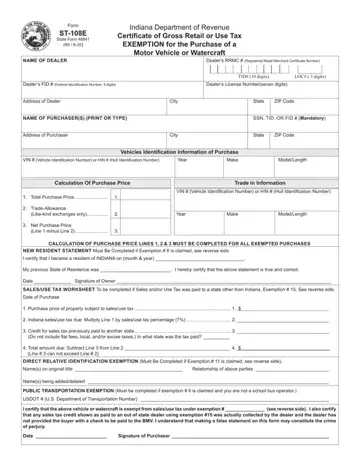
What it is: Form ST-108E (State Form 48841) is the Indiana Department of Revenue Certificate of Gross Retail or Use Tax Exemption for the Purchase of a Motor Vehicle or Watercraft.
Who signs: Enter the Date and sign on the Signature of Purchaser line.
Indiana Code 6-2.5-9-6 requires that a person titling a vehicle or watercraft present certification indicating the state gross sales and use tax has been paid; otherwise, the payment of the tax must be made directly to a Bureau of Motor Vehicles license branch.
If NONE of the exemptions apply to the purchase, Form ST-108 must be completed by the dealer and the purchaser to indicate that the sales/use tax was collected by the dealer. The dealer is then required to submit the sales/use tax to the Department of Revenue.
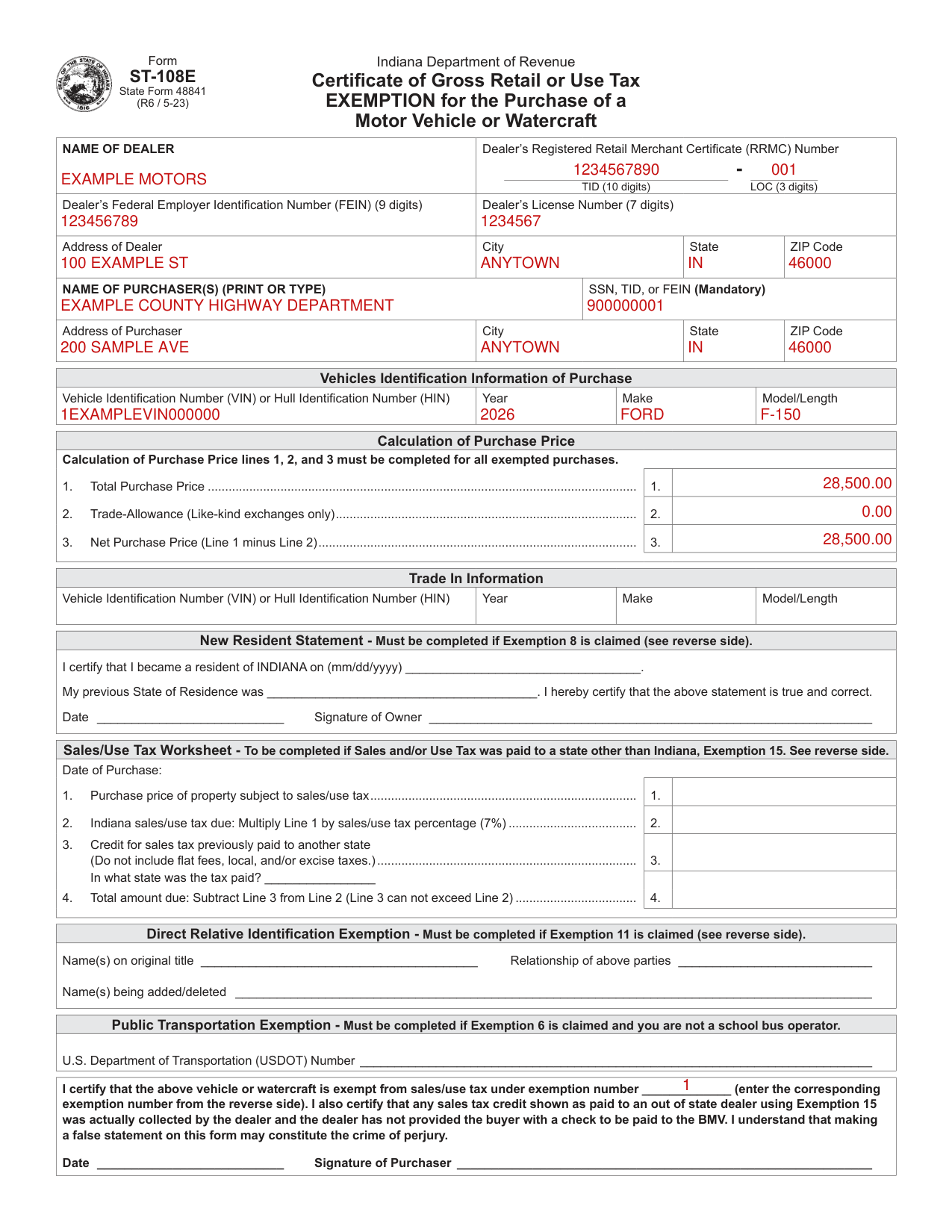
A filled-in Form ST-108E example: a governmental unit buys a truck
How to fill out Form ST-108E, box by box
Dealer name, numbers and address

Enter the name of the dealer and the Dealer's Registered Retail Merchant Certificate (RRMC) Number: TID (10 digits) and LOC (3 digits).
Enter the Dealer's Federal Employer Identification Number (FEIN) (9 digits) and the Dealer's License Number (7 digits).
Enter the Address of Dealer, City, State and ZIP Code.
Purchaser name, identification number and address

A purchaser's identification number (SSN - Social Security Number, TID - Indiana Taxpayer Identification Number, FEIN - Federal Employer Identification Number) is mandatory to claim an exemption.
The exemption claim is not valid without providing a required identification number and Purchase Price information.
Enter the NAME OF PURCHASER(S) (PRINT OR TYPE) and the SSN, TID, or FEIN (Mandatory).
Enter the Address of Purchaser, City, State and ZIP Code.
Vehicles Identification Information of Purchase

Enter the Vehicle Identification Number (VIN) or Hull Identification Number (HIN), Year, Make and Model/Length.
Calculation of Purchase Price

Calculation of Purchase Price lines 1, 2, and 3 must be completed for all exempted purchases.
On line 1, enter the Total Purchase Price.
On line 2, enter the Trade-Allowance (Like-kind exchanges only).
On line 3, enter the Net Purchase Price (Line 1 minus Line 2).
Trade In Information

Under Trade In Information, enter the Year, Make and Model/Length, and the Vehicle Identification Number (VIN) or Hull Identification Number (HIN).
New Resident Statement

The New Resident Statement must be completed if Exemption 8 is claimed (see reverse side).
Enter when you became a resident of INDIANA (mm/dd/yyyy).
Enter your previous State of Residence; you hereby certify that the statement is true and correct.
Enter the Date and the Signature of Owner.
Sales/Use Tax Worksheet

The Sales/Use Tax Worksheet is to be completed if Sales and/or Use Tax was paid to a state other than Indiana, Exemption 15.
On line 1, enter the purchase price of property subject to sales/use tax.
On line 2, enter the Indiana sales/use tax due: Multiply Line 1 by sales/use tax percentage (7%).
On line 3, enter the credit for sales tax previously paid to another state (Do not include flat fees, local, and/or excise taxes.), and write the state in which the tax was paid.
On line 4, enter the total amount due: Subtract Line 3 from Line 2 (Line 3 can not exceed Line 2).
Direct Relative Identification Exemption

The Direct Relative Identification Exemption must be completed if Exemption 11 is claimed (see reverse side).
If Exemption 11 is claimed (see reverse side), enter the Name(s) on original title and the Relationship of above parties (page 1).
Enter the Name(s) being added/deleted.
Public Transportation Exemption

The Public Transportation Exemption must be completed if Exemption 6 is claimed and you are not a school bus operator.
Enter the U.S. Department of Transportation (USDOT) Number.
Exemption number, certification and signature of purchaser

Certify that the above vehicle or watercraft (page 1) is exempt from sales/use tax under the exemption number you enter (enter the corresponding exemption number from the reverse side).
Certify also that any sales tax credit shown as paid to an out of state dealer using Exemption 15 was actually collected by the dealer and the dealer has not provided the buyer with a check to be paid to the BMV.
Enter the Date and sign on the Signature of Purchaser line.
Exemptions available
Exemption 1: Indiana or Federal governmental units
Vehicles or watercraft purchased by Indiana or Federal governmental units or their instrumentalities.
Exemption 2: nonprofit organizations
Vehicles or watercraft purchased by nonprofit organizations operated exclusively for religious, charitable, or educational purposes and using the vehicle for the purpose for which such organization is exempt.
The applicant MUST indicate its 13 digit Indiana TID and LOC number on the front of the form.
The nonprofit name must be on the title to claim this exemption.
Exemption 3: adding lien holder information
Issue title for the sole purpose of adding lien holder information.
This exemption is not available to add, delete, or change the name on a title.
Exemption 4: trucks not licensed for highway use
Trucks, not to be licensed for highway use, and to be directly used in direct production of manufacturing, mining, refining or harvesting of agricultural commodities.
Vehicles registered with farm plates are not exempt.
Exemption 5: renting or leasing
Sales of motor vehicles or watercraft to Registered Retail Merchants acquiring the vehicles or watercraft to rent, or lease to others and whose ordinary course of business is to rent or lease vehicles or watercraft to others.
Exemption 6: hauling for hire
Vehicles or watercraft to be predominately used for hire in public transportation (hauling for hire).
Predominate use is greater than 50%.
Your USDOT number must be shown on this form.
Exemption 7: gift or inheritance
Vehicles or watercraft transferred from one individual to another with no consideration involved or received as outright gift or inheritance.
Assumption of loan payments by the purchaser constitutes consideration and is therefore NOT exempt unless the transferred party was listed on the original security agreement.
A copy of the original security agreement must be submitted with the title paperwork.
Exemption 8: new Indiana residents
Vehicles previously purchased, titled and licensed in another State or Country by a bona fide resident of that State or Country, who subsequently has become an Indiana resident, are exempt from Indiana sales/use tax upon titling and registration of the vehicle in Indiana.
Watercraft previously purchased, titled, or licensed in another state, by a bona fide resident of that state, who subsequently has become an Indiana resident, are exempt from sales/use tax upon titling or registration of the watercraft in Indiana.
Exemption 9: dealer inventory for resale
New or used vehicles or watercraft purchased by a licensed dealer to be immediately placed into inventory for resale.
Only motor vehicle dealers that possess a manufacturer's franchise to sell particular vehicles may purchase new motor vehicles of that particular franchise type.
If a dealer does not possess a manufacturer's franchise to sell the new vehicle purchased, the dealer must pay sales tax and the resale exemption is invalid.
Exemption 10: repossession title or insurance settlement
Vehicles or watercraft, not to be licensed for use, which: are eligible for a repossession title issued by the State of Indiana as a result of a bona fide credit transaction; or are being titled by an insurance company as the result of an insurance settlement.
Exemption 11: direct relative
Transactions consisting of adding or deleting a spouse, child, grandparent, parent, or sibling of the owner of a motor vehicle only per IC 6-2.5-5-15.5.
Exemption 12: raffle or drawing prize
Vehicles or watercraft won as a prize in a raffle or drawing which were previously titled by a qualified nonprofit organization.
A valid Federal Miscellaneous Income Statement, Form 1099-MISC or an affidavit completed by the nonprofit organization must be submitted with the title paperwork in order for this exemption to be claimed.
Exemption 13: redemption of repossessed vehicles
Redemption of repossessed vehicles or watercraft by the original owner.
Exemption 14: Department of Revenue use only
Indiana Department of Revenue use only.
This exemption may not be used unless authorized by the Department by calling 317-232-3425, and selecting option 5 for Business Tax Compliance.
Exemption 15: sales tax paid to a non-BMV licensed dealer
Sales tax paid to a non-BMV licensed dealer. The seller may be either an Indiana seller or an out of state seller. This amount will be used as a nonrefundable credit against the amount of Indiana sales tax due.
Common questions about Form ST-108E
Is there a penalty?
You understand that making a false statement on this form may constitute the crime of perjury.
Sources
[1] Form ST-108E, State Form 48841 (R6 / 5-23), Indiana Department of Revenue (the Official source link on this page).
