
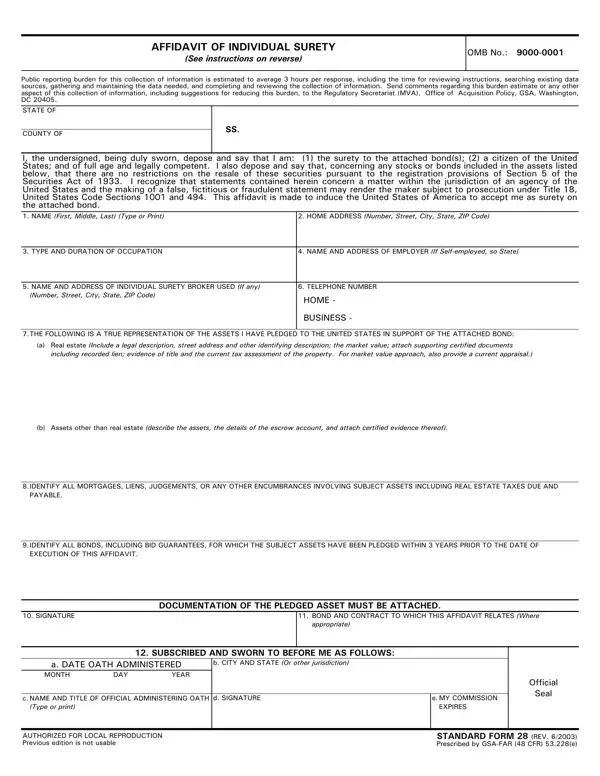

Standard Form 28 at a glance
What it is: Standard Form 28 is the Affidavit Of Individual Surety (See instructions on page 4).
Notary: The surety must have the completed form notarized.
Individual sureties on bonds executed in connection with Government contracts must complete and submit this form with the bond.
This affidavit is made to induce the United States of America to accept me as surety on the attached bond.
What to bring and attach to Standard Form 28
Documentation of the pledged asset must be attached.
Any person signing in a representative capacity (e.g., an attorney-in-fact) must furnish evidence of authority if that representative is not a member of a firm, partnership, or joint venture, or an officer of the corporation involved.
A filled-in Standard Form 28 example: an individual surety pledges a security
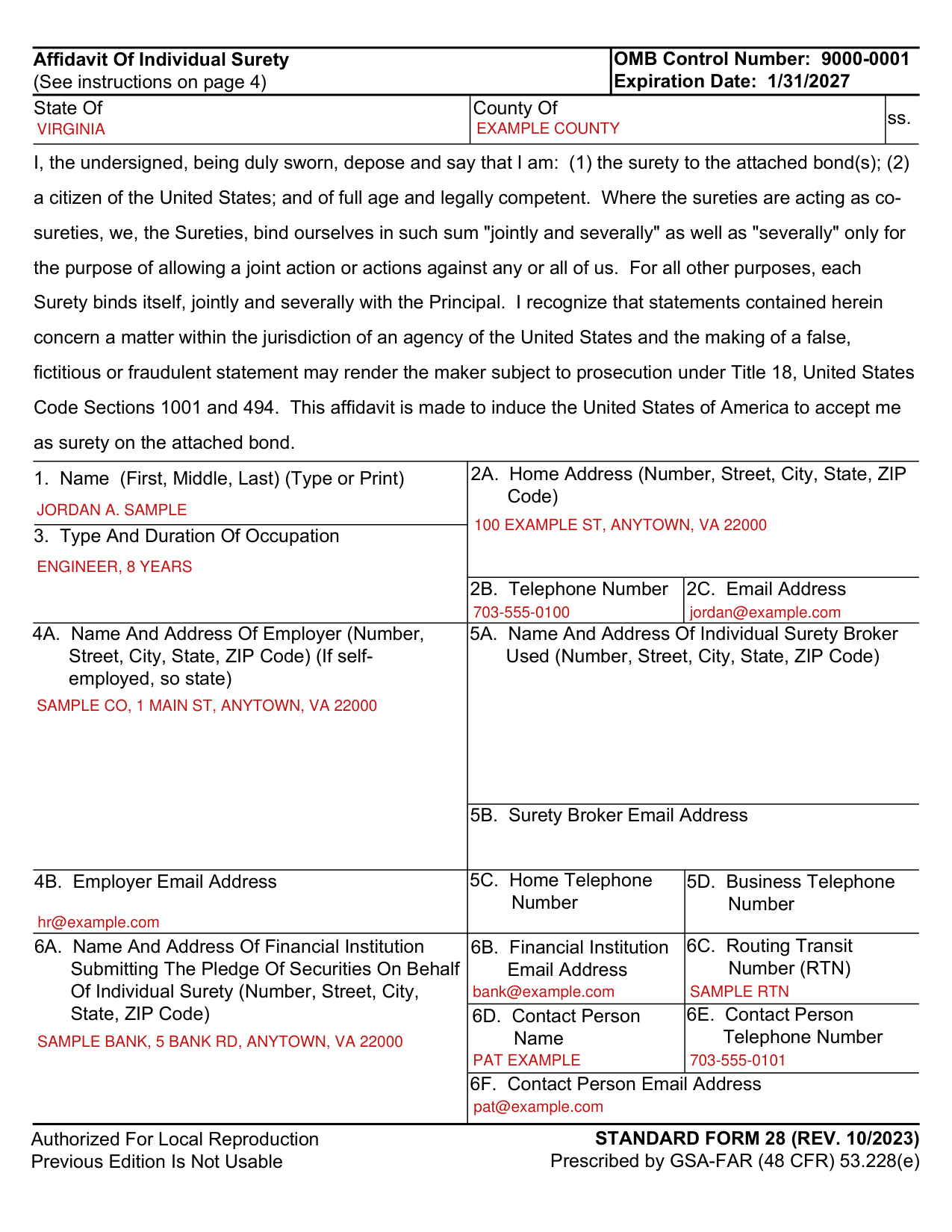
How to fill out Standard Form 28, box by box
Your name, address and occupation (1 to 3)
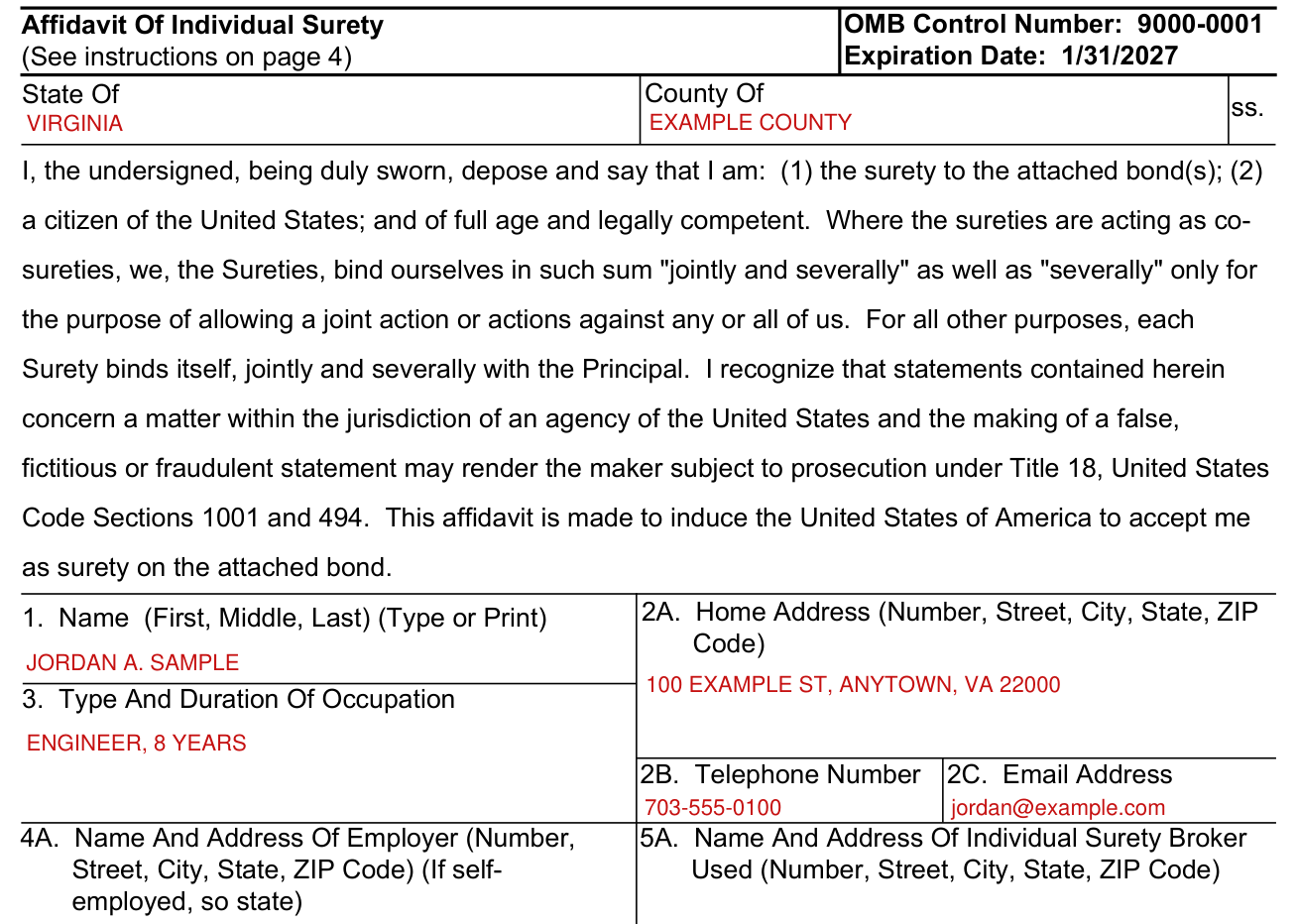
Enter your Name (First, Middle, Last) in box 1 (Type or Print) and your Home Address (Number, Street, City, State, ZIP Code) in box 2A.
Enter your Telephone Number in box 2B and your Email Address in box 2C.
Enter the Type And Duration Of Occupation in box 3.
Your employer (4A and 4B)
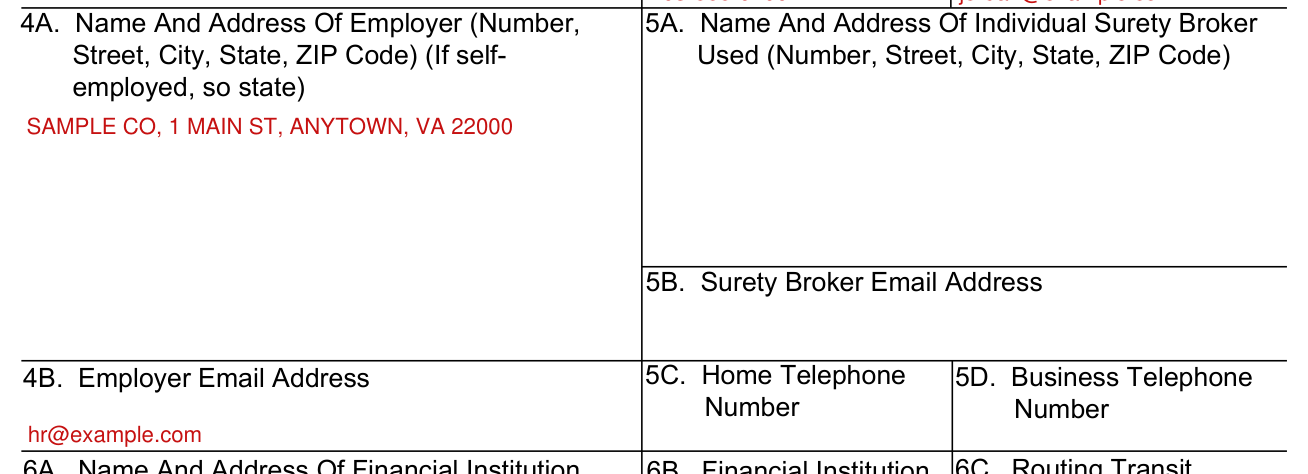
Enter the Name And Address Of Employer (Number, Street, City, State, ZIP Code) in box 4A (If self-employed, so state) and the Employer Email Address in box 4B.
Individual surety broker (5A to 5D)
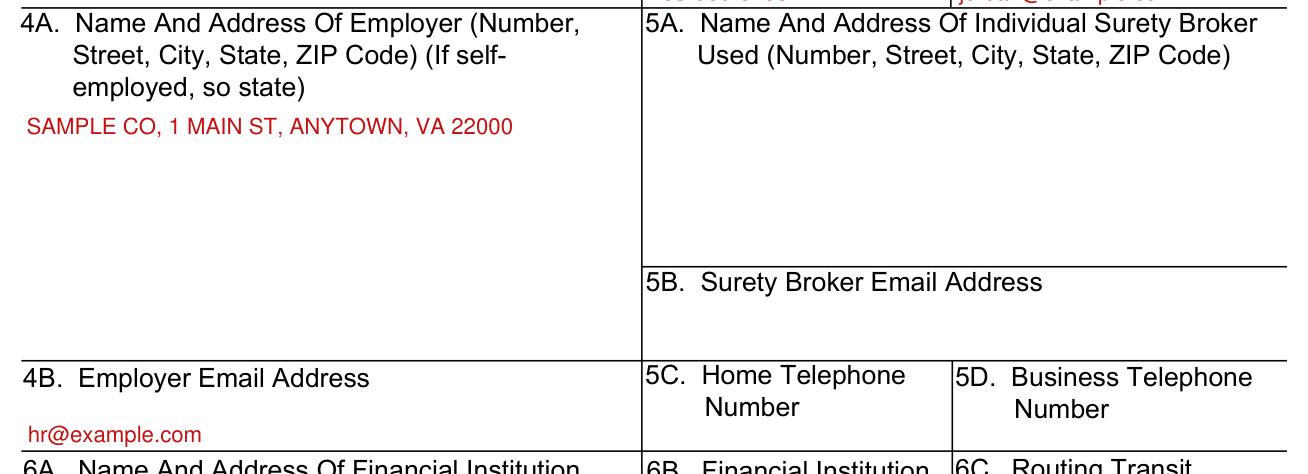
Enter the Name And Address Of Individual Surety Broker Used (Number, Street, City, State, ZIP Code) in box 5A and the Surety Broker Email Address in box 5B.
Enter the Home Telephone Number in box 5C and the Business Telephone Number in box 5D.
Financial institution submitting the pledge (6A to 6F)
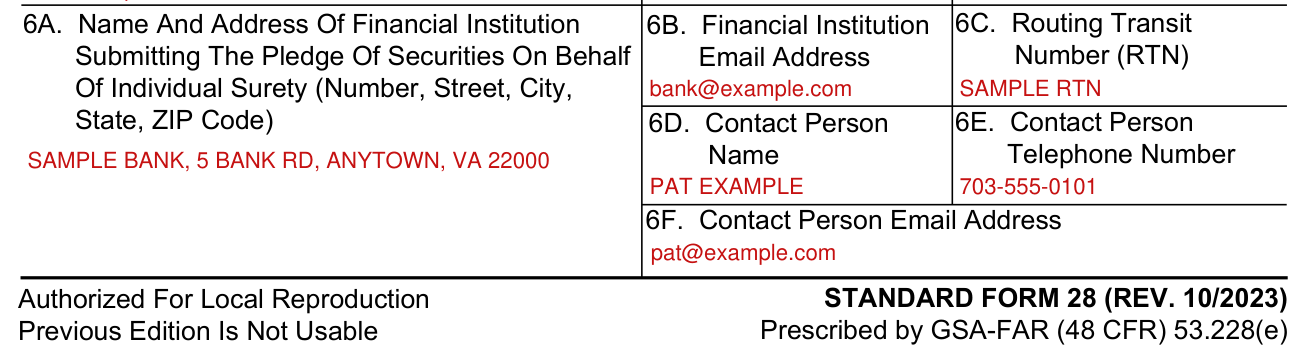
Enter the Name And Address Of Financial Institution Submitting The Pledge Of Securities On Behalf Of Individual Surety (Number, Street, City, State, ZIP Code) in box 6A, the Financial Institution Email Address in box 6B and the Routing Transit Number (RTN) in box 6C.
Enter the Contact Person Name in box 6D, the Contact Person Telephone Number in box 6E and the Contact Person Email Address in box 6F.
Pledged assets and encumbrances (7 and 8)
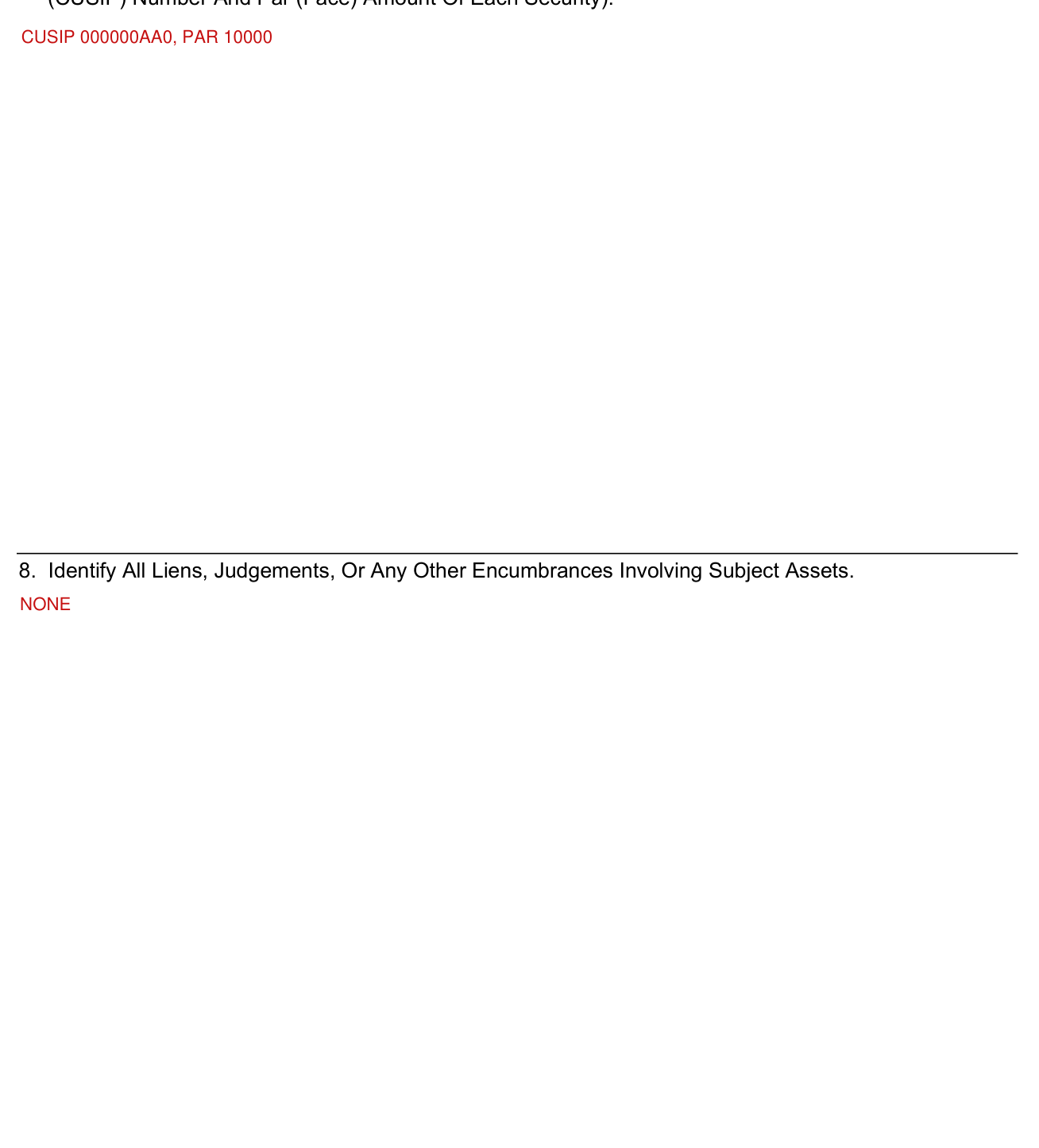
7. The following is a true representation of the assets I have pledged to the United States in support of the attached bond. (List The Committee On Uniform Securities Identification Procedures (CUSIP) Number And Par (Face) Amount Of Each Security).
8. Identify all liens, judgements, or any other encumbrances involving subject assets.
Prior bonds, signature and your bond (9 to 11)
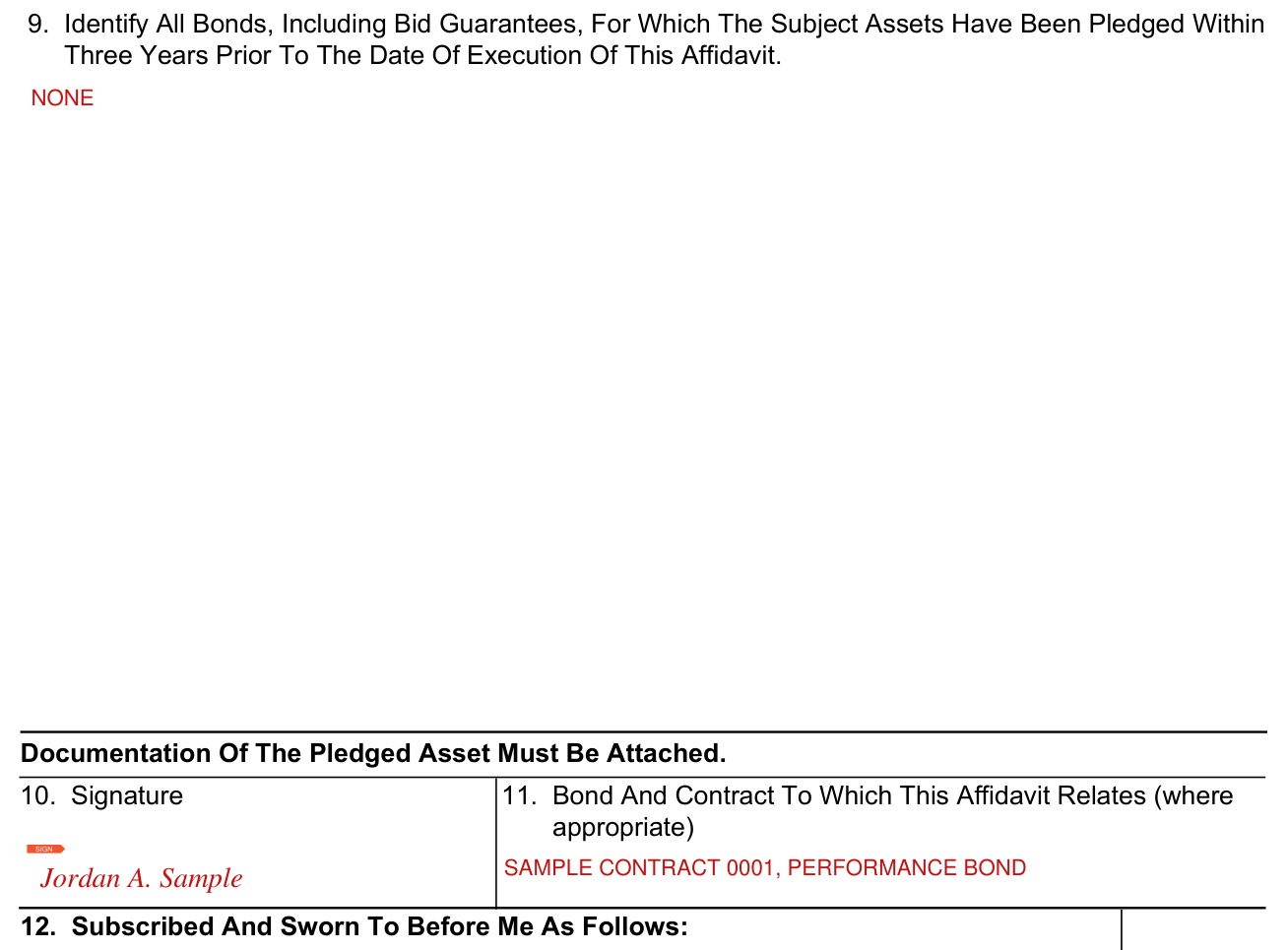
9. Identify all bonds, including bid guarantees, for which the subject assets have been pledged within three years prior to the date of execution of this affidavit.
10. Signature. 11. Bond And Contract To Which This Affidavit Relates (where appropriate).
Subscribed and sworn to before me (12)
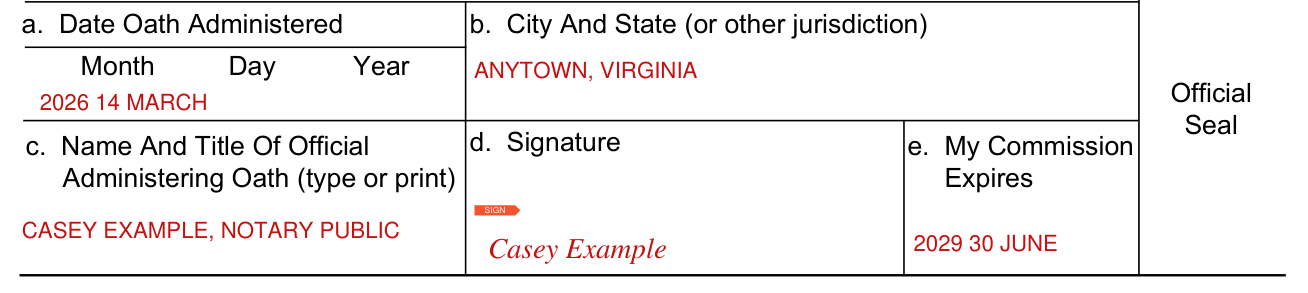
12. Subscribed And Sworn To Before Me As Follows: a. Date Oath Administered; b. City And State (or other jurisdiction); c. Name And Title Of Official Administering Oath (type or print); d. Signature; e. My Commission Expires.
More rules for Standard Form 28
Being duly sworn, you say that you are the surety to the attached bond(s), a citizen of the United States, and of full age and legally competent.
An authorized person must sign the bond.
United States citizenship is a requirement for individual sureties for contracts and bonds when the contract is awarded in the United States. However, when the Contracting Officer is located in an outlying area or a foreign country, the individual surety is only required to be a permanent resident of the area or country in which the contracting officer is located.
No corporation, partnership, or other unincorporated association or firm, as such, is acceptable as an individual surety (i.e. must be a natural person).
Likewise, members of a partnership are not acceptable as sureties on bonds that a partnership or an association, or any co-partner or member thereof, is the principal obligor.
An individual surety will not include any financial interest in assets connected with the principal on the bond that this affidavit supports.
Common questions about Standard Form 28
Does it need a notary?
The surety must have the completed form notarized.
Who signs it?
The surety signs box 10 (Signature), and the Official Administering Oath signs the Signature line. All signatures of the affidavit submitted must be originals. Affidavits bearing reproduced signatures are not acceptable.
Is there a penalty?
Statements in the affidavit concern a matter within the jurisdiction of an agency of the United States, and the making of a false, fictitious or fraudulent statement may render the maker subject to prosecution under Title 18, United States Code Sections 1001 and 494.
Sources
[1] Standard Form 28 (REV. 10/2023), Affidavit Of Individual Surety, U.S. General Services Administration (the Official source link on this page).