
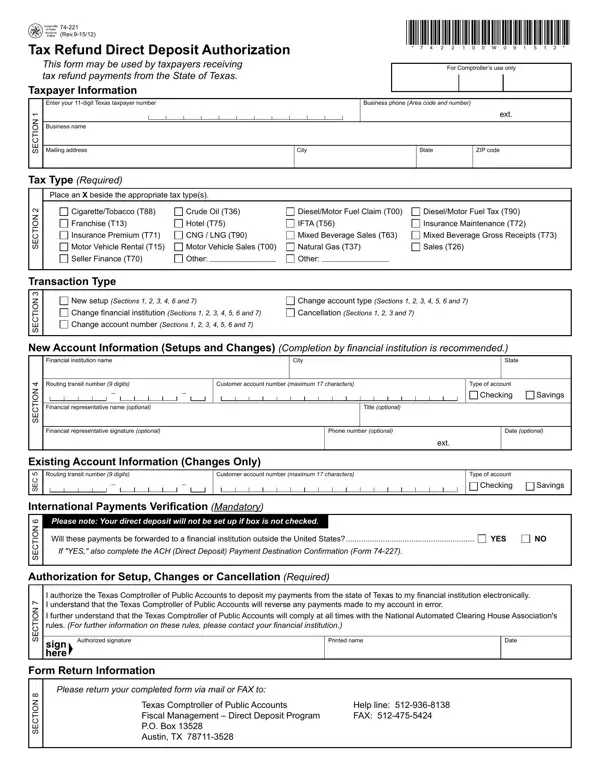
Taxpayers in Texas looking to receive their tax refund payments via direct deposit can utilize Form 74-221, a critical document for facilitating the process smoothly and securely. Officially titled "Tax Refund Direct Deposit Authorization," this form plays a pivotal role in streamlining transactions between taxpayers and the State of Texas. By accurately completing this form, taxpayers are required to provide essential details such as their 11-digit Texas taxpayer number, business name, mailing address, and the specific type of tax refund they are claiming. Moreover, the form divides its requirements into sections detailing taxpayer information, tax type, transaction type, new and existing account information for setups or changes, and verification for international payments, underscoring the necessity of thoroughness to ensure accurate processing. The authorization section mandates a taxpayer's agreement to let the Texas Comptroller of Public Accounts deposit tax refunds directly into their bank accounts, highlighting the importance of complying with the National Automated Clearing House Association's rules. Furthermore, the form provides instructions on rights to review, request, and correct information, ensuring taxpayers are well-informed of their entitlements under the Government Code while facilitating a secure and efficient refund process.
| Question | Answer |
|---|---|
| Form Name | Texas Form 74 221 |
| Form Length | 2 pages |
| Fillable? | No |
| Fillable fields | 0 |
| Avg. time to fill out | 30 sec |
| Other names | form 74 221 tax refund direct deposit authorization proseries, Prenote, Comptrollers, T15 |
Texas Form 74 221 isn’t the one you’re looking for?