

State Form 54668 at a glance
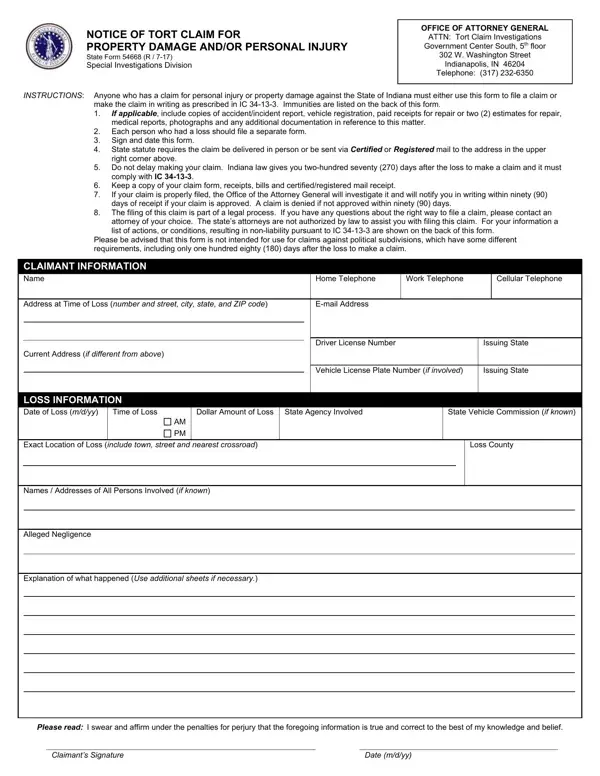
What it is: State Form 54668 is the Notice of Tort Claim for Property Damage and/or Personal Injury of the Special Investigations Division.
Who signs: Sign and date this form at Claimant's Signature and the Date (m/d/yy).
Anyone who has a claim for personal injury or property damage against the State of Indiana must either use this form to file a claim or make the claim in writing as prescribed in IC 34-13-3.
Each person who had a loss should file a separate form.
What to bring and attach to State Form 54668
If applicable, include copies of accident/incident report, vehicle registration, paid receipts for repair or two (2) estimates for repair, medical reports, photographs and any additional documentation in reference to this matter.
A filled-in State Form 54668 example: a claim for a damaged fence
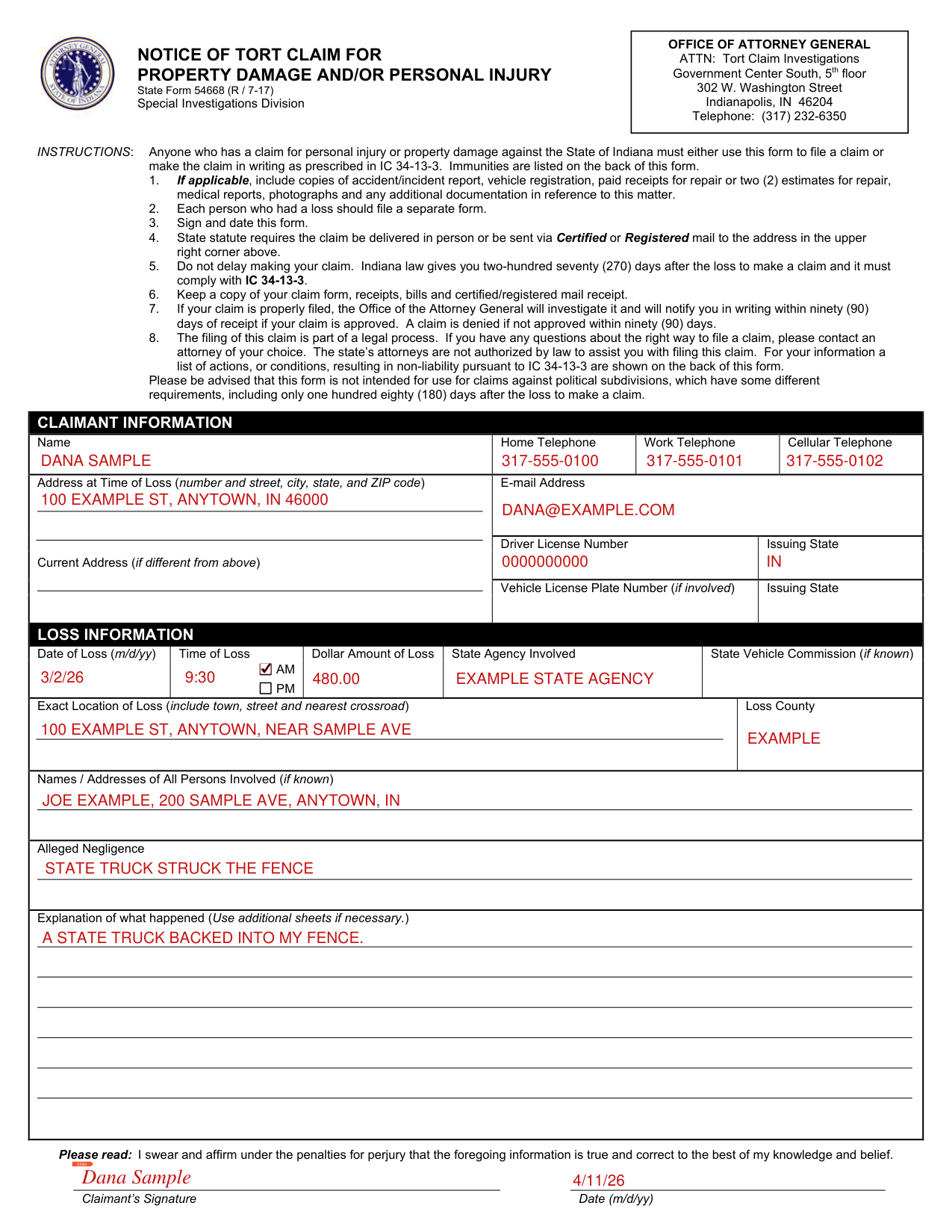
How to fill out State Form 54668, box by box
CLAIMANT INFORMATION
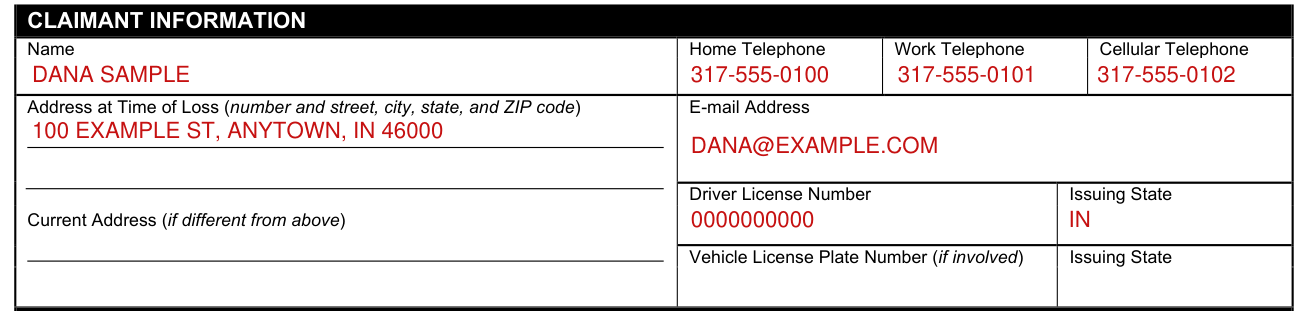
Under CLAIMANT INFORMATION, enter Name, Home Telephone, Work Telephone, Cellular Telephone and Address at Time of Loss (number and street, city, state, and ZIP code).
Enter E-mail Address, Driver License Number with Issuing State, Current Address (if different from the Address at Time of Loss) and Vehicle License Plate Number (if involved) with Issuing State.
LOSS INFORMATION
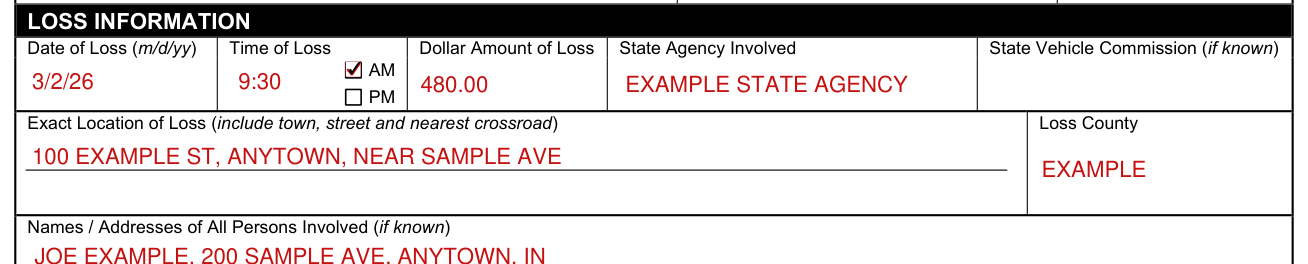
Under LOSS INFORMATION, enter Date of Loss (m/d/yy), Time of Loss, Dollar Amount of Loss, State Agency Involved and State Vehicle Commission (if known).
Enter the Exact Location of Loss (include town, street and nearest crossroad) and the Loss County.
Names / Addresses of All Persons Involved, Alleged Negligence and Explanation of what happened
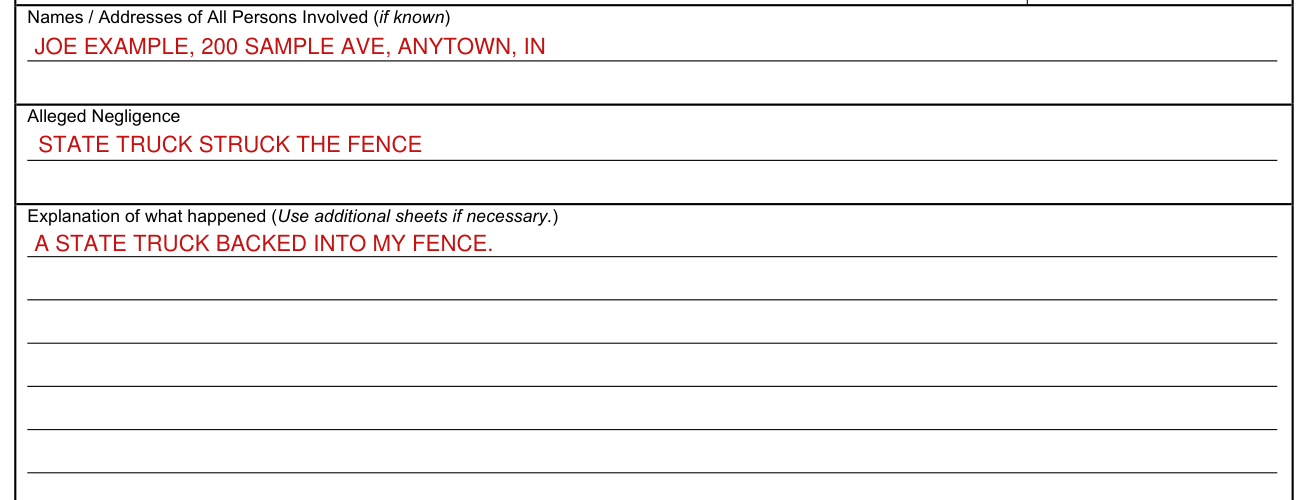
Enter Names / Addresses of All Persons Involved (if known) and the Alleged Negligence.
Enter the Explanation of what happened (Use additional sheets if necessary.)
SIGN

By signing Claimant's Signature, you swear and affirm under the penalties for perjury that the information on the form is true and correct to the best of your knowledge and belief. Enter the Date (m/d/yy).
More rules for State Form 54668
Do not delay making your claim.
Keep a copy of your claim form, receipts, bills and certified/registered mail receipt.
If your claim is properly filed, the Office of the Attorney General will investigate it and will notify you in writing within ninety (90) days of receipt if your claim is approved. A claim is denied if not approved within ninety (90) days.
If you have any questions about the right way to file a claim, please contact an attorney of your choice. The state's attorneys are not authorized by law to assist you with filing this claim.
Common questions about State Form 54668
Who signs it?
Sign and date this form at Claimant's Signature and the Date (m/d/yy).
Is there a deadline?
Indiana law gives you two-hundred seventy (270) days after the loss to make a claim and it must comply with IC 34-13-3.
Where do I file it?
The claim must be delivered in person or be sent via Certified or Registered mail to OFFICE OF ATTORNEY GENERAL ATTN: Tort Claim Investigations Government Center South, 5th floor 302 W. Washington Street Indianapolis, IN 46204.
When is this form not the right one?
This form is not intended for use for claims against political subdivisions, which have some different requirements, including only one hundred eighty (180) days after the loss to make a claim.
Sources
[1] State Form 54668, Notice of Tort Claim for Property Damage and/or Personal Injury, Office of Attorney General, State of Indiana (the Official source link on this page).