Please rate Ucc 1 308 Form

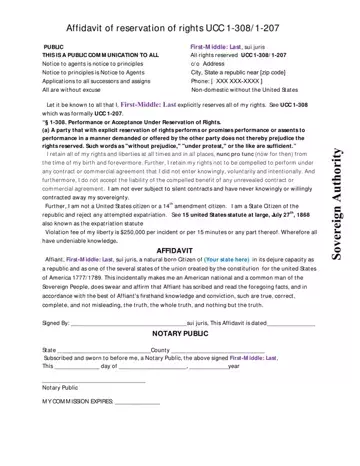
Navigating through legal assertions and reservations of rights in contracts and engagements with governmental or commercial entities, individuals increasingly explore the legal instrument known as the UCC 1-308/1-207 form. This tool, rooted in the Uniform Commercial Code—a comprehensive set of laws governing all commercial transactions in the United States—provides a means for individuals to explicitly reserve their rights when entering into agreements or transactions where terms are dictated or offered by another party. By stating phrases like "without prejudice," "under protest," or equivalent terminology, one does not waive their reserved rights, as per the guidelines specified in UCC 1-308, previously recognized as UCC 1-207. This affidavit of reservation of rights stands as a powerful declaration, enabling individuals to retain their sovereignty, reject undisclosed contracts, and assert their freedom from compelled performance under contracts that were not entered into knowingly, voluntarily, and intentionally. It emphatically declares an individual’s status beyond the bounds of conventional commercial codes and citizenship definitions, spotlighting a refusal to accept unsolicited liabilities and a firm stance on personal liberty and sovereignty. The encoded message, reinforced by a violation fee for any liberty infringements, underscores the form's intent to safeguard personal rights and freedoms. Such a document, when duly filled and affirmed by a notary, serves as an unequivocal notice to all entities about the declarant’s reserved rights and their unwavering commitment to uphold them.
| Question | Answer |
|---|---|
| Form Name | UCC 1-308 Form |
| Form Length | 2 pages |
| Fillable? | Yes |
| Fillable fields | 13 |
| Avg. time to fill out | 3 min 6 sec |
| Other names | ucc law section 1 207 1 308, ucc 1 308 form, ucc 1 308 on drivers license, ucc law sections 1 207 and 1 308 |
UCC 1-308 Form isn’t the one you’re looking for?
Please rate Ucc 1 308 Form
