
Univita Form PDF Details

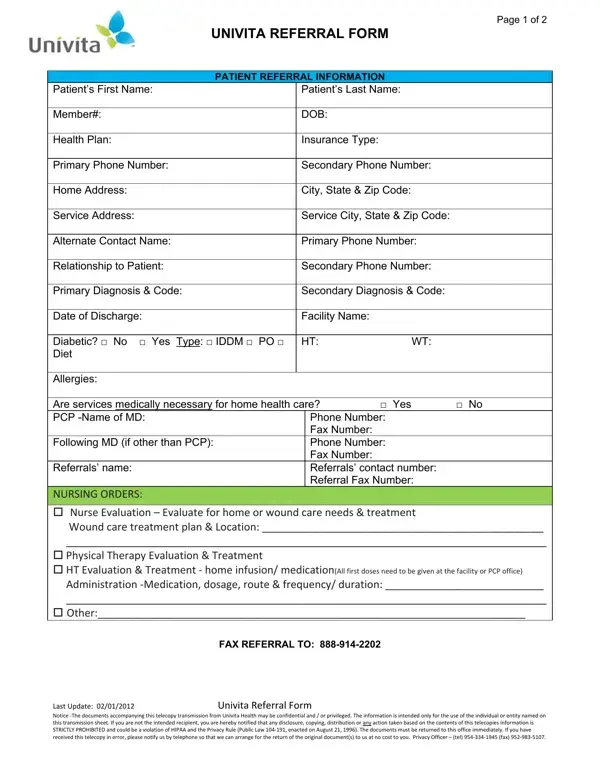
The Univita Referral Form serves as a critical tool in the healthcare industry, streamlining the process of referring patients for various services. Spanning over two pages, this document is meticulously designed to capture essential information about a patient, including personal details, health plan, insurance type, and contact information. It goes further to inquire about the patient's primary and secondary diagnoses, diabetes status, and the need for medical equipment at home, thereby offering a comprehensive overview necessary for facilitating personalized care. In addition, the form asks for details on the referring physician, the primary care provider, and any nursing or pharmacy orders, ensuring that all medical needs are communicated effectively. Specific sections are dedicated to the type of services required, such as evaluations for home or wound care needs, physical therapy, and HT evaluation and treatment. The form also includes a section for physician attestation, signifying the accuracy and medical necessity of the orders. The careful construction of this form, last updated in early 2012, reflects a keen awareness of the importance of confidentiality and compliance with HIPAA regulations, emphasizing the secure handling of personal health information. This document not only facilitates efficient communication between healthcare providers but also underscores the commitment to patient privacy and the meticulous adherence to legal standards.

QuestionAnswer
Form NameUnivita Form
Form Length2 pages
Fillable?No
Fillable fields0
Avg. time to fill out30 sec
Other namesUnivita Universal Referral Form 02012012 univita form

How to Edit Univita Form Online for Free

Working with PDF files online is actually a breeze using our PDF editor. Anyone can fill in Univita Form here painlessly. The editor is constantly maintained by our team, acquiring useful features and turning out to be greater. Here's what you will have to do to get going:

Step 1: Click on the orange "Get Form" button above. It's going to open our pdf editor so you can begin completing your form.

Step 2: As you open the PDF editor, you will find the document prepared to be completed. Other than filling out different blank fields, you might also do some other things with the Document, namely adding any text, modifying the initial text, adding images, placing your signature to the PDF, and more.

It is actually straightforward to fill out the form following our detailed tutorial! Here's what you should do:

1. Start completing the Univita Form with a selection of major fields. Consider all the information you need and be sure absolutely nothing is forgotten!

Univita Form completion process outlined (part 1)

2. The third stage would be to complete all of the following fields: Diabetic No Yes Type IDDM PO, Phone Number Fax Number Phone, Referrals name, NURSING ORDERS Nurse Evaluation, FAX REFERRAL TO, and Last Update Univita Referral Form.

A way to complete Univita Form part 2

3. The following section should be quite simple, PHARMACY ORDERS Medications, Length of Need, NOTE For Oxygen Orders please, Liter Flow per Minute, Route Nasal Cannula simple mask or, Date of last patient encounter MM, and Hours of use continuous with - these fields is required to be filled in here.

Route Nasal Cannula simple mask or, NOTE For Oxygen Orders please, and Liter Flow per Minute of Univita Form

It is possible to make errors while completing the Route Nasal Cannula simple mask or, and so you'll want to take a second look before you decide to submit it.

4. The next paragraph will require your information in the following areas: Hours of use continuous with, Oxygen Saturation or PO results, Attach all history physical, medication list, SECTION C Physician Attestation, I certify that I am the treating, FAX REFERRAL TO, and Last Update Univita Referral Form. Make sure that you give all of the needed information to move onward.

Part number 4 for completing Univita Form

Step 3: After you have looked once more at the information you given, click on "Done" to complete your FormsPal process. Sign up with us right now and instantly access Univita Form, available for downloading. All changes you make are saved , so that you can edit the form later when required. We do not share any details that you provide while filling out documents at our website.