Please rate Usar Form 75 R

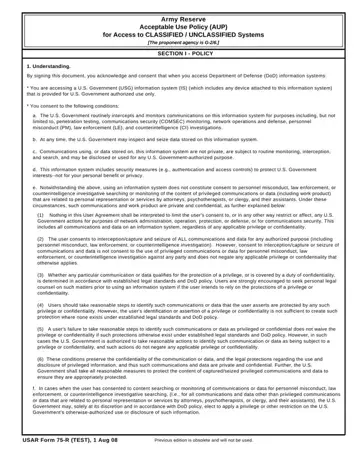
In today's digital age, understanding and adhering to the Army Reserve Acceptable Use Policy (AUP) for Access to CLASSIFIED / UNCLASSIFIED Systems is paramount for those who access Department of Defense (DoD) information systems. The USAR 75 R form lays down comprehensive guidelines on the utilization and monitoring of these systems. When individuals sign this document, they acknowledge their responsibility to safeguard information and follow stringent rules designed to protect national security and personal privacy. This form details the government's right to monitor and inspect communications for a variety of purposes, including but not limited to security breaches, law enforcement, and counterintelligence investigations. Moreover, it emphasizes the importance of protecting classified information and the consequences of introducing such information to unclassified networks. Access to DoD information systems is granted for official and authorized use, underscoring the necessity for users to undergo proper training and follow best practices for information security. The policy rigorously defines acceptable and unacceptable uses of the system, highlighting that all actions performed within these systems can be monitored and are possibly subject to legal scrutiny. By signing the form, users confirm their understanding of these conditions and accept responsibility for their actions, which is essential for maintaining operational security and personal accountability within the Army Reserve network.
| Question | Answer |
|---|---|
| Form Name | Usar Form 75 R |
| Form Length | 4 pages |
| Fillable? | No |
| Fillable fields | 0 |
| Avg. time to fill out | 1 min |
| Other names | 75 r army aup, usar 75 r, 75r acceptable use policy, usar form 75 r |
Usar Form 75 R isn’t the one you’re looking for?
Please rate Usar Form 75 R
