Please rate Usps Domestic Claim

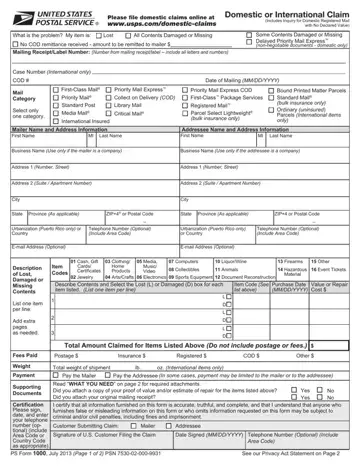
When individuals or businesses experience issues with their mail delivery, such as lost, damaged, or delayed packages, the USPS Domestic Claim form becomes a critical tool for resolution. This form, used for filing claims for both domestic and international issues, is designed to facilitate reimbursements or resolutions by the United States Postal Service (USPS). It covers a range of services including Priority Mail Express™, First-Class Mail®, and Registered Mail™, among others. The form requests detailed information about the sender and recipient, the type of mail service used, and a description of the contents and their value. Additionally, it highlights the importance of retaining original mailing receipts and any proof of value or repair estimates, which are essential for processing claims. Promoting online submissions for faster service, the USPS aims to streamline the claim process while ensuring users retain copies of all submitted documents for their records. Notably, the form also outlines specific time limits for filing claims based on the type of service used, emphasizing the need for timely action by customers facing delivery issues.
| Question | Answer |
|---|---|
| Form Name | Usps Domestic Claim |
| Form Length | 2 pages |
| Fillable? | No |
| Fillable fields | 0 |
| Avg. time to fill out | 30 sec |
| Other names | usps claims, usps claim form printable, usps form claim, usps form 1000 |
USPS Domestic Claim Form isn’t the one you’re looking for?
Please rate Usps Domestic Claim
