Please rate Va Form 21 509 May 2024

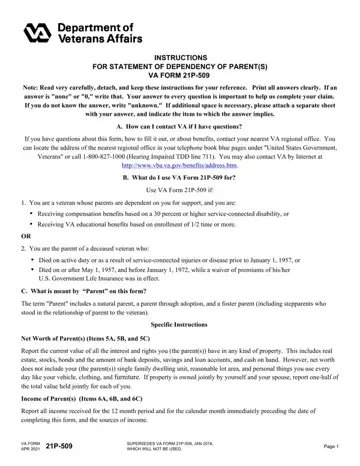
Navigating the intricacies of veterans' benefits and ensuring the welfare of their dependent parents, the VA Form 21P-509, also known as the Statement of Dependency of Parent(s), emerges as a pivotal document. This form serves as a resource for veterans who are either receiving compensation benefits due to a disability rated at 30 percent or higher or are enrolled in VA educational benefits and wish to declare their parents as dependents for benefits purposes. Additionally, it caters to the needs of parents whose child, a veteran, has passed away either on active duty or due to service-connected injuries or diseases, under specific conditions outlined by the Department of Veterans Affairs. The form meticulously requires information regarding the parents' net worth, income, and expenses, acknowledging various sources and types of income and assets, while emphasizing the exclusion of daily necessities such as clothing and personal vehicles from the net worth calculation. The instructions underscore the criticality of honest and accurate information provision, offering guidance on how to contact the VA for questions, the significance of each section, and the legal implications of submitting false statements. Furthermore, it highlights the confidentiality of responses and the use of provided information in accordance with privacy laws and routine uses specified by the VA, demonstrating the form's role in a comprehensive process designed to ensure dependent parents of veterans receive the support and benefits they are entitled to.
| Question | Answer |
|---|---|
| Form Name | Va Form 21 509 |
| Form Length | 4 pages |
| Fillable? | Yes |
| Fillable fields | 135 |
| Avg. time to fill out | 1 min |
| Other names | form 21 509, 21 509 va form, va form 21 509 statement of dependency, va 509 form |
Va Form 21 509 isn’t the one you’re looking for?
Please rate Va Form 21 509 May 2024
