Please rate Va Form Disabled 28 8890 Dec 2026

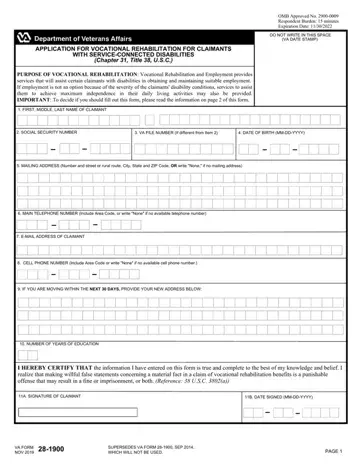
The VA Disabled 28 8890 form is an essential document for veterans seeking vocational rehabilitation services due to service-connected disabilities. It serves as an application that allows veterans to access a range of support and resources aimed at helping them achieve meaningful employment or gain independence in daily living activities if employment is not feasible due to the severity of their disabilities. This form is a bridge for veterans to communicate their needs and eligibility for vocational rehabilitation under Chapter 31, Title 38, U.S.C., providing a systematic approach to determine their entitlement to these benefits. The VA requires claimants to provide detailed information, including personal identification, contact details, and an outline of their educational background, ensuring a comprehensive evaluation process by a VA Vocational Rehabilitation Counselor (VRC). The VRC assesses whether the veteran meets the necessary entitlement requirements and assists in developing a personalized plan of services. This plan can include training, employment services, and other support designed to achieve the veteran's employment goals or enhance their independence. Special emphasis is placed on the privacy of the applicant, with strict adherence to the guidelines set by the Privacy Act of 1974 to protect the claimants' information. The commitment to aiding veterans is further demonstrated by the provision of additional support like tuition, fees, and a monthly subsistence allowance, facilitating a smoother transition towards rehabilitation and eventual employment or self-sufficiency. Completing the VA Disabled 28 8890 form is a critical step for veterans to utilize the benefits they're entitled to, enabling them to embark on new career paths or improve their quality of life.
| Question | Answer |
|---|---|
| Form Name | Va Form Disabled 28 8890 |
| Form Length | 3 pages |
| Fillable? | Yes |
| Fillable fields | 44 |
| Avg. time to fill out | 30 sec |
| Other names | va forms voc rehab and employment, va form 28 1900, va form 28 0588, va vocational rehabilitation application |
Va Form Disabled 28 8890 isn’t the one you’re looking for?
Please rate Va Form Disabled 28 8890 Dec 2026
