
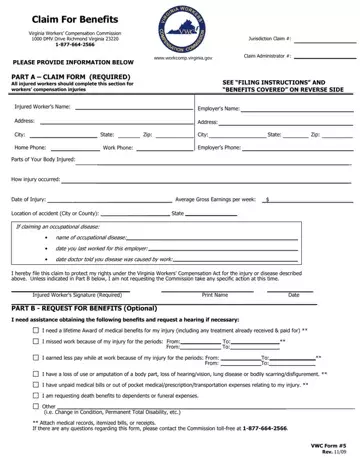
Navigating the complexities of workers' compensation claims in Virginia demands a thorough understanding of the necessary forms and procedures. Among these, the Claim for Benefits form, also known as VWC Form #5, serves a critical role in the process. This document facilitates the initiation of a claim with the Virginia Workers' Compensation Commission, located at 1000 DMV Drive, Richmond, Virginia. To ensure the protection of rights under the Virginia Workers' Compensation Act, injured workers are encouraged to complete the form, which covers key information such as personal details, the nature of the injury or occupational disease, and specifics about the employment and incident. The form is divided into two main sections: Part A, which is mandatory for all claimants to fill out to describe their injury or disease, and Part B, which is optional and is used to request specific benefits or a hearing if necessary. The instructions emphasize the importance of submitting medical records to support the work-related nature of the injury or disease and outline the steps to request subpoenas for obtaining these records if necessary. Moreover, the form outlines various benefits covered under the Act, including lifetime medical benefits, wage loss replacement, permanent disability compensations, and even death benefits for dependents. A proper submission of the VWC Form #5 within the stipulated deadline is paramount for individuals seeking to secure their rights and receive the compensation they're entitled to.
| Question | Answer |
|---|---|
| Form Name | Vwc Form 5 |
| Form Length | 2 pages |
| Fillable? | No |
| Fillable fields | 0 |
| Avg. time to fill out | 30 sec |
| Other names | workcomp virginia gov insurance investigations, workcomp virginia, claim form, form |
