
Updated:
A conditional lien release is a lien waiver that depends on payment. Our free template covers one progress payment, and you can fill it online or download the PDF. Contractors use it when a progress payment has not yet cleared.
Build Your Document
Answer a few simple questions to make your document in minutes
Save and Print
Save progress and finish on any device, download and print anytime
Sign and Use
Your valid, lawyer-approved document is ready
A conditional release form is a contractor’s signed statement giving up lien rights for a named payment, and it takes effect only if that payment actually arrives. Many people call it a conditional lien waiver or a conditional waiver and release, and on this page those names mean the same document.
A statutory example shows how the condition reads. The Arizona form in A.R.S. § 33-1008 says that “when the check has been properly endorsed and has been paid by the bank on which it is drawn, this document becomes effective to release any mechanic’s lien.”
The release does not replace the work contract. It sits beside the contract and points to it by date on the Contract line.
A military conditional release is a different document. This page covers only construction payments.
This page offers the conditional release form in two ways: build it with the online builder, or download the PDF and fill it in with the FormsPal PDF editor. Both routes lead to a finished form you can print and sign.
The builder asks for each answer in turn. The PDF suits anyone who wants a blank lien waiver to complete at their own pace.
| Document Name | Conditional Contractor’s Lien Release Form |
| Other Names | Conditional Lien Waiver, Conditional Waiver and Release |
| Avg. Time to Fill Out | 7 minutes |
| # of Fillable Fields | 14 |
| Available Formats | Adobe PDF |
The contractor owed the payment signs a contractor lien release form, and the party paying collects it. A.R.S. § 33-1008 and Tex. Prop. Code § 53.281 both look for the signature of the claimant or the claimant’s authorized agent.
Use a conditional lien waiver when you are asked to sign before the money is in your hands, such as a progress payment on its way or a check that has not cleared. Paying in stages is the usual setting, because each payment can come with its own release.
Arizona ties its conditional form to the same situation. A.R.S. § 33-1008 applies that form when “the claimant is not in fact paid in exchange for the waiver and release or a single payee check or joint payee check is given in exchange for the waiver and release.”
Example: a framing company bills $12,500 for a finished stage of a house. The general contractor wants a signed release before handing over the check. The company signs a conditional release for $12,500. On the Arizona form in A.R.S. § 33-1008, the release takes effect only when the check has been properly endorsed and paid by the bank, so an unpaid check does not make it effective.
This page does not cover lien notice or filing deadlines, so check your state’s lien law for those separately.
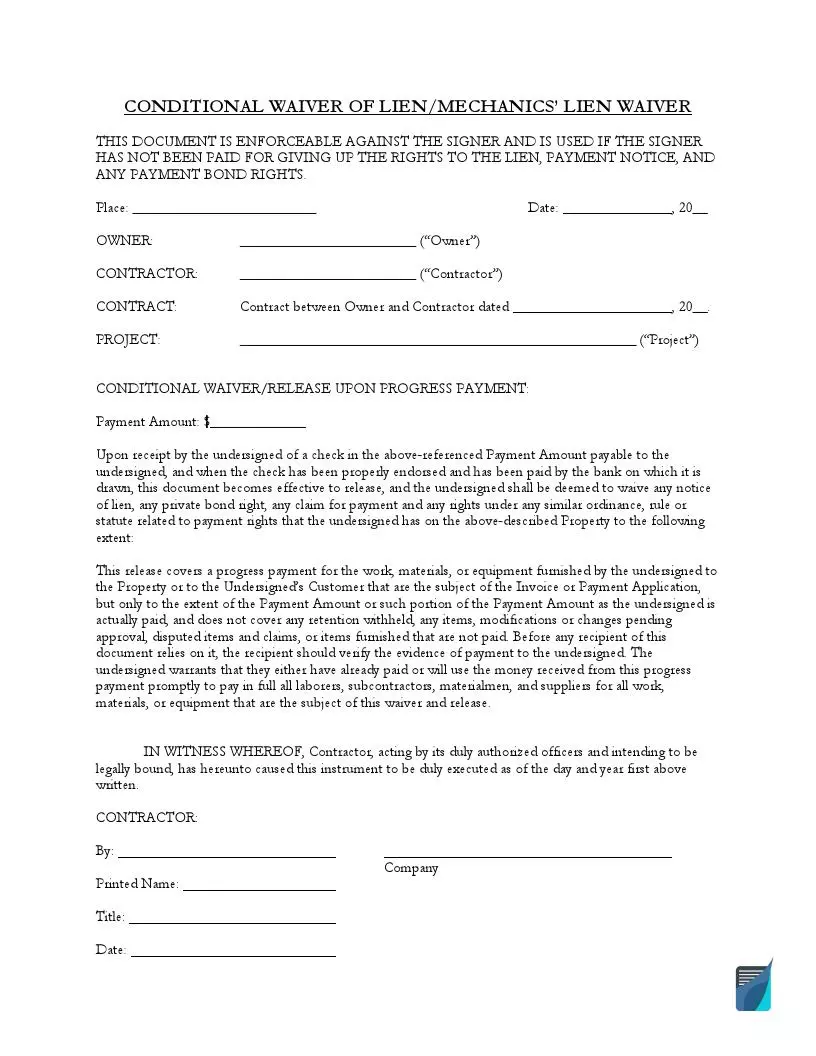
The FormsPal template on this page is the progress payment version: its heading reads Conditional Waiver/Release Upon Progress Payment, and it has one Payment Amount line. A progress release goes with a payment made while work continues, and a final release goes with the last payment on the job.
Do not use this template unchanged for a last payment. Arizona treats the two as separate documents: A.R.S. § 33-1008 prints one conditional form for a progress payment and another for a final payment.
A conditional lien release depends on the payment arriving, while an unconditional lien release gives up the rights it names whether or not you were paid. Choose by where your payment stands today.
| Point | Conditional release | Unconditional release |
|---|---|---|
| Fits when | The payment has not reached you yet | The money is already in your account |
| Takes effect | When the named payment is made | When you sign it |
| If the payment fails | Your lien rights for that payment are not released | The Arizona notice in A.R.S. § 33-1008 warns: “This document is enforceable against you if you sign it, even if you have not been paid.” |
| On this page | Yes, for a progress payment | No |
A conditional release does not guarantee that you will be paid. It only limits what you give up until the payment comes through.
Texas protects claimants from being pushed into the unconditional kind. Under Tex. Prop. Code § 53.283, a person may not require a claimant to execute an unconditional waiver and release for a progress payment or final payment amount unless the claimant received payment in that amount in good and sufficient funds.
Arizona, Texas and Florida each address conditional lien waivers by statute, and their rules differ, so read your state’s section before you rely on any template. The table covers these three states only.
| State | What the statute says | Citation |
|---|---|---|
| Arizona | A waiver and release works only if it follows substantially one of the section’s forms and is signed by the claimant or an authorized agent. A conditional release also needs evidence of payment to the claimant. | A.R.S. § 33-1008 |
| Texas | A waiver and release works only if it substantially complies with a form in § 53.284 and is signed by the claimant or an authorized agent. A conditional release also needs evidence of payment to the claimant. | Tex. Prop. Code § 53.281 and Tex. Prop. Code § 53.284 |
| Florida | Fla. Stat. § 713.20 says a person may not require a lienor to furnish a waiver different from the section’s progress and final forms. A lienor who signs in exchange for a check may condition the waiver on payment of the check, but without a payment bond protecting the owner, the owner may withhold the amount of an unpaid check until that condition is satisfied. A waiver not substantially similar to those forms is enforceable according to its own terms. | Fla. Stat. § 713.20 |
The FormsPal template is a general form, and its blanks differ from the Arizona and Texas forms. The forms in A.R.S. § 33-1008 and Tex. Prop. Code § 53.284 have blanks for the maker and the payee of the check, and the template has one Payment Amount line instead. On an Arizona or Texas job, use the form printed in A.R.S. § 33-1008 or Tex. Prop. Code § 53.284 instead, because under A.R.S. § 33-1008 and Tex. Prop. Code § 53.281 a waiver and release works only if it substantially follows one of those forms and is signed by the claimant or an authorized agent, and, for a conditional release, only if there is evidence of payment to the claimant.
These rules have exceptions for some settlements. A.R.S. § 33-1008 and Tex. Prop. Code § 53.287 both set apart an accord and satisfaction of a dispute and certain agreements about a pending court action. The Arizona exception in A.R.S. § 33-1008 applies only if the agreement makes specific reference to the mechanic’s lien or bond claims.
A state missing from this table is not a state with no rule: this page simply does not cover it. Check your own state’s lien law or ask a lawyer before you rely on this template there.
Proof of payment for a conditional release can take two forms under A.R.S. § 33-1008: the claimant’s endorsement on a single or joint payee check paid by the bank on which it was drawn, or a written acknowledgment of payment given by the claimant.
To fill out a conditional waiver and release on progress payment, complete the three blocks of the FormsPal template in order: the parties and project, the payment amount, and the contractor signature. If you need professional help with the form, it is best to seek legal advice.
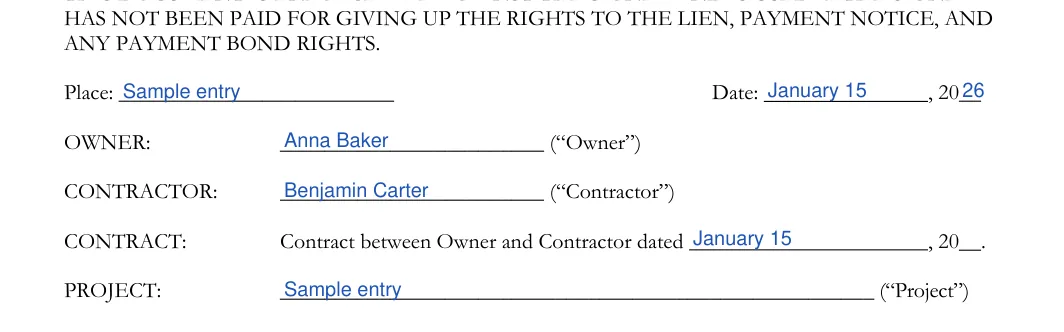
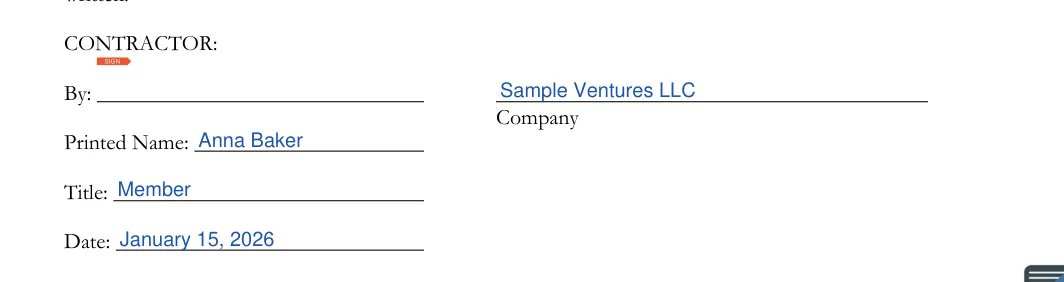
The screenshots under each step show the FormsPal Conditional Contractor’s Lien Release template filled with sample entries in blue, so you can see where each answer goes. The names, addresses, dates and amounts are examples only.
Fill in the place, date, parties, contract date and project
At the top of the form, enter the Place and the Date. Next, type the Owner and the Contractor. On the Contract line, enter the date of the contract between them. On the Project line, describe the job in a few words.

Enter the payment amount
Under the progress payment heading, type the dollar amount on the Payment Amount line. Read the printed release paragraph under it before you sign. It has no blanks to fill in.


Complete the contractor signature block
Under CONTRACTOR, enter the Company name, then sign on the By line. Add the Printed Name and the Title. Under the signature, enter the date of signing as day, month and year.

Sign the conditional lien release only after checking it against your own records, then send a copy to the party paying you and keep a signed copy with your proof of payment. Follow these steps in order, so the signed copy and the payment record match.
Check the Form
Compare the owner and contractor names, the contract date, the project and the payment amount with your own records.
Sign the Document
After filling in all the fields, you must sign the form.

Keep and Share Copies
Keep a signed copy with your payment records. Send a copy to the other party and note the date you sent it.
The party receiving the form has a step too. The Arizona form in A.R.S. § 33-1008 tells any recipient to “verify evidence of payment” before relying on it.
Most problems with a conditional lien waiver come from picking the wrong kind of release or from a mismatch between the form and the payment.
A conditional waiver and release on progress payment means the signer gives up lien rights for the work a progress payment covers, but only once that payment is made. The form’s own words set that scope. The Arizona form in A.R.S. § 33-1008 covers work furnished through a stated date only and “does not cover any retention, pending modifications and changes or items furnished after that date.” The Texas form in Tex. Prop. Code § 53.284 covers what the attached statements or progress payment requests indicate, “except for unpaid retention, pending modifications and changes, or other items furnished.” Read the printed release paragraph on the FormsPal template to see what it covers.
A conditional lien waiver has no notary condition in A.R.S. § 33-1008 or Tex. Prop. Code § 53.281, and the FormsPal template has no notary line. A separate homeowner notice in Tex. Prop. Code § 53.255 does tell a Texas homeowner who receives a notice of claim not to release withheld funds without “a signed and notarized release of lien and claim,” so a homeowner may ask for one. This page does not cover the rules of other states.
The signed conditional lien release goes to the party paying you, and you keep a copy with your payment records. This page does not cover recording or filing in any state.
No, this is a FormsPal template, and it did not come from any state agency, California’s Contractors State License Board included. This page does not cover California’s rules.
This page offers only the conditional progress payment template, so an unconditional lien waiver form is not here. See the other documents on our mechanic’s lien release form page or the wider release of liability form page.
Keep the signed release and your proof of payment together in one place, along with a note of when you sent the form:
General information, not legal or tax advice.
