
A media release form, also called a media waiver form or media consent form, is a signed document in which a person gives someone else permission to use photos, footage, audio or quotes that feature them. The person giving permission is the grantor and the person or company receiving it is the grantee. You can create the form online or download the PDF and fill it out by hand.
Last Updated: October 2026. This guide is reviewed and updated regularly to reflect current law. If you notice an error or outdated information, please contact us.
Build Your Document
Answer a few simple questions to make your document in minutes
Save and Print
Save progress and finish on any device, download and print anytime
Sign and Use
Your valid, lawyer-approved document is ready
The form covers the photos, recordings, audio and other content that shows or features the person giving permission. It gives the person or company receiving permission the right to use that content in the ways the form lists. Many forms also describe the situations where the content may be used.
A media liability release form (also referred to as a media waiver form) is a document that authorizes an individual or entity to take different actions regarding particular media that contain images, voice, etc. of a certain person (most commonly photos and videos which is considered their personal intellectual property). Usually, such actions include production, reproduction, editing, printing, recording, etc.
The authorizations that are commonly granted through a media release form include:
A media release form also implies waiving certain rights by the grantor such as:
As well as that, media release forms might include:
The form can also set how long the permission lasts, or name the one event it applies to. If there is no specification of the duration, the form will be in force for the lifetime of the releasor.
| Document Name | Media Release Form |
| Other Names | Social Media Release, Media Consent |
| Avg. Time to Fill Out | 5 minutes |
| # of Fillable Fields | 7 |
| Available Formats | Adobe PDF |
Local state laws usually govern the use of media liability release forms, which is why you should refer to them as well as legal counsel before signing a liability waiver form. Some states might also require notarization for such types of documents.
One of the requirements for a media release form is that it should be signed by the grantor before or after taking pictures/videos or taking another action with their participation. It will depend on the state laws. A release is a one-sided agreement, which is why the grantee’s signature is not needed.
If this type of release of liability form concerns the use of media that involves a person under 18, a legal guardian is needed to represent their interests by signing the form.
Apart from that, states don’t set any extra requirements for media release forms.
A clear media release names who gives permission, who receives it and how the content will be used. There is no statutory media release form in most of the states, but generally, the form will consist of the following information:
Due to the changing world, when you are attending any sort of event, you might also be required to sign a COVID-19 liability waiver form along with a media release form. This form is supposed to release the owners of the event of any responsibility and claims against them and their affiliates regarding the participant’s possible exposure to COVID-19. The procedure will be similar – you just need to write your personal information and put your signature on the document.
A release form comes into play whenever someone plans to share a photo, recording or quote of another person. Photographers, event hosts, schools, brands, podcasters and small businesses all use a release form template to keep a clear record that the person gave consent. The purpose of the form is to tell the person where the content may appear and to record that they agreed.
If the permission you need is not about photos or recordings, a general consent form may fit better. A ready-made template is a good starting point for a small project with simple wording. A longer or unusual project may need extra clauses written to fit, and a lawyer can help with that.
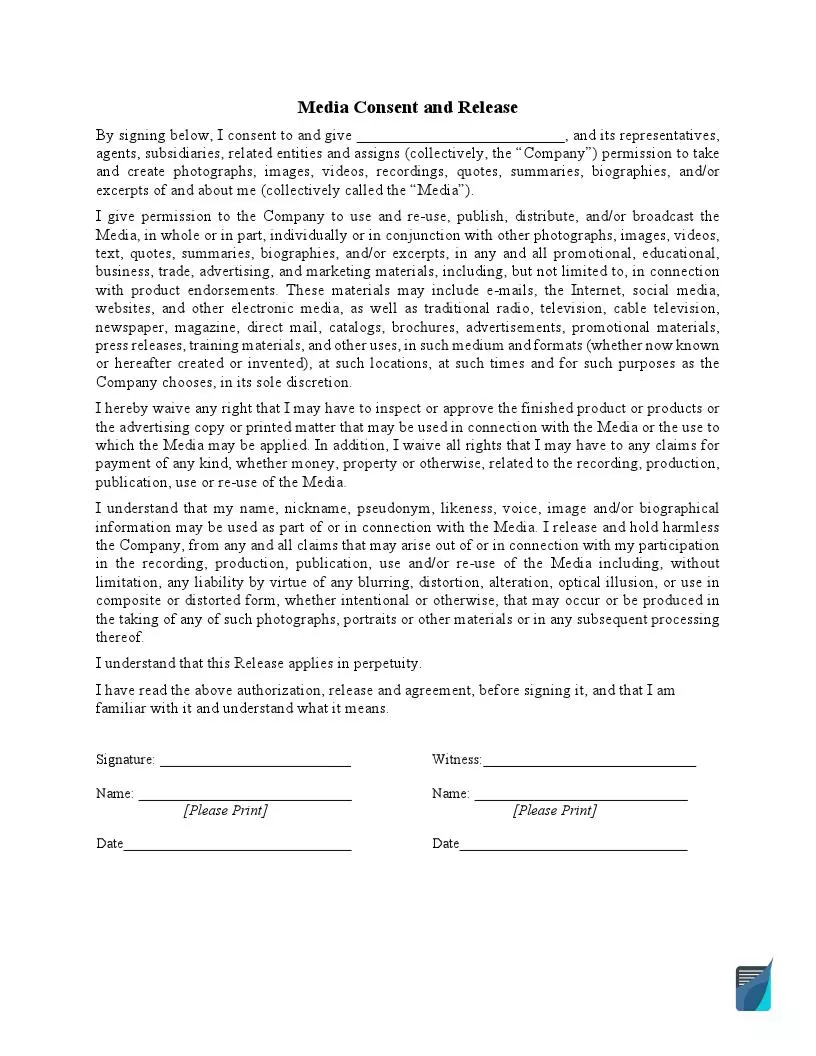
The FormsPal release form template is a one-page form called Media Consent and Release. Most of the wording is already printed, so the signer reads it, fills in one blank and signs. It lists the purposes the content may serve, and it contains these parts:


These steps follow the FormsPal template, a one-page form with a company blank and a signature block. Most of the text is already printed, so only a few entries are left for you. Open the PDF and fill it in with the FormsPal PDF editor, or fill it in by hand.
The screenshots under each step show the FormsPal Media Release template filled with sample entries in blue, so you can see where each answer goes. The names, addresses, dates and amounts are examples only.

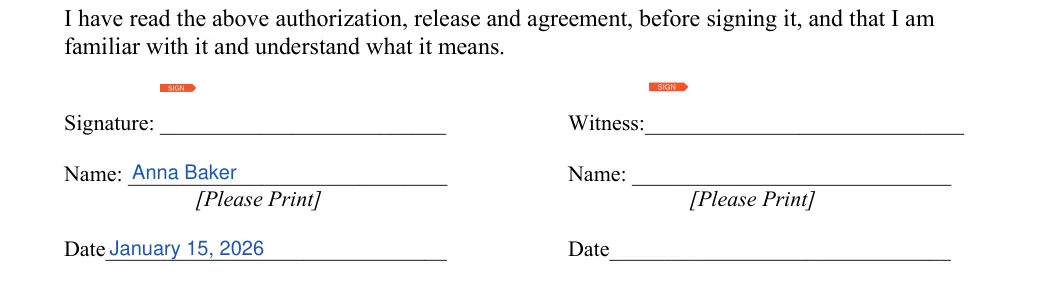
Finish the release in a few quick steps. Read the printed text, confirm who is signing, sign and date the form, and then store a copy where you can find it later.

A signed release is easier to manage when the paperwork is ready before the camera starts. These tips keep the process quick for everyone involved and help you find each signed form again when you need it later.
These short answers cover what the release form template is for, who the people on the form are, what the template includes and how to fill it out and keep a copy.
This form gives written permission to use photos, recordings or quotes of a person. People use it for:
The form says what the content is and where it may appear.
The grantor, also called the releasor, is the person who appears in the content and gives permission. The grantee, also called the release receiver, is the person or company that receives permission to use the content.
The template covers photographs, images, video footage, recordings, quotes, summaries and biographies of the person signing. It also lets the company use that content in promotional, educational, business, advertising and marketing materials.
Yes. The FormsPal template has a Witness column next to the signature block, with its own signature, printed name and date lines.
A press release is an announcement a company sends to journalists. A release form is a permission slip from a person who appears in photos or recordings. The two share a word but do different jobs.
The two names are often used for the same kind of document. The FormsPal template is titled Media Consent and Release, so one form covers both words. It records the consent of the person who signs.
Keep the signed copy where you can find it quickly, such as a password-protected folder with a scan of the page, and give the grantee a copy as well. Group the releases by project so each one is easy to match to its photos or recordings.
Yes. FormsPal offers a free release form template for photos and recordings. Download the PDF or create the document online, then fill it in and save a copy.
Yes. Click Create My Document at the top of the page, answer a few questions and save or print the finished form. You can also download the PDF and fill it in on your device.
General information, not legal or tax advice.
